
- Age rating4+
- CategoryGraphics & Design
- DeveloperRahul Sehgal
- LanguagesEnglish
- Size14.3 MB
Links to the official App Store page
Download.org hosts no file of Clayoo. The button opens its official App Store page, published by Rahul Sehgal. Listing last checked on Nov 18, 2026.
Screenshots
About
What if you could draw something and hold it in your hands almost?
Clayoo is a creative canvas that bridges the gap between 2D sketches and 3D models. Draw anything using professional tools, tap a single button, and let AI transform your artwork into a fully textured, realistic 3D model, ready to rotate, explore, and even place in your room using augmented reality.
No 3D modeling experience required. If you can draw it, Clayoo can build it.
POWERFUL DRAWING TOOLS
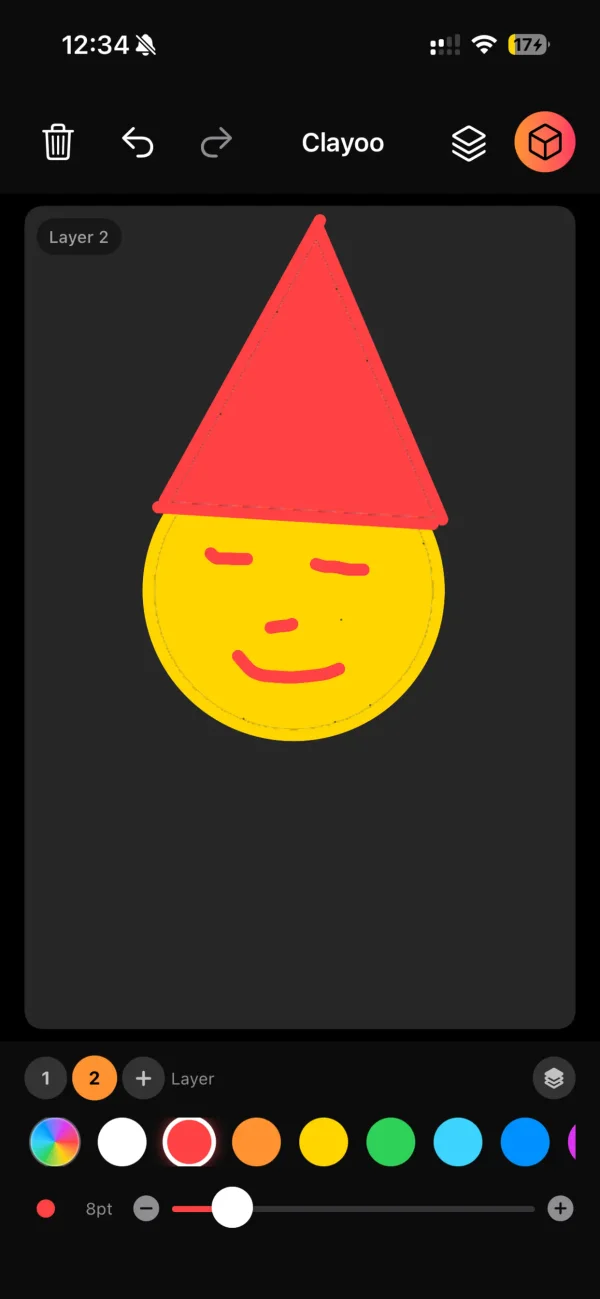
Clayoo gives you everything you need to bring your ideas to life on canvas. Choose from 5 distinct brush styles , Round, Flat, Marker, Pencil, and Spray, each with adjustable size and opacity. Add depth with gradient strokes and gradient fills in 4 directions. Use the intelligent flood fill to color regions with a single tap, respecting stroke boundaries automatically.
QUICKSHAPE TECHNOLOGY
Draw a shape and hold your finger down, Clayoo detects your intent and snaps it into a perfect circle, rectangle, triangle, or straight line. Inspired by professional illustration apps, QuickShape makes precise drawing effortless.
MULTI-LAYER CANVAS
Work across multiple layers to build complex compositions. Each layer has independent strokes and fills, letting you organize your artwork just like in a pro design tool. Rearrange elements with the shape selector to control what sits on top.
AI-POWERED 3D GENERATION
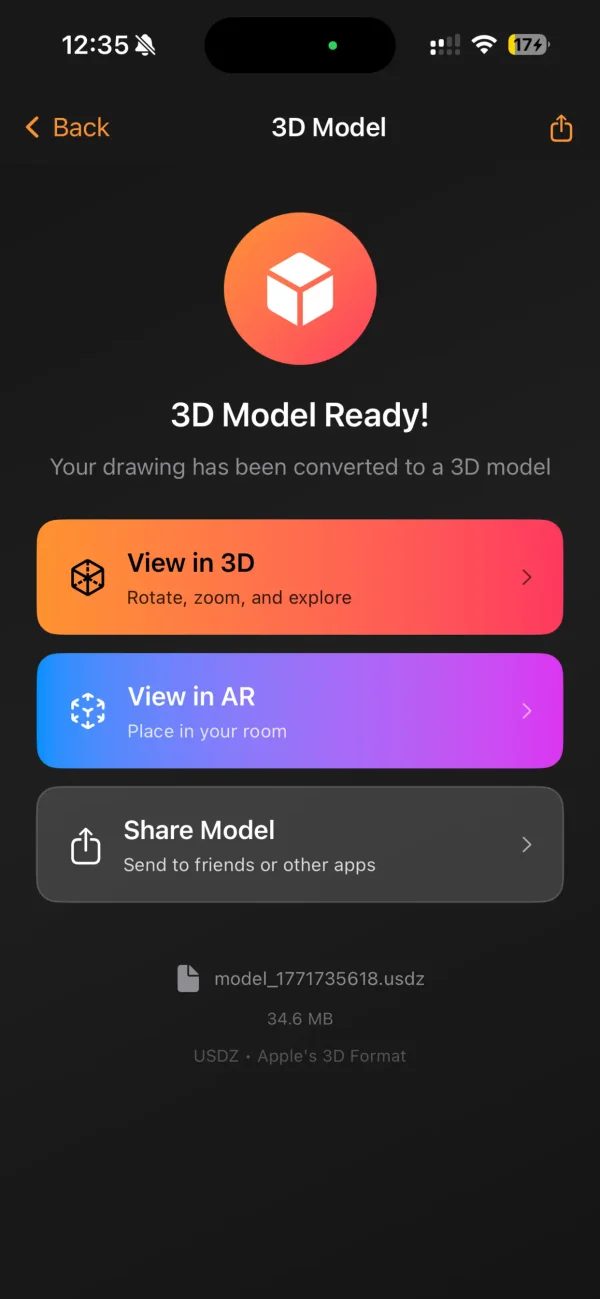
When you're ready, tap Generate. Clayoo sends your drawing to an AI engine that creates a fully textured 3D model complete with PBR (physically-based rendering) materials. Your model is delivered in USDZ format, Apple's native 3D file format, compatible across iPhone, iPad, Mac, and Vision Pro.
VIEW IN 3D & AUGMENTED REALITY
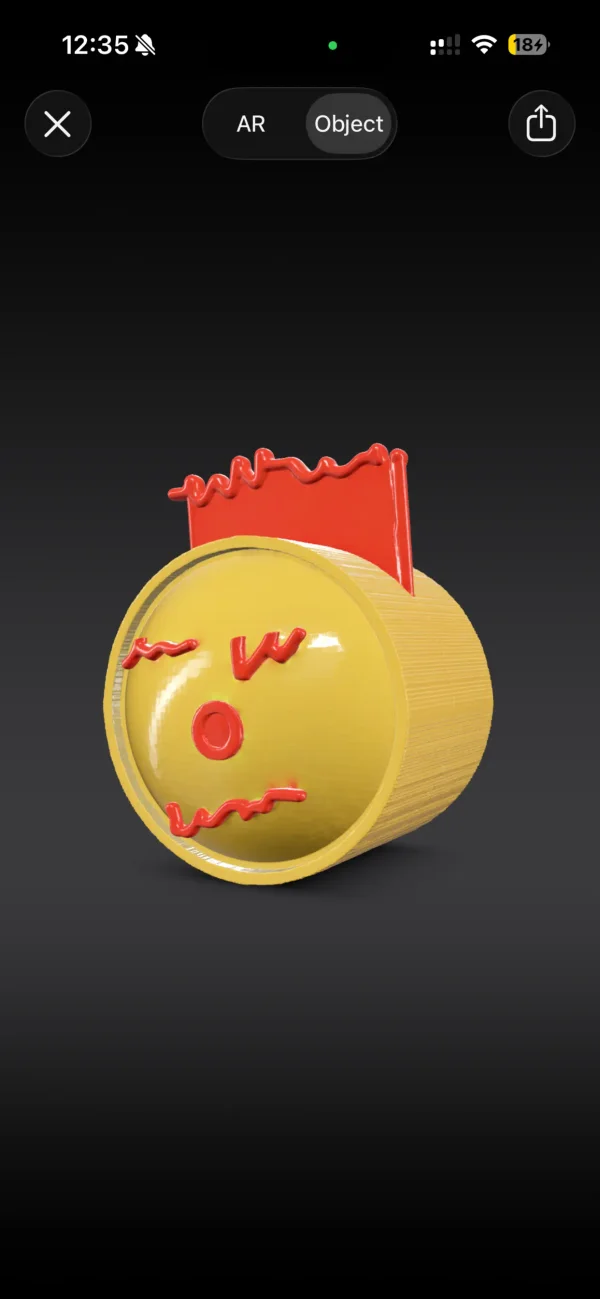
Explore your creation in an interactive 3D viewer, rotate, zoom, and inspect every angle. Then switch to AR mode and place your model on your desk, floor, or anywhere around you. See your sketch come to life in real space.
CLOUD MODEL LIBRARY
Every model you generate is automatically saved to the cloud. Open your library anytime to browse past creations, re-download models, and pick up right where you left off, even on a new device.
SHARE YOUR CREATIONS
Export and share your 3D models with friends, collaborators, or across your other apps. USDZ files work seamlessly with Messages, Mail, and any app that supports 3D Quick Look.
WHO IS CLAYOO FOR?
Whether you're an artist experimenting with 3D, a hobbyist who loves to sketch, a game designer prototyping characters, or just someone curious about turning flat drawings into something you can spin around, Clayoo was made for you.
Draw it. Generate it. Explore it. Place it in your world.
App privacy
What Rahul Sehgal declares on the App Store about how this app handles data.
-
Data not linked to you
May be collected but is not linked to your identity.
- Identifiers
Privacy practices may vary, for example with the features you use or your age.
Information
- Seller
- Rahul Sehgal
- Category
- Graphics & Design
- Version
- 1.0
- Updated
- Feb 26, 2026
- Released
- Feb 26, 2026
- Size
- 14.3 MB
- Requires
- iOS 18.0 or later
- Age rating
- 4+
- Price
- Free
- Languages
- English
- Copyright
- © 2025 Rahul Sehgal
You might also like
-
 3DCellForgePhoto to 3D model forge
-
 CADSketchDraw. Constrain. Extrude.
-
 brckdGraphics & Design
-
 ÜnflatLow-poly 3D studio
-
 Meshora 3D : AI Model MakerText & photo to 3D mesh
-
 PixVoxVoxel Modeling from Photos
-
 ISD Pose AliveCreates VRM 3D animations
-
 AI 3D World Builder: WorldGenImage to 3D Immersive Scenes
-
 3D Modeling AI: Text To 3DCreate 3D Models with AI
-
 Vibe3D-3D Character Animation3D Physics Animation