CLI Pulse
AI coding usage & cost monitor
Designed for iPhone, iPad, Mac
In-app purchases
- Age rating4+
- CategoryDeveloper Tools
- DeveloperYuhe Ye
- LanguagesTraditional Chinese+ 5 more
- Size55.1 MB
Links to the official App Store page
Download.org hosts no file of CLI Pulse. The button opens its official App Store page, published by Yuhe Ye. Listing last checked on Nov 18, 2026.
Screenshots

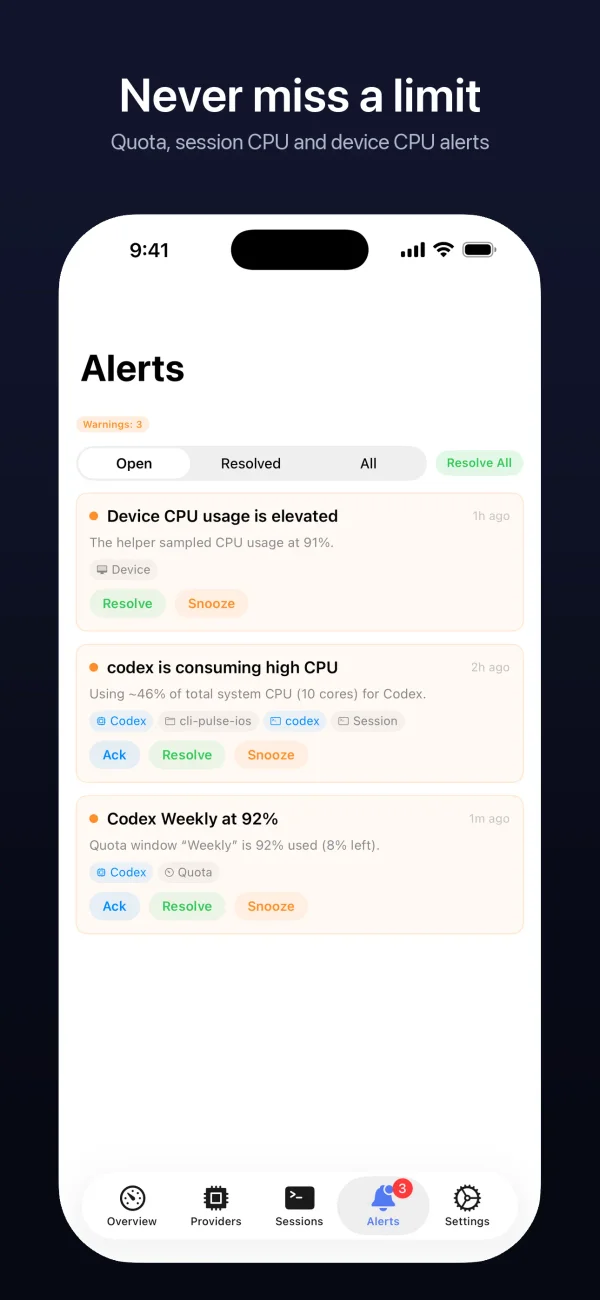
About
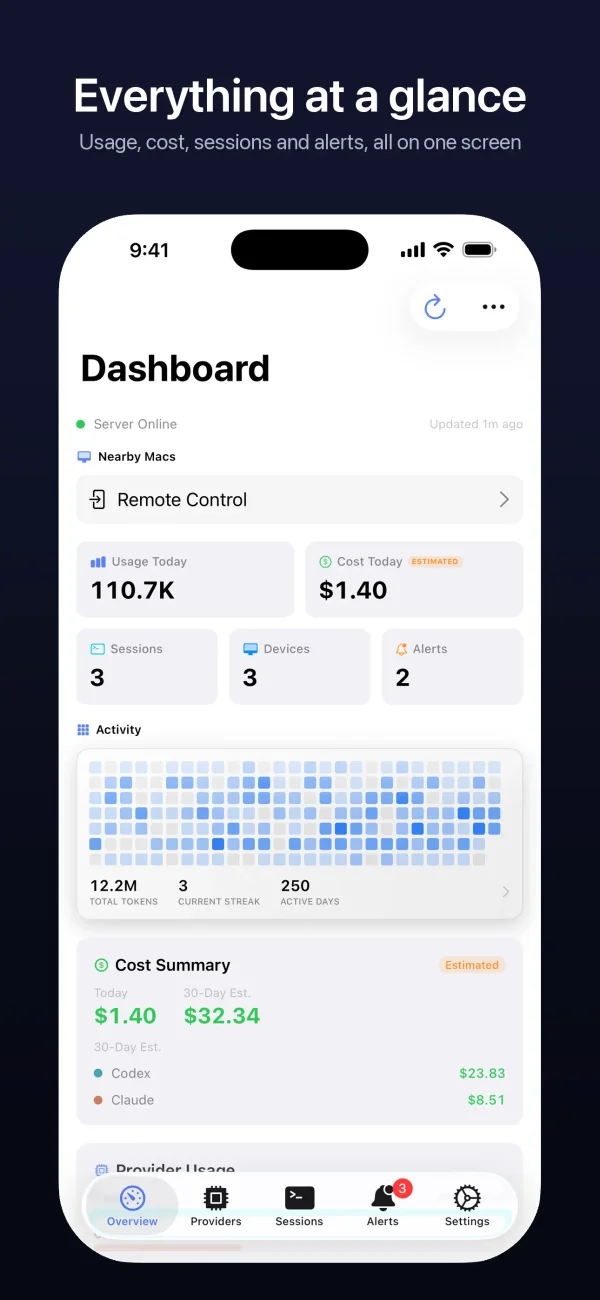
CLI Pulse keeps track of your AI coding tools: how much of each quota you have used, when it resets and what your usage is costing you. It works with Claude, Codex, Gemini, Cursor, Copilot, OpenRouter, Ollama and dozens of other providers, on your Mac and on your iPhone, iPad and Apple Watch.
On your Mac
- Your providers' quotas and reset times, one click away in the menu bar
- Pace: whether your quota will last until it resets, or when it will run out
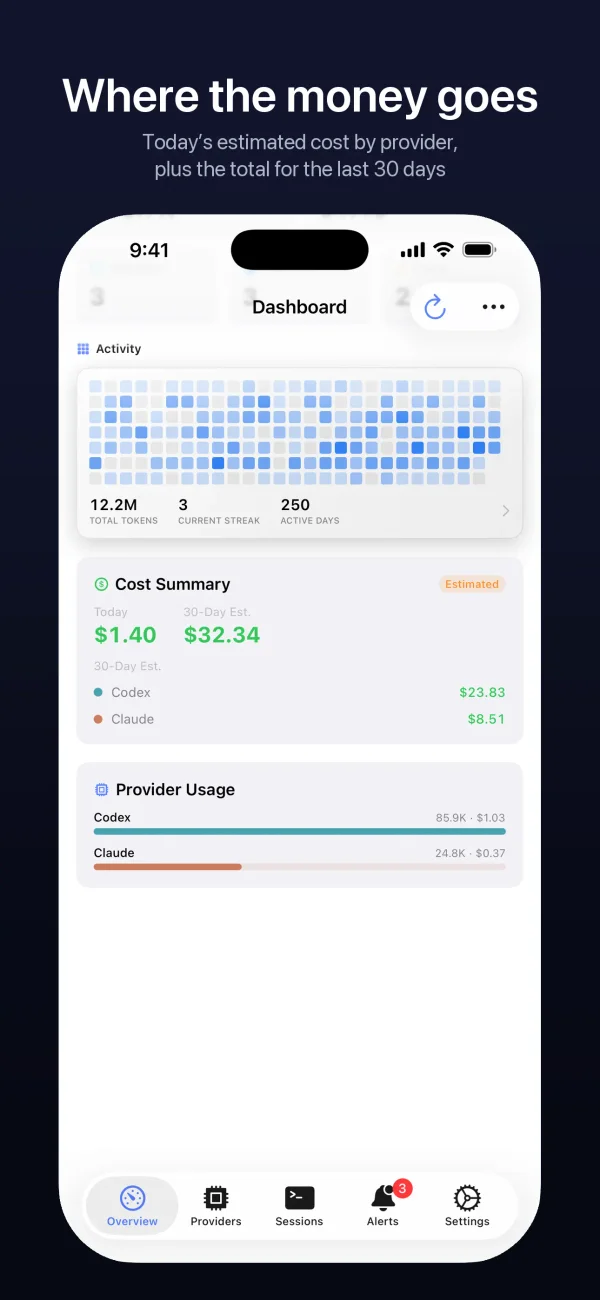
- Estimated cost from your Claude Code and Codex logs, calculated on your Mac
- Usage history for each provider, an activity heatmap and a cost forecast
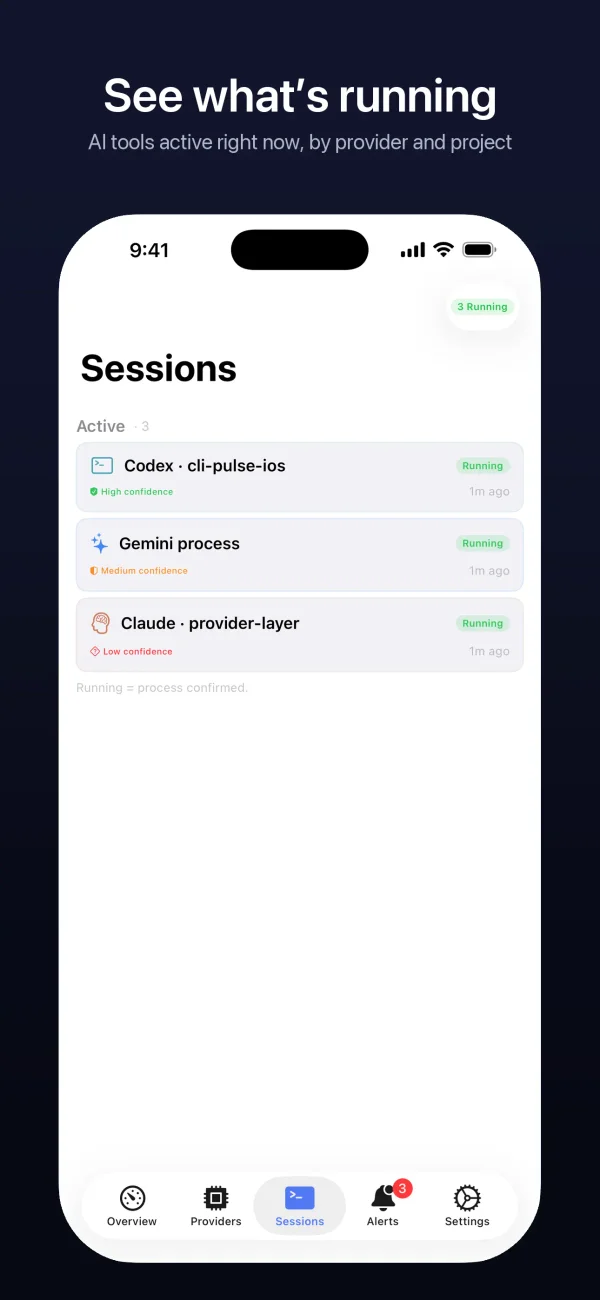
- Active and recent sessions by project, with usage and estimated cost
- Alerts when a quota crosses a threshold you choose and, when you are signed in, when your daily cost suddenly jumps
- Cost reports you can export as CSV or PDF
- Pulse Cat, an optional desktop cat whose vitals follow your real AI usage
- No account needed: in local mode your usage stays on this Mac
On iPhone, iPad and Apple Watch
- The same quotas, costs, sessions and alerts, synced from your Mac
- Home Screen and Lock Screen widgets (Pro)
- Siri and Shortcuts: ask for today's status or for one provider's remaining quota
- Apple Watch: quota rings, alerts and sessions on your wrist
The iPhone, iPad and Apple Watch apps show what CLI Pulse collects on your Mac. Install it on your Mac and sign in with the same account on each device. Try Demo shows the app with sample data before you connect a Mac.
Privacy
- Your provider API keys and the contents of your session logs never leave your Mac
- When you sign in, usage figures sync to your CLI Pulse account over an encrypted connection
- No ads and no third-party analytics SDKs
Free and Pro
CLI Pulse is free for up to three providers. CLI Pulse Pro adds unlimited providers and the Home Screen and Lock Screen widgets.
Subscription information
CLI Pulse Pro is available as an auto-renewing subscription. Available plans, pricing, and billing periods are shown in the App Store and in the app at the time of purchase.
Payment will be charged to your Apple Account at the confirmation of purchase. Subscription automatically renews unless auto-renew is turned off at least 24 hours before the end of the current period. Your account will be charged for renewal within 24 hours prior to the end of the current period. You can manage and cancel your subscriptions by going to your account settings on the App Store after purchase.
Terms of Use: https://cli-pulse.github.io/cli-pulse/terms.html
Privacy Policy: https://cli-pulse.github.io/cli-pulse/privacy.html
What’s new
Version 1.62.0 · Nov 12, 2026
On Apple Watch, the alert bell now shows the same number as the Alerts page it opens.
• On Apple Watch, the bell now counts the open alerts that the Alerts page lists, including the quota alerts your iPhone raises. It used to count only the alerts uploaded to your account, so it could show fewer than the page.
App privacy
What Yuhe Ye declares on the App Store about how this app handles data.
-
Data linked to you
May be collected and linked to your identity.
- Purchases
- Financial info
- Location
- Contact info
- User content
- Identifiers
- Usage data
- Diagnostics
- Other data
-
Data not linked to you
May be collected but is not linked to your identity.
- Usage data
Privacy practices may vary, for example with the features you use or your age.
Information
- Seller
- Yuhe Ye
- Category
- Developer Tools
- Version
- 1.62.0
- Updated
- Nov 12, 2026
- Released
- Mar 31, 2026
- Size
- 55.1 MB
- Requires
- iOS 17.0 or later
- Age rating
- 4+
- In-app purchases
- Yes
- Languages
- Traditional Chinese, Japanese, Simplified Chinese, English, Spanish, Korean
- Copyright
- © 2026 Ye Yuhe & Cao Yuqi
You might also like
-
 VibeCheck - Limits CompanionClaude, Cursor & Codex Limits
-
 Agent Limbo: AI CodingApprovals & Alerts on Watch
-
 AgentWatch: AI Agent HubClaude and Codex on Watch
-
 Model UsageAI coding usage dashboard
-
 Agent ApproveObserve & control AI agents
-
 Agent Meter: AI UsageClaude/Codex reset alerts
-
 LimitWatchAI Coding Tools on Your Wrist
-
 Agent HUDClaude Code & Codex usage
-
 TokenBar MobileAI Usage Monitor for Claude
-
 BotBus: AI Coding Agent RemoteApprove, chat & open terminal