Agent Meter: AI Usage
Codex/Gemini/Claud reset alert
Designed for iPhone, iPad
Free · In-app purchases
- Age rating4+
- CategoryDeveloper Tools
- DeveloperShuo Deng
- LanguagesEnglish+ 8 more
- Size22.6 MB
Links to the official App Store page
Download.org hosts no file of Agent Meter: AI Usage. The button opens its official App Store page, published by Shuo Deng. Listing last checked on Nov 24, 2026.
Screenshots



About
Track token usage and AI coding quotas, with timely recovery alerts and reset updates.
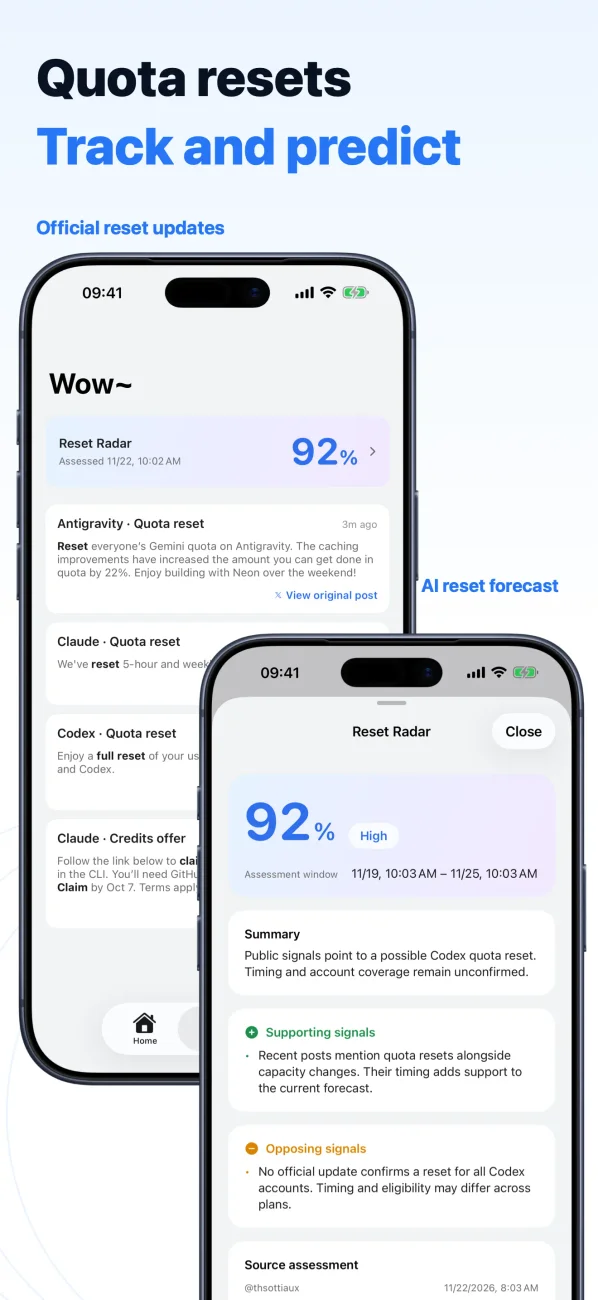
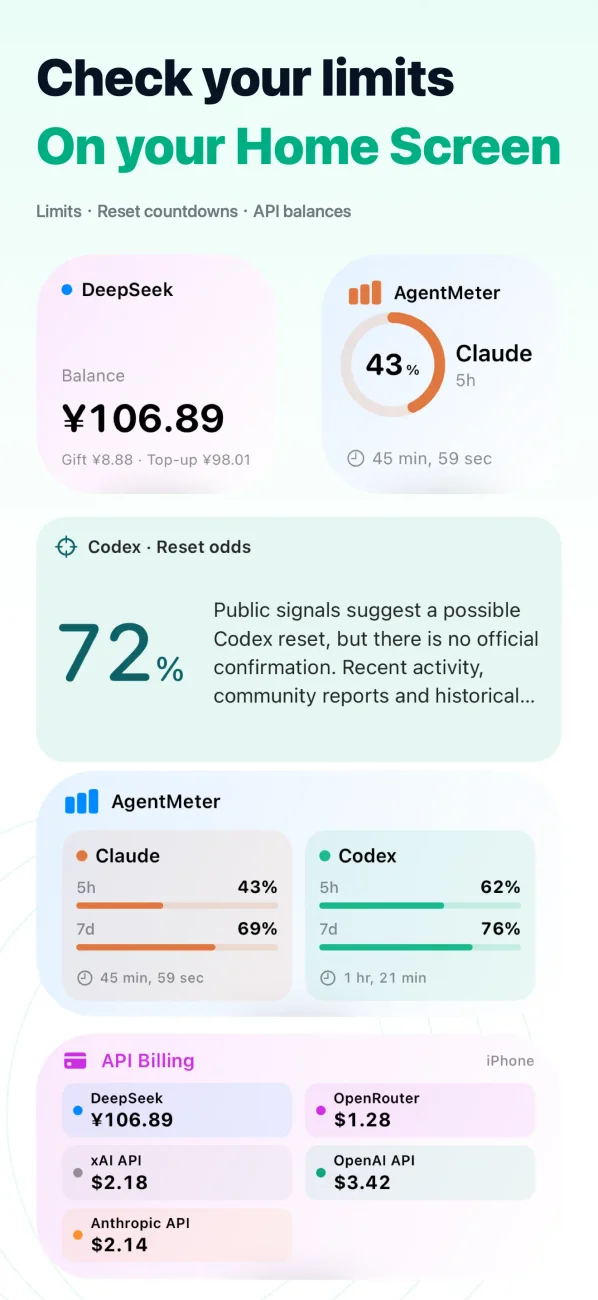
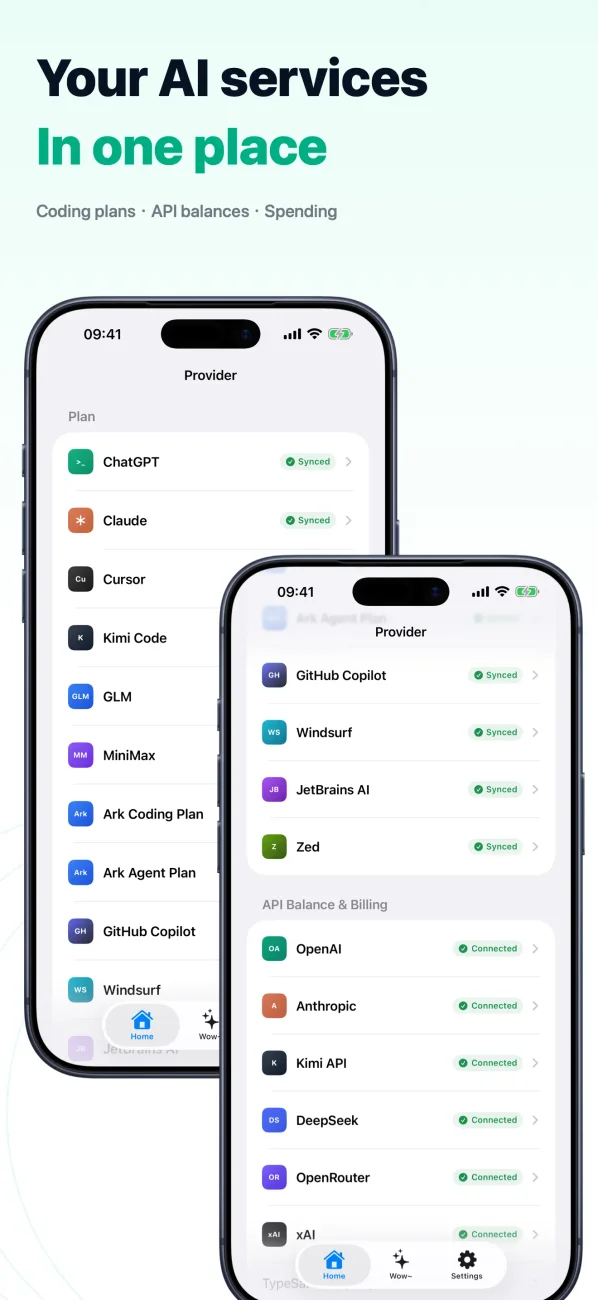
View quotas, balances, and API billing across providers with iPhone and iPad widgets or Apple Watch complications. Follow public Gemini reset announcements for Google Antigravity. Reset Radar analyzes public signals to estimate the likelihood of a Codex quota reset.
KEY FEATURES
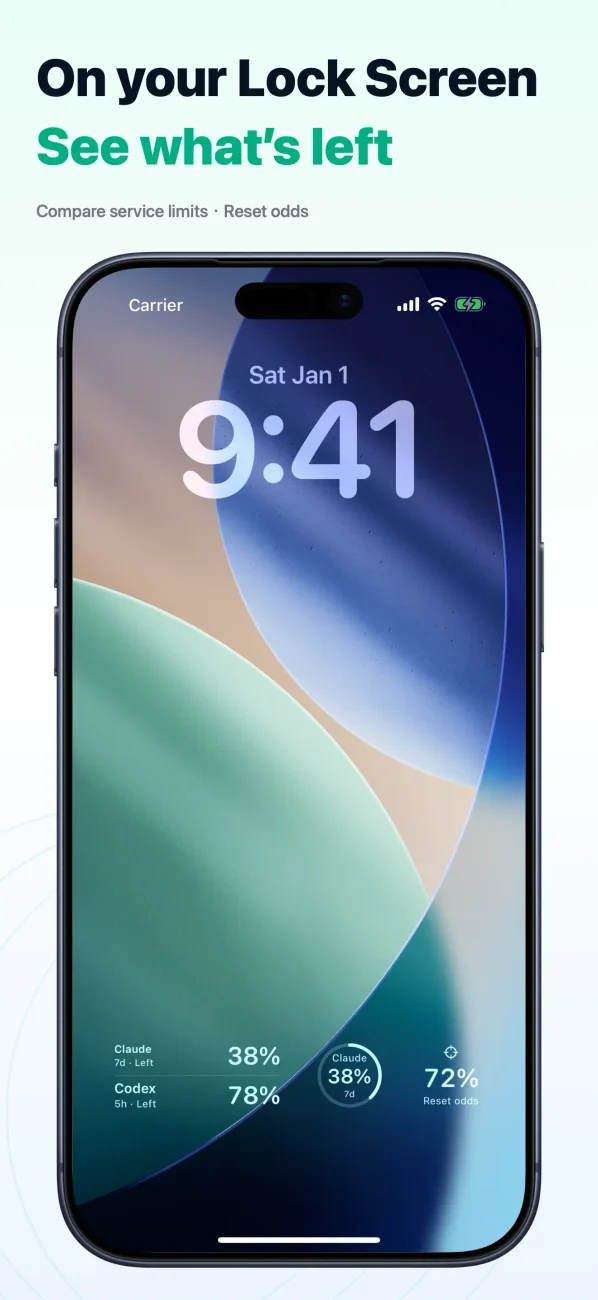
• Check remaining quota and reset times on the iPhone Lock Screen
• View remaining quota and reset countdowns
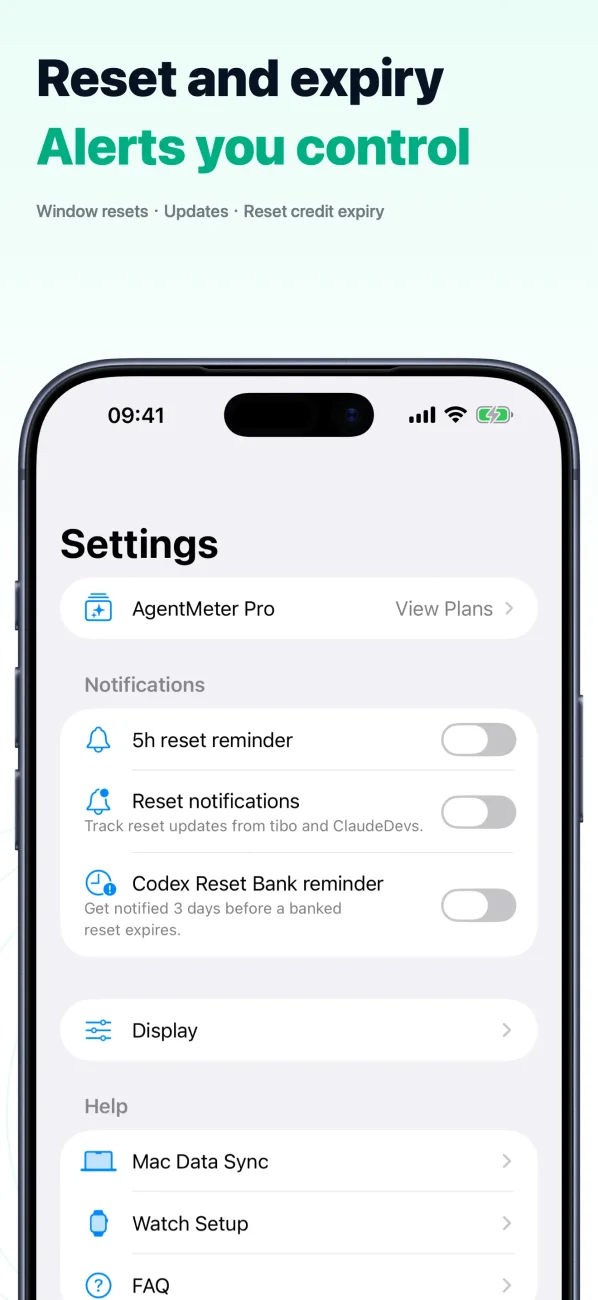
• Receive quota recovery alerts and provider-published reset updates
• Use iPhone and iPad widgets, the Apple Watch app, and watch-face complications
• LLM-powered analysis predicts potential resets
• Choose from multiple dashboard layouts and customize display settings with AgentMeter Pro
• View available banked resets and receive expiry reminders
SUPPORTED SERVICES
Coding-plan quotas:
Claude Code
ChatGPT / Codex
Cursor
GitHub Copilot
Windsurf
JetBrains AI
Zed
Google Antigravity
Kimi Code
GLM Coding Plan
MiniMax Token Plan
Ark Coding Plan
Ark Agent Plan
Balances, billing and account credits:
DeepSeek
OpenRouter
xAI API
Kimi API
OpenAI API
Anthropic API
TypeSafe API (Jev)
Perplexity
Sub2API
New API
INDEPENDENCE AND THIRD-PARTY SERVICES
AgentMeter is an independent third-party app. It is not affiliated with, sponsored by, endorsed by, or officially authorized by any listed provider. All trademarks belong to their respective owners.
AgentMeter Pro unlocks advanced features in this app; subscriptions and API usage for third-party services are billed separately by their respective providers.
Data sources, quota rules, reset schedules, and billing methods may change. The provider’s official account and billing information always takes precedence.
HOW IT WORKS
1. Open AgentMeter on your iPhone and Apple Watch.
2. For Google Antigravity and other plans that require a Mac, install the companion collector from our website.
3. Connect supported plans, including Codex, Cursor, GitHub Copilot, and Ark, directly on iPhone.
4. Add an iPhone or iPad widget or an Apple Watch complication to keep quota status close at hand.
PRIVACY AND DATA RELIABILITY
Provider credentials are never sent to AgentMeter servers.
Plan credentials stay on the device that collects usage. Your Mac syncs quota data through your private iCloud database. Your iPhone can send quota data to your paired Apple Watch.
Credentials used for API balances and billing remain in the non-synchronizing Keychain of the device where they were entered and are never written to CloudKit. A paired Apple Watch receives only allowlisted display values. It does not store provider credentials or connect directly to provider APIs.
If a request fails, a credential expires, or a data source changes, AgentMeter keeps the last successful result and marks it as stale. Unknown data is never presented as a confirmed quota value.
AGENTMETER PRO
Quota viewing, notifications, the Mac companion, the Watch app, and every Apple Watch complication remain free.
AgentMeter Pro is available as a monthly subscription, yearly subscription, or one-time lifetime purchase. It unlocks:
• Advanced iPhone and iPad dashboard layouts
• A dense list layout
• Custom service display order
• Every iPhone and iPad widget
The yearly subscription includes a seven-day free trial. Prices are displayed by the App Store.
REQUIREMENTS
• A paired Apple Watch is required for Watch features
• Devices must use the same Apple Account for cross-device quota synchronization
• Some coding plans require the companion Mac collector
• A valid plan or developer API account from the relevant provider is required
Terms of Use (Apple Standard EULA):
https://www.apple.com/legal/internet-services/itunes/dev/stdeula/
What’s new
Version 2.6 · Nov 23, 2026
• Connect directly to Codex, GitHub Copilot, and Cursor to check remaining quotas.
• View Sub2API and New API balances and limits across sites and keys.
• View Google Antigravity quotas synced from your Mac and follow public Gemini reset announcements.
• Use IAM keys to check Ark Coding Plan and Ark Agent Plan quotas.
App privacy
What Shuo Deng declares on the App Store about how this app handles data.
-
Data linked to you
May be collected and linked to your identity.
- Identifiers
Privacy practices may vary, for example with the features you use or your age.
Information
- Seller
- Shuo Deng
- Category
- Developer Tools
- Version
- 2.6
- Updated
- Nov 23, 2026
- Released
- Jun 22, 2026
- Size
- 22.6 MB
- Requires
- iOS 17.0 or later
- Age rating
- 4+
- Price
- Free
- In-app purchases
- Yes
- Languages
- English, Arabic, French, German, Japanese, Korean, Russian, Simplified Chinese, Spanish
- Copyright
- © 2026 Dothinker. All rights reserved.
You might also like
-
 MeterTab: AI UsageUsage for Claude & every AI
-
 Model UsageAI coding usage dashboard
-
 LimitWatchAI Coding Tools on Your Wrist
-
 Tempo For ClaudeDeveloper Tools
-
 TokenBar MobileAI Usage Monitor for Claude
-
 CodexBar - Usage of AIDeveloper Tools
-
 Token Monitor: AI UsageClaude, Codex, GPT API Spend
-
 Port22: Coding Agents AnywhereClaude code, Codex & more
-
 Nomo - AI Status & UsageAI status, usage & sessions
-
 Limits: AI Usage TrackerCodex, Claude, Cursor limits