
Clipboard Manager - CopyCache
Smart Scanner & Extractor
Designed for iPhone, iPad
Free · In-app purchases
- Age rating4+
- CategoryProductivity
- DeveloperActnow GmbH
- LanguagesEnglish+ 14 more
- Size26.3 MB
Links to the official App Store page
Download.org hosts no file of Clipboard Manager - CopyCache. The button opens its official App Store page, published by Actnow GmbH. Listing last checked on Nov 15, 2026.
Screenshots
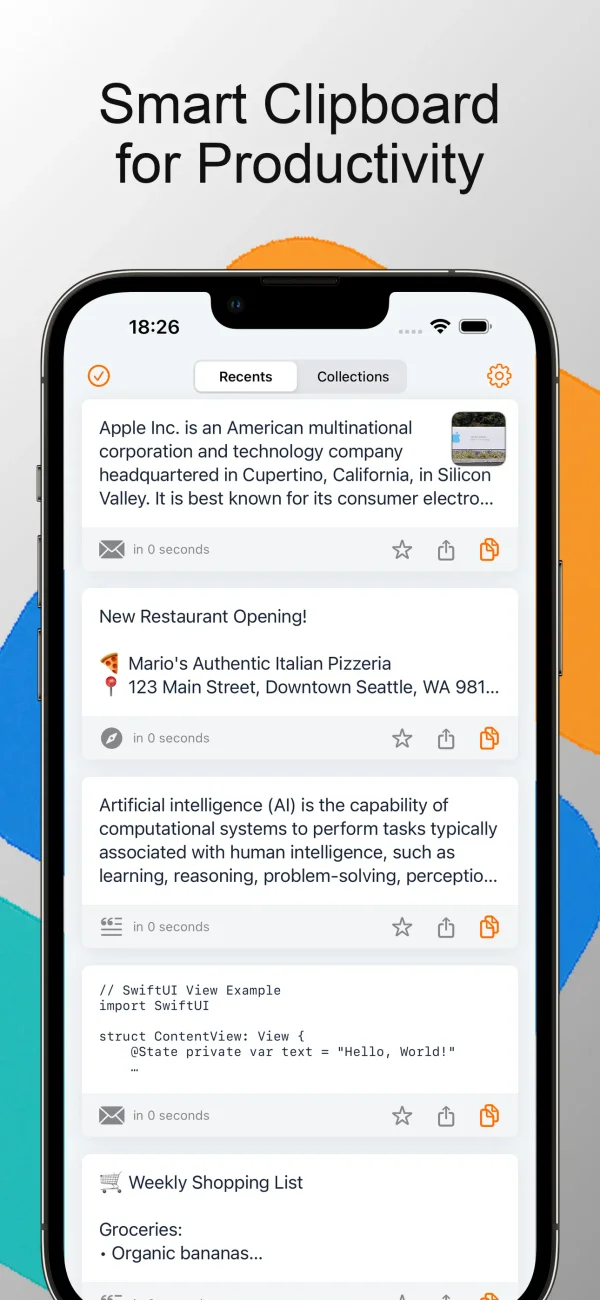
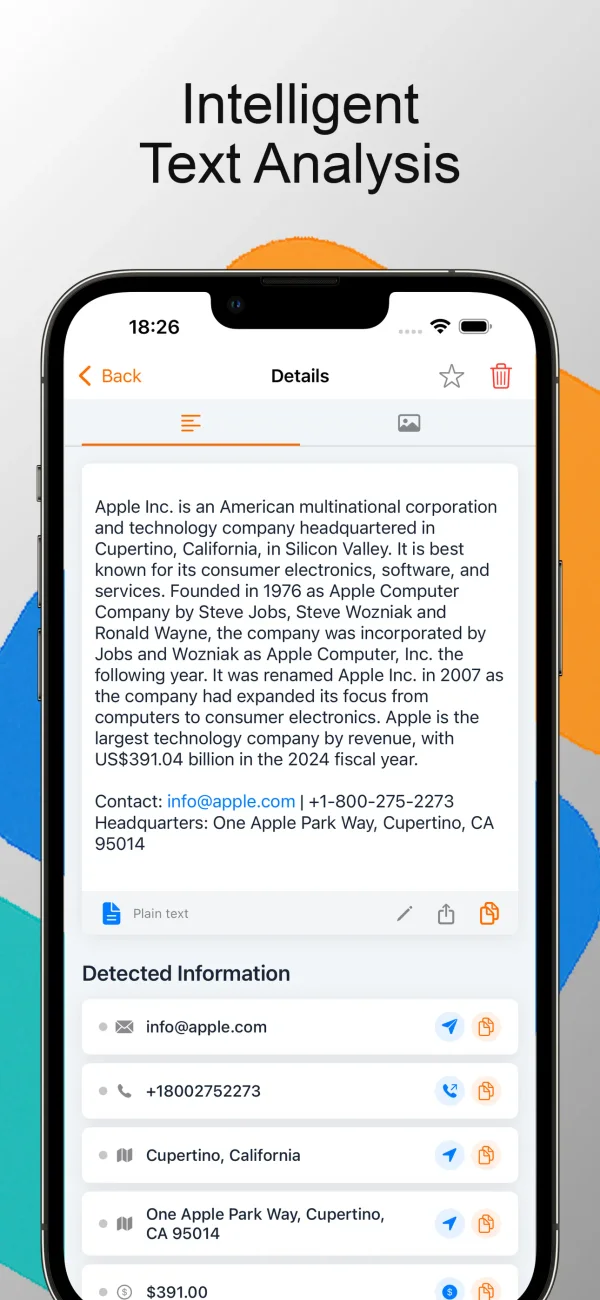
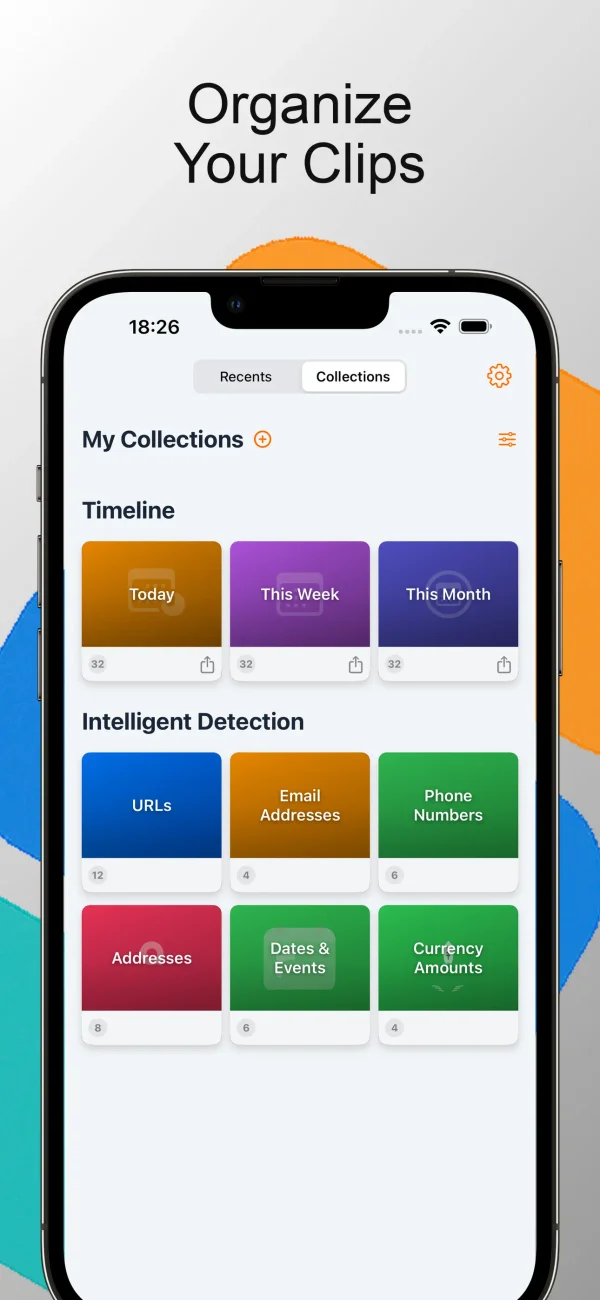

About
Transform your clipboard into an intelligent productivity powerhouse with CopyCache - the AI-driven clipboard manager that automatically extracts, organizes, and makes your copied content actionable.
INTELLIGENT AUTOMATION
• Advanced OCR technology extracts text from any image
• Smart entity detection finds phone numbers, emails, addresses, URLs, dates, and currency amounts
• Automatic organization into smart collections
• One-tap actions: call numbers, send emails, open maps, track packages
SEAMLESS WORKFLOW
• Smart collections organize content by type and date
• Powerful search across all clipboard history
• Share extension captures content from any app
SMART FEATURES
• Currency converter with real-time rates
• Flight and package tracking integration
• Event creation from detected dates
• Multi-language OCR support
• Duplicate detection and smart merging
PRODUCTIVITY BOOSTERS
• Bulk operations and batch processing
• Favorites and custom collections
• Rich text format preservation
• Comprehensive export options
• Privacy-first design with local processing
Perfect for professionals, students, and anyone who copies content frequently. Stop losing important information - let CopyCache intelligently organize and enhance everything you copy.
Download now and experience the future of clipboard management!
- Subscription auto-renewal
In CopyCache, you can purchase an automatically renewing subscription through an in-app purchase. If you do not purchase a subscription, you can only keep up to three clips. However, you can use all the features of the app on clips that you have collected during a previous subscription. So you will not lose access to your clips when your subscription ends.
Your subscription will be charged to your iTunes account at confirmation of purchase and will automatically renew (for the duration selected) unless auto-renew is turned off at least 24 hours before the end of the current period.
The current subscription cannot be canceled during the active subscription period; however, you can manage your subscription and/or turn off auto-renewal by visiting your iTunes account settings after purchase.
Privacy Policy: https://www.actnow-gmbh.de/apps/copycache-pro/privacy/
Terms of Service: https://www.apple.com/legal/internet-services/itunes/dev/stdeula/
What’s new
Version 1.5.0 · Nov 12, 2026
What's New in v1.5.0
• Save to CopyCache in one tap: add the new "Save to CopyCache" widget to your Home Screen, then tap it to keep whatever is on your clipboard in CopyCache.
• Privacy and reliability improvements under the hood.
Thanks for using CopyCache!
App privacy
What Actnow GmbH declares on the App Store about how this app handles data.
-
Data not linked to you
May be collected but is not linked to your identity.
- Usage data
- Diagnostics
Privacy practices may vary, for example with the features you use or your age.
Information
- Seller
- Actnow GmbH
- Category
- Productivity
- Version
- 1.5.0
- Updated
- Nov 12, 2026
- Released
- Jul 22, 2025
- Size
- 26.3 MB
- Requires
- iOS 18.4 or later
- Age rating
- 4+
- Price
- Free
- In-app purchases
- Yes
- Languages
- English, Arabic, Dutch, French, German, Hindi, Indonesian, Italian, Japanese, Korean, Portuguese, Simplified Chinese + 3 more
- Copyright
- © 2026 Actnow GmbH
You might also like
-
 Clipster Clipboard ManagerCopy History Synced Everywhere
-
 Clipboard Manager - PastelyUniversal clipboard sync
-
 ClipSafeClipboard Manager & Organizer
-
 CopyPad: Clipboard Manager AIAI Writer, Voice & Quick Notes
-
 Clipboard WalletCopy and Paste manager
-
 PasteQ - Clipboard & LauncherCopy history, snippets & sync
-
 copycopy: Copy & Paste HistoryPrivate Clipboard Manager
-
 PasteDock: Clipboard ManagerCopy & Paste Text and Images
-
 Clipboard History+One Click to Access Your Data
-
 iCliper - Clipboard ManagerAuto Copy and Paste Keyboard