
- Age rating4+
- CategoryProductivity
- DeveloperVauldex, Inc.
- LanguagesJapanese+ 1 more
- Size64.9 MB
Links to the official App Store page
Download.org hosts no file of Clock Me: Calendar & Tracking. The button opens its official App Store page, published by Vauldex, Inc. Listing last checked on Nov 12, 2026.
Screenshots



About
— To help people make the most of their time —
Clock Me is a completely new time management tool that feels just like using a standard calendar. By linking calendar events (planned time) with tracking data (actual time), it allows you to compare the two and re-examine your time from a fresh perspective that traditional time management tools couldn't offer.
• What kind of day was today?
• Where am I unconsciously wasting time?
• What was the root cause behind things not going according to plan?
Understand how you use your time and re-evaluate your choices.
By looking back on the past, we support your first step toward building a better future.
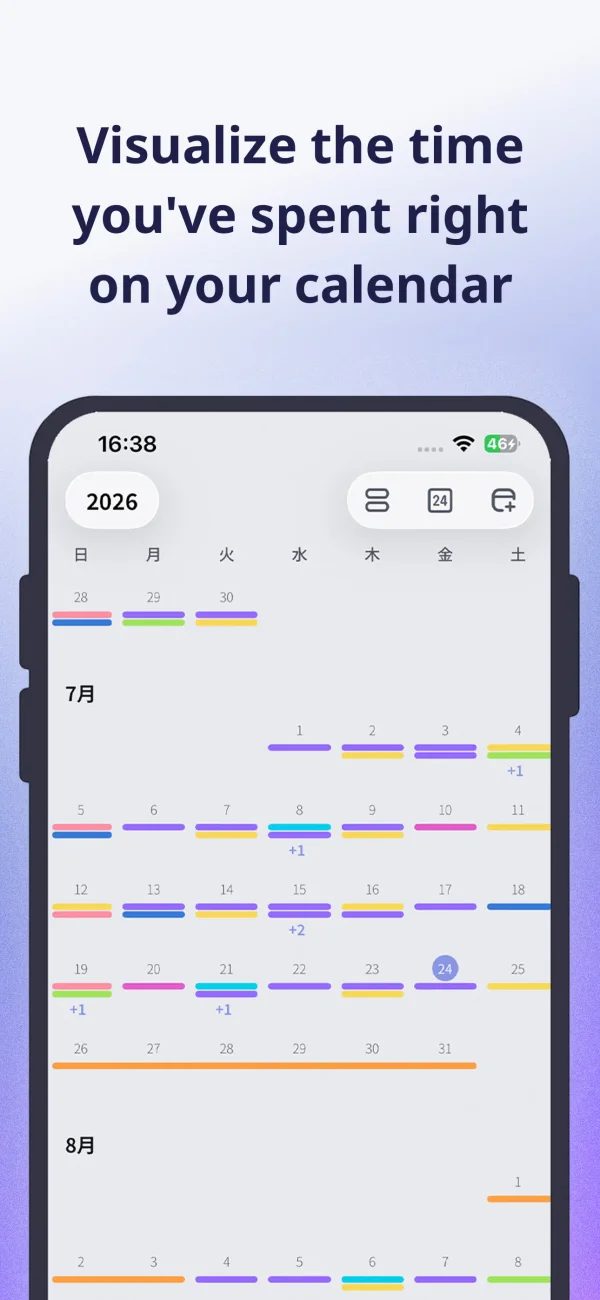
○ Familiar Calendar View
If you are used to Apple Calendar, you barely need any explanation. With almost no learning curve, you can start using it from day one.
Furthermore, because schedule management and time tracking happen in one single tool, there is no need to jump back and forth between two different apps.
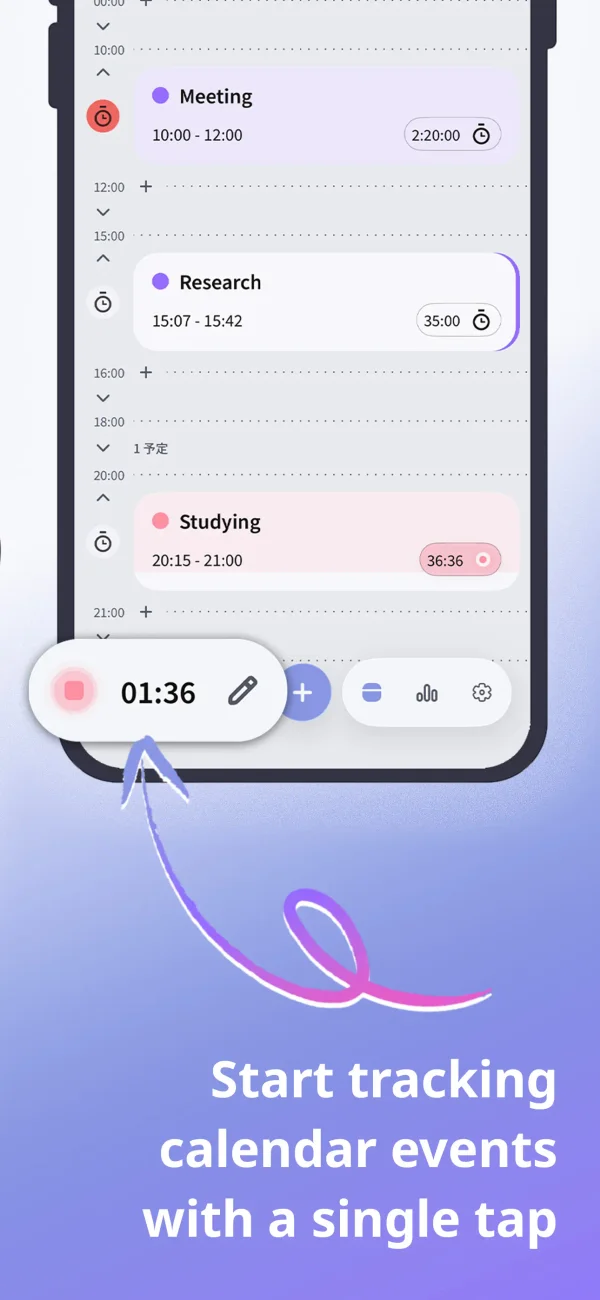
○ Start Tracking in One Tap
Simply tap an event registered in your calendar to start tracking. It eliminates tedious data entry while allowing you to visually see: "How much time did I actually spend compared to what I planned?"
○ Plan vs. Actual Comparison Mode
By pairing calendar events (planned time) with tracking data (actual time), you can visually compare both side-by-side on the report screen. This gives you valuable insights to optimize your time, such as planning accuracy, work focus, and how often unexpected tasks pop up.
○ Recommended For:
• People looking to start time tracking
• People searching for a fresh time management tool
• People who use calendars, but manage their actual time intuitively/on their own
• People interested in business efficiency and productivity boost
• Freelancers, consultants, and professionals whose time directly links to revenue
• People who want to visualize daily life activities like housework, parenting, studying, or exercise
• People who want to improve their Quality of Life (QOL)
• Multi-Device Support: Track anytime, anywhere.
• Apple & Google Login: Supports Single Sign-On (SSO).
• Bilingual Support (Japanese & English): Feel confident using it in a global work environment.
Make every hour count!
Clock Me - The time tracking calendar.
What’s new
Version 2.5.0 · Nov 9, 2026
• Bug Fixes and UI/UX Improvements
App privacy
What Vauldex, Inc. declares on the App Store about how this app handles data.
-
Data linked to you
May be collected and linked to your identity.
- Purchases
- Location
- Contact info
- User content
- Identifiers
- Usage data
- Diagnostics
-
Data not linked to you
May be collected but is not linked to your identity.
- Diagnostics
Privacy practices may vary, for example with the features you use or your age.
Information
- Seller
- VAULDEX, INC.
- Category
- Productivity
- Version
- 2.5.0
- Updated
- Nov 9, 2026
- Released
- Dec 22, 2025
- Size
- 64.9 MB
- Requires
- iOS 18.0 or later
- Age rating
- 4+
- Languages
- Japanese, English
- Copyright
- © 2024 Vauldex, Inc.
You might also like
-
 工数ノート - フリーランス時間管理Productivity
-
 TimePalette - Daily Time LogTap Time Log & Pomodoro
-
 Time Tracker 時間管理Productivity
-
 日付計算(休日対応)Productivity
-
 Clock In Myself — Time TrackerOne-tap time log & task switch
-
 Calendar Insights: Time StatsStatistics for Apple Calendar
-
 Pomodoro Task Manager |TASKARUProductivity
-
 Thalam - Plan & TrackPlan, track & compare your day
-
 Notepad with Browser - SproutNotes, Browser, Sync, Widget
-
 LogCalendar - Time TrackerRecord actions on the calendar