
Cloudflare Web Analytics
Your site stats at a glance
Designed for iPhone, iPad
$5.99
- Age rating4+
- CategoryDeveloper Tools
- DeveloperRyland
- LanguagesEnglish+ 1 more
- Size1.7 MB
Links to the official App Store page
Download.org hosts no file of Cloudflare Web Analytics. The button opens its official App Store page, published by Ryland. Listing last checked on Nov 8, 2026.
Screenshots

About
See your Cloudflare Web Analytics in a fast, native dashboard built for iPhone and iPad.
Check visitors, page views and trends in seconds, then dig into where your traffic comes from, which pages people read and what they browse with. Everything compares against the previous period, so you can see what's growing and what's dropping at a glance.
AT A GLANCE
• Visitors, page views and views per visitor, with the change since last period
• A trend chart for this period against the last one, from the past hour to the past three months
• A one-line summary of your typical visitor: where they came from, their browser, device and country, and what they looked at
• Every site in your account, or just one
DIG DEEPER
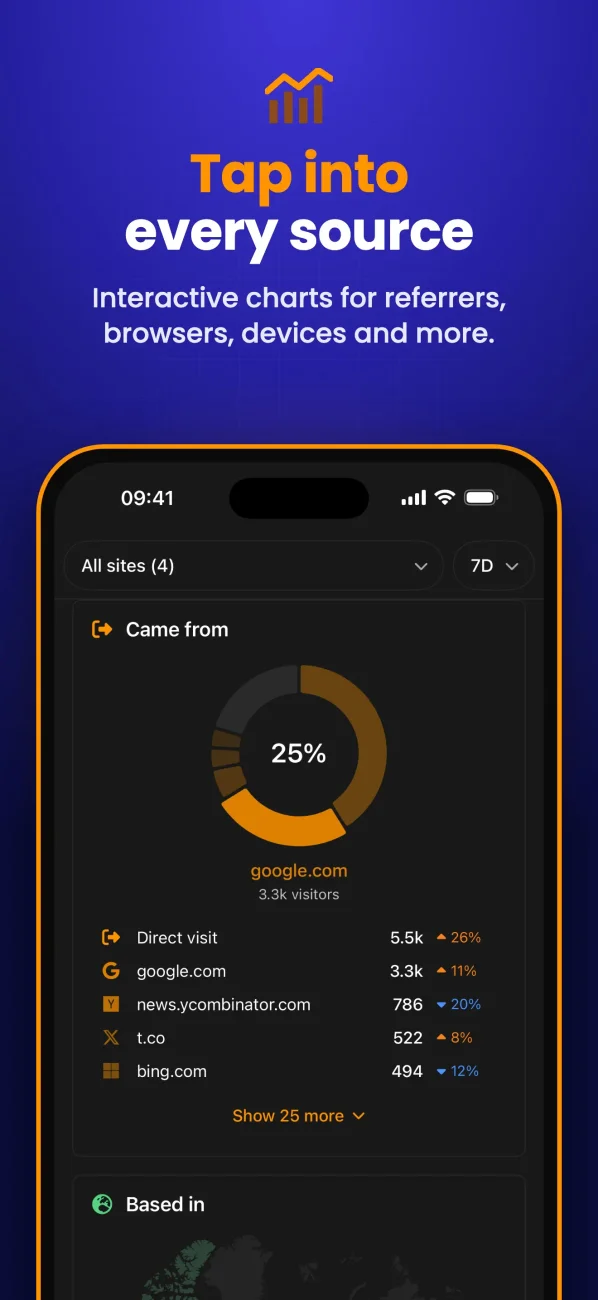
• Interactive charts for referrers, countries, browsers, devices, operating systems, hosts and pages: tap a slice to see its share
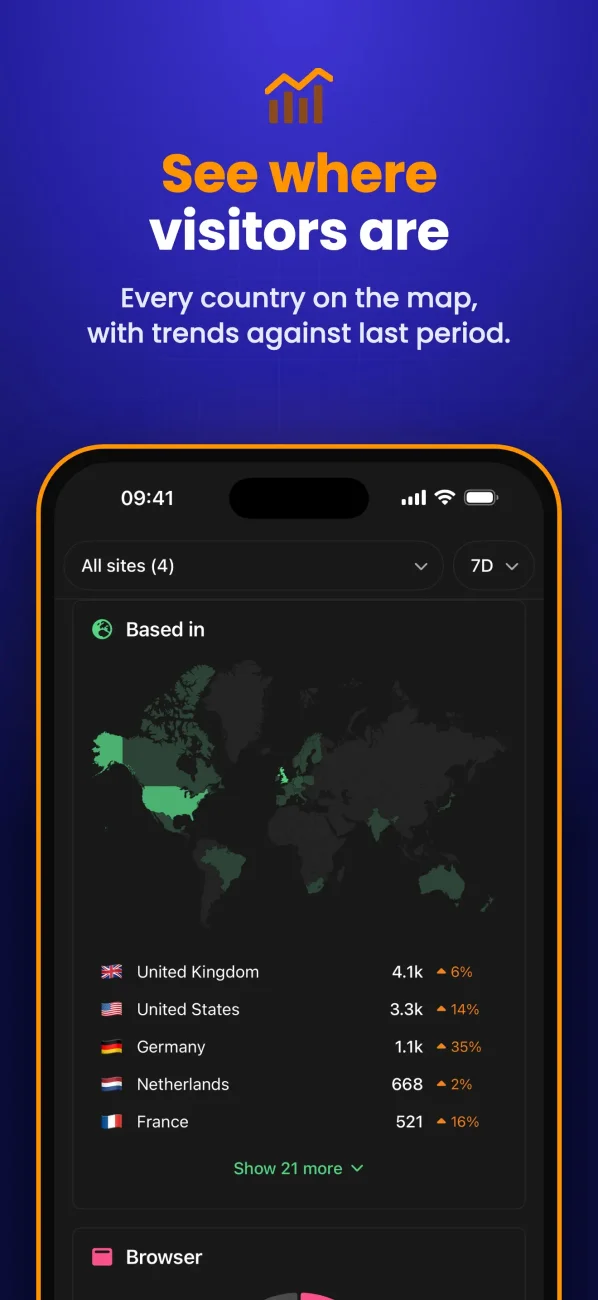
• A world map of where your visitors are
• Show the full list behind every chart, down to the last visit
• Recognizable icons for over 100 sites, apps, browsers and systems, from Google and Hacker News to Firefox and Fedora
FILTER IN, OR FILTER OUT
• Tap any value to narrow the whole dashboard to it
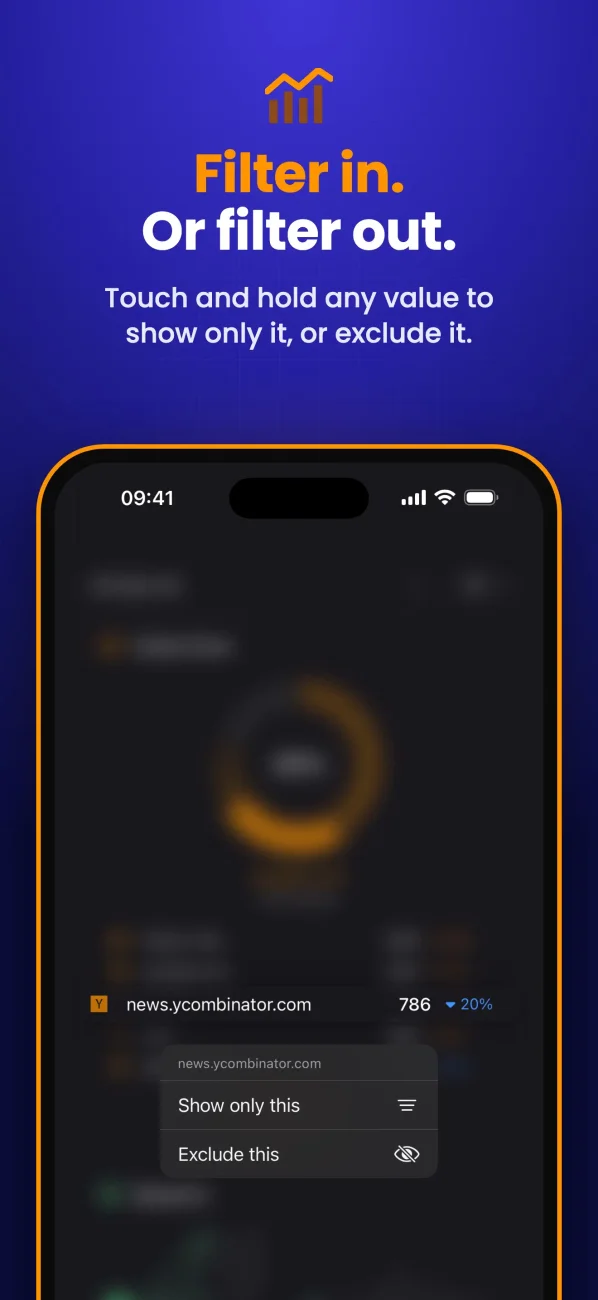
• Touch and hold to exclude a value instead, perfect for hiding your own visits or a noisy referrer
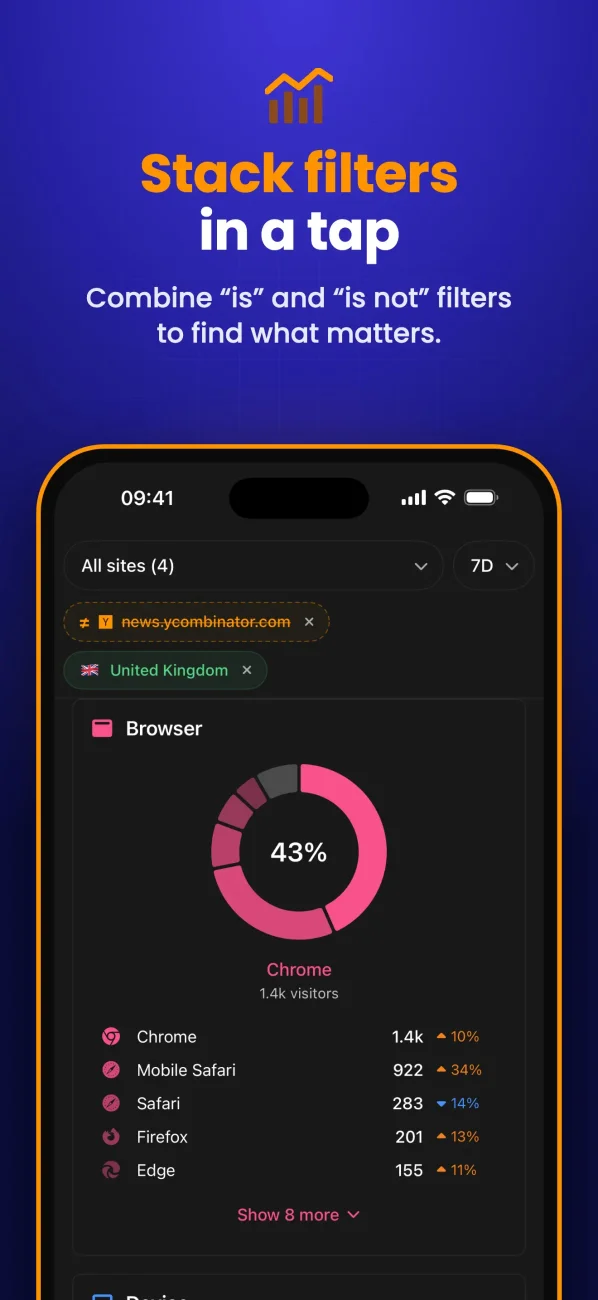
• Stack filters across sources, countries, devices and pages, and flip any of them between “is” and “is not”
FAST AND PRIVATE
• Opens instantly on your last data, then refreshes in the background; pull down any time for the latest
• Talks directly to Cloudflare: no third-party servers, no tracking, no ads
• Your Cloudflare details are kept in the device Keychain and are only ever sent to Cloudflare
WHAT YOU NEED
A Cloudflare account with Web Analytics enabled for at least one site. You'll sign in with your Cloudflare email, Global API Key and Account ID; the app shows you where to find each one.
This app is independent and is not made by or affiliated with Cloudflare, Inc.
What’s new
Version 2.0.0 · Oct 19, 2026
Version 2 is a complete rebuild as a native iPhone and iPad app, now also in German.
• Interactive charts for every breakdown: tap a slice to see its share
• Exclude filters: touch and hold any value to hide it, and tap a filter to flip between “is” and “is not”
• A new Hosts breakdown, and “Show more” on every list
• Brand icons for over 100 sites, apps, browsers and systems
• A two-column layout on iPad
• Opens instantly on your last data and refreshes in the background
• Smoother animations and a clearer trend chart
• Your Cloudflare details now live in the iOS Keychain, carried over automatically
Requires iOS 17 or later.
App privacy
What Ryland declares on the App Store about how this app handles data.
-
Data not collected
The developer does not collect any data from this app.
Privacy practices may vary, for example with the features you use or your age.
Information
- Seller
- Ryland Consulting Limited
- Category
- Developer Tools
- Version
- 2.0.0
- Updated
- Oct 19, 2026
- Released
- Jan 3, 2025
- Size
- 1.7 MB
- Requires
- iOS 17.0 or later
- Age rating
- 4+
- Price
- $5.99
- Languages
- English, German
- Copyright
- © 2024 Ryland Consulting Limited
You might also like
-
 Analytics for Cloudflare®Website Statistics & Widgets
-
 Bit AdminPanelDeveloper Tools
-
 KeyNest - AI API Key ManagerDev Key Vault: Test & Balance
-
 Shellward: SSH Client & SFTPThe AI-native terminal
-
 Bit Blazor UIDeveloper Tools
-
 ZeroG: Remote for AntigravityAI agent remote: watch & stop
-
 Dashboard for CloudflareDNS, Workers, OAuth&Analytics
-
 Cloudy for CloudflareReal-Time Logs & Analytics
-
 CodeAgent: AI Agent MonitorApprove coding agents remotely
-
 AI app builder: VibecodeBuild software in seconds