
- Age rating4+
- CategoryFamily
- DeveloperGabhel Studios
- LanguagesEnglish+ 6 more
- Size2.8 MB
Links to the official App Store page
Download.org hosts no file of cLrS: Visual Memory. The button opens its official App Store page, published by Gabhel Studios. Listing last checked on Nov 12, 2026.
Screenshots

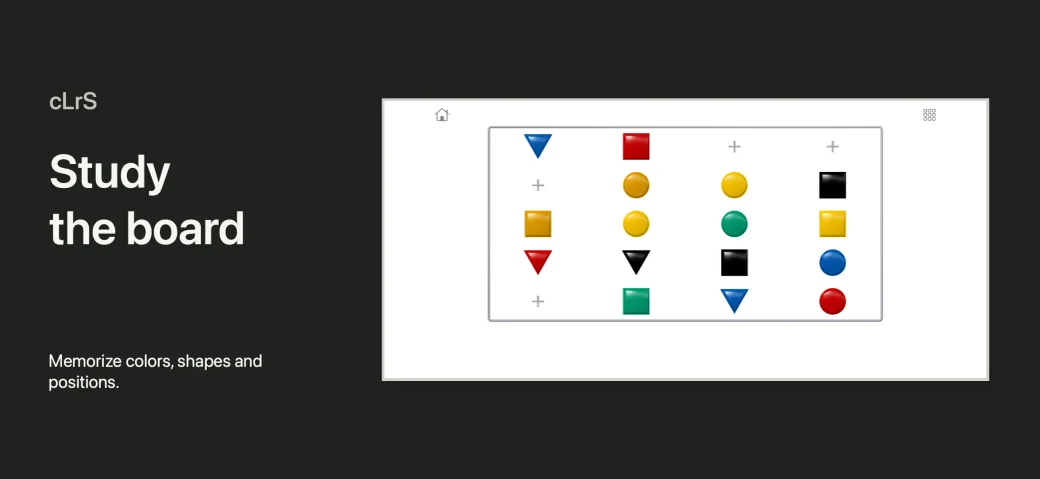


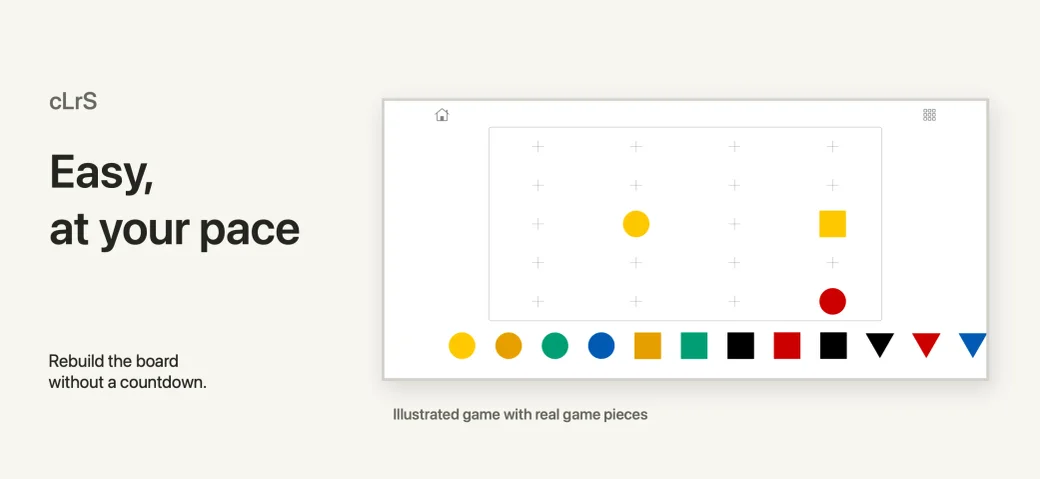

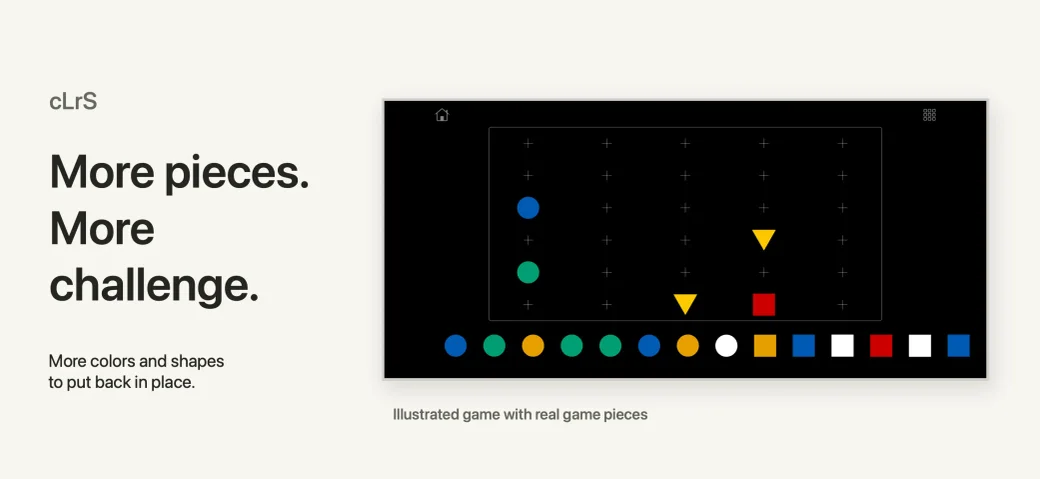

About
Look at the colors and shapes, remember where they were, and put them back on the board. In cLrS, the challenge is to rebuild what you just saw.
HOW TO PLAY
Study the pattern before it disappears. Then drag each piece back to its original position. Both shape and color matter.
TWO MODES
• Normal: rebuild the board without a reconstruction countdown. After a failed attempt, try again with the exact same pattern: colors, shapes, and positions stay unchanged.
• Timed: place the pieces before the reconstruction countdown ends. Each attempt uses a new pattern. In both modes, the pattern is only shown for a limited time.
A GROWING CHALLENGE
Work through 100 levels, then take on 20 master levels. Circles, squares, and triangles combine on different board sizes, with up to 30 pieces.
YOUR PROGRESS
See your completed levels and attempts for each level. Progress is saved separately for each difficulty on your device.
COLORBLIND MODE
Turn it on in settings to add marks to red, blue, yellow, green, and orange pieces. These marks provide another cue for telling those colors apart, alongside hue.
CHOOSE YOUR STYLE
Choose a flat (Flat) or glossy (Specular) finish from the menu before continuing to play.
A visual memory game for iPhone and iPad, played in landscape. Observe, remember colors, shapes, and positions, then put every piece back in place.
Supports iPhone Duo.
What’s new
Version 2.01 · Oct 21, 2026
• Improved interactions with pieces.
• Fixed a piece placement bug.
• Normal mode now repeats the same pattern after a failed attempt.
App privacy
What Gabhel Studios declares on the App Store about how this app handles data.
-
Data not collected
The developer does not collect any data from this app.
Privacy practices may vary, for example with the features you use or your age.
Information
- Seller
- GABHEL STUDIOS SL
- Category
- Family
- Version
- 2.01
- Updated
- Oct 21, 2026
- Released
- Jan 18, 2016
- Size
- 2.8 MB
- Requires
- iOS 17.6 or later
- Age rating
- 4+
- Price
- $0.99
- Languages
- English, French, German, Italian, Japanese, Simplified Chinese, Spanish
- Copyright
- © 2026 Gabhel Studios
You might also like
-
 Phosphor EmulatorGame Boy, GBA & Nintendo DS
-
 Flow Water Fountain 3D PuzzleRelaxing Pipe Logic Game
-
 Draw Your Game InfiniteDraw and Play
-
 memory®The original memory® game
-
 BingoCasino
-
 OneCastStream your Xbox Games
-
 AD Boy: All-in-One-EmulatorGBC, GBA, NDS, SG and more!
-
 Dragons: Rise of BerkTrain Your Dragons for Battle!
-
 Pictionary AirDraw on Air. See it on screen!
-
 Moonlight Game StreamingPlay Your PC Games Remotely