- Age rating4+
- CategorySports
- DeveloperTatsuro Takenaka
- LanguagesJapanese+ 7 more
- Size56.0 MB
Links to the official App Store page
Download.org hosts no file of CoachTag. The button opens its official App Store page, published by Tatsuro Takenaka. Listing last checked on Nov 23, 2026.
Screenshots


About
CoachTag is an app for football coaches and analysts to tag match footage, draw tactics, and export clips and playlists. Built by a professional analyst who won the J1 League title, it packs the features analysts actually use on the job into one app. The iPad version works just like the Mac version, so you can keep analyzing on the bench, in the stands or on the road.
■ Tagging
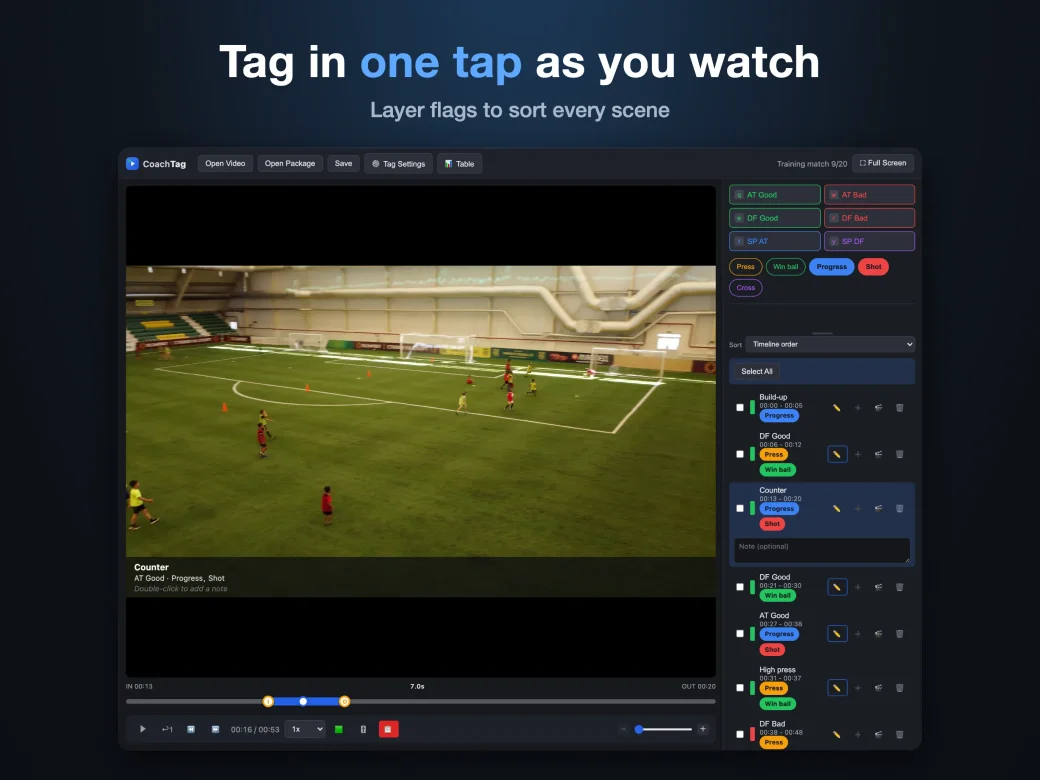
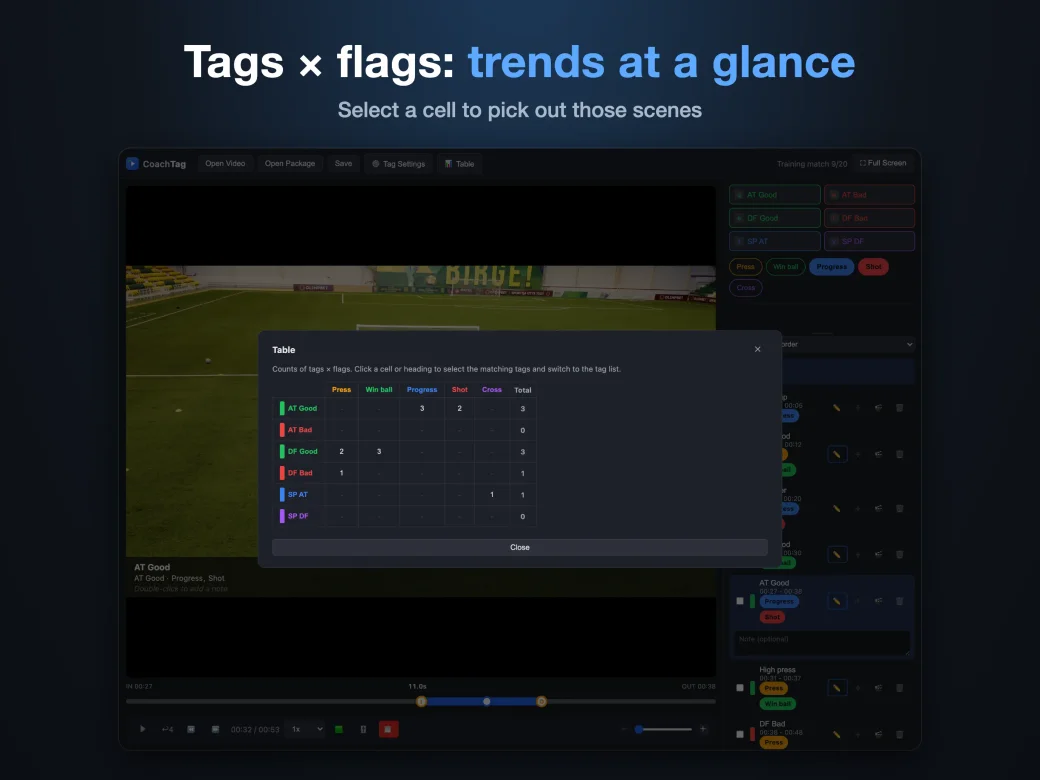
Tag scenes with one tap while the video plays: good and bad moments in attack and defense, set pieces and more. Add flags (press, win the ball, shot and more) and see match trends at a glance in the tags × flags table. Adjust the start and end timing to fit how you tag.
■ Live Capture
Record with the iPad camera or an HDMI capture device connected over USB-C and tag the match as it happens. Rewind and review while recording, and tag at the position you're reviewing. When you stop, the recording is saved as a package. (Max plan)
■ Tactical drawing
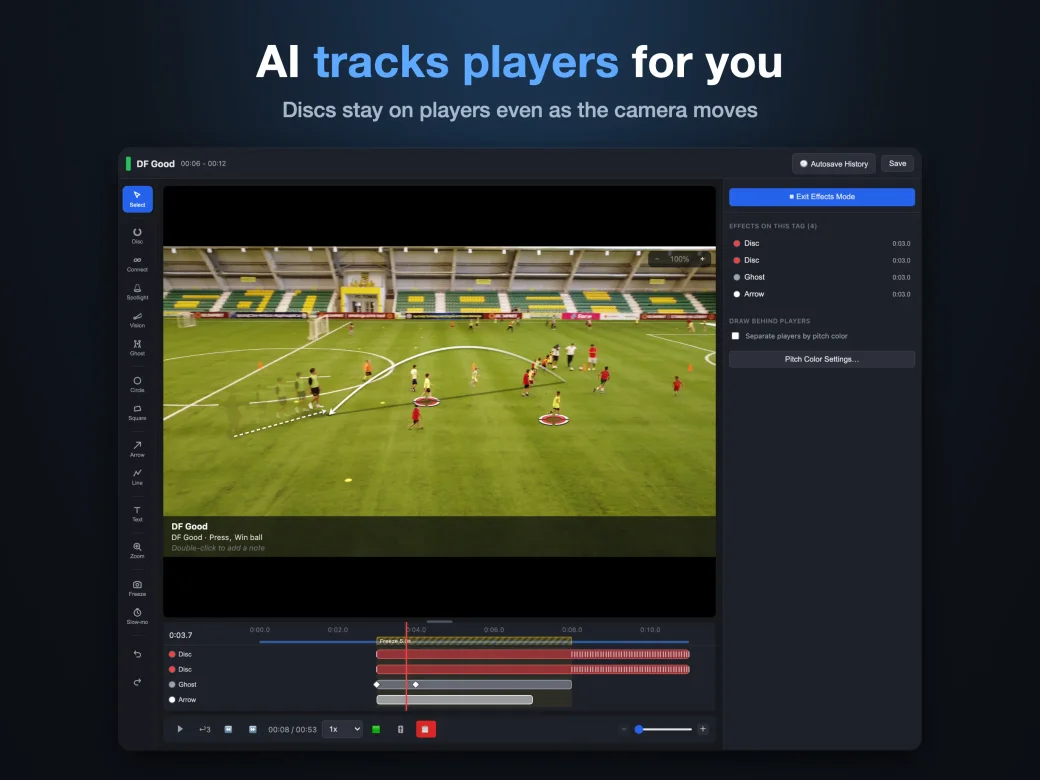
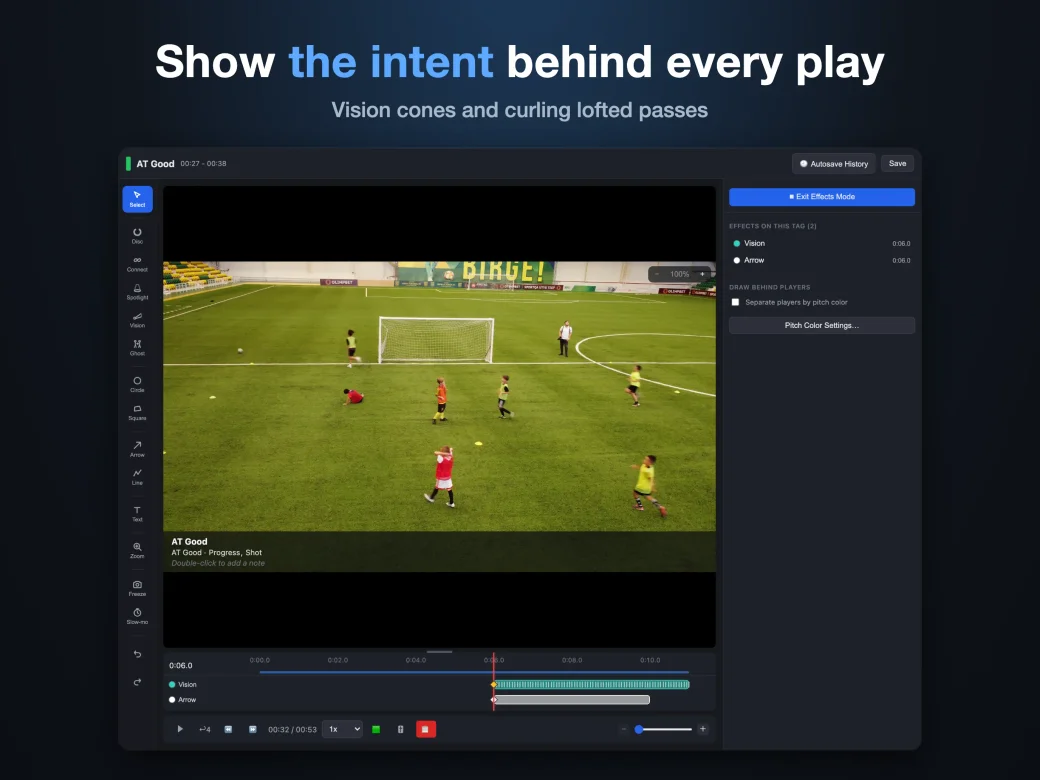
Draw tactics on tagged scenes with arrows (curved, lofted, wavy), lines, zones (circle and square), text, spotlights and vision cones — naturally, with your finger or Apple Pencil. Animate with keyframes, show effects during freeze frames, and zoom in on what matters. Everything exports just as you drew it.
■ Auto-tracking
Tap a player and AI tracks them, with a disc at their feet that sizes itself to the pitch perspective. It keeps up even when the camera moves, and Connect links several players with lines.
■ Ghost
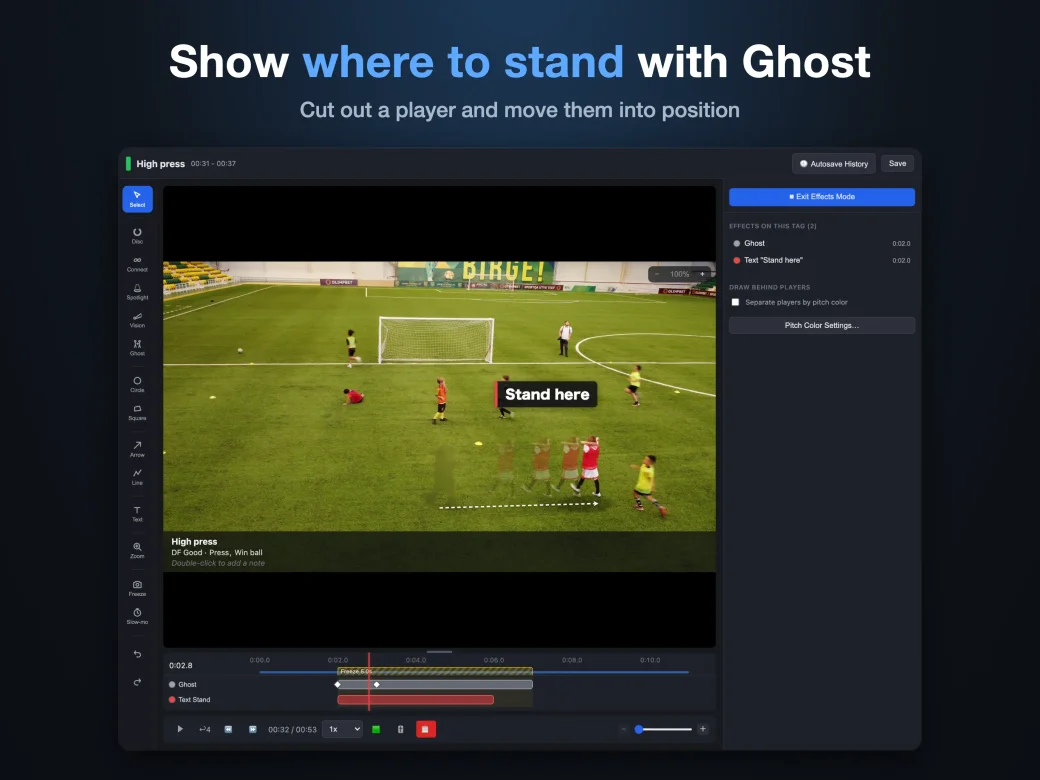
Cut out a player and move them to where they should be. The player at the original position disappears naturally, so you can show the right positioning free from what actually happened.
■ Playlists
Collect tags into playlists and see them all on the tag board. Insert slides, and build playlists that span several match packages.
■ Playlists from videos
Pick video files and get a playlist right away. Add slides and effects, then export it as one video or as separate clips.
■ Second angle
Sync two camera angles to review and export them side by side.
■ Export and share
Export tagged scenes and playlists as videos with your drawings burned in. Save them to Photos or Files and send them to players and staff with AirDrop.
■ Same data on Mac and iPad
Open a package made on Mac on iPad to keep working, or finish on Mac what you tagged on iPad. Share via iCloud Drive, the Files app or AirDrop.
■ 8 languages
Use CoachTag in English, Japanese, Korean, Portuguese, Simplified Chinese, Thai, Spanish or Arabic.
■ Designed for privacy
Your video is never uploaded to a server. Tagging, drawing and exporting all happen on your device.
---
CoachTag is available as an auto-renewing monthly subscription. Every plan works on Mac and iPad.
• Basic: tagging, playlists and export
• Pro: everything, including effects such as tactical drawing and auto-tracking
• Max: everything in Pro, plus Live Capture
Your first month is free when you first subscribe. After the free trial, you'll be charged the monthly price automatically. The subscription renews automatically unless canceled at least 24 hours before the end of the current period. You can manage or cancel it anytime in Settings > Apple ID > Subscriptions.
Terms of Use: https://www.apple.com/legal/internet-services/itunes/dev/stdeula/
Privacy Policy: https://ttakenakafuji-web.github.io/coachtag-legal/privacy-en.html
What’s new
Version 1.0.8 · Nov 19, 2026
■ 3D Tactics Board (Pro and Max plans)
• Adjustable text size for notes
• Reorder frames with the new "◀ Earlier" / "Later ▶" buttons
■ Tag info bar
• Set the size, colour and background of the memo shown under the video in Settings (also used when burning it into exported videos)
■ Bug fixes
• Fixed frames not being reorderable by dragging in the frame list
• Minor improvements and bug fixes
App privacy
What Tatsuro Takenaka declares on the App Store about how this app handles data.
-
Data not collected
The developer does not collect any data from this app.
Privacy practices may vary, for example with the features you use or your age.
Information
- Seller
- Tatsuro Takenaka
- Category
- Sports
- Version
- 1.0.8
- Updated
- Nov 19, 2026
- Released
- Sep 24, 2026
- Size
- 56.0 MB
- Requires
- iOS 17.0 or later
- Age rating
- 4+
- In-app purchases
- Yes
- Languages
- Japanese, Arabic, Spanish, Thai, Portuguese, Simplified Chinese, English, Korean
- Copyright
- © 2026 Tatsuro Takenaka
You might also like
-
 Football Meter | xG CalculatorSports
-
 WinningNoteTactical Animation Editor
-
 ProTag StudioAnalyze your Matches
-
 PlayStats GoCapture. Analyze. Improve.
-
 TheManagerBoard -TacBoard6개 종목 전술판 & 코칭플랫폼
-
 Sportyn PROFootball Intelligent Data
-
 FreezeCoach- Sports Video EditDraw & Analyze Game Footage
-
 Clip-A-Doodle-Draw: Film&RecapSports Recording & Drawing
-
 BinaryBench AIAI Live Sports Video Review
-
 TacticalSnap: Football FilmPlaybook Maker & Play Designer