CoachTag
Football video analysis
iPad, Mac için tasarlandı
Ücretsiz · Uygulama içi satın alma
- Yaş sınırı4+
- KategoriSpor
- GeliştiriciTatsuro Takenaka
- DillerJaponca+ 7 dil daha
- Boyut56,6 MB
Resmi App Store sayfasına bağlanır
Download.org, CoachTag için hiçbir dosya barındırmaz. Düğme, uygulamanın App Store üzerindeki sayfasını açar; uygulamayı orada Tatsuro Takenaka yayınlar. Sayfanın son kontrolü: 26.11.2026.
Ekran görüntüleri


Hakkında
Geliştirici bu metni dilinizde sunmamış.
CoachTag is an app for football coaches and analysts to tag match footage, draw tactics, and export clips and playlists. Built by a professional analyst who won the J1 League title, it packs the features analysts actually use on the job into one app. The iPad version works just like the Mac version, so you can keep analyzing on the bench, in the stands or on the road.
■ Tagging
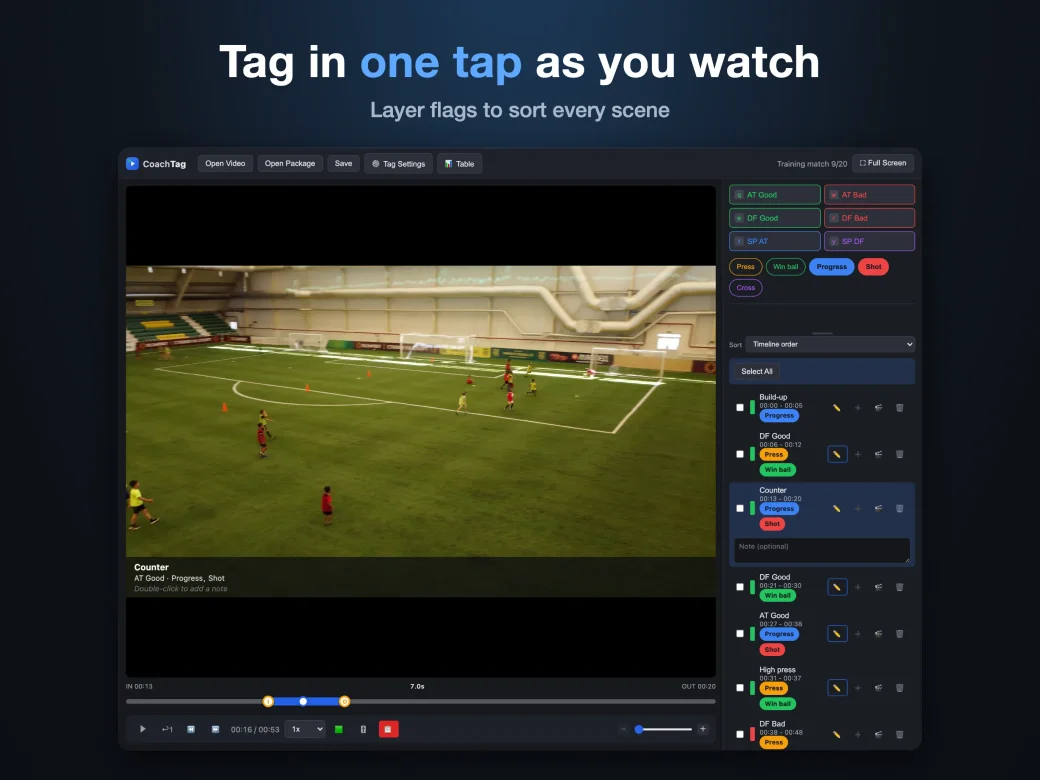
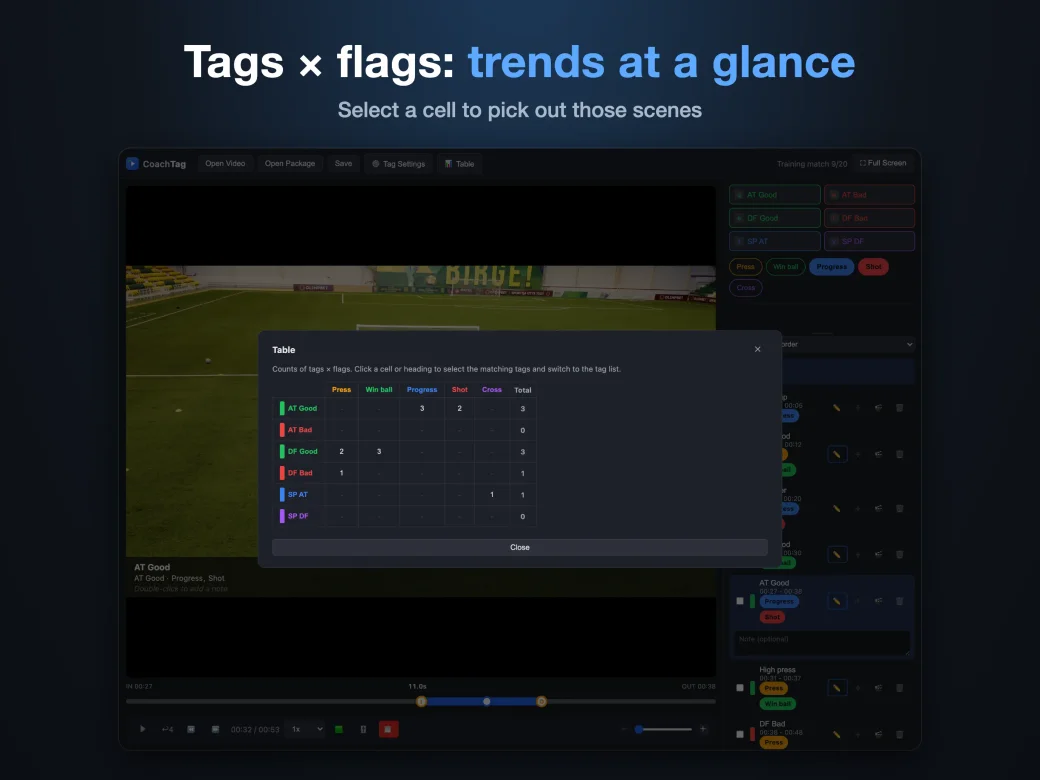
Tag scenes with one tap while the video plays: good and bad moments in attack and defense, set pieces and more. Add flags (press, win the ball, shot and more) and see match trends at a glance in the tags × flags table. Adjust the start and end timing to fit how you tag.
■ Live Capture
Record with the iPad camera or an HDMI capture device connected over USB-C and tag the match as it happens. Rewind and review while recording, and tag at the position you're reviewing. When you stop, the recording is saved as a package. (Max plan)
■ Tactical drawing
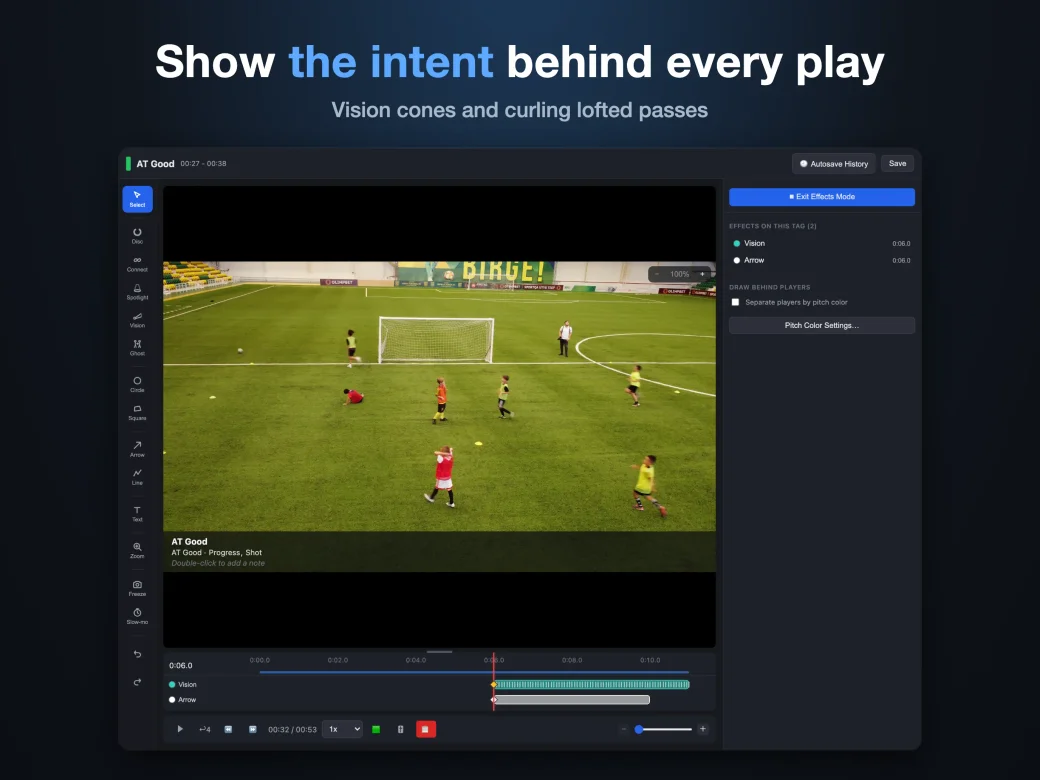
Draw tactics on tagged scenes with arrows (curved, lofted, wavy), lines, zones (circle and square), text, spotlights and vision cones — naturally, with your finger or Apple Pencil. Animate with keyframes, show effects during freeze frames, and zoom in on what matters. Everything exports just as you drew it.
■ Auto-tracking
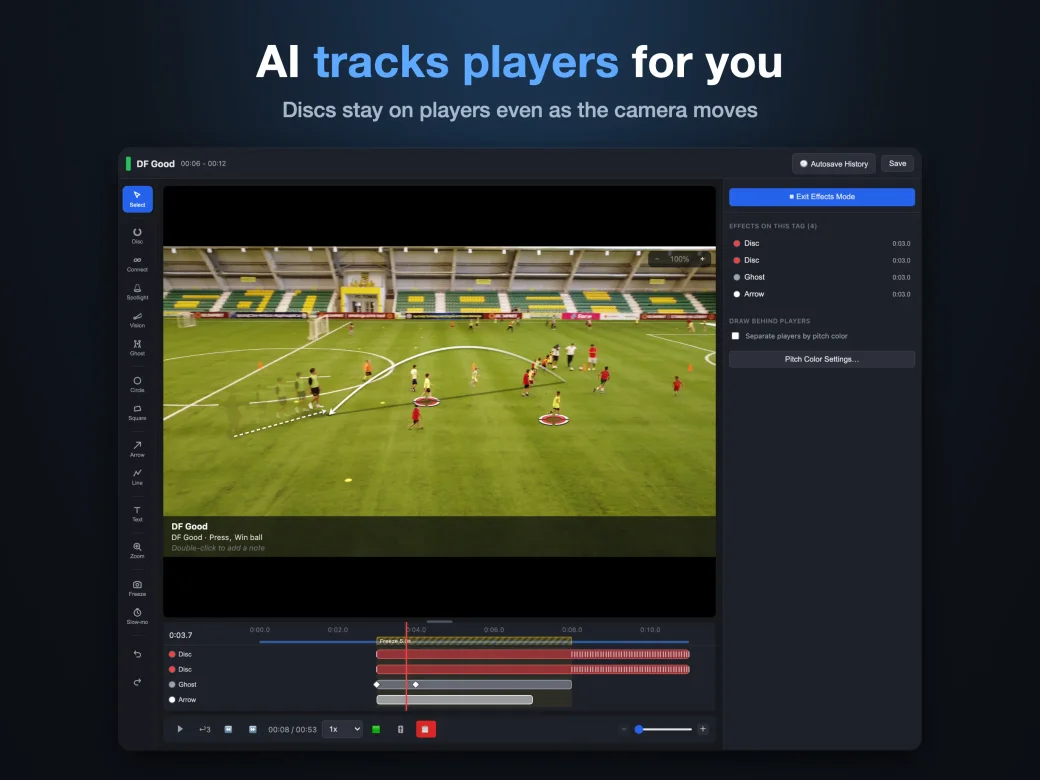
Tap a player and AI tracks them, with a disc at their feet that sizes itself to the pitch perspective. It keeps up even when the camera moves, and Connect links several players with lines.
■ Ghost
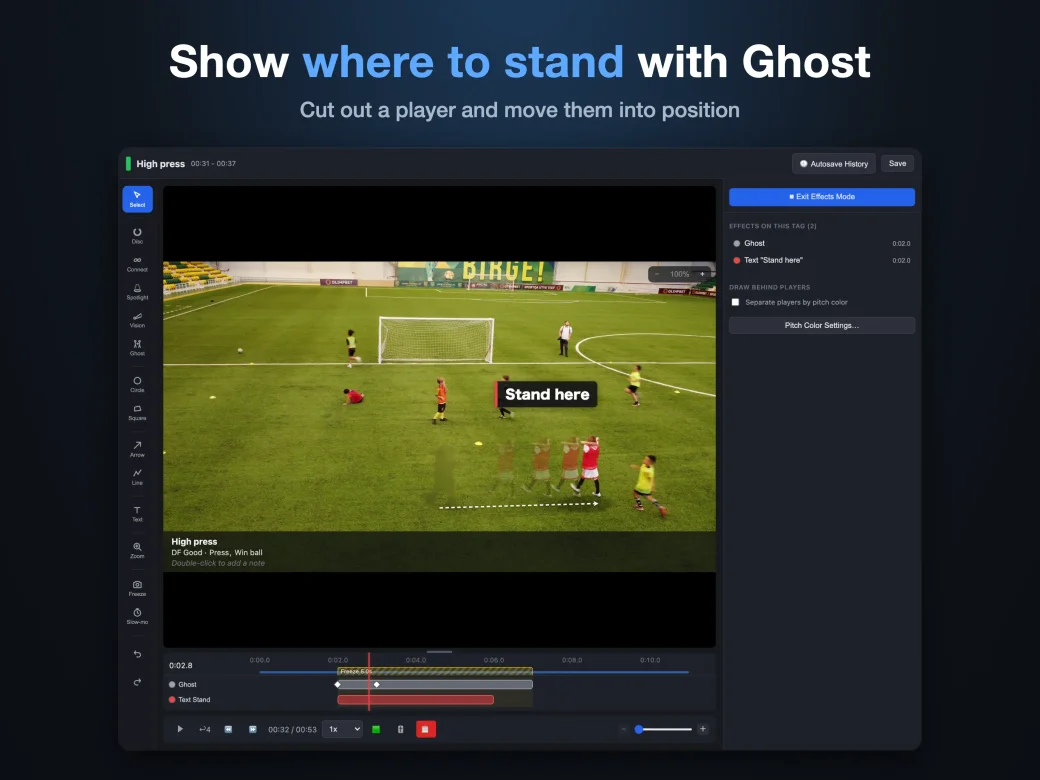
Cut out a player and move them to where they should be. The player at the original position disappears naturally, so you can show the right positioning free from what actually happened.
■ 3D Tactics Board
Import tactics slides from Keynote and turn them into 3D animation. Move players frame by frame: arrows grow, then players and the ball move. Switch anytime between top, angled, goalmouth and player-eye views. Includes set-piece templates and an enlarged penalty area. Export images or video, or add them to playlists as slides. (Pro and Max plans)
■ Playlists
Collect tags into playlists and see them all on the tag board. Insert slides, and build playlists that span several match packages.
■ Playlists from videos
Pick video files and get a playlist right away. Add slides and effects, then export it as one video or as separate clips.
■ Second angle
Sync two camera angles to review and export them side by side.
■ Export and share
Export tagged scenes and playlists as videos with your drawings burned in. Save them to Photos or Files and send them to players and staff with AirDrop.
■ Same data on Mac and iPad
Open a package made on Mac on iPad to keep working, or finish on Mac what you tagged on iPad. Share via iCloud Drive, the Files app or AirDrop.
■ 8 languages
Use CoachTag in English, Japanese, Korean, Portuguese, Simplified Chinese, Thai, Spanish or Arabic.
■ Designed for privacy
Your video is never uploaded to a server. Tagging, drawing and exporting all happen on your device.
---
CoachTag is available as an auto-renewing monthly subscription. Every plan works on Mac and iPad.
• Basic: tagging, playlists and export
• Pro: everything, including effects such as tactical drawing and auto-tracking, and the 3D Tactics Board
• Max: everything in Pro, plus Live Capture
For one week from first launch, try every feature with no sign-up. Your first month is free when you first subscribe. After the free trial, you'll be charged the monthly price automatically. The subscription renews automatically unless canceled at least 24 hours before the end of the current period. You can manage or cancel it anytime in Settings > Apple ID > Subscriptions.
Terms of Use: https://www.apple.com/legal/internet-services/itunes/dev/stdeula/
Privacy Policy: https://ttakenakafuji-web.github.io/coachtag-legal/privacy-en.html
Yenilikler
Sürüm 1.0.9 · 25.11.2026
■ 3D Tactics Board (Pro and Max plans)
• Choose fill, outline only or fill + outline for zones, and set line width, dashes, corner radius and label size
• Resize zones by dragging their edges
• Duplicate or copy notes, zones and arrows and paste them into other frames
• Zoom box can now also adjust the depth and width of the goal area
• Change the number size for each player, or for several players at once
• Move the highest point of a lofted ball
■ Tag info bar
• Category names and notes identical to the label are no longer repeated
■ Playlists
• Notes typed in the bar on the video are now saved to standalone playlists
• Creating a playlist from videos no longer fills the note with the file name
■ Bug fixes
• Minor improvements and bug fixes
Uygulama gizliliği
Bu uygulamanın verileri nasıl işlediği hakkında Tatsuro Takenaka tarafından App Store üzerinde yapılan beyan.
-
Veri toplanmıyor
Geliştirici bu uygulamadan hiçbir veri toplamıyor.
Gizlilik uygulamaları, örneğin kullandığınız özelliklere veya yaşınıza göre değişiklik gösterebilir.
Bilgiler
- Satıcı
- Tatsuro Takenaka
- Kategori
- Spor
- Sürüm
- 1.0.9
- Güncellendi
- 25.11.2026
- Yayın tarihi
- 24.09.2026
- Boyut
- 56,6 MB
- Gereksinim
- iOS 17.0 veya sonrası
- Yaş sınırı
- 4+
- Fiyat
- Ücretsiz
- Uygulama içi satın alma
- Evet
- Diller
- Japonca, Arapça, İspanyolca, Tayca, Portekizce, Basitleştirilmiş Çince, İngilizce, Korece
- Telif hakkı
- © 2026 Tatsuro Takenaka