
CodeFlash: Runnable code cards
Flashcards with Code Execution
Designed for iPhone, iPad
In-app purchases
- Age rating4+
- CategoryEducation
- DeveloperJUN NISHIMOTO
- LanguagesEnglish
- Size50.7 MB
Links to the official App Store page
Download.org hosts no file of CodeFlash: Runnable code cards. The button opens its official App Store page, published by JUN NISHIMOTO. Listing last checked on Nov 23, 2026.
Screenshots


About
Code it. Remember it. Flash it!
A casual flashcard app for memorizing small bits of code and syntax.
It also works as a standard flashcard app, and it now reads your cards aloud — handy for language study too!
[ Recommended for ]
• Anyone learning programming
• People who want to learn common syntax and patterns by heart
• Anyone who wants to review on the go or in spare moments
• Anyone looking for a personal flashcard app — vocabulary, code, or otherwise
[ Features ]
■ Learn by writing code
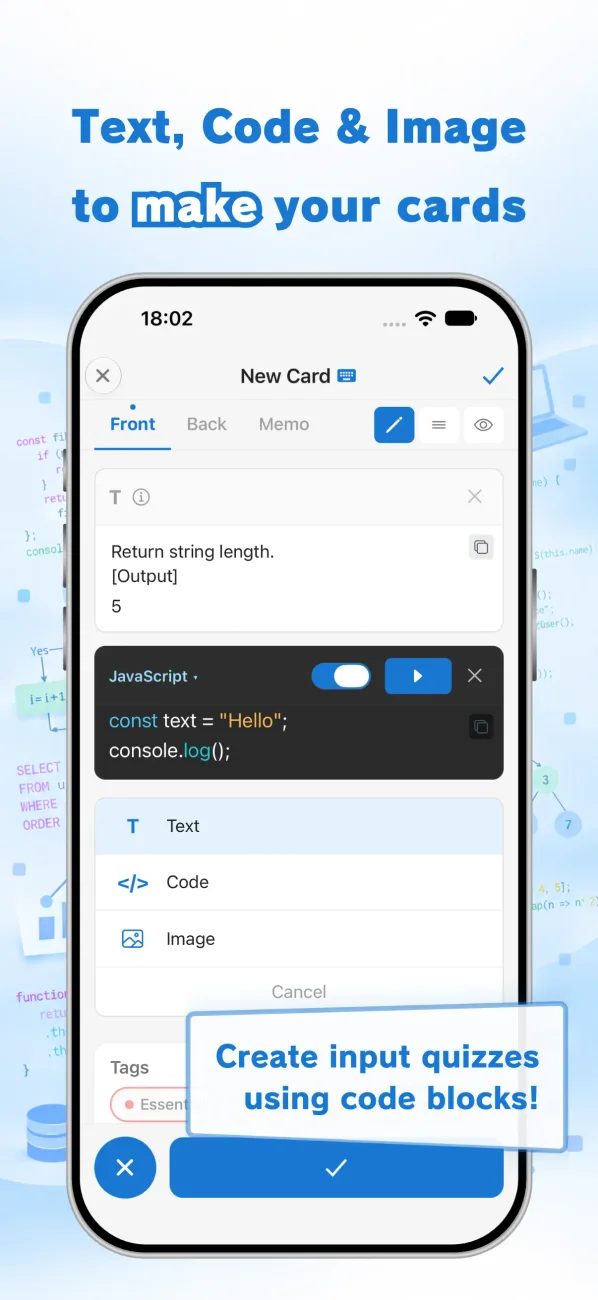
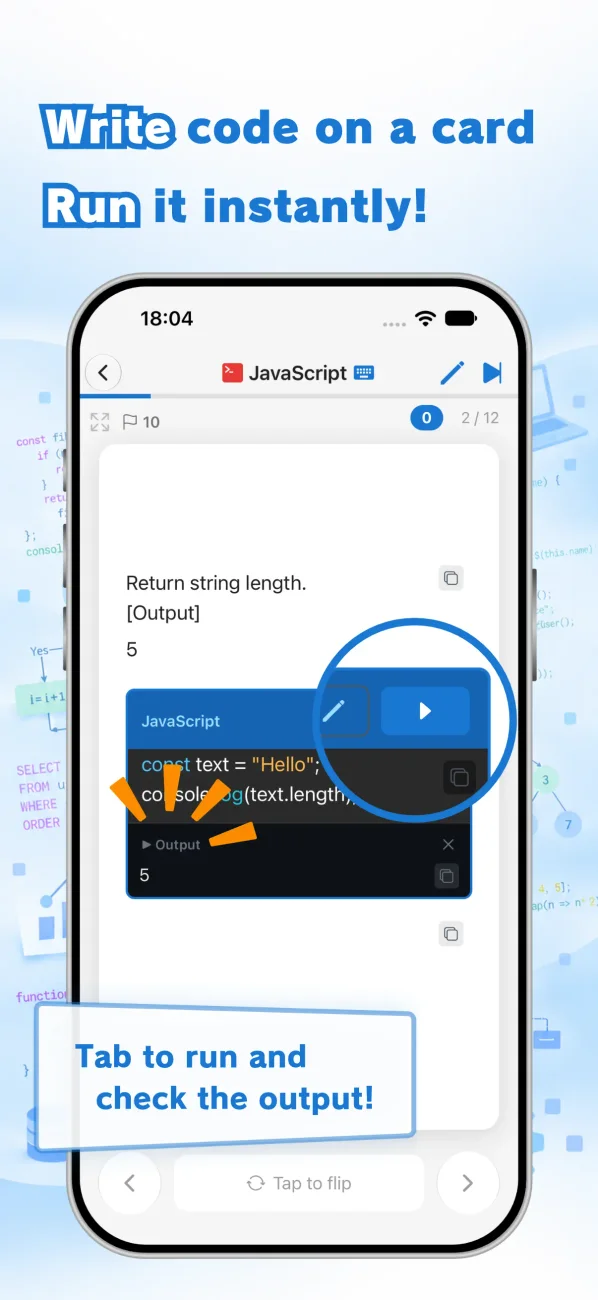
Type code into your cards and run it instantly to check the output.
Supports JavaScript, TypeScript, Python, HTML, CSS, SQL, and C++ — learn by doing, not just reading.
■ Read your cards aloud
Hear the side you are looking at. Sentences that mix writing systems are read with the right voice for each part, and you can pick the voice and the speed — handy for memorizing vocabulary or reviewing with your ears.
■ Create cards with 3 types of blocks
Combine text, code, and image blocks freely. Text blocks support Markdown — headings, lists, bold, tables, and more.
■ Efficient spaced repetition learning
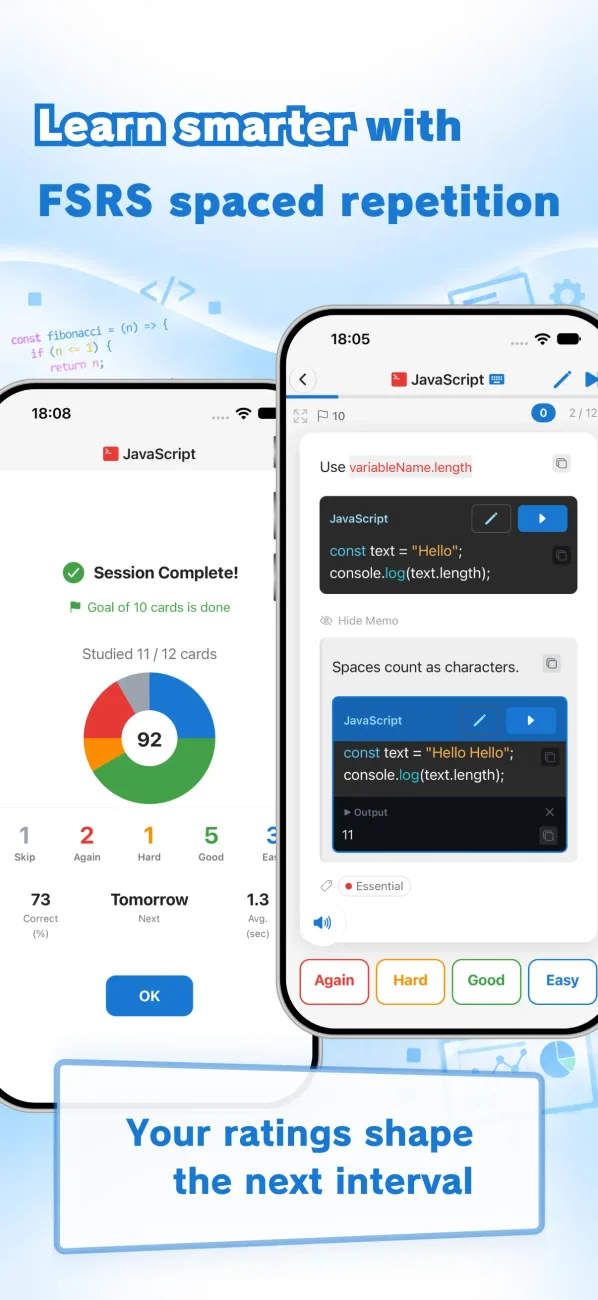
The FSRS algorithm adjusts each card's next review to your understanding, for effortless, lasting memorization.
■ Track progress with stats and graphs
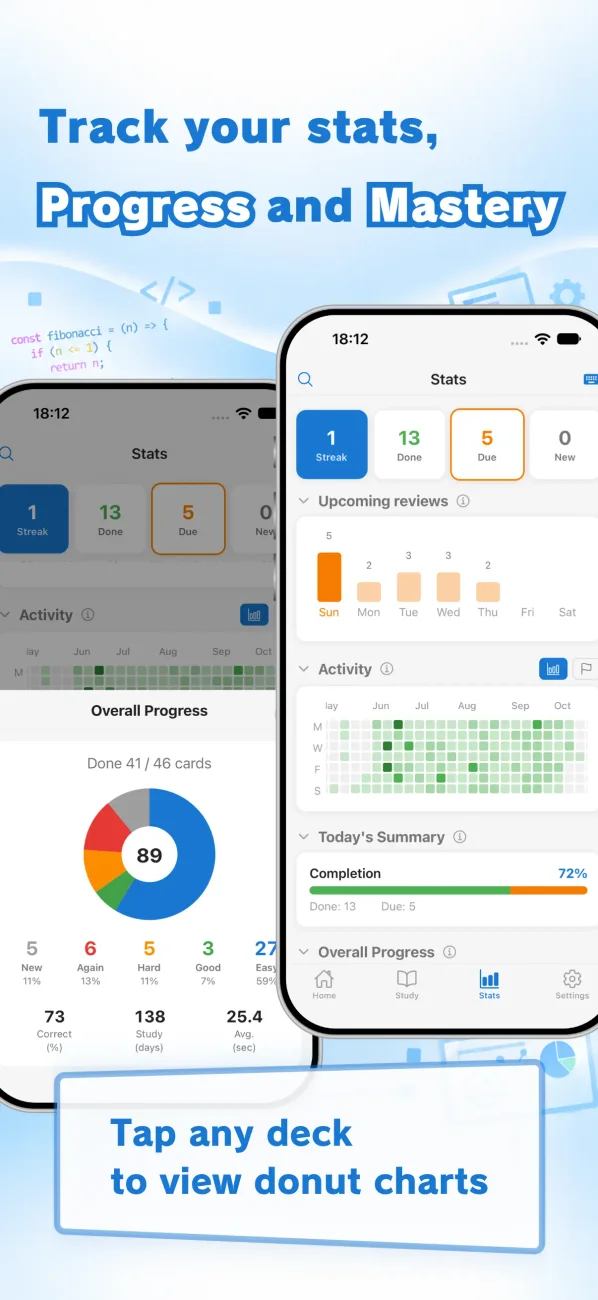
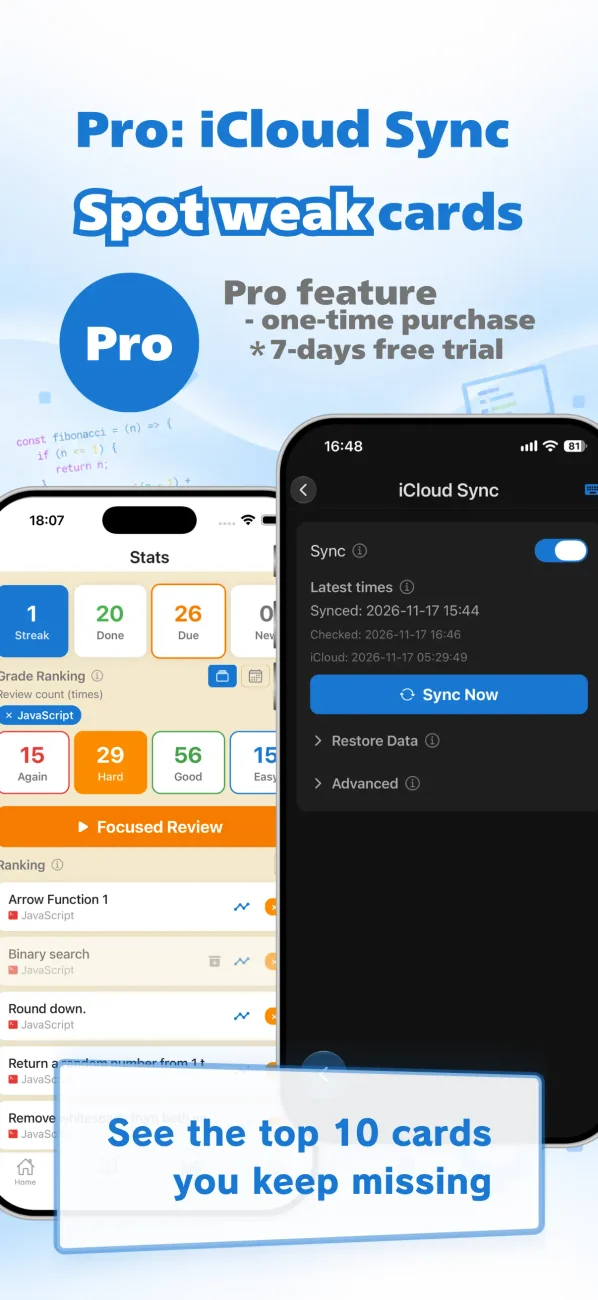
See your study activity on a contribution graph, plus overall progress, deck mastery, and rating breakdown.
■ Works offline
Your learning data is stored on your device (and in your own iCloud when sync is on) and is never sent to external servers. No account registration required.
[ Great even on the free plan ]
• No limit on the number of decks or cards
• No ads
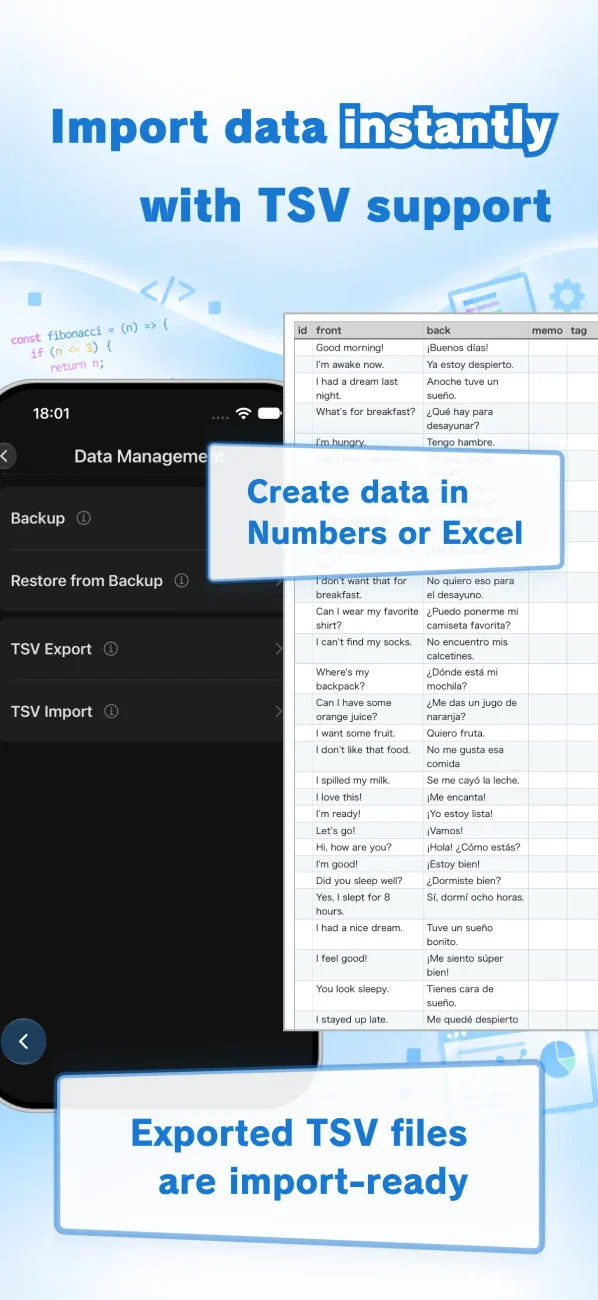
• Export / import your data to move it to another device
* Existing features will never be moved behind a paywall.
[ What you get with Pro ]
A one-time purchase. A 7-day free trial is available.
• iCloud Sync: sync your data across devices on the same Apple ID. On a new device, just toggle it on to restore everything
• HTML / CSS Preview: your code renders as a real page right inside the card. Go full screen to click buttons and type into inputs, or practice DOM manipulation from JavaScript. You can also register shared HTML and images on a deck
• SQL / C++ Execution: register deck-wide setup SQL and query the same database from every card
• Per-Deck Speech Language: set the reading language for each deck, and a different one for the front and the back
• Detailed Statistics: monthly study volume, per-grade rankings (top 10), and per-card performance
• Color Themes: 10 presets × light/dark to restyle your cards and the whole app
• FSRS Customization: tune review intervals to your own pace — shorter for thorough review, or longer for relaxed learning
• Study Timer: a countdown (1–60 min) that runs only while studying. Repeat it for Pomodoro
[ Other Features ]
• Card search, card duplication, and card transfer between decks
• Organize with tags and study across decks
• Shuffle cards to study
• Set a daily card goal
• Archive decks and cards (excluded from study and stats)
• JSON export / import (full backup)
• TSV export / import (card text and other partial data)
• Daily reminder notifications
• Dark mode
• Bluetooth keyboard shortcuts
• Available in English, Japanese, and Spanish
• Available on both iPhone and iPad
* Running HTML, CSS, SQL, and C++, and previewing JavaScript, are Pro features. Reading cards aloud is free.
* Internet is required only for iCloud sync and running Python / C++ (Python loads its execution environment; C++ is sent to Wandbox, an external service — no account or personal info is included).
Try the free version first!
What’s new
Version 1.15.0 · Nov 19, 2026
[ New ]
• Buttons now use Liquid Glass (you can turn it off in Display settings)
• New setting to start studying in fullscreen
• Check a deck's HTML/CSS stages and setup SQL tables from the card editor and the study screen, and edit the stage from the card editor (Pro)
• On the practice pages for Python's requests, tapping a link now opens the linked page (Pro)
• Undo with ⌘Z after inserting symbols or formatting while typing
• On iPhone Duo, buttons such as Back, Add and Save now sit in the strip on the right
[ Improved ]
• Header and tab bar colors now match the color theme
• On editing screens, tap an empty part of the header to stop typing
• Editing code resumes from where your cursor was last time
• In the card editor, Return now starts editing a block (E is for archiving only)
• Archived cards and archived decks now have different marks
• Adjust the study timer's length, sets and breaks together on one screen (Pro)
• Card stats now show the card's front and deck name (Pro)
• iCloud sync: improved cases where changes from your other devices took a long time to arrive (Pro)
• Switching between two devices no longer shows the sync overwrite notice (Pro)
[ Fixed ]
• The app could crash when using keyboard shortcuts in search or lists
• A quick swipe to the right on the study screen could return to the list
• On iPad, cards could look blurred on the study screen
• On iPad, the header height changed with orientation
• The app icon badge didn't update when you left a study session early
• Cards that fit on screen could still scroll a little
Also includes an icon refresh and other minor fixes and display adjustments.
App privacy
What JUN NISHIMOTO declares on the App Store about how this app handles data.
-
Data not collected
The developer does not collect any data from this app.
Privacy practices may vary, for example with the features you use or your age.
Information
- Seller
- JUN NISHIMOTO
- Category
- Education
- Version
- 1.15.0
- Updated
- Nov 19, 2026
- Released
- May 5, 2026
- Size
- 50.7 MB
- Requires
- iOS 16.4 or later
- Age rating
- 4+
- In-app purchases
- Yes
- Languages
- English
- Copyright
- ©︎ 2026 Jun Nishimoto
You might also like
-
 HelloSQL: Learn & Practice SQLBeginner-friendly query drills
-
 一問から身につく SQLEducation
-
 CodeCardsEducation
-
 Line by Line: Read CodeLearn to code by reading it
-
 Java Flashcardsand Dictionary, Quiz, Snippets
-
 SHEETEST- スプシで作るあなただけの問題集Education
-
 コード用語辞典Reference
-
 Pythonデバッグ道場 - 数百問のバグがあなたを鍛えるEducation
-
 C++ Flashcards and DictionaryEducation
-
 サクッとHTML基礎学習クイズ【サクトレ】Education