HelloSQL: Learn & Practice SQL
Beginner-friendly query drills
Designed for iPhone, iPad
- Age rating4+
- CategoryEducation
- DeveloperRyota Kumagawa
- LanguagesEnglish+ 1 more
- Size5.5 MB
Links to the official App Store page
Download.org hosts no file of HelloSQL: Learn & Practice SQL. The button opens its official App Store page, published by Ryota Kumagawa. Listing last checked on Nov 12, 2026.
Screenshots
About
SQL tends to make sense while you're reading about it, then fall apart the moment you try to write it yourself. HelloSQL is for the writing part.
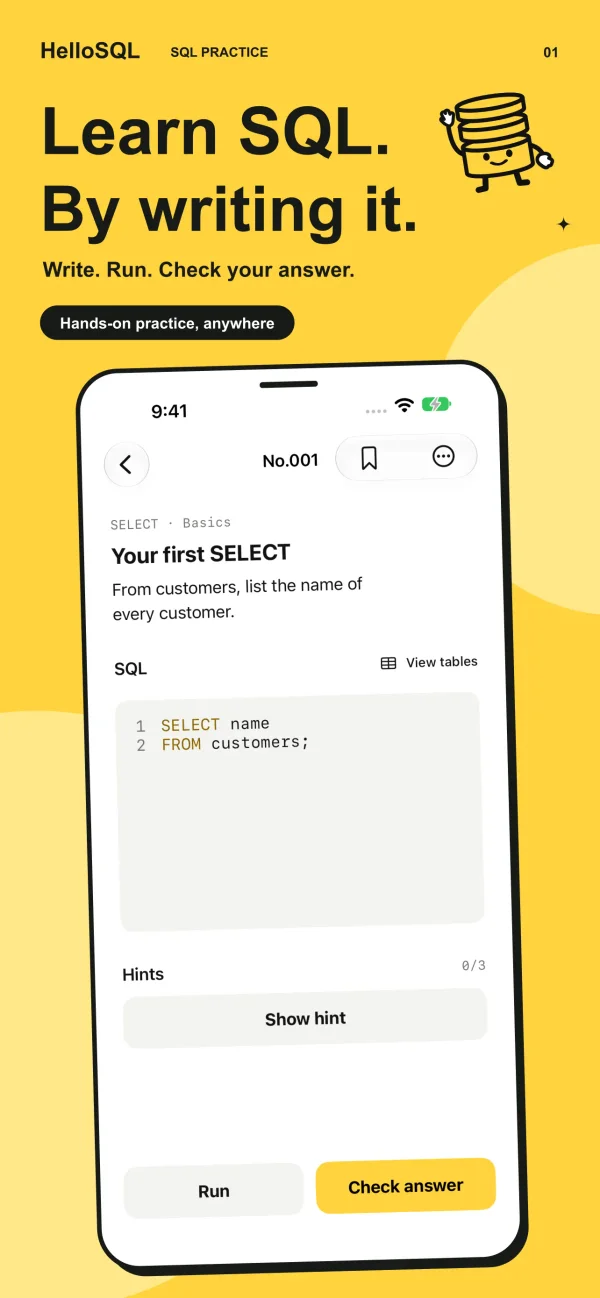
You read a problem, write a query, and run it. The results show up as a table, and if they're right, it's marked correct right away. Grading looks at what your query returns, not how it's written, so your query doesn't have to match ours.
There are 120 exercises, and most of them look like everyday reporting tasks. For example: "List payments from largest to smallest. If two amounts are the same, put the older one first." The practice data is built around an online store's orders, employee attendance, and billing for a subscription service.
What's free and what isn't
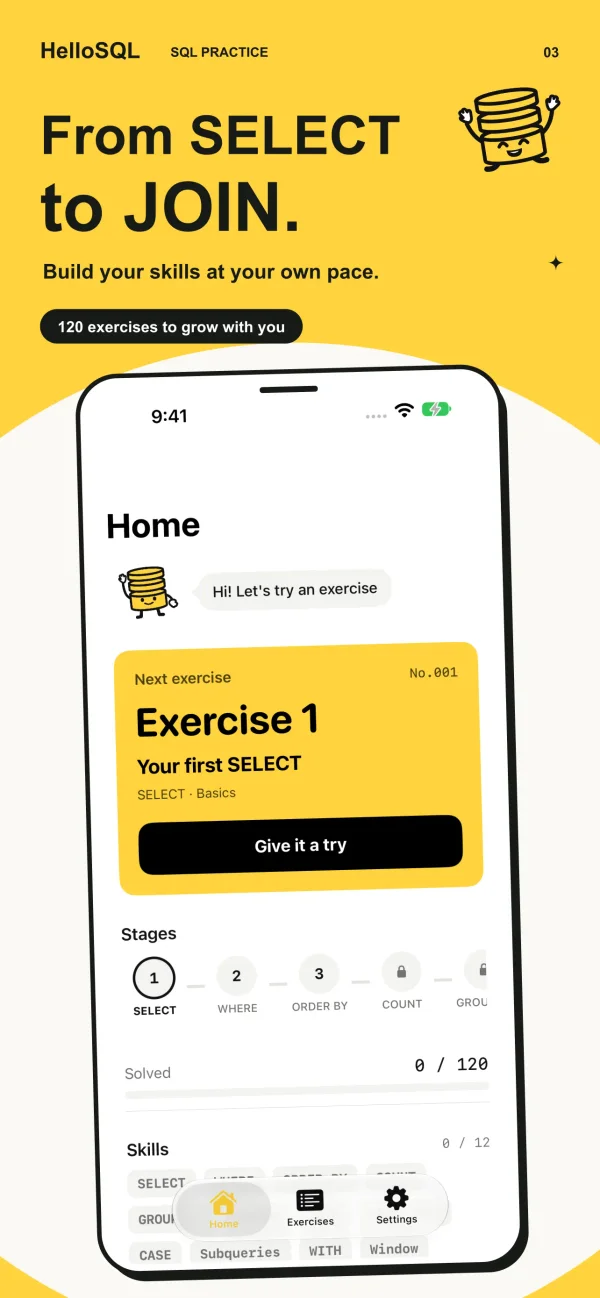
The first 30 exercises are free, and you don't need an account. They cover SELECT, WHERE, ORDER BY, and LIMIT.
The other 90 move on to aggregate functions, GROUP BY, HAVING, INNER JOIN, LEFT JOIN, CASE, subqueries, CTEs, and window functions. You unlock all of them with one in-app purchase. There's no subscription and nothing recurring.
When you're stuck
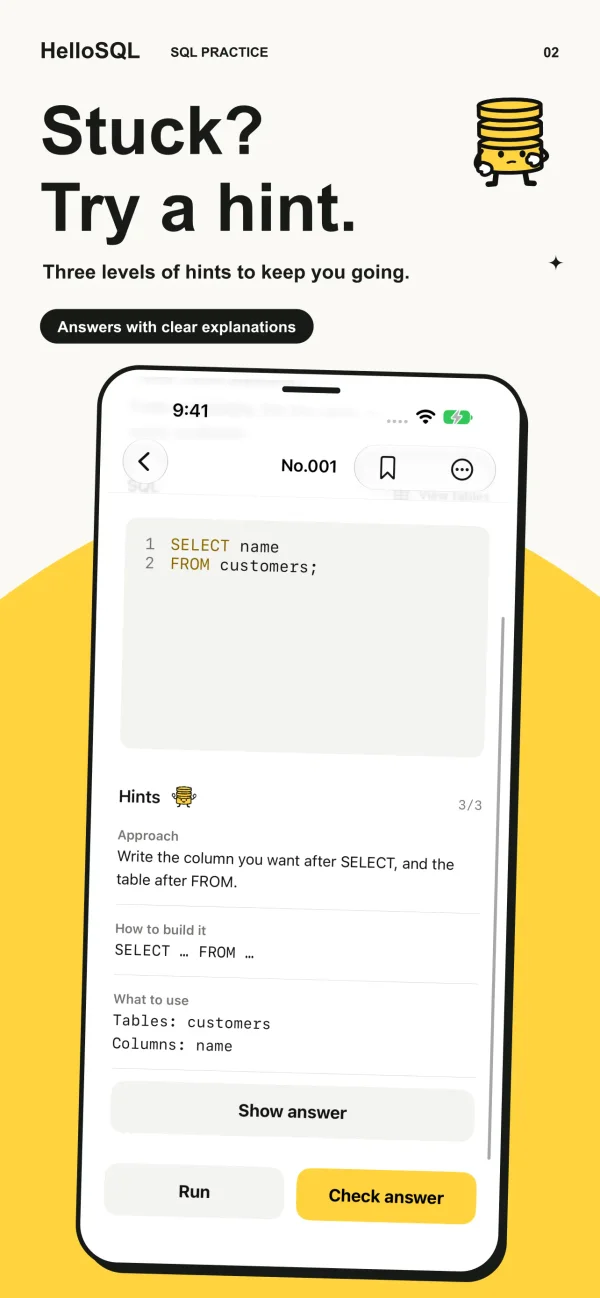
Each exercise has three hints, and you open them one at a time. The first gives you only the idea. If that's not enough, the second shows the shape of the query, and the third tells you which tables and columns to use. We set it up this way so you don't have to jump straight to the answer.
There's also a sample solution with an explanation, and you can tap any underlined term in a problem to see what it means.
Coming back to it
Your drafts save automatically, so you can close the app halfway through a query and finish it later.
Missed exercises and bookmarks are kept together so you can try them again. Anything you get wrong comes back the next day. Exercises you get right come back too, after 3 days, then a week, then 3 weeks.
The editor suggests SQL keywords and column names as you type, and you can look at the tables and their data at any point. It works on iPhone and iPad, in light or dark mode.
If you've gone through a course or a book and want to actually use what you learned, this is a good next step. It also works as a warm-up before a SQL test or a technical interview.
Before you download
• The practice data is set in Japan, so some names, places, and text values are in Japanese. A few exercises ask you to type Japanese text into your query, such as WHERE city = '東京'. The exercise shows you the exact text to use.
• You can practice and check answers offline. You only need a connection to buy or restore the unlock.
• There are no ads.
Exercise 1 is a single line that pulls every customer's name. It's a good place to start.
What’s new
Version 1.1.0 · Oct 12, 2026
Added new features and improvements.
App privacy
What Ryota Kumagawa declares on the App Store about how this app handles data.
-
Data linked to you
May be collected and linked to your identity.
- Purchases
- Location
- Identifiers
- Usage data
-
Data not linked to you
May be collected but is not linked to your identity.
- Diagnostics
Privacy practices may vary, for example with the features you use or your age.
Information
- Seller
- Ryota Kumagawa
- Category
- Education
- Version
- 1.1.0
- Updated
- Oct 12, 2026
- Released
- Sep 30, 2026
- Size
- 5.5 MB
- Requires
- iOS 17.0 or later
- Age rating
- 4+
- Languages
- English, Japanese
- Copyright
- © 2026 RYOTA KUMAGAWA