
CodeMate: Code Editor & Viewer
SSH Terminal, JSON & Markdown
Designed for iPhone, iPad
Free · In-app purchases
- Age rating4+
- CategoryDeveloper Tools
- Developer光 李
- LanguagesEnglish+ 17 more
- Size72.5 MB
Links to the official App Store page
Download.org hosts no file of CodeMate: Code Editor & Viewer. The button opens its official App Store page, published by 光 李. Listing last checked on Nov 23, 2026.
Screenshots


About
CodeMate is a native code editor and viewer for iPhone and iPad. Edit local source code and configuration files, or connect over SSH to browse remote folders, edit remote files, and work in a terminal.
Keep your files in sync with iCloud Drive and Dropbox. Open and edit cloud files on iPhone and iPad, then continue working across your devices.
SSH Remote Editing & Terminal
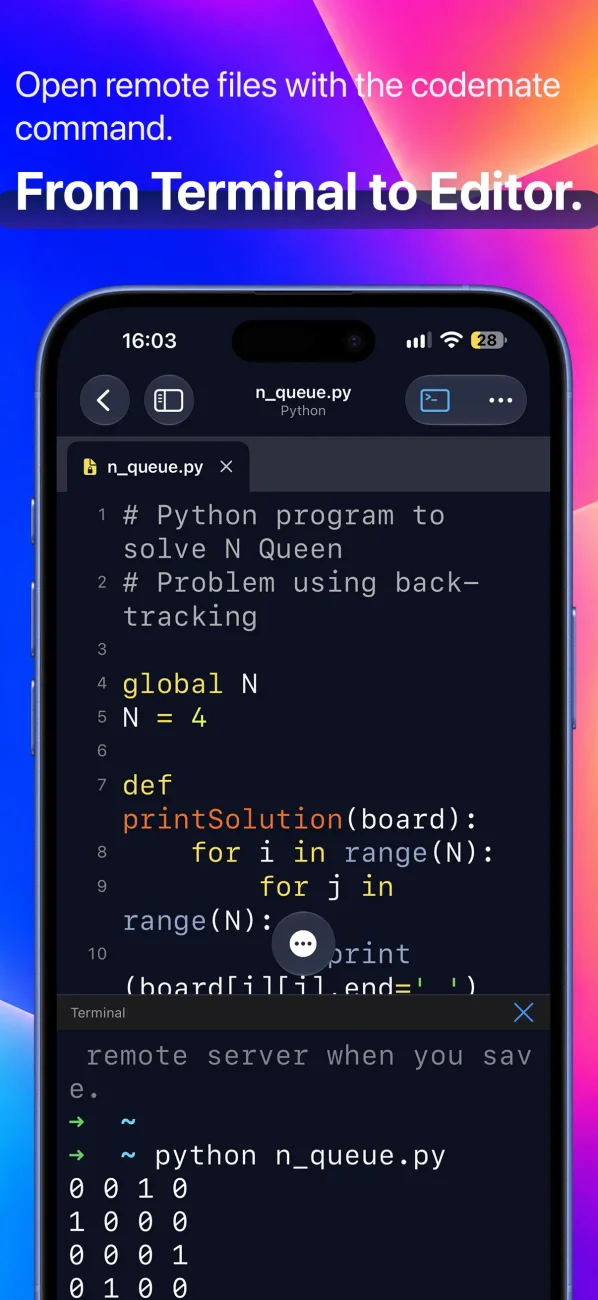
• Connect over SSH to open, edit, and save files on your remote computer or server.
• Work with a command-line terminal on the connected remote host.
• Browse remote folders visually and open files in the editor.
• Use the codemate command in the terminal to open remote files for editing.
Open more than 200 file formats with native syntax highlighting, including Swift, Python, JavaScript, TypeScript, Java, C/C++, Go, Rust, HTML, CSS, JSON, XML, YAML, and Markdown.
Key Features:
• Native code viewing and editing on iPhone and iPad
• Syntax highlighting for 200+ file formats
• Multiple tabs and a minimap for navigating long files
• Light and dark themes with adjustable fonts, spacing, and margins
• Line numbers, current-line highlighting, word wrap, and no-word-wrap modes
• Swift symbol list and jump to any line
• HTML preview with linked CSS and JavaScript
• Custom file extension rules
• Share and print source files
• Export polished code snapshots as images
• External keyboard support for convenient code editing
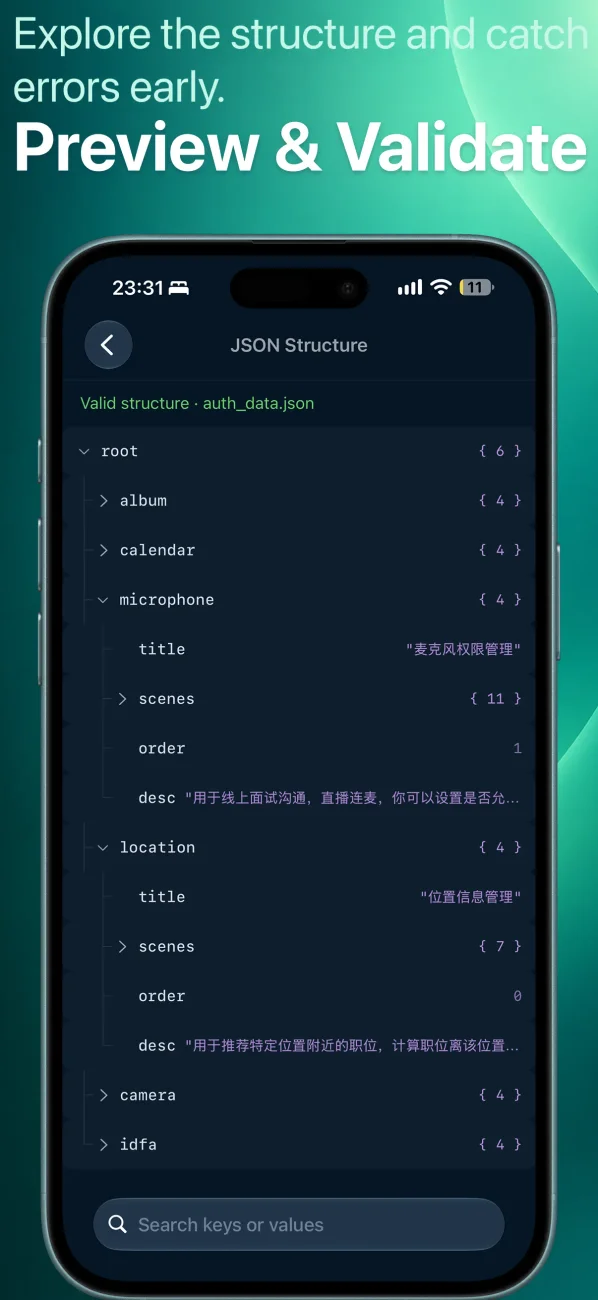
• Preview and validate XML, JSON, and YAML files
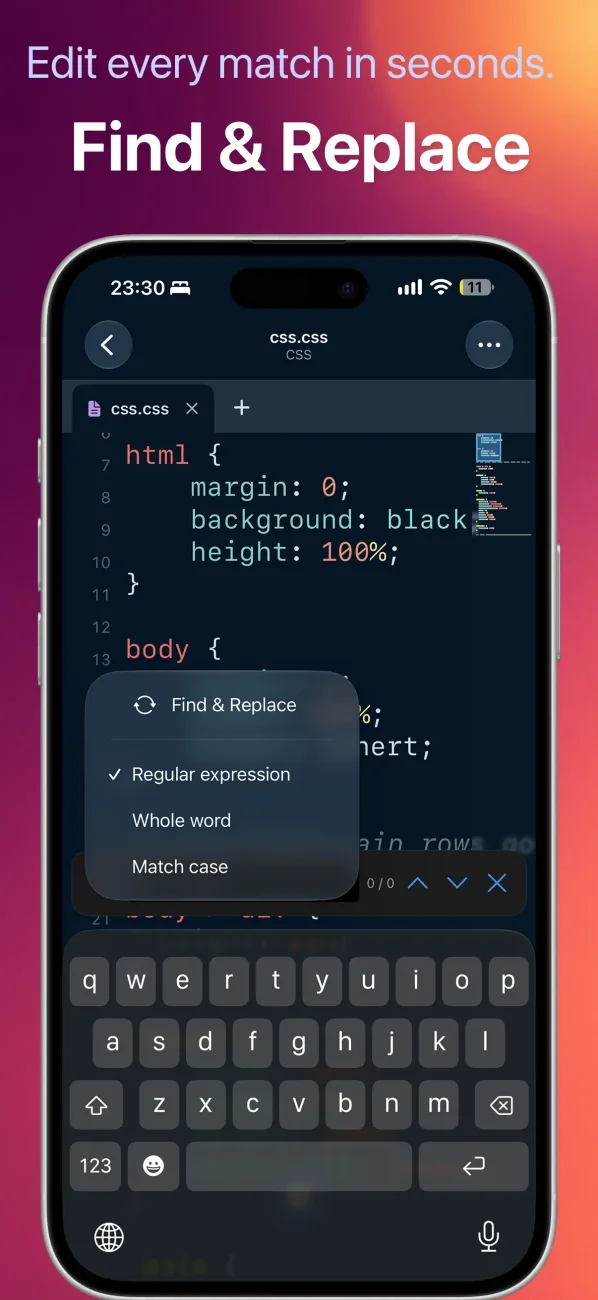
• Find and replace in code with plain text and regular expression support
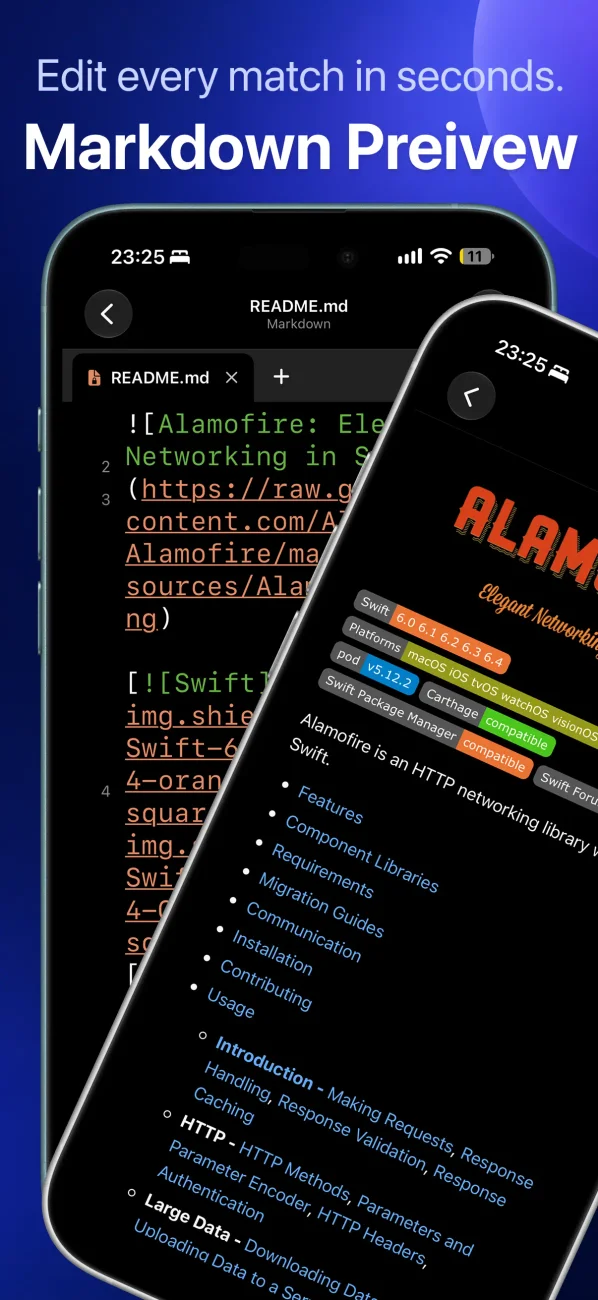
• Markdown preview
CodeMate is made for developers, students, and anyone who wants a focused, portable way to read, learn from, and edit code.
Terms of Use (EULA)
https://www.apple.com/legal/internet-services/itunes/dev/stdeula/
What’s new
Version 2.1.2 · Nov 18, 2026
Bug fixes and improvements for a smoother experience.
App privacy
What 光 李 declares on the App Store about how this app handles data.
-
Data used to track you
May be used to track you across apps and websites owned by other companies.
- Identifiers
- Usage data
-
Data linked to you
May be collected and linked to your identity.
- Identifiers
-
Data not linked to you
May be collected but is not linked to your identity.
- Usage data
- Diagnostics
Privacy practices may vary, for example with the features you use or your age.
Information
- Seller
- 光 李
- Category
- Developer Tools
- Version
- 2.1.2
- Updated
- Nov 18, 2026
- Released
- Aug 8, 2013
- Size
- 72.5 MB
- Requires
- iOS 27.0 or later
- Age rating
- 4+
- Price
- Free
- In-app purchases
- Yes
- Languages
- English, Arabic, Dutch, French, German, Hindi, Indonesian, Italian, Japanese, Korean, Portuguese, Russian + 6 more
- Copyright
- © 2026 LI GUANG
You might also like
-
 GlassCode - Code EditorYour pocket code editor & IDE
-
 HTML Web Preview: JS CSS JSONYour web projects, on the go
-
 Paneshell - SSH TerminalDeveloper Tools
-
 GreditorText/Code Editor
-
 idevtooldevtool
-
 Sandbox RelayChat with your coding agent
-
 CodeXploreSimple AI-Powered Code Viewer
-
 DesklessCode anywhere no desk required
-
 Snippet Library for SwiftUIOrganize Dev Knowledge & Code
-
 MyCode AI - 编程助手Developer Tools