Collections Database
Easy to use database
Designed for iPhone, iPad, Mac, iPod touch
Free · In-app purchases
- Age rating4+
- CategoryProductivity
- DeveloperMatteo D'Ignazio
- LanguagesEnglish+ 1 more
- Size25.8 MB
Links to the official App Store page
Download.org hosts no file of Collections Database. The button opens its official App Store page, published by Matteo D'Ignazio. Listing last checked on Nov 22, 2026.
Screenshots
About
Collections is a personal database app to organize anything.
1. A field for every use
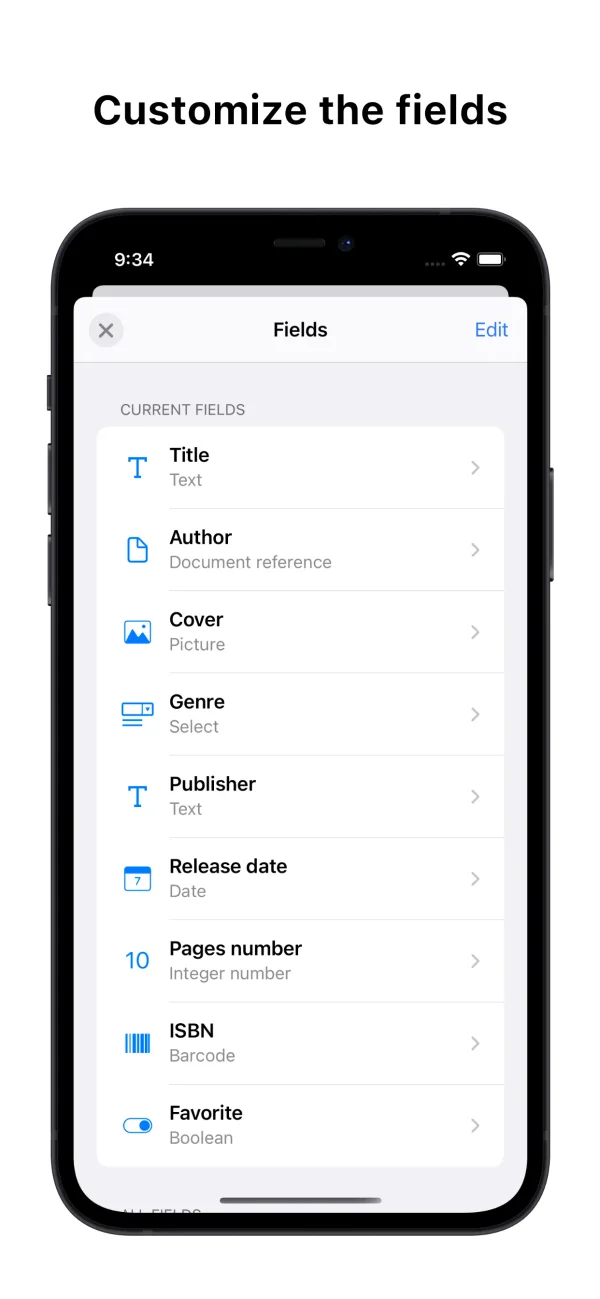
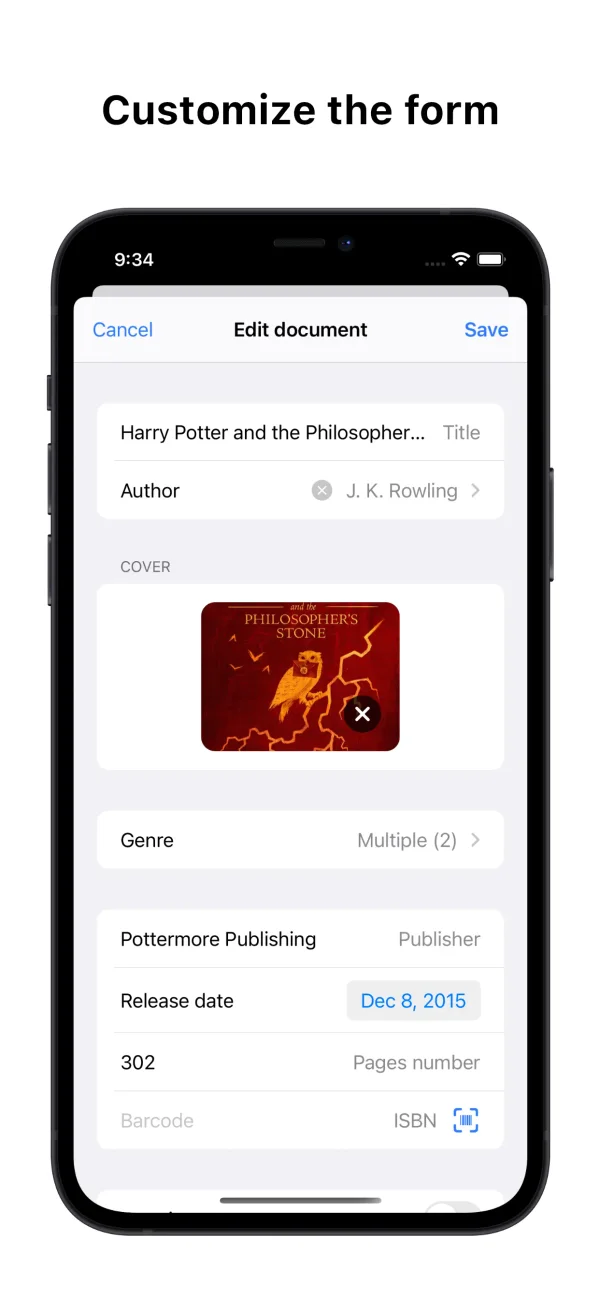
Collections supports over 20+ field types:
• Text, Number
• Boolean
• Picture
• Select
• Email, URL, Phone
• Password
• Date, Time
• Color
• Barcode
And with the Pro version you can use even more advanced fields.
• Document reference - Link documents together
• Group - Add multiple values for a field
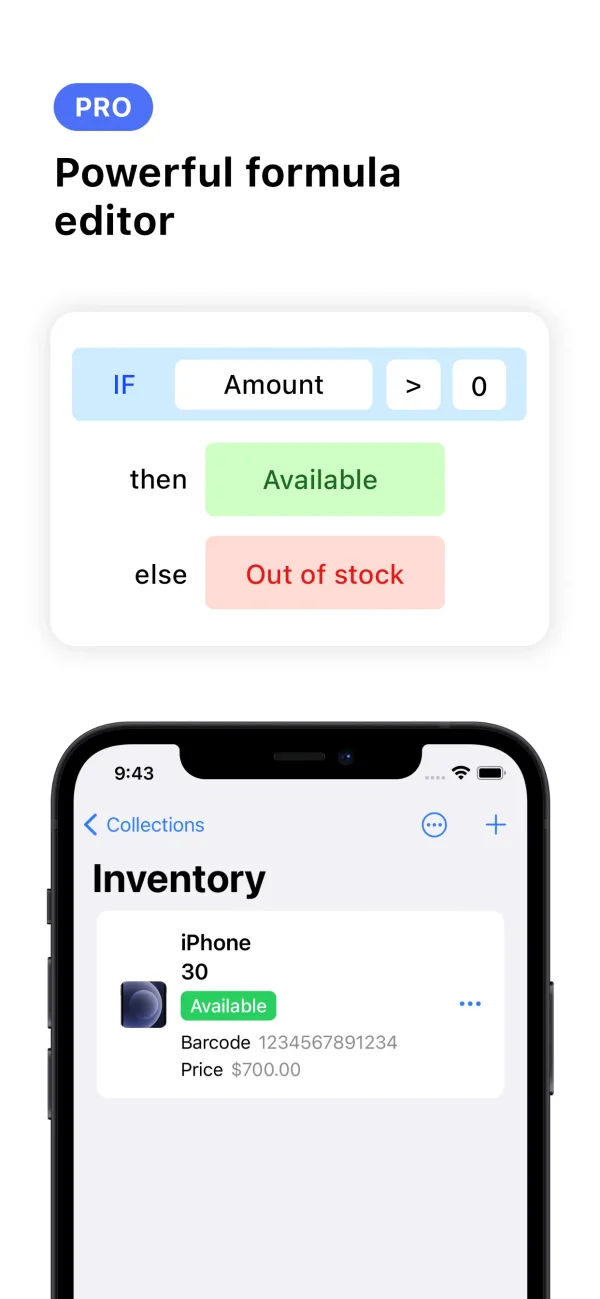
• Formula - Create a formula for calculated values. Powerful formula editor with full support to math functions like SUM, AVG
• Sources - Import documents from external APIs with Javascript
2. Customizable
• Add and reorder fields
• Add a separator between fields to better visualize them
• Fields have different display styles like primary, secondary, thumbnail
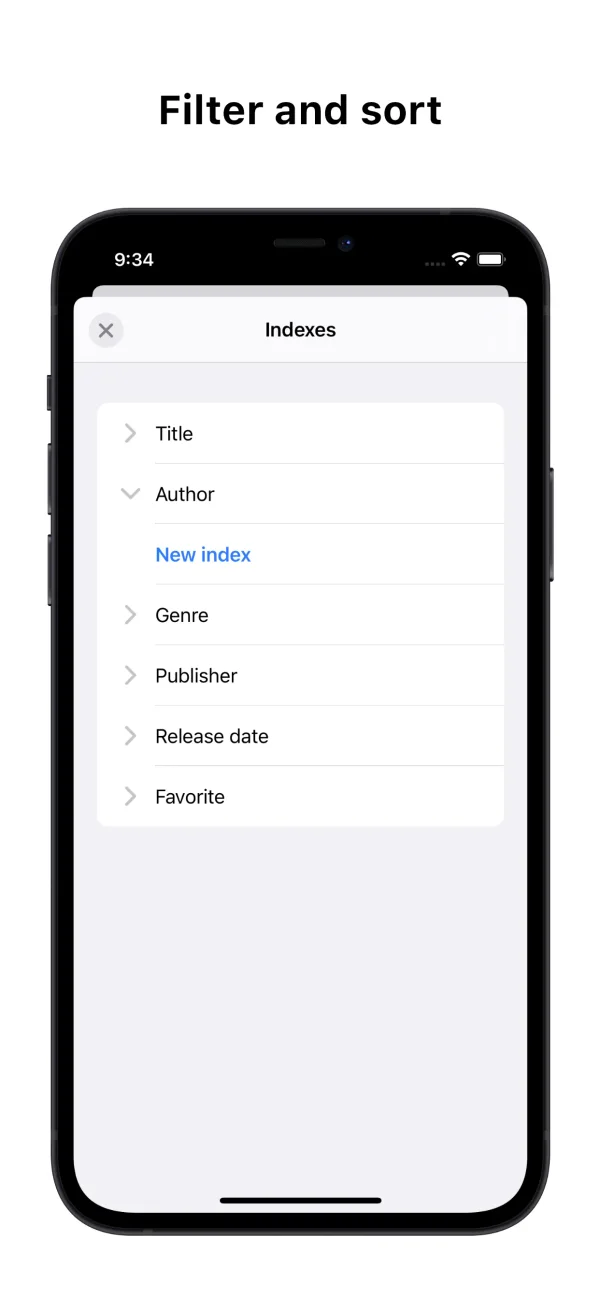
• Filter and sort data
3. Templates
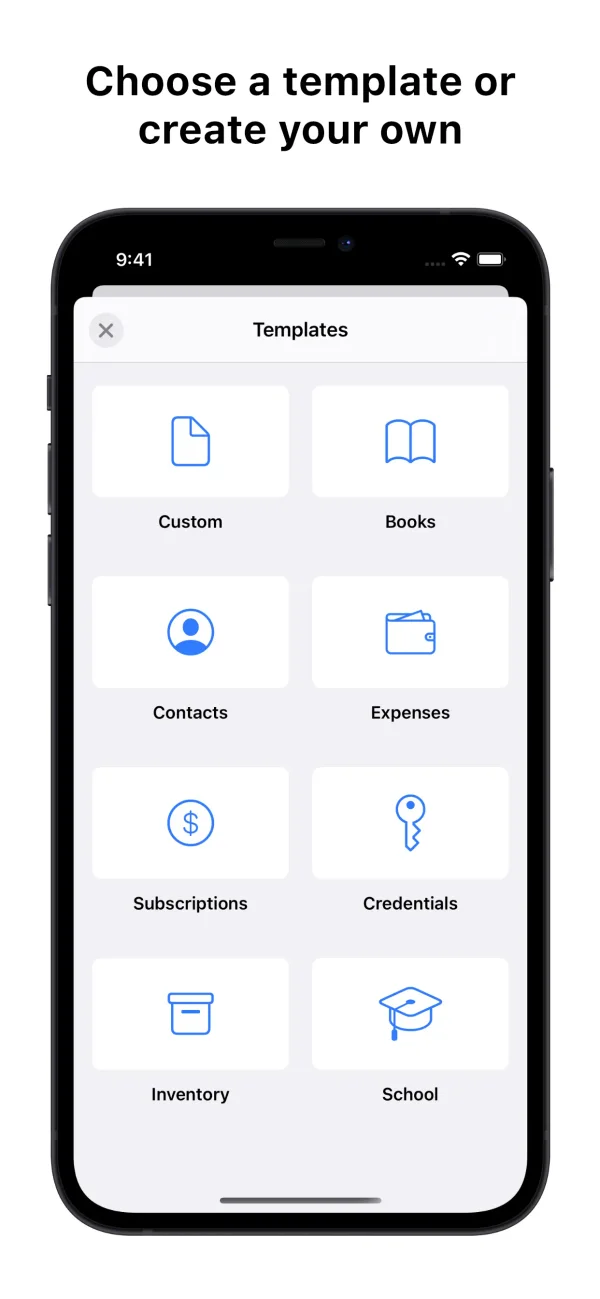
Collections includes basic templates to get started:
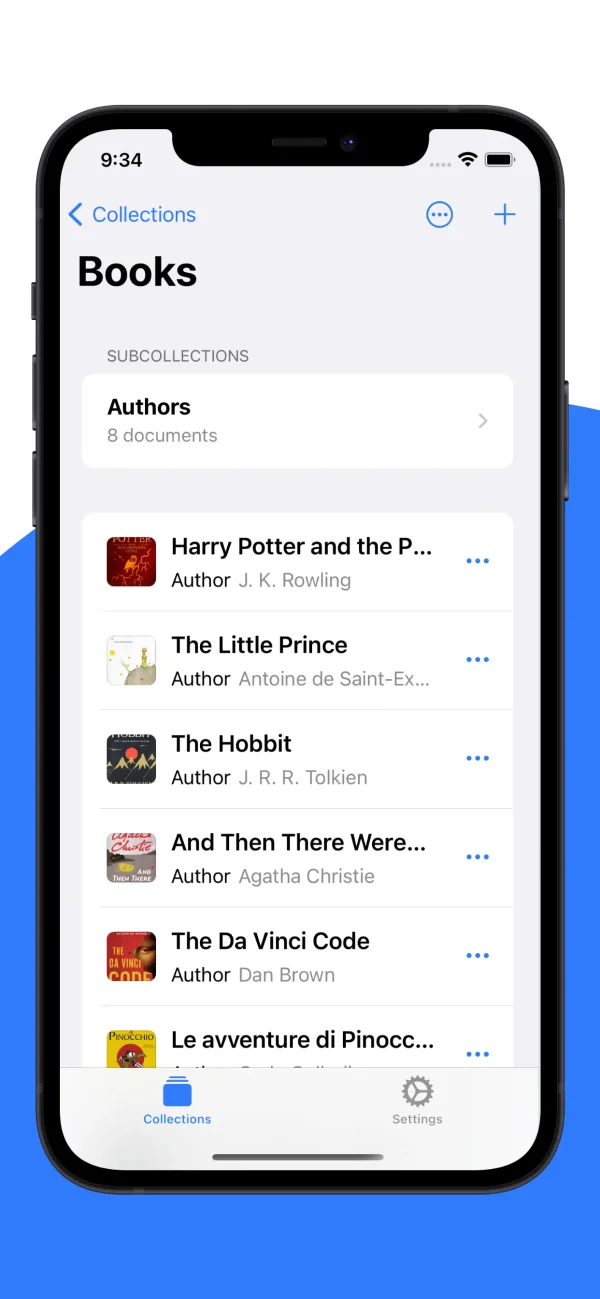
• Books
• Contacts
• Expenses
• Subscriptions
• Credentials
• Inventory
• School
5. Advanced management
Collections has different tools to help you creating the data model.
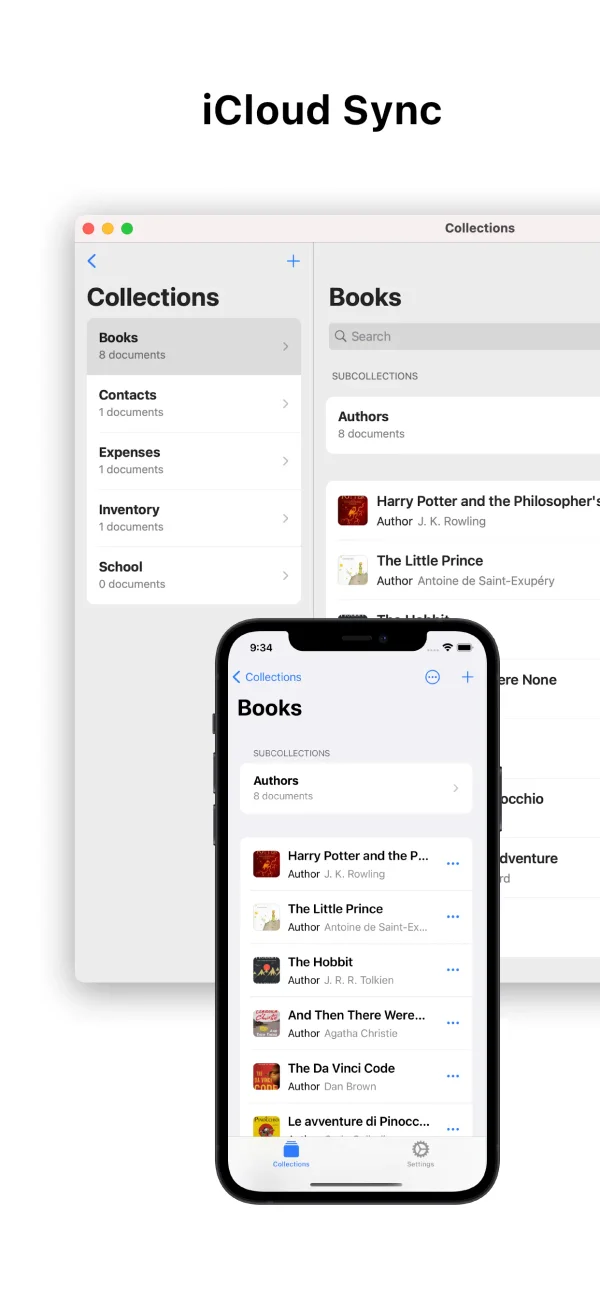
SUBCOLLECTIONS
Organize data into collections and subcollections. Simply said, they are like folders.
LISTS
A list contains items used in documents and it's very flexible. It could represent a Genre for a book or a Status like 'Available', 'Out of stock' for an object in the inventory.
6. Security
• Protect collections using a password, Face ID or Touch ID
• Sensitive data such as passwords are encrypted by default
7. iCloud Sync
Data is synced automatically between devices through iCloud.
8. Apple's Shortcuts support
Expand the app capabilities with Apple's Shortcuts support.
9. Pro version features
• Add unlimited documents (free version is limited to 100 documents)
• Add files to documents
• Add advanced fields
• Views
• Grid
• Use Summary to perform calculations across documents
What’s new
Version 7.7.5 · Nov 20, 2026
• Bug fixing
App privacy
What Matteo D'Ignazio declares on the App Store about how this app handles data.
-
Data not collected
The developer does not collect any data from this app.
Privacy practices may vary, for example with the features you use or your age.
Information
- Seller
- Matteo D'Ignazio
- Category
- Productivity
- Version
- 7.7.5
- Updated
- Nov 20, 2026
- Released
- Jun 28, 2021
- Size
- 25.8 MB
- Requires
- iOS 15.0 or later
- Age rating
- 4+
- Price
- Free
- In-app purchases
- Yes
- Languages
- English, Italian
- Copyright
- © 2026 Matteo D'Ignazio
You might also like
-
 Memento DatabaseTrack and organize anything
-
 MyStuff2 ProHome Inventory and Database
-
 MobiDB DatabaseDatabase app with cloud sync
-
 Listy: Movie & Book ListsSave, track & share favorites
-
 FormbookPersonal database reinvented
-
 easyAsPieDB Database AppCustom Trackers & Inventories
-
 Simple Scan • Quick ScannerDocuments to PDF in seconds
-
 ItemtopiaFor Home, Work & Collections
-
 iDatabaseEasily create databases
-
 Anybox - Bookmark & Read LaterSave and Organize Links