- Age rating4+
- CategoryPhoto & Video
- DeveloperJOSHUA DANIEL HOOVER
- LanguagesEnglish
- Size11.4 MB
Links to the official App Store page
Download.org hosts no file of Color Pal App. The button opens its official App Store page, published by JOSHUA DANIEL HOOVER. Listing last checked on Nov 23, 2026.
Screenshots


About
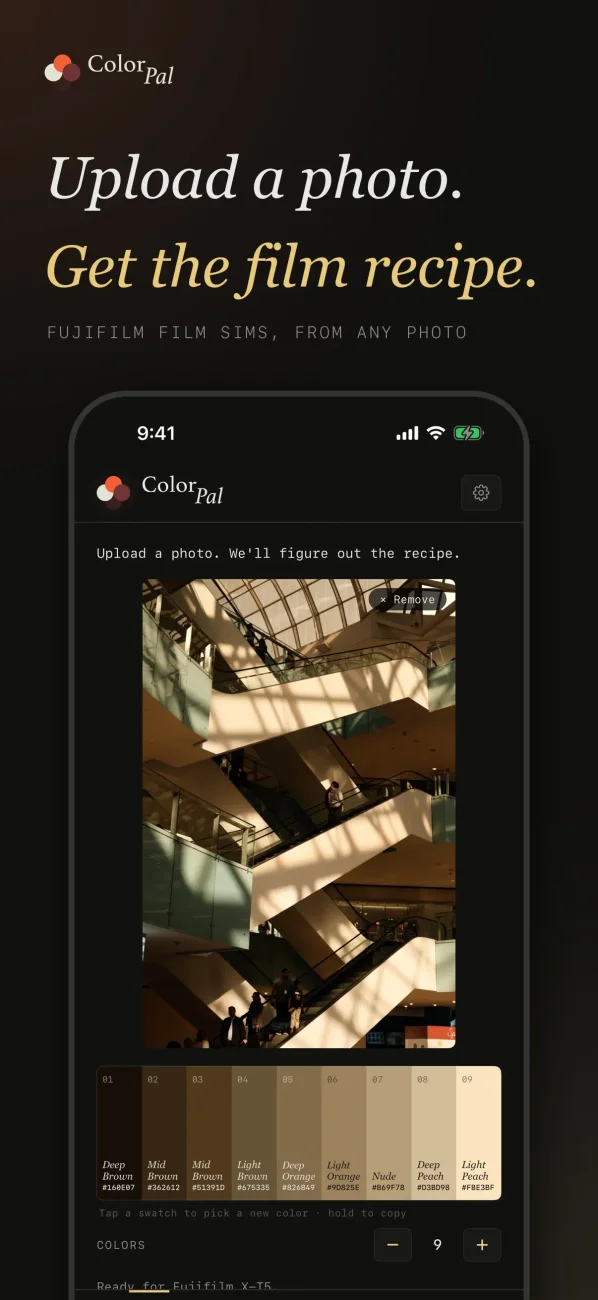
Color Pal turns any photo into a Fujifilm film recipe — the camera settings that
recreate its look — and can push that recipe straight to your camera over USB.
-FROM PHOTO TO RECIPE-
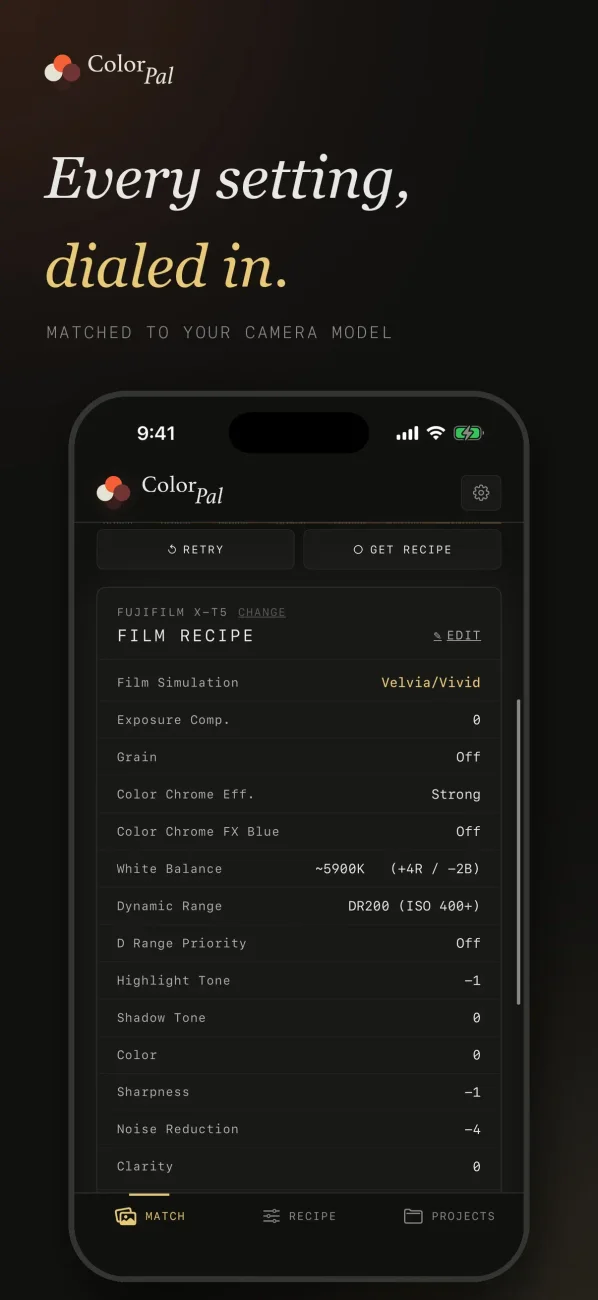
Pick any photo. Color Pal analyzes its color palette, tones, and white balance, then
generates a complete Fujifilm film recipe to match: film simulation, white
balance (including Kelvin), highlight and shadow tone, color, sharpness, clarity, noise
reduction, grain, and Color Chrome.
-PUSH RECIPES DIRECTLY TO YOUR CAMERA-
Connect a supported Fujifilm camera over USB and push a recipe with one tap — no manual
dial-turning required. Color Pal writes each setting individually and confirms it landed
on the camera before calling it done.
-BUILD RECIPES BY HAND-
Prefer to dial in your own look? Use the recipe editor to build a recipe from scratch,
save it, and push it to your camera the same way.
-PROJECTS-
Organize recipes into projects and folders. Everything syncs across your devices through iCloud.
-SHARE WITH OTHERS-
Share a project with another Color Pal user — they get it added straight to their
Projects, kept in sync.
-SHARE CARDS-
Export a share card with your photo, the full named palette, and the complete settings list — in Dark or Light, sized for a post, a square, or a story. Great for posting or sending to a friend.
-PALETTES YOUR WAY-
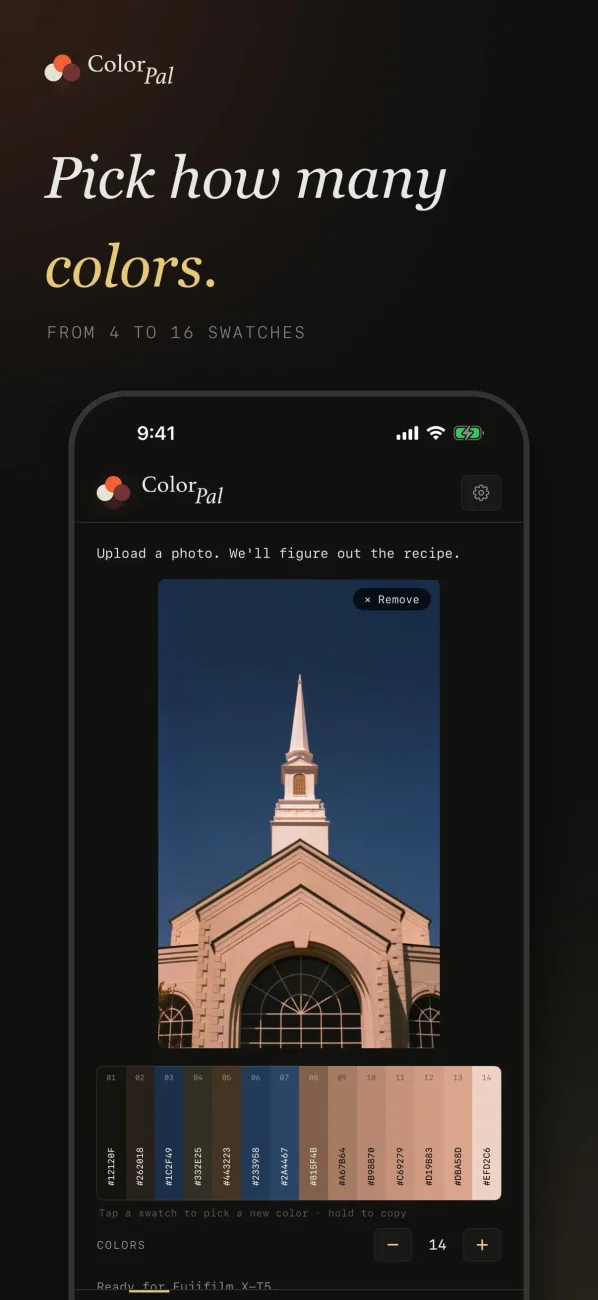
Pull anywhere from 4 to 16 colors from a photo. Every color is named and hex-coded; hold a swatch to copy it.
-LIGHT AND DARK-
Choose Dark, Light, or Auto in Settings. Color Pal also remembers your camera, so you only pick it once.
-GENERATE 3D LUTS-
Every recipe or analyzed photo can also produce a standard 3D LUT (.cube file), generated
entirely on your device — use it in your editing software of choice.
-WORKS WITH COINCIDENCE-
If you also use Coincidence, Josh Hoover's camera app, Color Pal can send a generated LUT
straight into it for live use in the viewfinder — no manual export and re-import needed.
-CAMERA COMPATIBILITY-
Supports Fujifilm cameras with a USB tethering or backup/restore mode, including
X-Processor 4 bodies (e.g. X-T3) and X-Processor 5 bodies (e.g. X-M5).
What’s new
Version 2.3 · Nov 22, 2026
• New share cards: bigger photos, a cleaner layout, Dark or Light style, and the full palette with color names
• Choose how many colors to pull from a photo, from 4 to 16
• Light mode, plus a new Settings screen (camera, appearance, quick tour)
• A bottom tab bar so Match, Recipe and Projects are always in view
• Take a photo right inside the app
• Hold a swatch to copy its color
• Color Pal remembers your camera
• Performance improvements and bug fixes
App privacy
What JOSHUA DANIEL HOOVER declares on the App Store about how this app handles data.
-
Data linked to you
May be collected and linked to your identity.
- User content
Privacy practices may vary, for example with the features you use or your age.
Information
- Seller
- JOSHUA DANIEL HOOVER
- Category
- Photo & Video
- Version
- 2.3
- Updated
- Nov 22, 2026
- Released
- Jun 4, 2026
- Size
- 11.4 MB
- Requires
- iOS 17.6 or later
- Age rating
- 4+
- Price
- $5.99
- Languages
- English
- Copyright
- © 2026 Josh Hoover
You might also like
-
 X Sim LabThe film simulation recipe lab
-
 GREYSETAR camera for AI filmmaking
-
 Jepex: Sort, Edit & RecipesFor Fujifilm, Ricoh & more
-
 Patina Film: Photo EditorVintage Camera & Memory Book
-
 SimuLook: Film RecipesRead JPEGs, Preview & Share
-
 Alpha LooksSony Film Recipes
-
 Fuji FrameAI film recipes for Fujifilm
-
 Névo – Vintage in One TapMoments pass, memories remain
-
 ChromaSyncAesthetic Photo Editor & Grid
-
 AlphaLook: Sony Film RecipesCreative Look to Camera by USB