
ColorQueueList
List + Timeline Task Planner
Designed for iPhone, iPad
In-app purchases
- Age rating4+
- CategoryProductivity
- DeveloperMasayuki Hisada
- LanguagesEnglish
- Size52.6 MB
Links to the official App Store page
Download.org hosts no file of ColorQueueList. The button opens its official App Store page, published by Masayuki Hisada. Listing last checked on Nov 13, 2026.
Screenshots


About
The task app that does both: lightning-fast capture AND visual time planning.
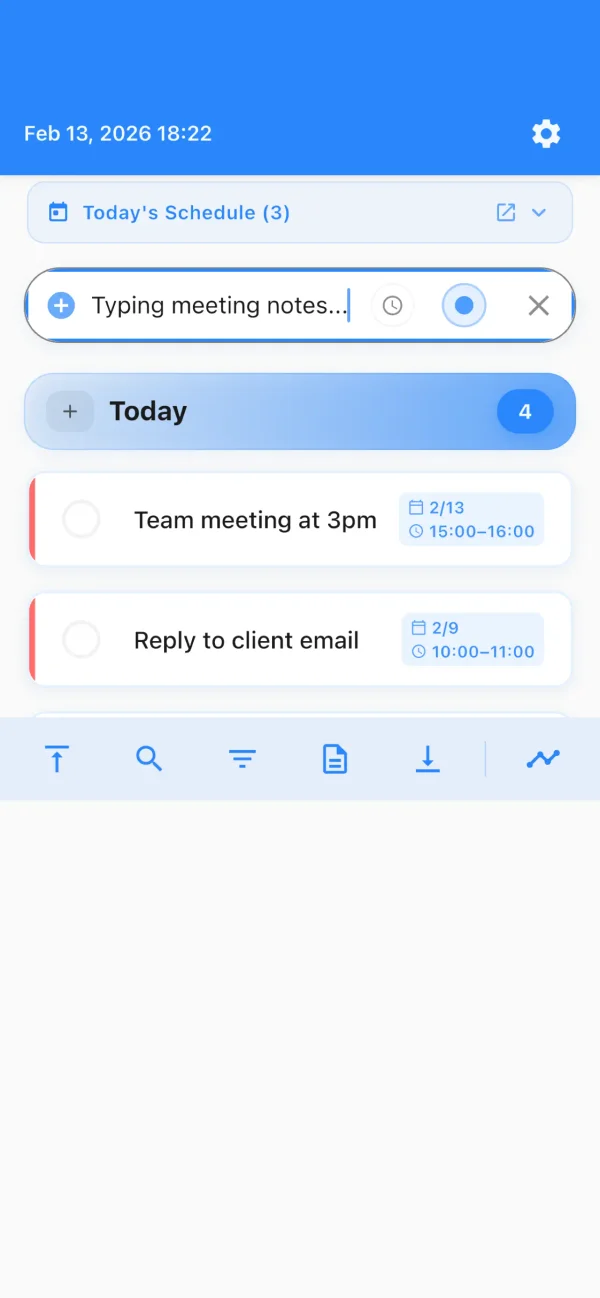
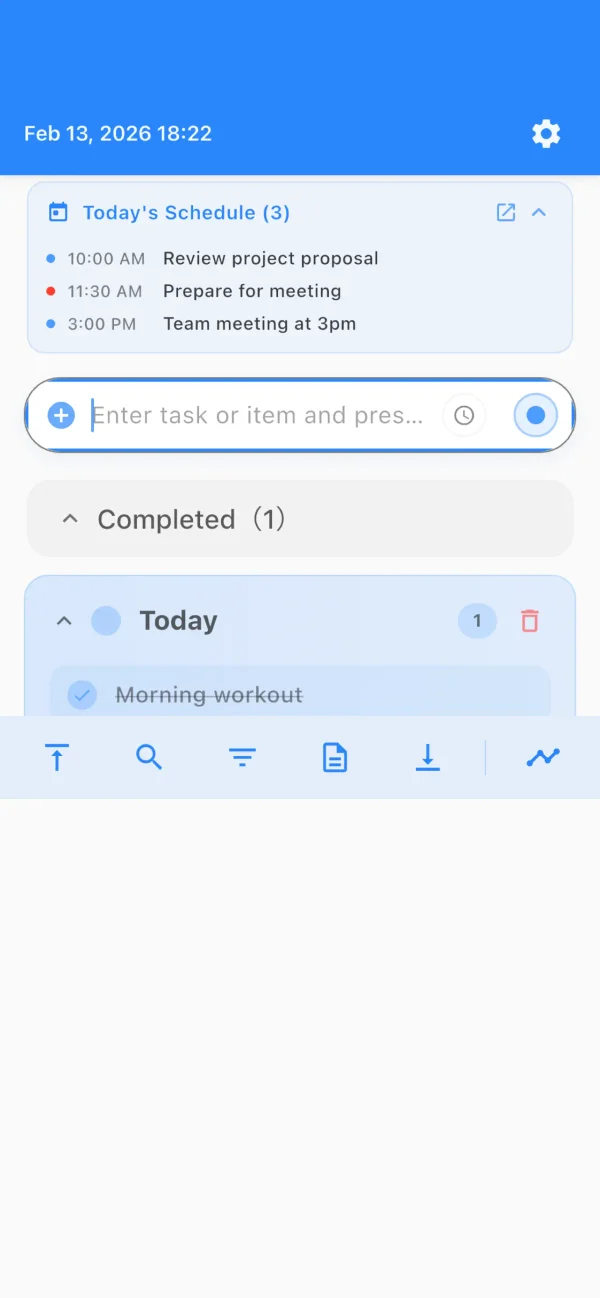
ColorQueueList combines a zero-friction todo list with a timeline planner. Type a task in 1 second--then see your entire day, week, or month at a glance in the Flow timeline.
-- LIST: CAPTURE AT THE SPEED OF THOUGHT
Most todo apps waste your time before you even start. ColorQueueList doesn't.
- Type and hit Enter - task added instantly
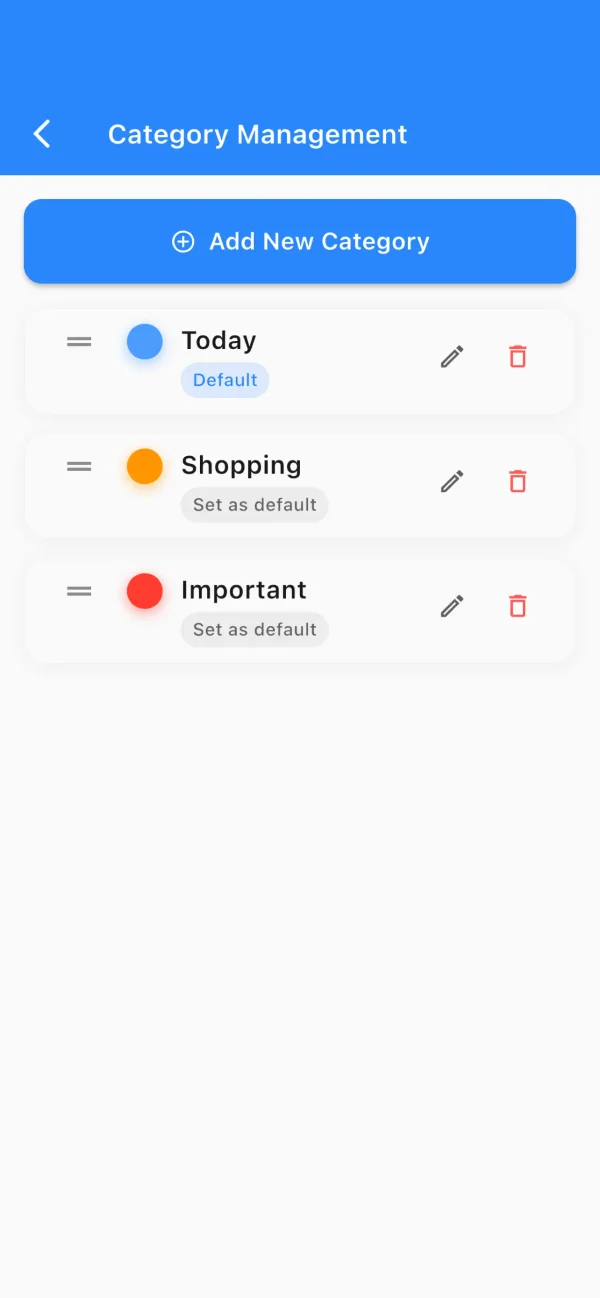
- Color categories for at-a-glance priority
- Completed tasks fold away and auto-clean after 7 days
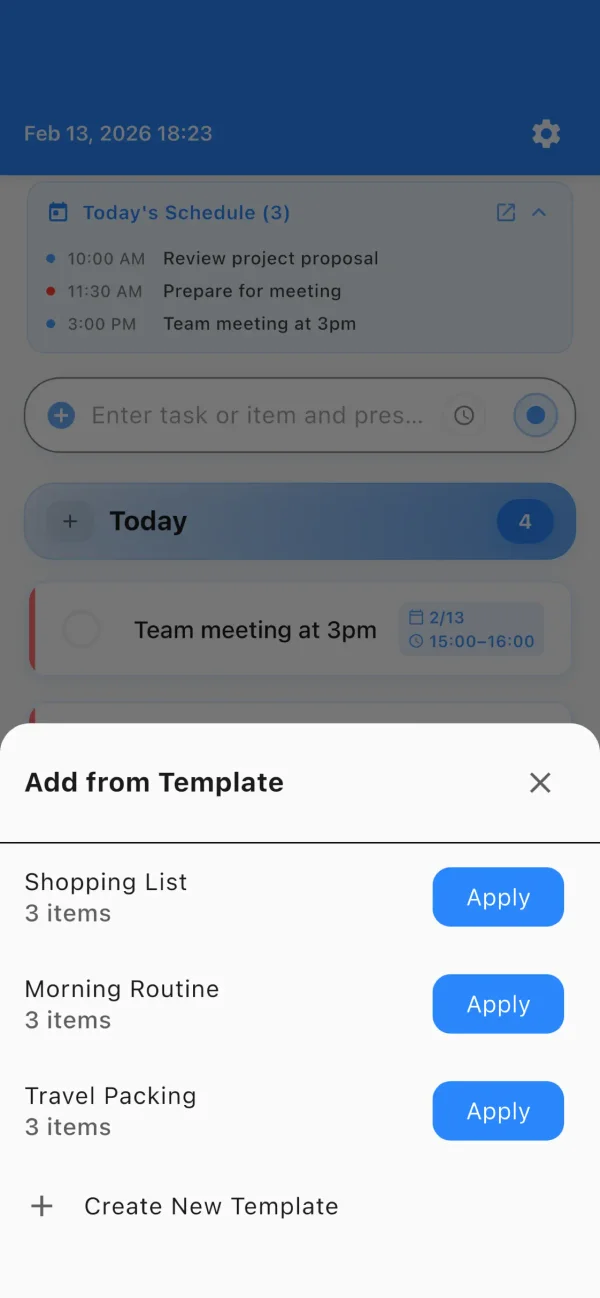
- Templates for recurring task lists
No signup. No cloud. No friction. Just you and your tasks.
-- FLOW: YOUR VISUAL TIME PLANNER
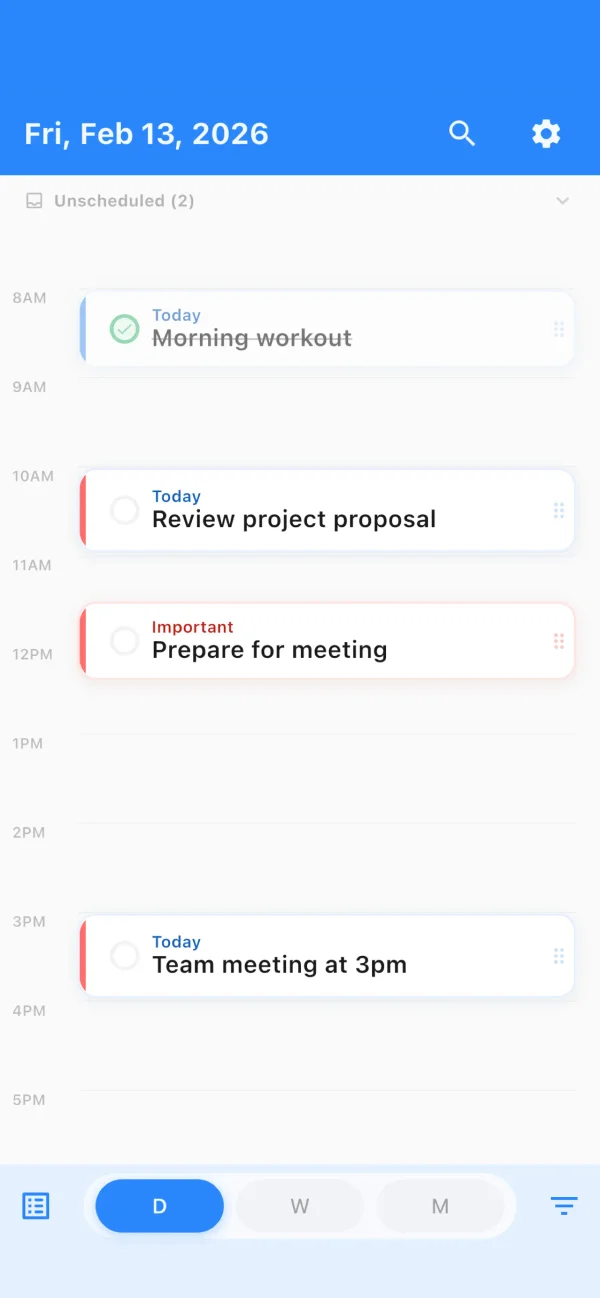
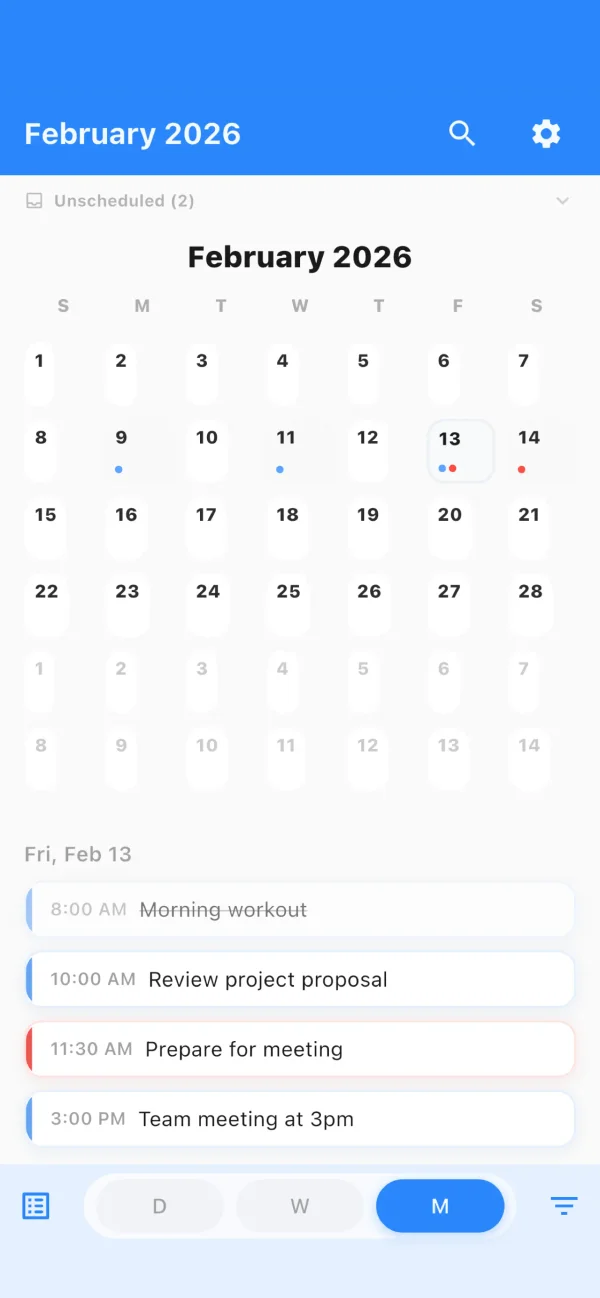
Switch to Flow and see your schedule come alive:
- Day view - hour-by-hour timeline with drag-and-drop
- Week view - spot busy days and open slots at a glance
- Month view - calendar overview with task indicators
- Overdue tasks highlighted in red so nothing slips through
- Time conflict warnings when tasks overlap
- Workload hours displayed per day and week
-- RECURRING TASKS & REMINDERS
Set it once, forget the rest:
- Daily, weekly, monthly, or custom repeat patterns
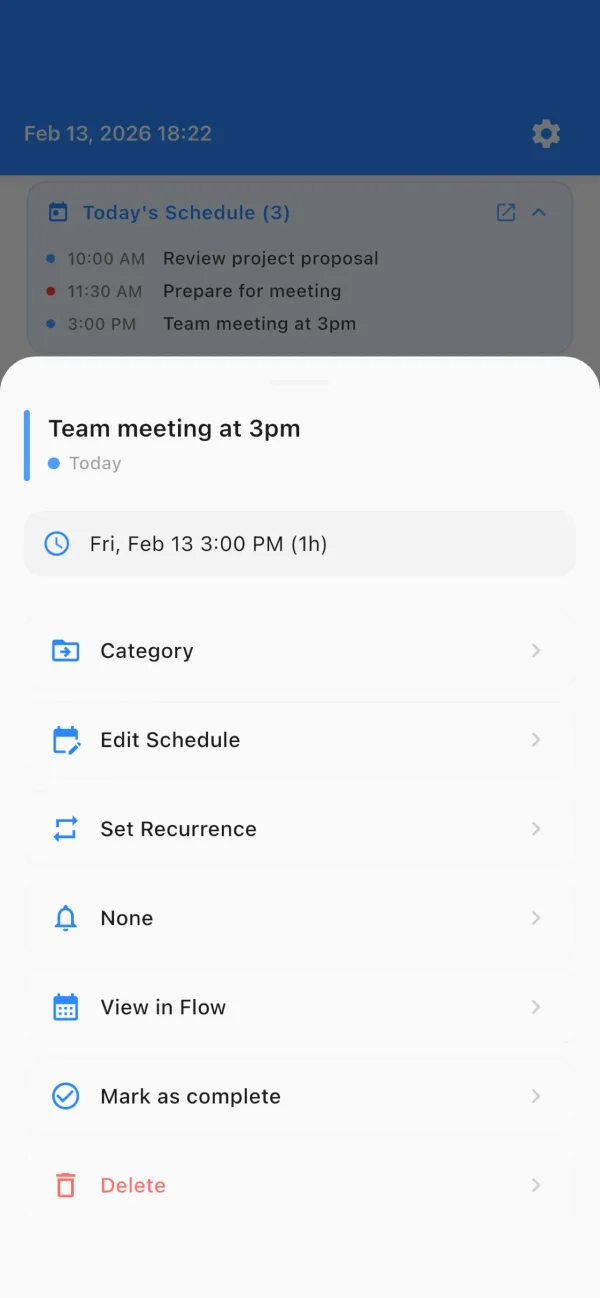
- Edit this event only, this and future, or all at once
- Reminders at the right time (at start, 5/15/30/60 min before)
- Notifications auto-update when you reschedule
-- SEAMLESSLY CONNECTED
List and Flow work as one:
- Today's schedule banner on the home screen
- Tap a task's schedule to jump to Flow
- "Show in List" button in Flow for quick edits
- Unscheduled tasks section in Flow for drag-to-schedule
-- WHAT YOU GET FREE
- Color categories (fully customizable)
- Reusable templates
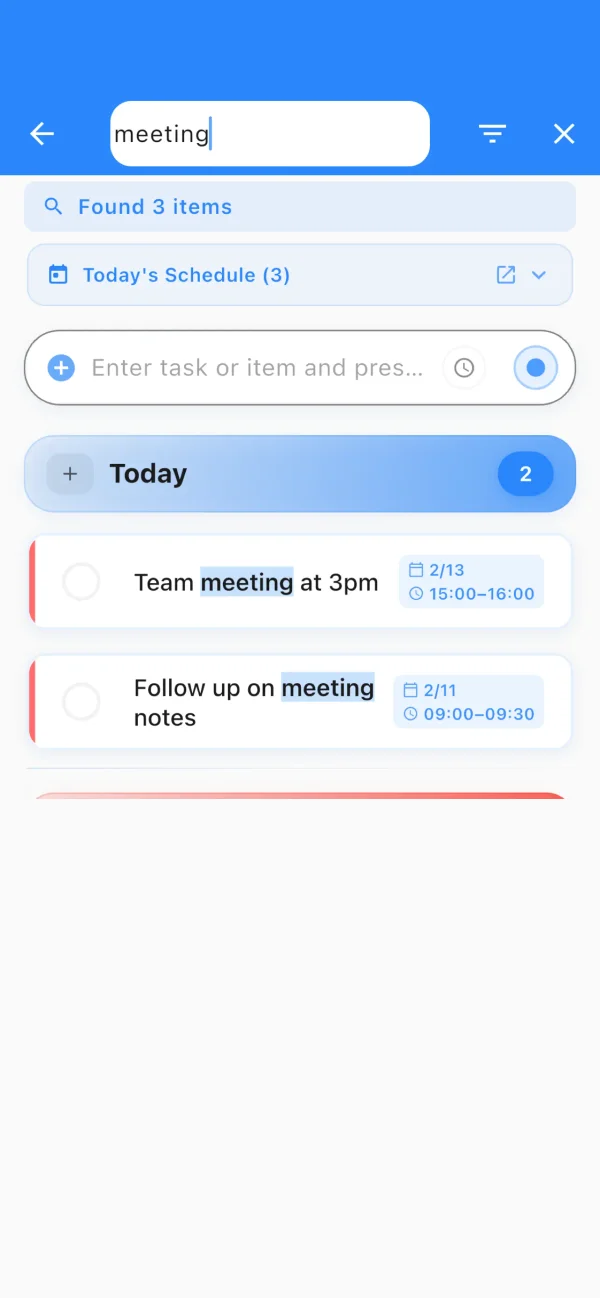
- Search & filter across all tasks
- Task scheduling with duration
- Recurring tasks & reminders
- Day / Week / Month Flow views
- Dark mode & 100% offline
-- PRO: FOR POWER USERS
- Unlimited categories & templates
- Data backup & export
- 15 premium color themes
-- PRIVACY THAT MATTERS
Your data never leaves your device. No account. No tracking. No ads.
---
Open the app. Type your task. Press Enter.
Switch to Flow. See your whole week.
Feel the difference.
What’s new
Version 2.0.0 · Feb 14, 2026
Introducing Flow - your visual time planner!
- Day / Week / Month timeline views
- Recurring tasks (daily, weekly, monthly, custom)
- Reminders & notifications
- Today's schedule banner on home screen
- Overdue highlighting & time conflict warnings
- Cross-view navigation between List and Flow
App privacy
What Masayuki Hisada declares on the App Store about how this app handles data.
-
Data not linked to you
May be collected but is not linked to your identity.
- Usage data
- Diagnostics
Privacy practices may vary, for example with the features you use or your age.
Information
- Seller
- Masayuki Hisada
- Category
- Productivity
- Version
- 2.0.0
- Updated
- Feb 14, 2026
- Released
- Dec 11, 2025
- Size
- 52.6 MB
- Requires
- iOS 16.0 or later
- Age rating
- 4+
- In-app purchases
- Yes
- Languages
- English
- Copyright
- © MH2
You might also like
-
 Cycle ReminderRecurring task progress alarms
-
 ReMinder: Repeat TasksNever miss what repeats
-
 Simple Task - Daily PlannerRecurring Tasks & Reminders
-
 Easeline - Visual Day PlannerVisual timeline, guilt-free
-
 Nura AI – Muslim PlannerPrayer & Task Planner
-
 Tasks in a loopTrack recurring tasks
-
 StoryHub インタビューProductivity
-
 Sunday: Weekly PlannerTo-Do List, Tasks & Agenda
-
 Time Block Planner - DayBlockPlan your day with blocks
-
 Kikoka: Habit TrackerTrack daily habits and streaks