Compass - Professional
Safe and easy navigation
Designed for iPhone, iPad, iPod touch
Free · In-app purchases
- Age rating4+
- CategoryNavigation
- DeveloperPeter Bohl
- LanguagesEnglish+ 8 more
- Size12.0 MB
Links to the official App Store page
Download.org hosts no file of Compass - Professional. The button opens its official App Store page, published by Peter Bohl. Listing last checked on Nov 24, 2026.
Screenshots
About
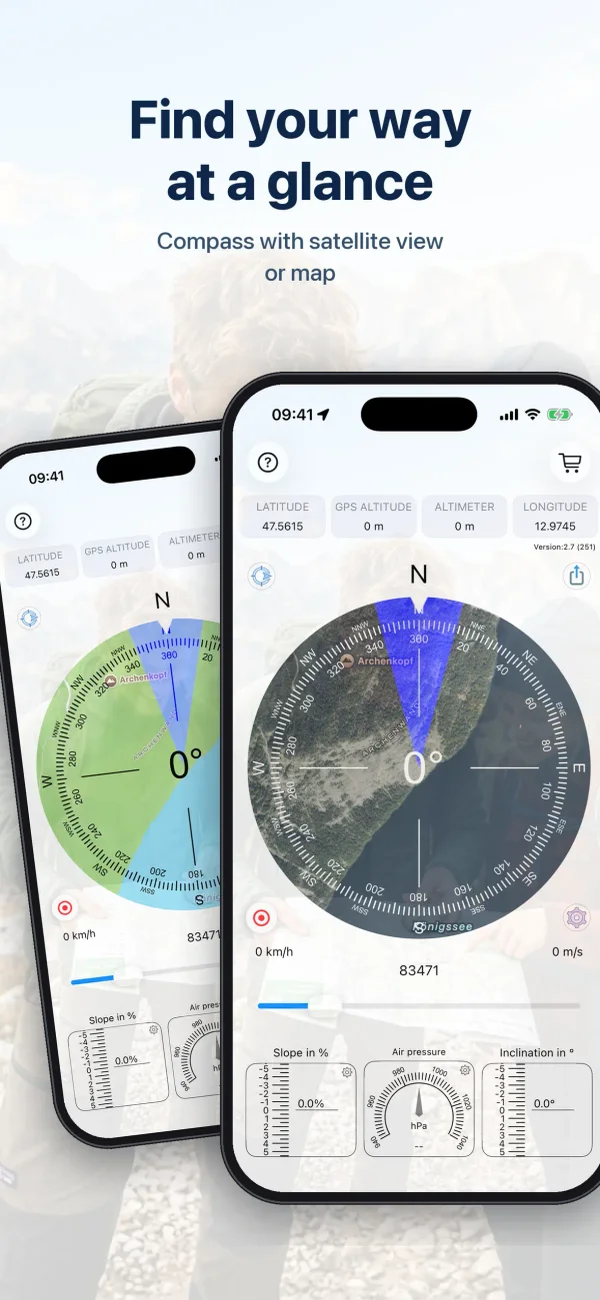
Never get lost again: Compass Pro is your reliable companion for hiking, mountain tours, geocaching and every trip into the outdoors. A precise compass with satellite view or map, bearing to your target and track recording – clear, modern and easy to use.
COMPASS WITH SATELLITE VIEW AND MAP
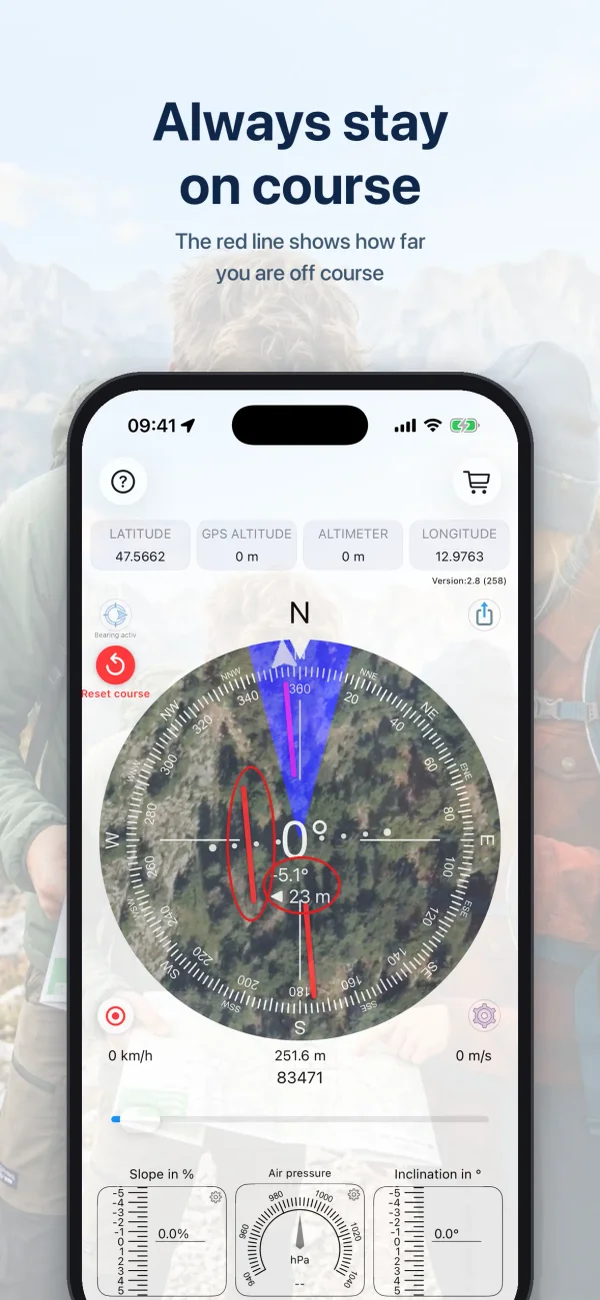
• Precise compass with degree display and cardinal direction
• Satellite view or map right inside the compass dial – switch with one tap
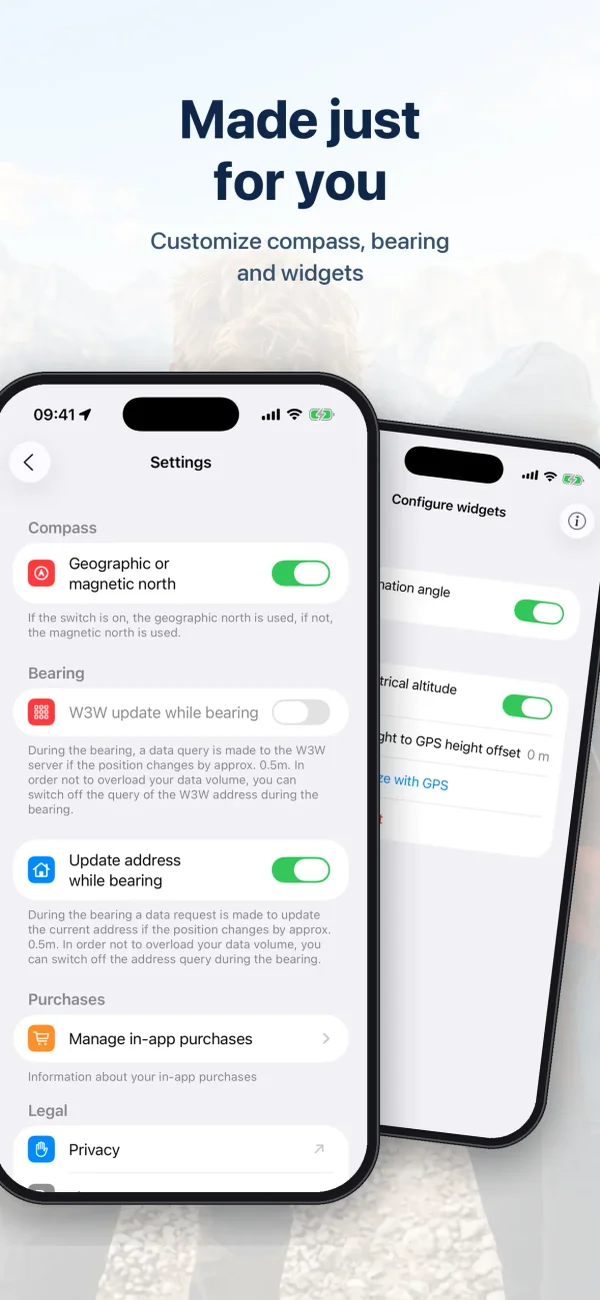
• Choose true north or magnetic north
• Zoom from detail view to overview
YOUR LOCATION AT A GLANCE
• Exact GPS coordinates in decimal degrees, degrees/minutes/seconds or degrees/minutes
• Current street address and What3Words address
• GPS altitude and barometric altitude
• Speed in km/h and m/s
• Share your position with one tap
BEARING TO YOUR TARGET
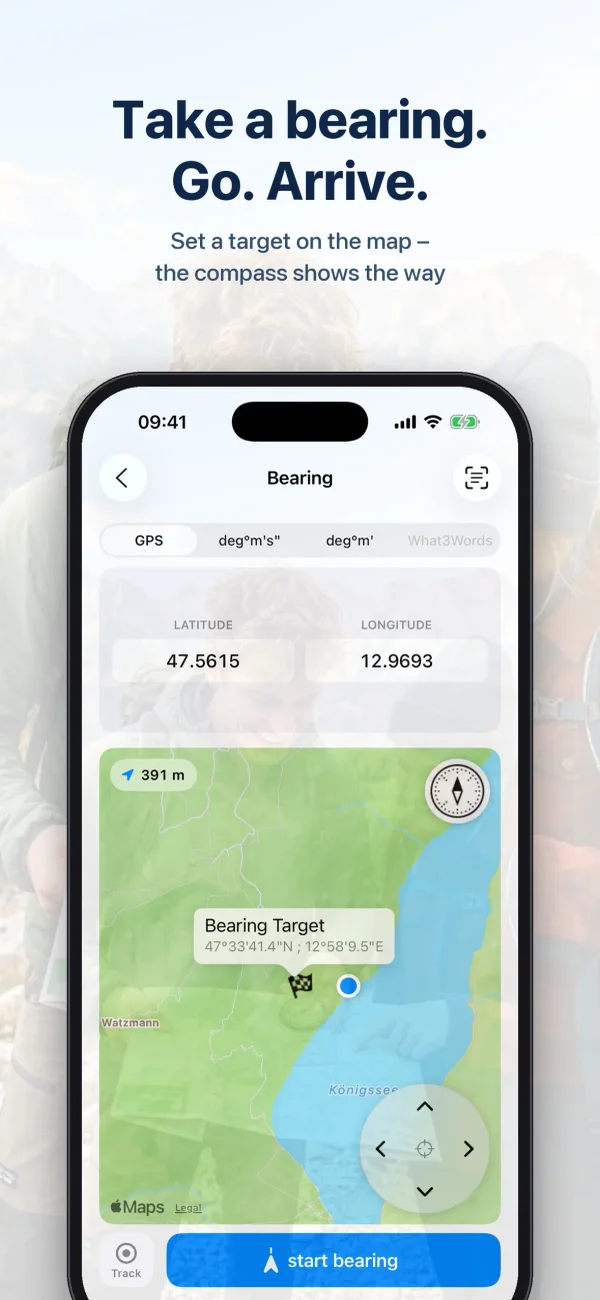
• Set a target by coordinates, What3Words or directly on the map
• Fine-tune with the direction pad
• Direction arrow in the compass and distance to the target
• Bearing keeps running in the background
TRACK RECORDING (PRO)
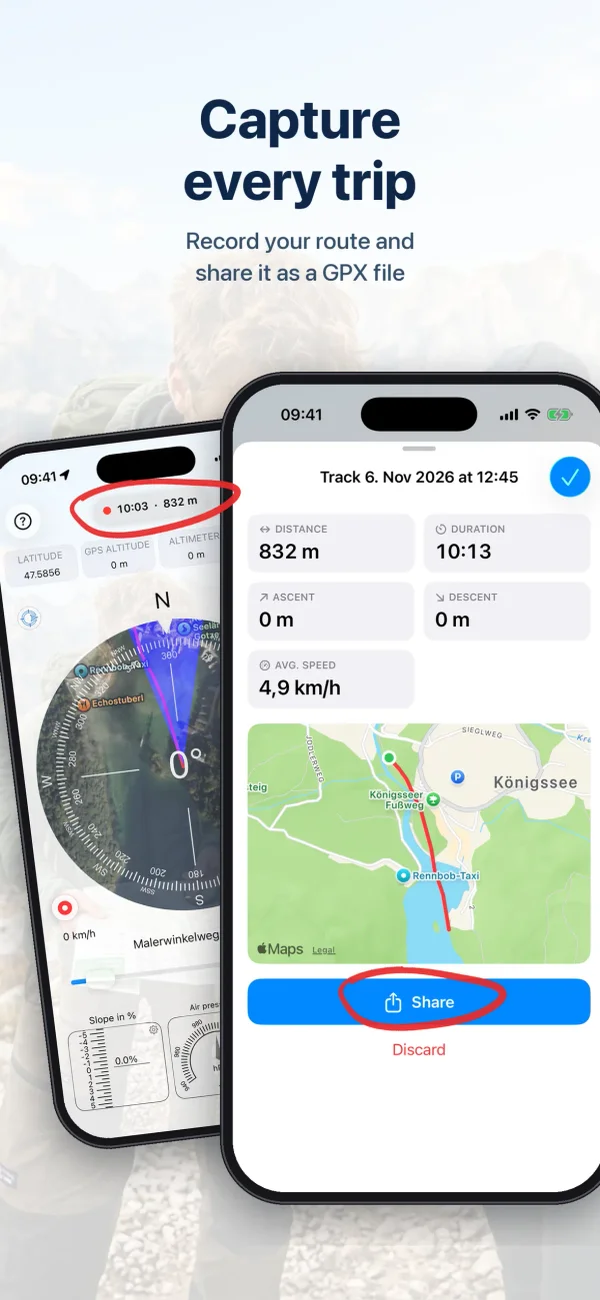
• Record your trips with one tap – on its own or while taking a bearing
• Time and distance always in view, your track right in the compass
• Summary with distance, duration, ascent, descent, speed and map
• Share the track as a GPX file, e.g. with other apps or friends
IMPORT TARGET (PRO)
• Set a bearing target from a QR code, a photo or the clipboard
• Recognizes all common coordinate formats as well as links from Apple Maps, Google Maps and OpenStreetMap
• Recognition runs entirely on your device
SPECIAL WIDGETS (PRO)
• Altimeter based on air pressure
• Slope meter in percent – via GPS or inclination
• Air pressure in hPa
• Device inclination in degrees
COMPASS PRO
With a subscription or a one-time purchase you can use Compass Pro without ads and with all Pro features: track recording, target import and special widgets.
Subscriptions renew automatically unless cancelled at least 24 hours before the end of the current period. Payment is charged to your Apple ID. You can manage and cancel subscriptions in your App Store account settings.
Note: Continued use of GPS in the background can reduce battery life.
Privacy policy: https://www.exultation.de/datenschutz.html
Terms of use: https://www.apple.com/legal/internet-services/itunes/dev/stdeula
What’s new
Version 2.8 · Nov 23, 2026
Compass 2.8 – freshly redesigned
NEW: Course deviation (Pro)
While taking a bearing, a red line in the compass points to the target. If you drift off course, its middle part moves sideways and shows on a scale how far you are off – along with the sideways distance in meters. After a detour, “Reset course here” restarts the course line at your current position. You choose whether course deviation is shown with the “Course” switch when you start the bearing.
NEW: Track recording (Pro)
Record your trips with a single tap. While recording, you see time and distance right on the main screen and your track in the compass. At the end you get a summary with distance, duration, ascent, descent, speed and a map. You can share the track as a GPX file.
NEW: Import target (Pro)
Set a bearing target from a QR code, a photo or the clipboard. Coordinates in all common formats are recognized, as well as links from Apple Maps, Google Maps and OpenStreetMap. Recognition runs entirely on your device.
Modern design
• New bearing screen with a large map and direction pad
• Settings and widget settings in iOS style
• New purchases page that clearly shows your active purchase
• Direct access to purchases from the main screen
Help right in the app
Help and widget info now open in the app, with pictures and in all languages.
Improvements
• The compass direction is shown above the compass right away
• Translations corrected in several languages
• Minor bug fixes and stability improvements
App privacy
What Peter Bohl declares on the App Store about how this app handles data.
-
Data used to track you
May be used to track you across apps and websites owned by other companies.
- Location
-
Data not linked to you
May be collected but is not linked to your identity.
- Location
- Usage data
Privacy practices may vary, for example with the features you use or your age.
Information
- Seller
- Peter Bohl
- Category
- Navigation
- Version
- 2.8
- Updated
- Nov 23, 2026
- Released
- Sep 27, 2017
- Size
- 12.0 MB
- Requires
- iOS 15.6 or later
- Age rating
- 4+
- Price
- Free
- In-app purchases
- Yes
- Languages
- English, French, German, Italian, Japanese, Portuguese, Russian, Simplified Chinese, Spanish
- Copyright
- © exultation.de
You might also like
-
 Compass ×#1 design
-
 Compass ⊘Navigation, location & more
-
 Compass for iPad and iPhone#1 minimalistic compass
-
 Accurate Compass NavigationDirection and Address
-
 SpyglassAR Compass, GPS & Offline Maps
-
 Compass 55. Map & GPS kit.Land, air, marine navigator
-
 Compass & AltimeterAltimeter, Pressure, Weather
-
 Compass_SSimple compass in 5 designs
-
 Compass & Coordinates LocatorAltitude, Barometer, Weather
-
 Vaastu Wisdom in ENG/GUJ/HINDIUnlocking home potential Vastu