- Age rating4+
- CategoryEducation
- DeveloperLeung In Chen
- LanguagesEnglish+ 1 more
- Size5.7 MB
Links to the official App Store page
Download.org hosts no file of CompassHub. The button opens its official App Store page, published by Leung In Chen. Listing last checked on Nov 12, 2026.
Screenshots


About
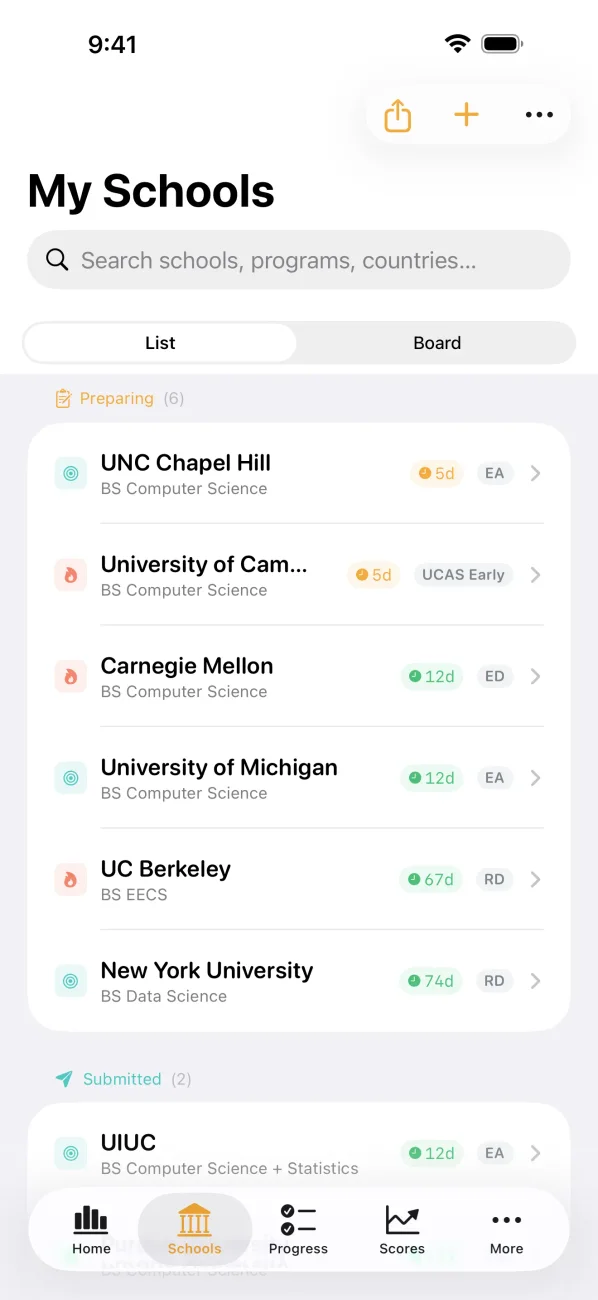
CompassHub is a calm, organized home for a university application you are running yourself. Build your school list, break every application into dated tasks, and keep essays, test scores, recommenders, activities, honors, costs and visa steps in one place — on iPhone and iPad, in English or Simplified Chinese.
WHO IT IS FOR
SCHOOL LIST AND ROUNDS
• Add each school and program with degree, country and the round you are applying in: Early Decision, Early Decision II, Early Action, Restrictive Early Action, Regular Decision, Rolling Admission, UK undergraduate rounds and US high school rounds
• Mark each school reach, match or safety and see the balance of your list at a glance
• Record application fees, portals, rankings, acceptance rates, tuition, location and your own reasons for choosing a school
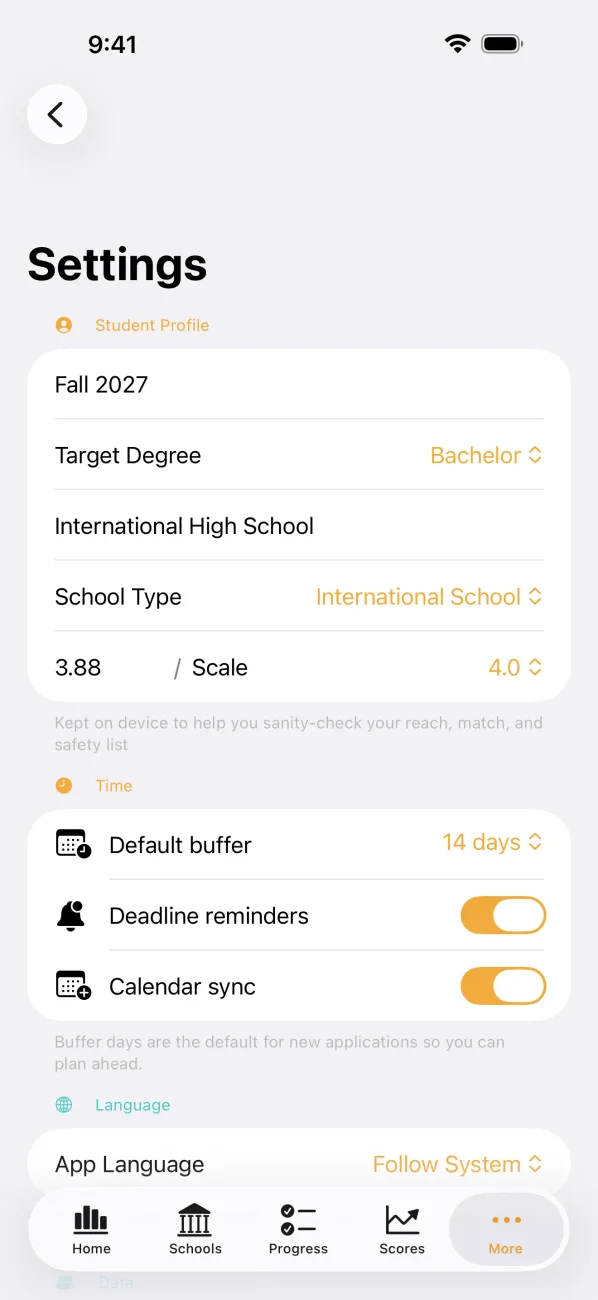
• Set a buffer of 7, 14 or 21 days so your personal target date lands ahead of the real deadline
CHECKLISTS THAT BUILD THEMSELVES
Add a school and CompassHub drafts its checklist: application form, transcripts, personal statement, CV, letters of recommendation, credential evaluation, official score reports, interview prep, financial documents, application fee and a final review — each dated back from the deadline. Every item is editable and deletable. Record a decision and follow-up tasks appear for deferrals, waitlists and offers.
ESSAYS
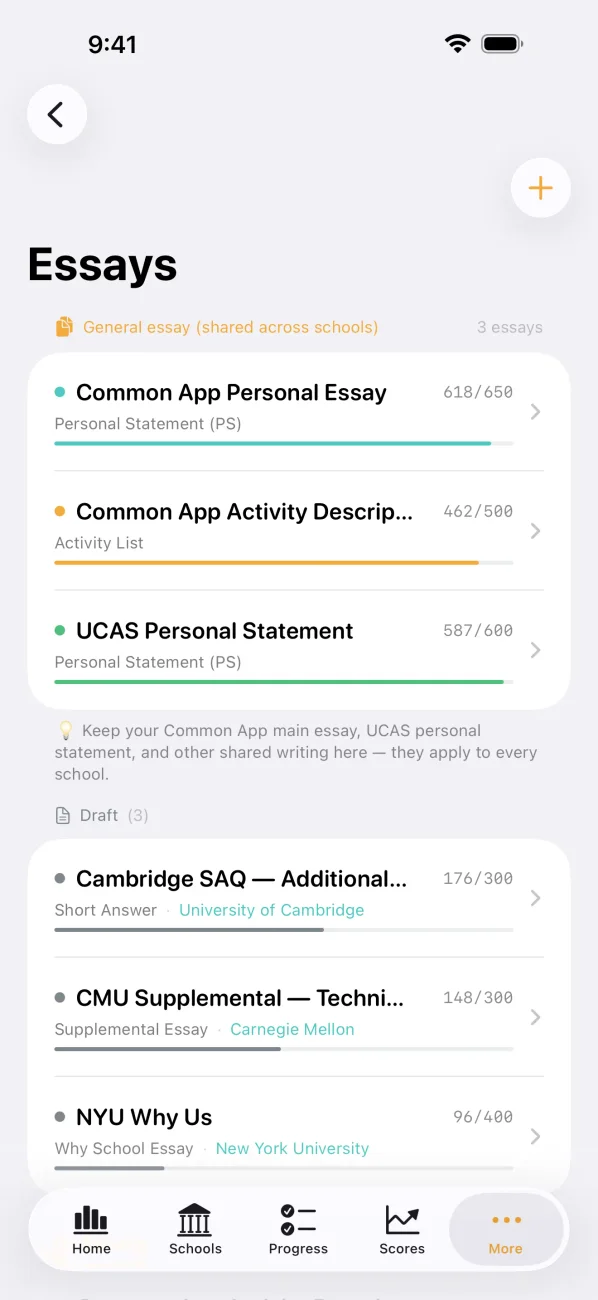
Track Personal Statements, Statements of Purpose, Why School essays, supplements, short answers, writing samples and more. Word count against each limit, draft to revising to polishing to final, version notes, review status and file attachments.
SCORES AND SCORE REPORTS
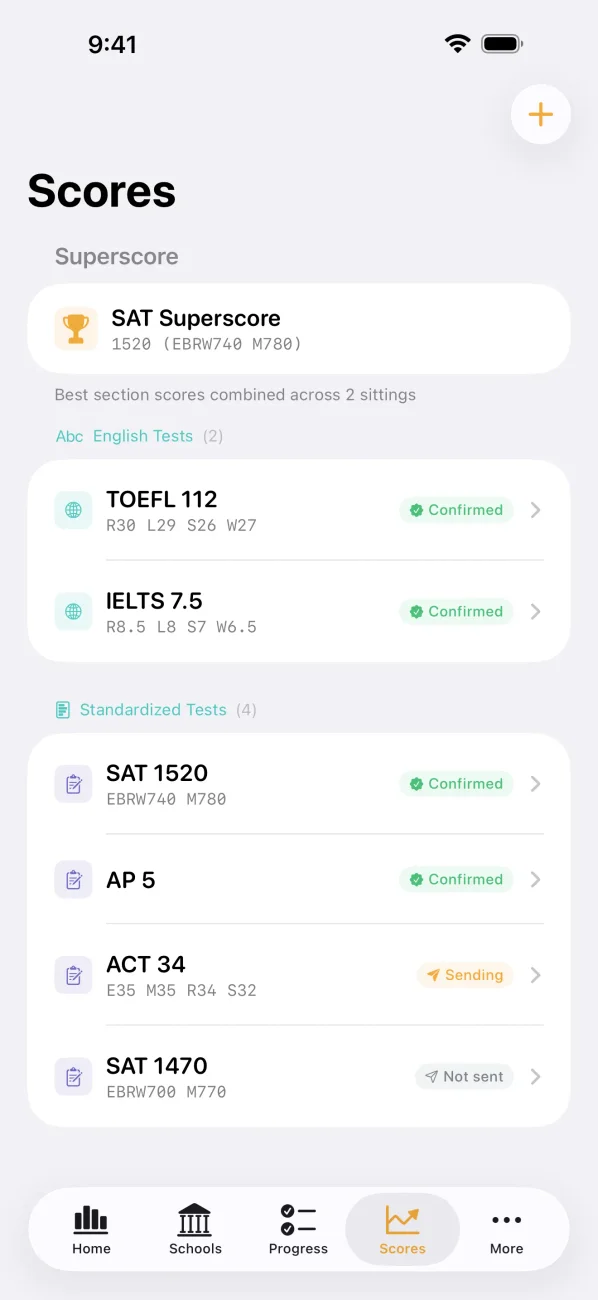
Log results with section scores, test dates and expiry dates. Track which report went to which school, how it was sent, what it cost and whether delivery is confirmed.
RECOMMENDERS, ACTIVITIES AND HONORS
Follow each recommender from first ask to letter submitted. Record activities with role, hours per week, weeks per year and a description with a live character count. List honors from school to international level.
MONEY AND VISAS
Track exam fees, application fees, score sending, credential evaluations, visa costs and deposits across currencies. Follow F-1, J-1, UK Student, Canadian study permit, Subclass 500 and other student visas through document prep, interview and decision, with passport expiry in view.
STAY AHEAD OF DEADLINES
Optional local reminders, and optional syncing of deadlines to your system calendar. The dashboard shows what is urgent, overall task completion and, once offers arrive, a side-by-side comparison with commitment deadlines.
YOUR DATA
Your records live on this device and sync through your own iCloud private database whenever it is signed in to an Apple Account — your data on your own devices, no CompassHub account, no server of ours in between. Syncing follows your iOS iCloud settings; attachment files stay on the device that added them. Export everything as JSON, or your school list as a CSV for Numbers or any spreadsheet app. Clear all data from Settings any time.
CHINA MAINLAND: Generative AI entry is disabled for China App Store installs; use manual entry.
OPTIONAL AI ENTRY
Instead of typing a program's requirements by hand, paste the text and have it turned into structured fields. This uses your own model service: add any compatible chat/completions endpoint, model name and API key in Settings, and your text goes from this device straight to that provider over HTTPS, never through a CompassHub server. Your key stays in this device's Keychain. Nothing is sent until you read the disclosure, tick the consent box and confirm. A source URL you save stays on your device. Everything the model returns is editable before you save it, and every field can be entered by hand instead.
CompassHub organizes your application. It does not advise you on where to apply, and it does not predict results.
Privacy policy: https://compasshub.cc/privacy
Support: chloeechen123.0@gmail.com
What’s new
Version 1.2.2 · Oct 16, 2026
What's New in 1.2.2
• Deadline widgets for Home Screen and Lock Screen
• Upcoming application deadlines at a glance
• Continues 1.2.1 improvements: pure white day mode, appearance setting, clearer Chinese/English labels
Thank you for using CompassHub.
App privacy
What Leung In Chen declares on the App Store about how this app handles data.
-
Data not collected
The developer does not collect any data from this app.
Privacy practices may vary, for example with the features you use or your age.
Information
- Seller
- Leung In Chen
- Category
- Education
- Version
- 1.2.2
- Updated
- Oct 16, 2026
- Released
- Aug 16, 2026
- Size
- 5.7 MB
- Requires
- iOS 17.0 or later
- Age rating
- 4+
- Price
- Free
- Languages
- English, Simplified Chinese
- Copyright
- © 2026 Leung In Chen
You might also like
-
 Onvello: College PlannerApplications & deadlines
-
 UniPilot: AI Study PlannerCalendario y sílabo con IA
-
 ibGuruAll-in-One IB Study App
-
 词汇流动 - 雅思背单词Education
-
 提起琴Education
-
 香港文憑試中國語文科Education
-
 优艺汇在线Education
-
 IB Psychology HL/SLIB exam revision flashcards
-
 Learn Portuguese - LingoCatPortuguese Quiz Adventure
-
 Portuguese Verb Conjugations5000 verbs. Lookup & practice