Computer Mouse Remote Trackpad
Touchpad, keyboard & dictation
Designed for iPhone, iPad, Mac
Free · In-app purchases
- Age rating4+
- CategoryUtilities
- DeveloperChristian Okeke
- LanguagesEnglish
- Size3.2 MB
Links to the official App Store page
Download.org hosts no file of Computer Mouse Remote Trackpad. The button opens its official App Store page, published by Christian Okeke. Listing last checked on Nov 20, 2026.
Screenshots



About
Control turns your iPhone into a wireless computer mouse, trackpad and keyboard for your Mac or Windows PC. The mouse is free. Build the remote you want with your own buttons, colors and background.
THE MOUSE IS FREE
Move the cursor with one finger and tap to click. Tap with two fingers to right-click. Scroll with two fingers or the scroll bar. Set the speed up to 4x, or switch to a joystick. No trial and no time limit.
BUILD YOUR OWN REMOTE
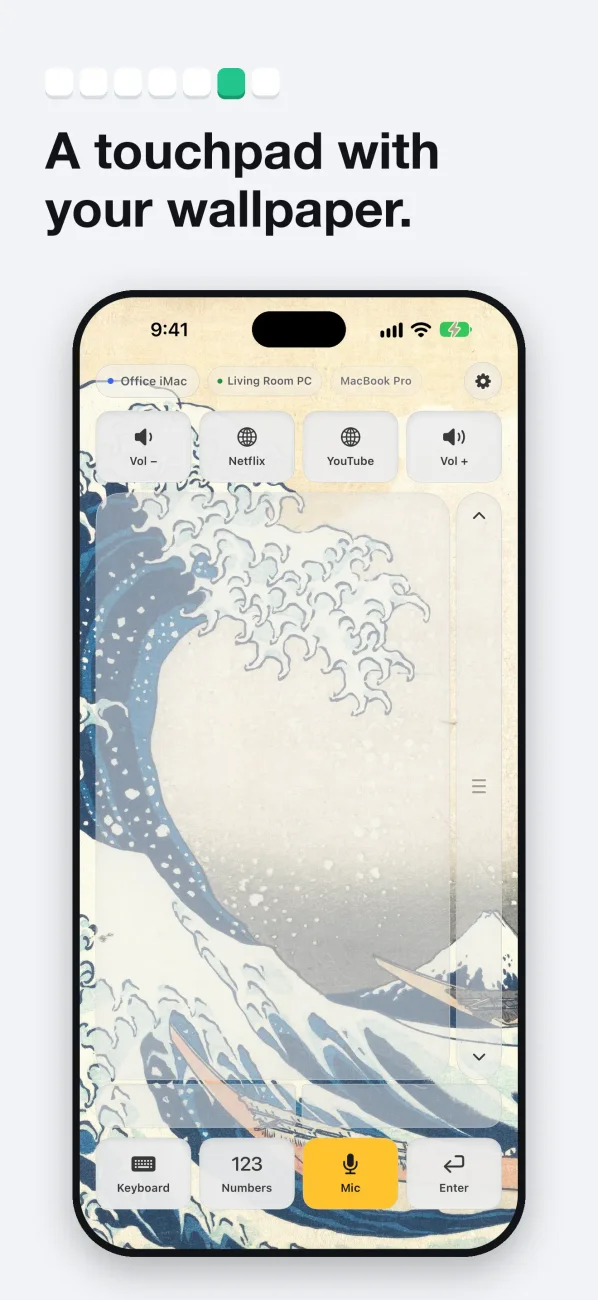
Press and hold any button to move it, recolor it or swap it for another. Choose light or dark, pick a color scheme, or use your own photo as the background. Set the trackpad size and hide what you don't use.
A KEYBOARD MADE FOR A COMPUTER
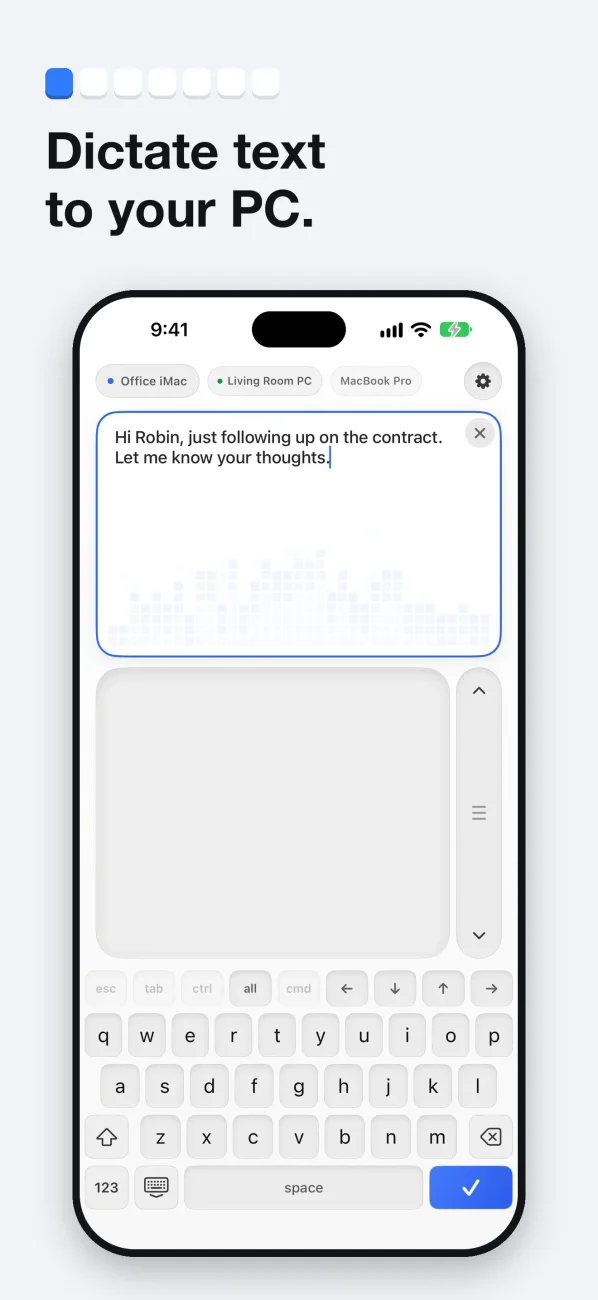
The keyboard sits under the trackpad, so you can type and move the mouse on one screen. It has the keys a phone keyboard leaves out: esc, tab, ctrl, cmd, arrows and select all.
VOICE TYPING
Speak and your words show in a box on your phone. Fix anything, then send it to your computer. Or turn on Type as I speak and skip the box.
NUMBER PAD, MEDIA AND SHORTCUTS
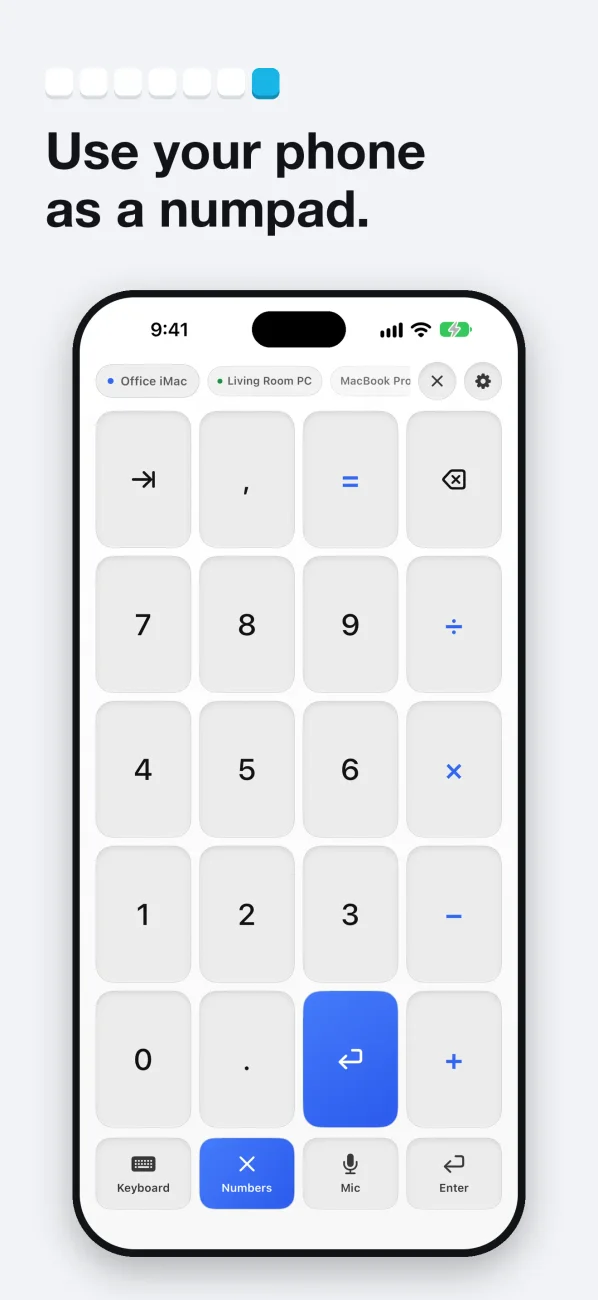
A full-screen number pad for spreadsheets. Buttons for volume, play and pause, copy and paste, and other shortcuts. Add links that open on your computer in one tap.
SWITCH COMPUTERS
Your computers show at the top of the remote. Tap one to switch, and give each one a name.
FROM THE COUCH, OR WITH ONE HAND
I made Control to run my computer from across the room. When I broke my collarbone, it became how I used my PC with one arm: move the cursor with my thumb and talk instead of type.
CONNECT IN SECONDS
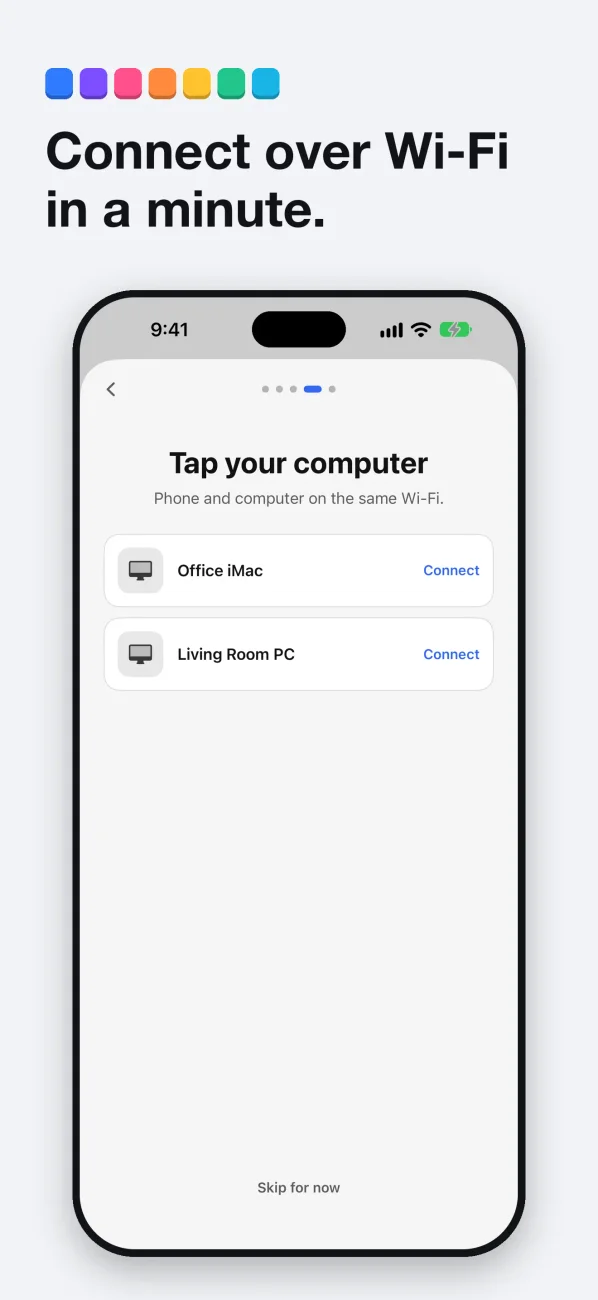
Get the free Control app for your Mac or Windows PC at control.okeke.us. Put your phone on the same Wi-Fi and tap your computer. It reconnects on its own.
PRIVATE BY DESIGN
No account. Everything stays on your own Wi-Fi network. On Mac, Accessibility permission is needed to control the computer.
PRICING
The mouse is free. Control Pro adds the keyboard, voice typing, number pad and custom buttons. Try Pro free for 7 days, then $4.99 a month. Payment is charged to your Apple Account and renews each month unless you cancel at least 24 hours before the period ends. Manage or cancel in your Apple Account settings.
Terms: https://okekedev.github.io/controlla/terms.html
Privacy: https://okekedev.github.io/controlla/privacy.html
What’s new
Version 5.2 · Nov 19, 2026
• The mouse is now free, with no time limit
• Build your own remote: press and hold any button to move, recolor or replace it
• New keyboard under the trackpad, with esc, tab, ctrl, cmd and arrow keys
• Voice typing in a box you can fix before you send
• Full-screen number pad
• Switch between computers from the top of the remote, and name them
• Photo backgrounds, color schemes, and light or dark
• New setup with a short video
• New icon
App privacy
What Christian Okeke declares on the App Store about how this app handles data.
-
Data not collected
The developer does not collect any data from this app.
Privacy practices may vary, for example with the features you use or your age.
Information
- Seller
- Christian Okeke
- Category
- Utilities
- Version
- 5.2
- Updated
- Nov 19, 2026
- Released
- Nov 3, 2025
- Size
- 3.2 MB
- Requires
- iOS 17.0 or later
- Age rating
- 4+
- Price
- Free
- In-app purchases
- Yes
- Languages
- English
- Copyright
- © Christian Okeke
You might also like
-
 PhonePad - Computer RemoteTake control of your laptop
-
 RPad: Remote Trackpad & MousePresentation Remote & Laser
-
 Shift: PDF & Video ConverterCompress, OCR & merge files
-
 AirType: Trackpad & KeyboardType and click from your phone
-
 PC Remote: Mouse & KeyboardTrackpad, Presentation Clicker
-
 PasswordnatorPassword Generator
-
 Telzo: TV RemoteSamsung, LG, Sony and more
-
 Local TV RemoteUtilities
-
 Dartboard SolverBilliard Room puzzle solver
-
 Pocket Board: Keyboard & MouseBluetooth Trackpad & Numpad