
PhonePad - Computer Remote
Take control of your laptop
Designed for iPhone, Mac, iPod touch
Free · In-app purchases
- Age rating4+
- CategoryUtilities
- DeveloperIbrahim Chiha
- LanguagesEnglish
- Size671.0 KB
Links to the official App Store page
Download.org hosts no file of PhonePad - Computer Remote. The button opens its official App Store page, published by Ibrahim Chiha. Listing last checked on Nov 12, 2026.
Screenshots


About
PhonePad - Bridging the gap between your iOS and macOS devices for a seamless and productive experience.
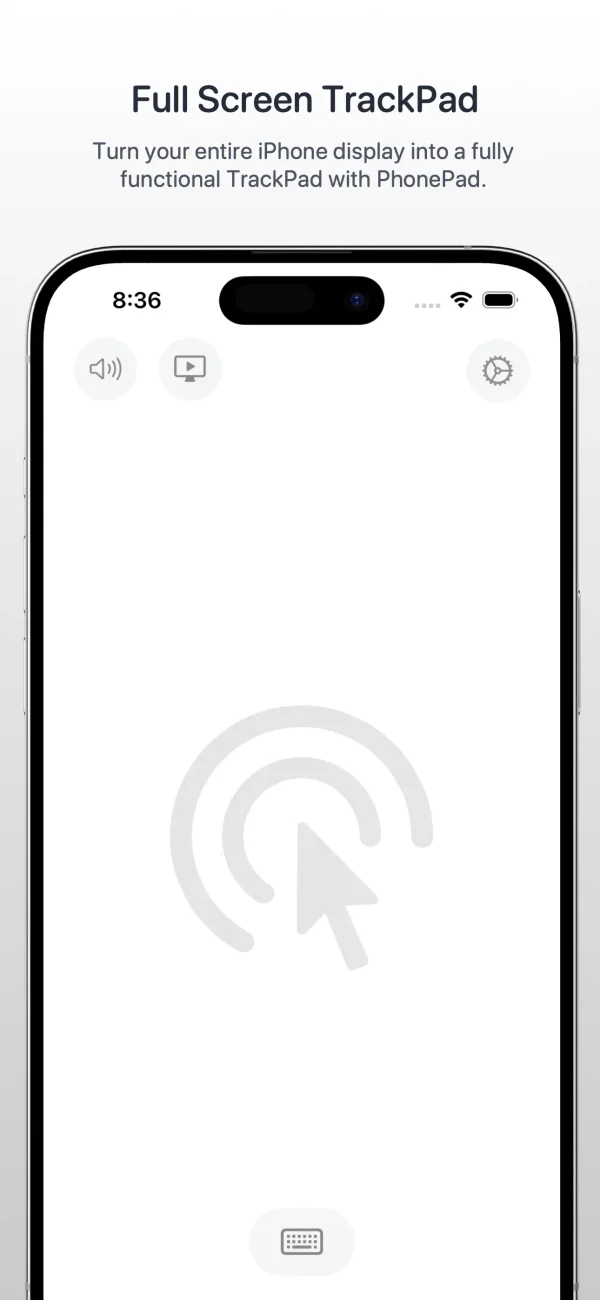
Transform your iPhone into a fully functional trackpad for your Mac with PhonePad. Whether you’re on the go or simply prefer the convenience of using your iOS device as a trackpad, PhonePad delivers a seamless and intuitive experience.
Key Features:
1. PhonePad integrates seamlessly with your Mac, providing a natural and responsive trackpad experience.
2. Enjoy the familiar gestures and controls you’re used to.
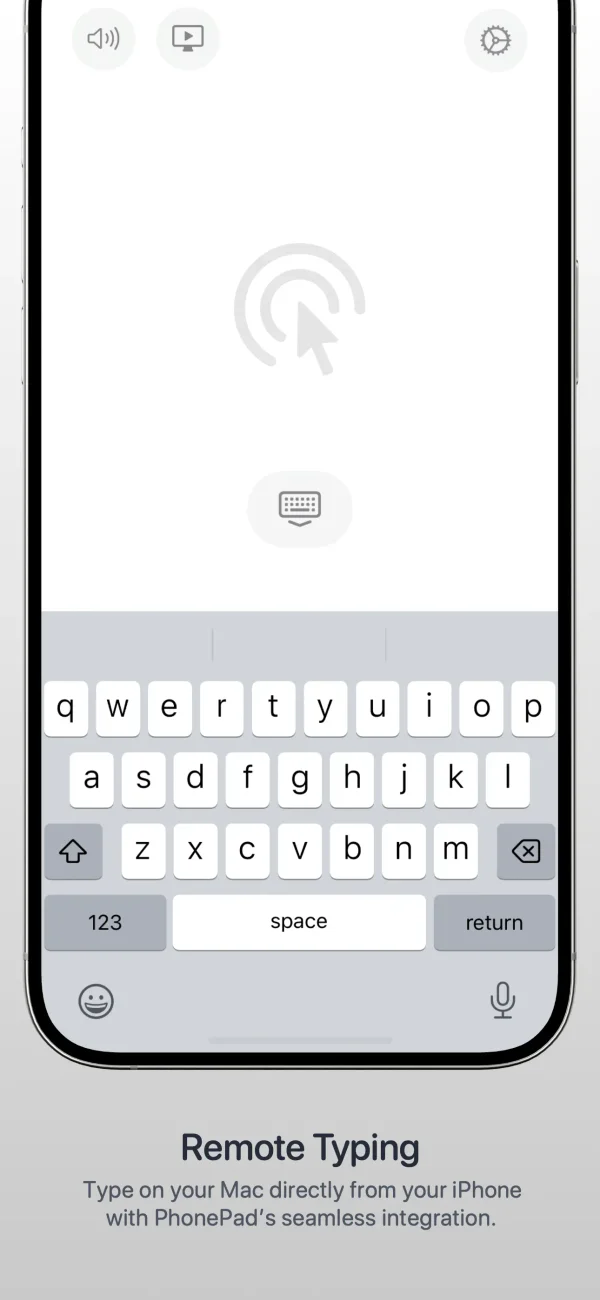
3. Using PhonePad's keyboard, easily type text on your Mac remotely.
4. Easily connect your device to your Mac by running the PhonePad for Mac app.
Functionality:
1. Tap once to left-click
2. Tap twice to double-click
3. Tap with two fingers to right-click
4. Pan with two fingers to scroll
5. Pan with three fingers to drag
6. Tap on the keyboard icon to start typing on your Mac
Requirements:
1. PhonePad app is also required to be installed on your Mac.
2. Network connection is required (connecting your Mac to your hotspot also works!)
3. Requires macOS 10.13 and iOS 16.0 or later.
Download PhonePad today and unlock the full potential of your iOS device as a powerful, intuitive trackpad for your Mac!
Security & Privacy: PhonePad does not collect any data from your devices. All communication is made between your iPhone and your Mac.
Terms of Use: https://www.apple.com/legal/internet-services/itunes/dev/stdeula/
What’s new
Version 0.4 · Jun 20, 2024
Added Presentation Mode which allows you to control your slides while presenting.
App privacy
What Ibrahim Chiha declares on the App Store about how this app handles data.
-
Data not collected
The developer does not collect any data from this app.
Privacy practices may vary, for example with the features you use or your age.
Information
- Seller
- Ibrahim Chiha
- Category
- Utilities
- Version
- 0.4
- Updated
- Jun 20, 2024
- Released
- Jun 9, 2024
- Size
- 671.0 KB
- Requires
- iOS 16 or later
- Age rating
- 4+
- Price
- Free
- In-app purchases
- Yes
- Languages
- English
- Copyright
- © 2024 Ibrahim Chiha
You might also like
-
 Mouse LinkMobile Remote Mouse & Keyboard
-
 Control - Mac Remote ControlRemotely Control Mac Apps
-
 Remote Trackpad: Virtual ToolBluetooth Keyboard & Mouse
-
 Remote App - Mouse, KeyboardWireless Control for PC/Mac
-
 FullControl: Remote for MacRemote for Mac
-
 Emulstickkeyboard and mouse emulation
-
 Tracepad - Mouse & TrackpadKeyboard for Mac, iPad, PC
-
 Remote KeyPad and NumPadvirtual keyboard for computer
-
 Mobile Mouse Remote - CloudComputer Trackpad & Keyboard
-
 Remote MouseHandy Computer Remote