- Age rating4+
- CategoryPhoto & Video
- Developer北京绿图科技有限公司
- LanguagesEnglish
- Size3.8 MB
Links to the official App Store page
Download.org hosts no file of CoShot Go. The button opens its official App Store page, published by 北京绿图科技有限公司. Listing last checked on Nov 21, 2026.
Screenshots

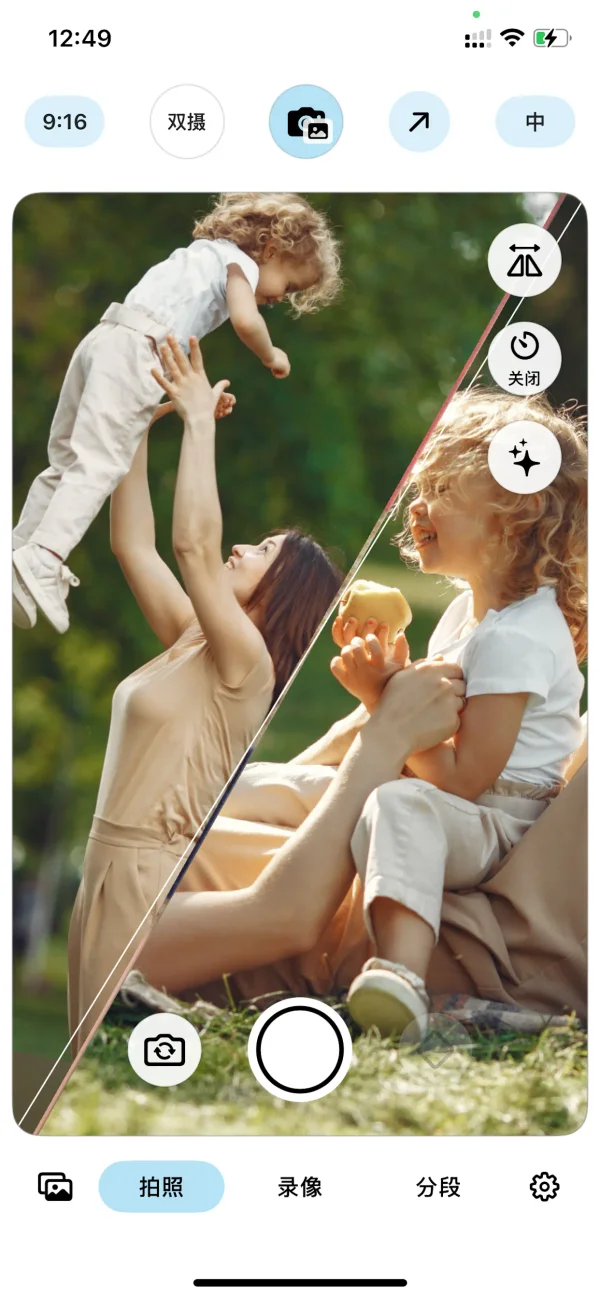
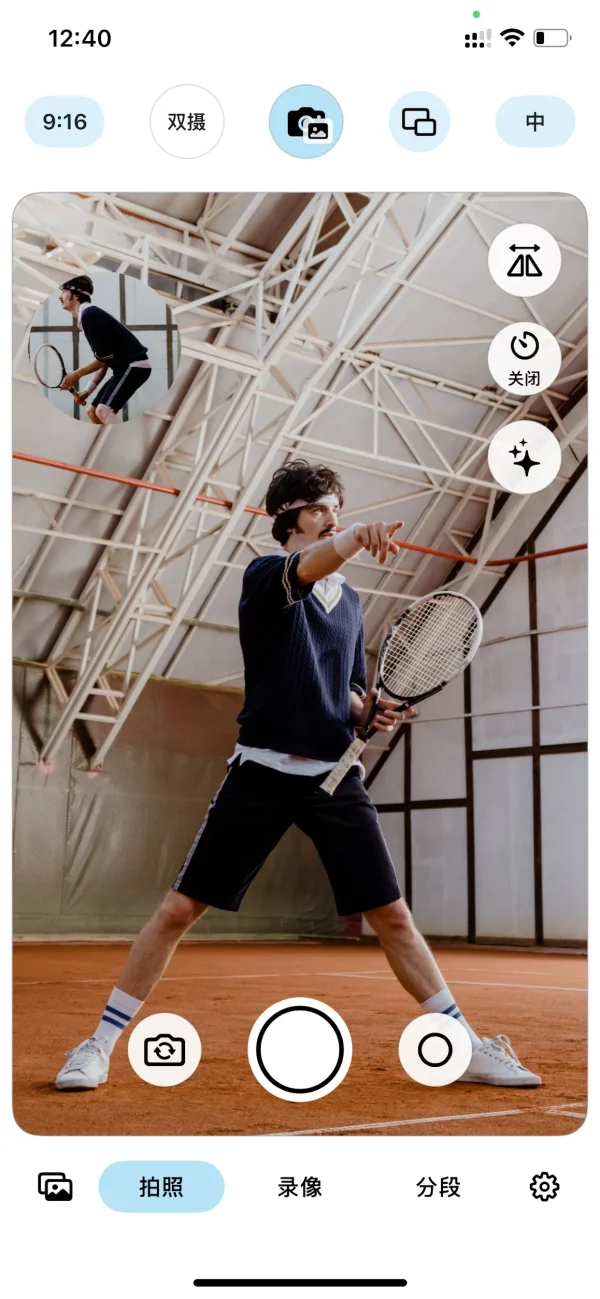
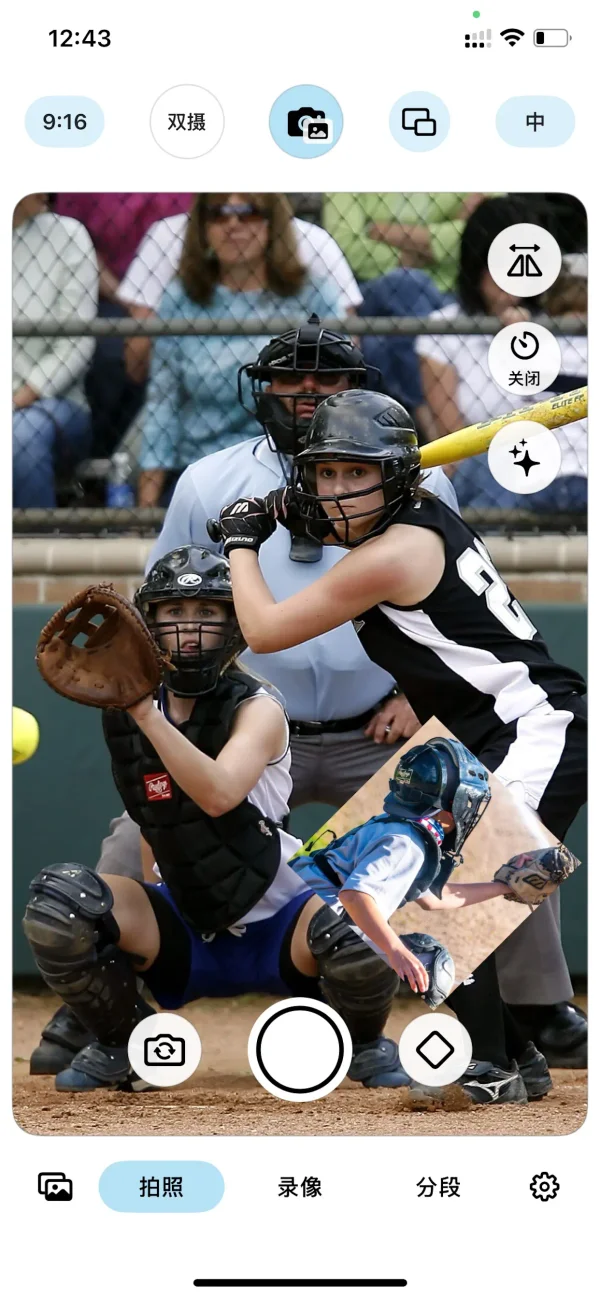


About
CoShotGo — Professional Split-Screen Camera, Capture Every Side
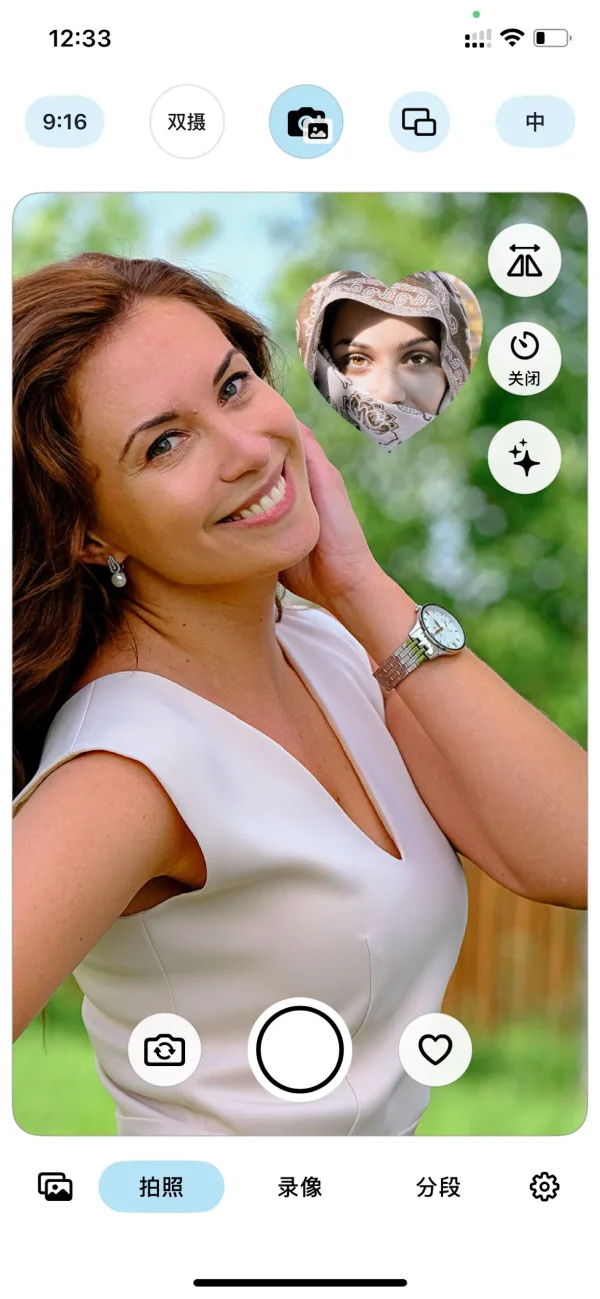
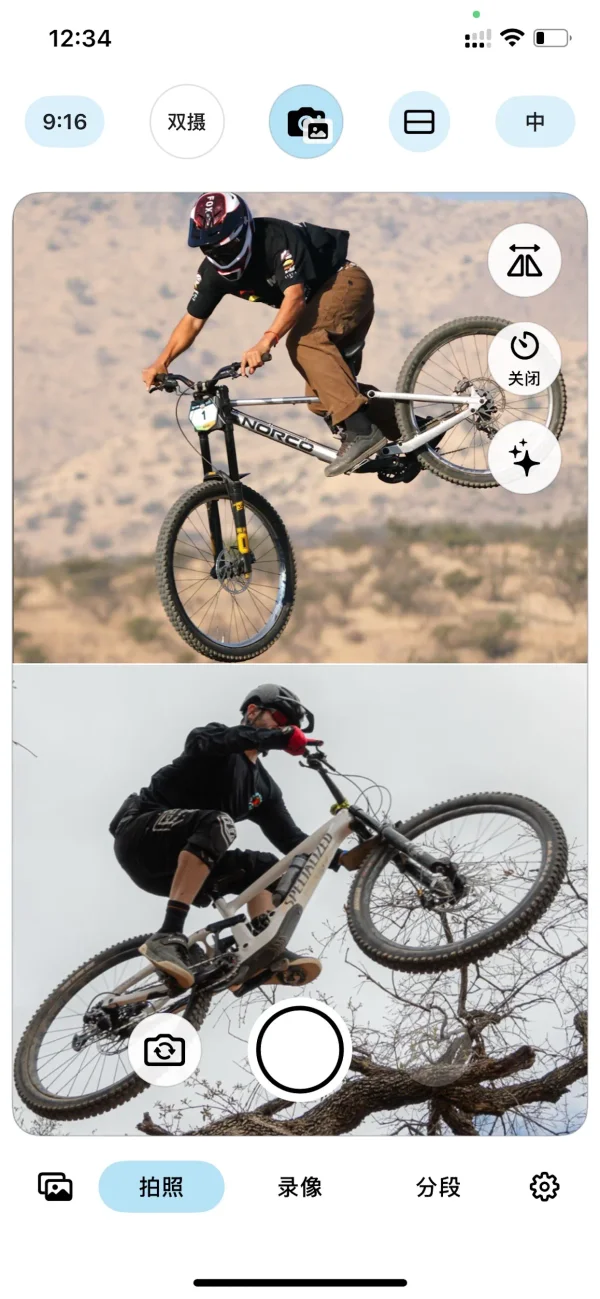
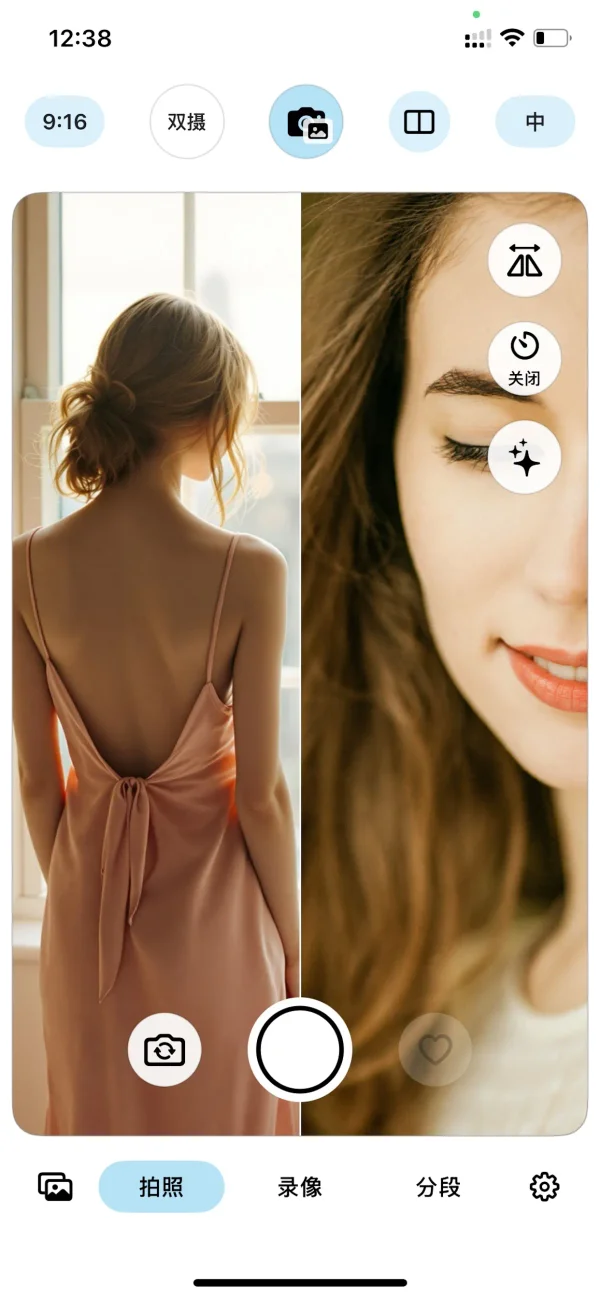
5 Split Modes for Creative Freedom
Top/bottom, left/right, diagonal, picture-in-picture — combine front and rear cameras your way. PiP comes in multiple shapes (circle, square, heart, star, ellipse, rectangle), freely positioned and resized.
Seamless Continuous Zoom
Rear camera supports smooth zoom from 0.5x all the way to max — no lens-switching stutter. From ultra-wide to digital zoom, pinch to control framing precisely.
Independent Camera Control
Double-tap to switch which camera responds to pinch. Default controls the front camera (PiP); double-tap to control the rear (background); double-tap again to switch back. Both cameras zoom independently.
Smart Hints, Transparent Operation
Live hint overlay shows exactly which area responds to pinch. Choose from 3s / 5s / never auto-hide. Hints re-flash when you switch cameras or split modes.
Simultaneous Dual-Camera Capture
Front and rear cameras run at the same time, composing the frame in real time. Metal-powered rendering ensures smooth preview and recording.
Beauty Filters, Naturally Flattering
Adjustable beauty filter smooths skin tones while keeping a natural look. Front camera mirror toggle included.
Timed Capture
3s / 10s countdown gives you time to get into position.
Photo Composite, Endless Creativity
Blend photos from your library with the live camera feed for unique visuals. Supports dual-photo composite (one per camera).
10 Interface Languages
Chinese, English, Japanese, Korean, Russian, French, German, Italian, Spanish, Hindi. One tap to switch — built for global creators.
Segmented Recording
Record up to 6 segments with pauses between. All segments auto-merge into one continuous video.
Instant Save
Videos and photos save directly to your Photos library. No extra export steps.
Perfect for: Vlogging, tutorials, interviews, product demos, social content, fitness check-ins, dance practice, and more.
What’s new
Version 1.1 · Jun 25, 2026
Seamless Continuous Zoom
Rear camera supports smooth zoom from 0.5x all the way to max — no lens-switching stutter. From ultra-wide to digital zoom, pinch to control framing precisely.
Independent Camera Control
Double-tap to switch which camera responds to pinch. Default controls the front camera (PiP); double-tap to control the rear (background); double-tap again to switch back. Both cameras zoom independently.
Smart Hints, Transparent Operation
Live hint overlay shows exactly which area responds to pinch. Choose from 3s / 5s / never auto-hide. Hints re-flash when you switch cameras or split modes.
Layout refresh — Photo-composite button moved to top bar center
App privacy
What 北京绿图科技有限公司 declares on the App Store about how this app handles data.
-
Data not collected
The developer does not collect any data from this app.
Privacy practices may vary, for example with the features you use or your age.
Information
- Seller
- Beijing Lvtu Technology Co.,Ltd.
- Category
- Photo & Video
- Version
- 1.1
- Updated
- Jun 25, 2026
- Released
- Jun 4, 2026
- Size
- 3.8 MB
- Requires
- iOS 15.0 or later
- Age rating
- 4+
- In-app purchases
- Yes
- Languages
- English
- Copyright
- © 2026 Lvtutech Co.,Ltd
You might also like
-
 Dual Camera: Vlog Front & BackReaction video & PiP recorder
-
 DualCam PIP: Dual CameraFront & Back Video Recorder
-
 CameraticMulti Filter Camera Studio
-
 GotTheShot: Pre-Record CameraRecord the Past 30 Seconds.
-
 X Dual CaptureFront & Rear Camera Recorder
-
 TwoView Camera: 2 CamerasRecord Portrait + Landscape
-
 CameraFy - Dual Camera DoubleFront & Back Cam Simultaneous
-
 Dual Camera Recorder: DuovidFront + Back · Reaction Video
-
 dualitycamCapture moments at once
-
 DualFrame: Dual Camera VideoMulticam recorder, front/back