dualitycam
Capture moments at once
Designed for iPhone, iPod touch
In-app purchases
- Age rating4+
- CategoryPhoto & Video
- DeveloperMochamad Lucky Pradana
- LanguagesEnglish
- Size24.0 MB
Links to the official App Store page
Download.org hosts no file of dualitycam. The button opens its official App Store page, published by Mochamad Lucky Pradana. Listing last checked on Nov 17, 2026.
Screenshots

About
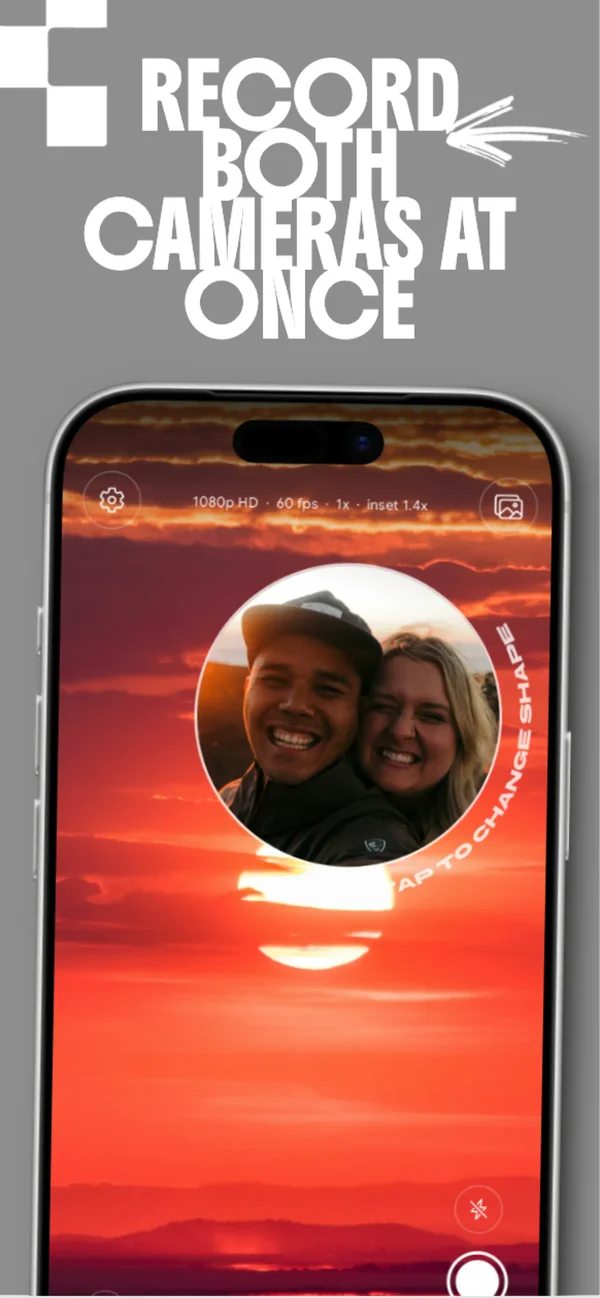
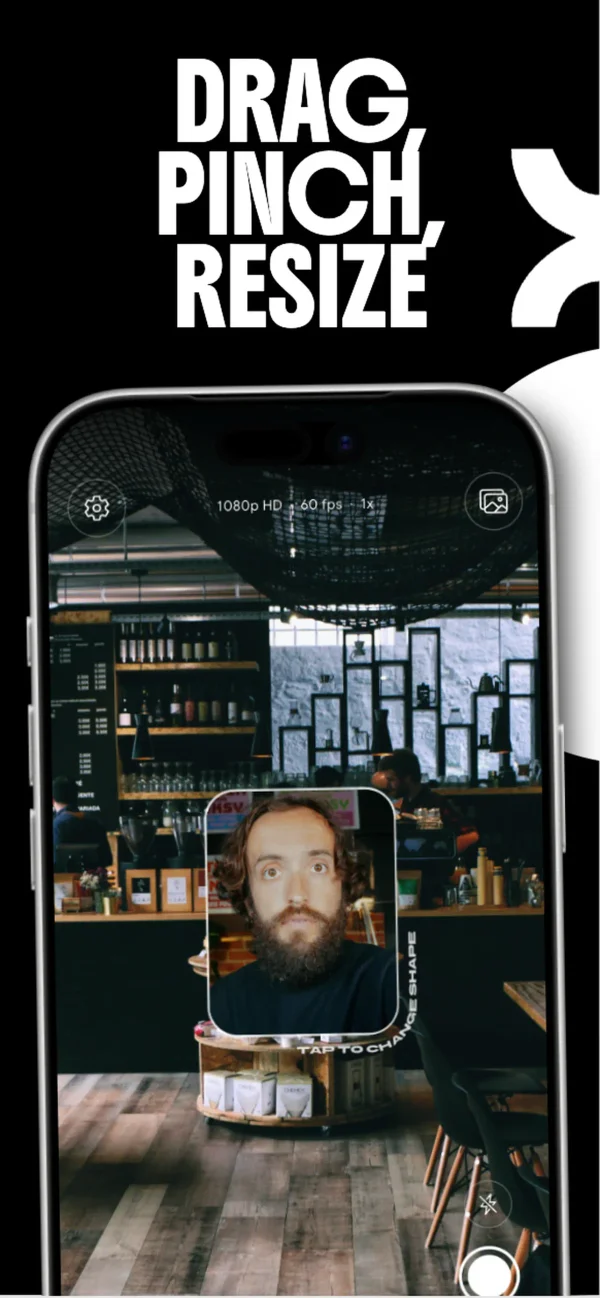
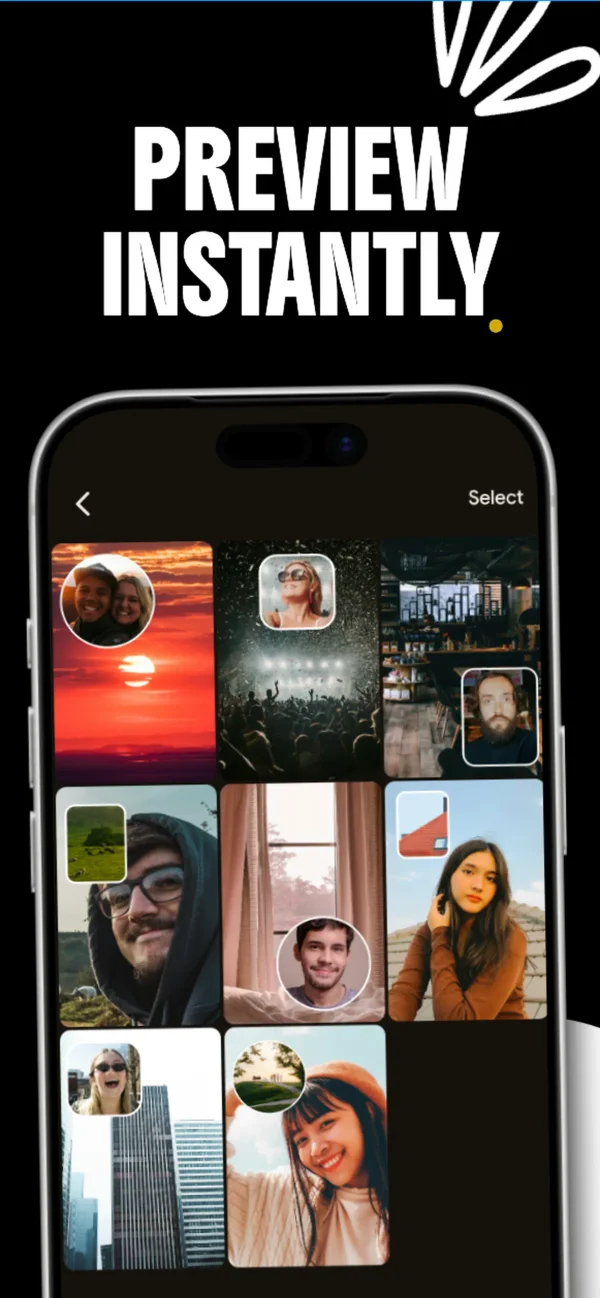
dualitycam runs the front and rear cameras at the same time. The rear camera fills the screen, your face sits in a small window you can drag anywhere, and one tap records both into a single video ready for your camera roll.
MADE FOR
• Reactions and commentary while you film
• Concerts and events, the stage and your face in one clip
• Vlogs and travel, the view and the person seeing it
• Behind the scenes, both sides of the camera
HOW IT WORKS
• Drag the small camera anywhere, pinch to resize it, or lock it in place
• Seven shapes for it, from circle to heart and instant photo, with a white, black or red border
• Split the screen between both cameras instead of a small window
• Pinch to zoom, out to the ultra wide where your iPhone has one, and tap to focus
• Double tap to swap which camera fills the frame
• Tap to record, or hold to record only while you hold, and take photos too
• 9:16, 4:5, 1:1 and 16:9 ratios, with a grid, a level and a self timer
• Torch, quality and frame rate pickers, and stereo or mono sound
• Stabilize the camera when your quality allows it
• Record and take photos with the volume buttons on iOS 17.2 and later
• A built in gallery to watch, share and steady your clips
• Recordings save straight to Photos in a dualitycam album
• Interrupted takes are finished and saved, not lost
• Sync your settings and framing across your iPhones with iCloud
DUALITYCAM PRO
One time purchase, it's yours forever. No subscription. Every Pro feature below, and the ones added to Pro later.
• Record without the watermark
• Flip which camera fills the frame in the middle of a take
• Record in 4K when your hardware allows it
• Set a quality for each camera, light on the small window and big on the main one
• Step down quality when your iPhone gets hot, so a long take keeps going
• Choose which microphone records instead of letting iOS pick
• Combo Takes, the untouched file from each camera saved beside the merged one
• Fill the whole screen with the Full ratio
• Pick any color for the small camera's border
PRIVATE BY DESIGN
No account, no sign up, no tracking. Your videos never leave your phone unless you share them.
Simultaneous capture requires iPhone XS or newer. Available qualities depend on what your iPhone's hardware supports in dual camera mode.
What’s new
Version 1.11.0 · Nov 16, 2026
Flip mid take is now smoother, steadier focus, and bug fixes.
- Flip mid take records is now smoother.
- Tap to focus holds consistently.
- Smoother, lighter recording.
- iCloud items show download progress when opened.
- Gallery button shows your latest capture after a delete.
- Declining a delete keeps your selection.
- Combo Takes extra files are named main and small.
- Pro card is now gold.
- Fix back camera sometimes opening small in the middle.
App privacy
What Mochamad Lucky Pradana declares on the App Store about how this app handles data.
-
Data not collected
The developer does not collect any data from this app.
Privacy practices may vary, for example with the features you use or your age.
Information
- Seller
- Mochamad Lucky Pradana
- Category
- Photo & Video
- Version
- 1.11.0
- Updated
- Nov 16, 2026
- Released
- Aug 21, 2026
- Size
- 24.0 MB
- Requires
- iOS 15.0 or later
- Age rating
- 4+
- In-app purchases
- Yes
- Languages
- English
- Copyright
- © 2026 Lucky Pradana
You might also like
-
 Dual Video Camera Record:CAAMFront & Back Cam in One Video
-
 Dual Camera - TwoCamFront & Back at Once
-
 2Capturedual camera
-
 Duocam: Dual Camera & SplitSplit Screen Dual Camera App
-
 JemBooth - Photo Booth StripsPhoto strips made for print
-
 EncadraShoot landscape, hold portrait
-
 DuoCam Magic: Dual CameraReaction, Front & Back Camera
-
 FilmDirector - Pro CameraManual cinema on the wrist
-
 DosCam: Dual Camera VideoUnlimited video. No watermark
-
 PipCam: Front & Back CameraFront & back. One video.