
- Age rating4+
- CategoryProductivity
- DeveloperMonkey Butler Software Inc.
- LanguagesEnglish
- Size51.3 MB
Links to the official App Store page
Download.org hosts no file of CoTimer. The button opens its official App Store page, published by Monkey Butler Software Inc. Listing last checked on Nov 18, 2026.
Screenshots



About
CoTimer is the shared clock for any group—families, partners, roommates, small teams, corporate pods.
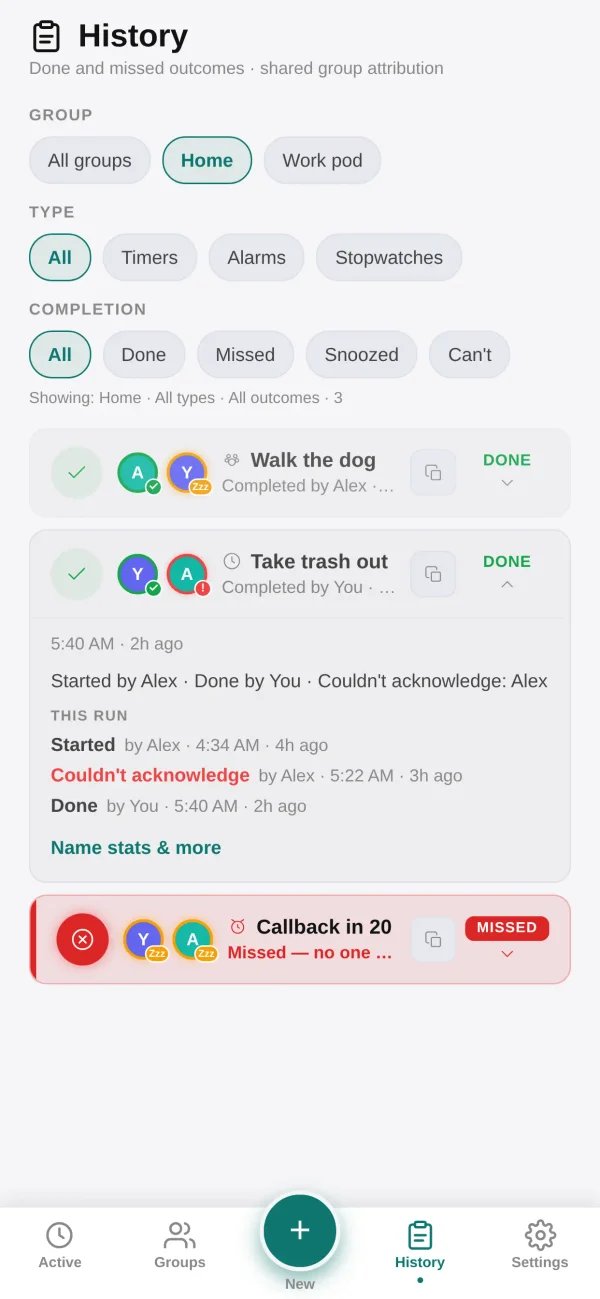
One timer. Many phones. Start it when something starts. Whoever can take it marks Done; who can’t marks Can’t so someone else steps in. Live status plus a log of what actually happened—without forcing a plan weeks in advance.
BUILT FOR LOW PLANNING, LOW COMMITMENT
No shift board required. No long “who’s on laundry this month?” setup. Start a shared countdown in the moment and let convenience decide. Perfect when you want things done now more than you want a schedule.
ESPECIALLY HELPFUL WITH A BABY (AND SHARED CARE)
Couples use shared timers for sleep stretches, feeding or bottle windows, pump reminders, and medicine intervals so both see the same clock and history—coordination only, not a medical product. Less 3 a.m. “did you already…?” friction.
ALSO HOMES, HOUSES, AND WORK
Oven and laundry, roommate handoffs, desk coverage, “ping me in 20,” ops and kitchen steps—anywhere a small group needs a shared end time without project software.
TIMERS, ALARMS, STOPWATCHES
Countdowns and alarms for shared end times. Stopwatches for elapsed time the whole group can see—same status chips and history.
LIVE STATUS ON EVERY TIMER
Status chips: Done, Can’t, Snoozed, ringing—so nobody’s guessing in chat.
• Can’t — hand off live when you can’t take it
• Snooze for everyone — move the shared end time
• Remind me only — personal nudge, shared clock stays put
HISTORY AND RUN LOGS
Filter by timers, alarms, or stopwatches—and by Done, Missed, Snoozed, and Can’t. Expand a run for started → snoozed/can’t → finished (or missed).
GROUPS AND ALERTS
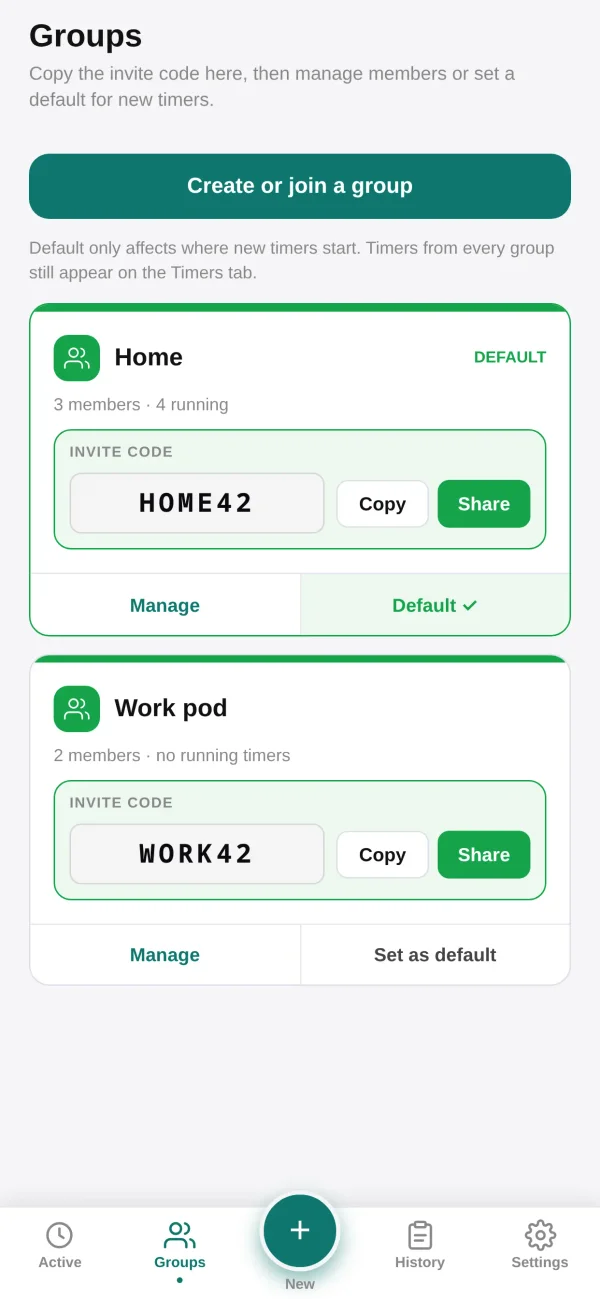
Invite anyone into a group, switch multi-home or multi-team life, and turn on alerts so phones ring when timers fire (best-effort; permissions still apply).
FREE FOR A LIMITED TIME
Core product free for a limited time. Fair-use limits may apply.
GET STARTED
Account → group → short timer → invite. Watch responses light up live.
IMPORTANT
Not a medical device, medication manager, or emergency service. Notifications may be delayed by Focus, battery settings, permissions, or connectivity.
What’s new
Version 1.0.4 · Nov 17, 2026
Fixed timer start bugs
Fixed noisy timer messaging
App privacy
What Monkey Butler Software Inc. declares on the App Store about how this app handles data.
-
Data linked to you
May be collected and linked to your identity.
- Contact info
- User content
- Identifiers
-
Data not linked to you
May be collected but is not linked to your identity.
- Contact info
Privacy practices may vary, for example with the features you use or your age.
Information
- Seller
- Monkey Butler Software Inc.
- Category
- Productivity
- Version
- 1.0.4
- Updated
- Nov 17, 2026
- Released
- Sep 21, 2026
- Size
- 51.3 MB
- Requires
- iOS 15.1 or later
- Age rating
- 4+
- Price
- Free
- Languages
- English
- Copyright
- © 2026 Monkey Butler Software Inc.
You might also like
-
 Shared Timer: Group alarmsMultiple timers you can share
-
 NFC Habit Tracker: TagTrackDaily Routine & Goal Planner
-
 MagicTaskGamified Task Management
-
 Family Task ManagerFamily Wall & Task Tracker
-
 Stories (Members only)Productivity
-
 taskr: Chores & Screen TimeLock Apps Until Chores Done
-
 CountTogether: Shared CountersShared counter & day tracker
-
 ASUS ExpertWiFiManage, Secure, Boost Wi-Fi
-
 HPE Instant OnProductivity
-
 Old National MobileProductivity