
Countdown: Days Until & Widget
Photos, Birthdays & Trips
Designed for iPhone, iPad
Free
- Age rating4+
- CategoryProductivity
- DeveloperJack Isherwood
- LanguagesEnglish+ 3 more
- Size6.8 MB
Links to the official App Store page
Download.org hosts no file of Countdown: Days Until & Widget. The button opens its official App Store page, published by Jack Isherwood. Listing last checked on Nov 22, 2026.
Screenshots

About
Days until the dates you care about: on your Home Screen and Lock Screen.
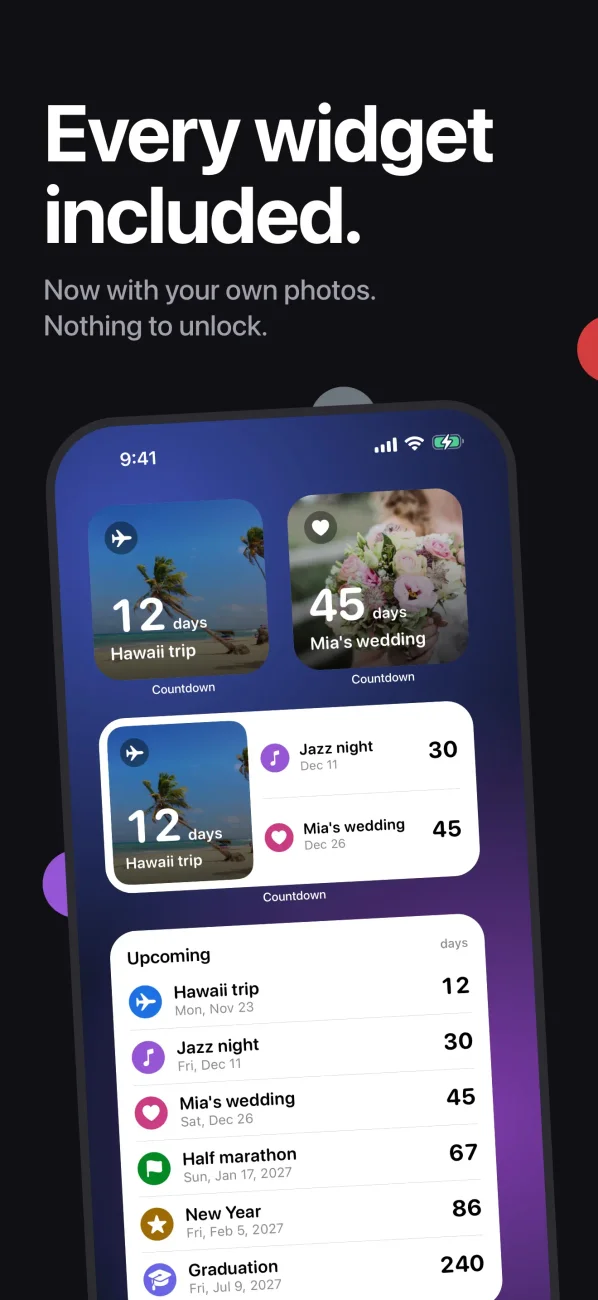
Every feature is free: every widget, every reminder, photo backgrounds, iCloud sync, all 123 icons and 24 colors. No subscription, no in-app purchases, no ads, no account, no tracking.
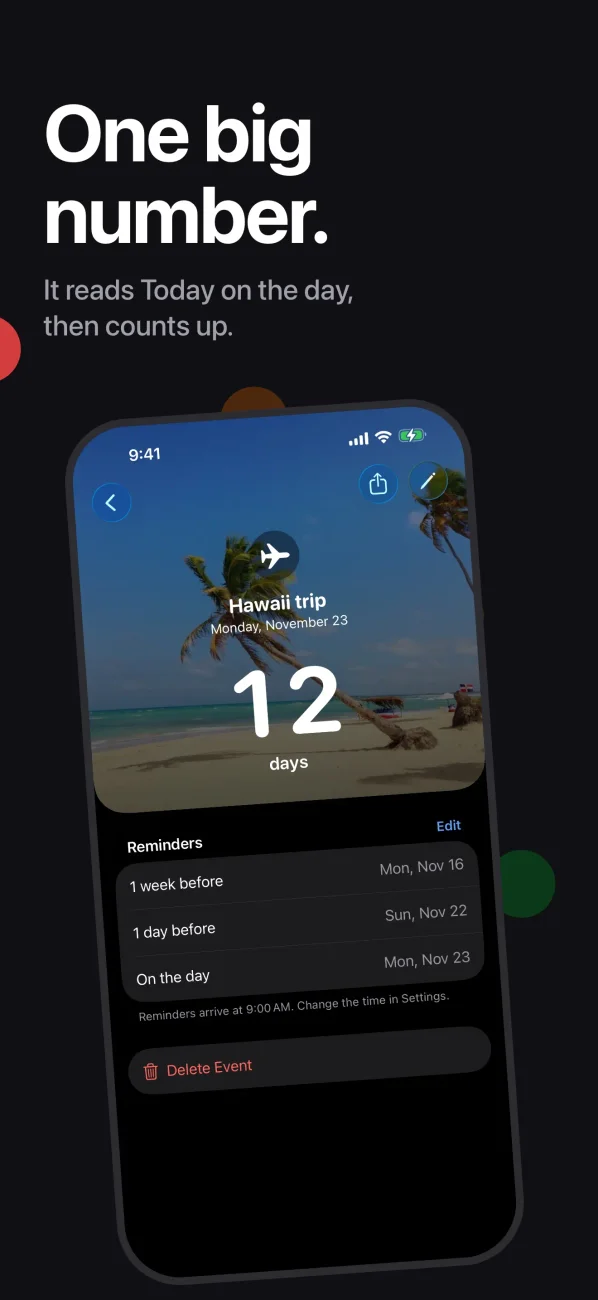
Add an event, pick a date, and see one big number: the days to go. On the day it reads Today. Afterwards it counts up.
EVENTS
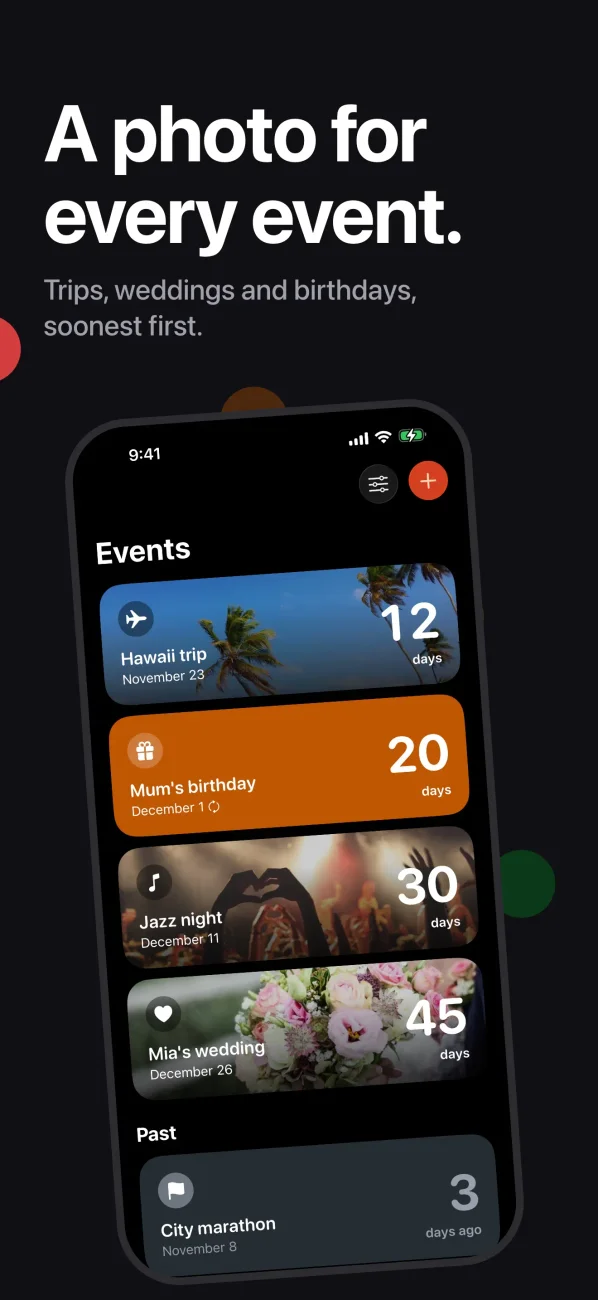
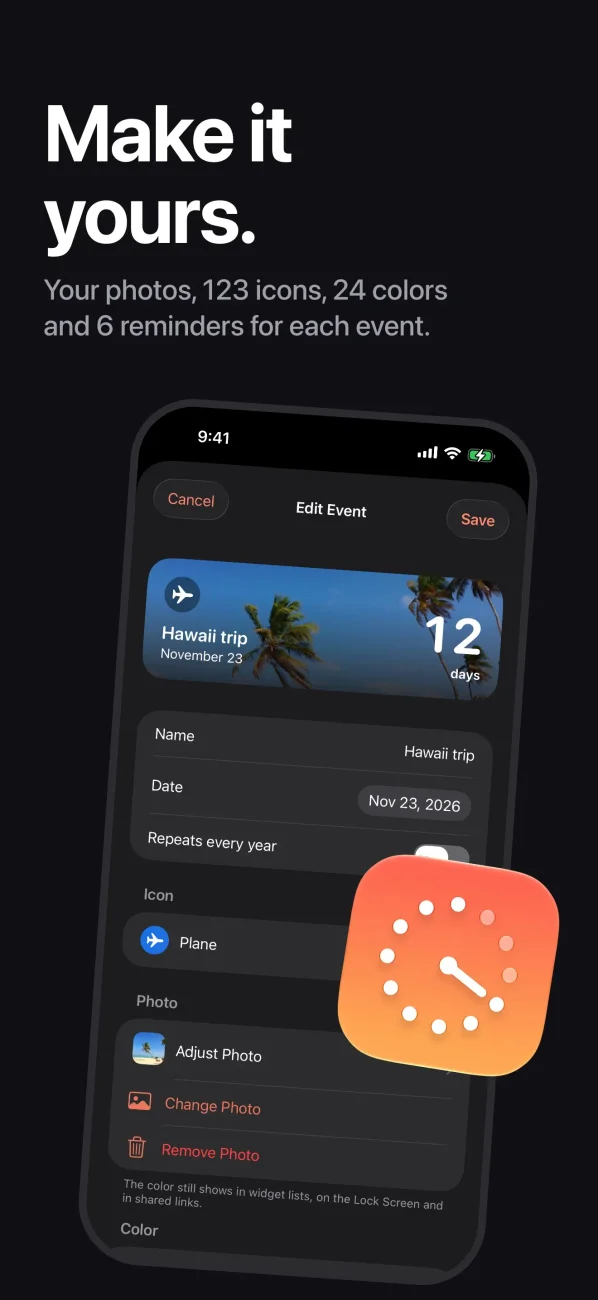
• A name, a date, one of 123 icons and one of 24 colors for each event.
• Or use one of your own photos as the background, and drag and pinch to frame it.
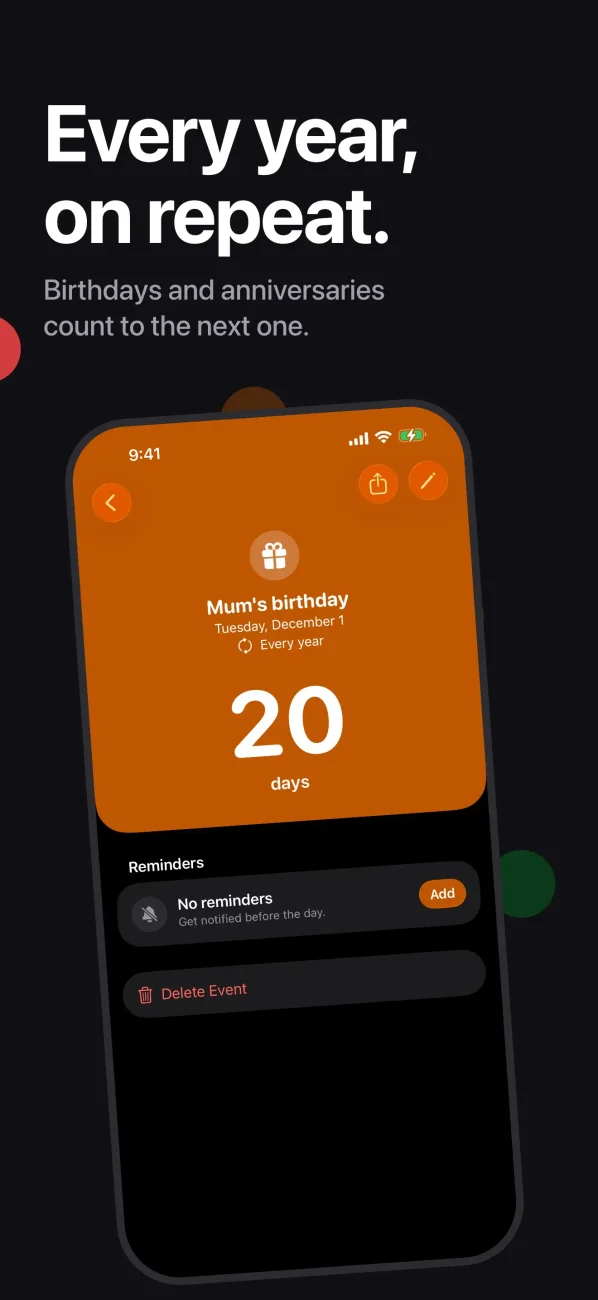
• Birthdays and anniversaries can repeat every year, so they always count down to the next one.
• Upcoming events first, soonest at the top. Past events in their own section.
• Whole days only. The count changes at midnight, wherever you are.
WIDGETS
• Small: one event on its photo or in its own color. Pick the event, or let it follow your next one.
• Medium: your next event, and the two after it.
• Large: your next six events.
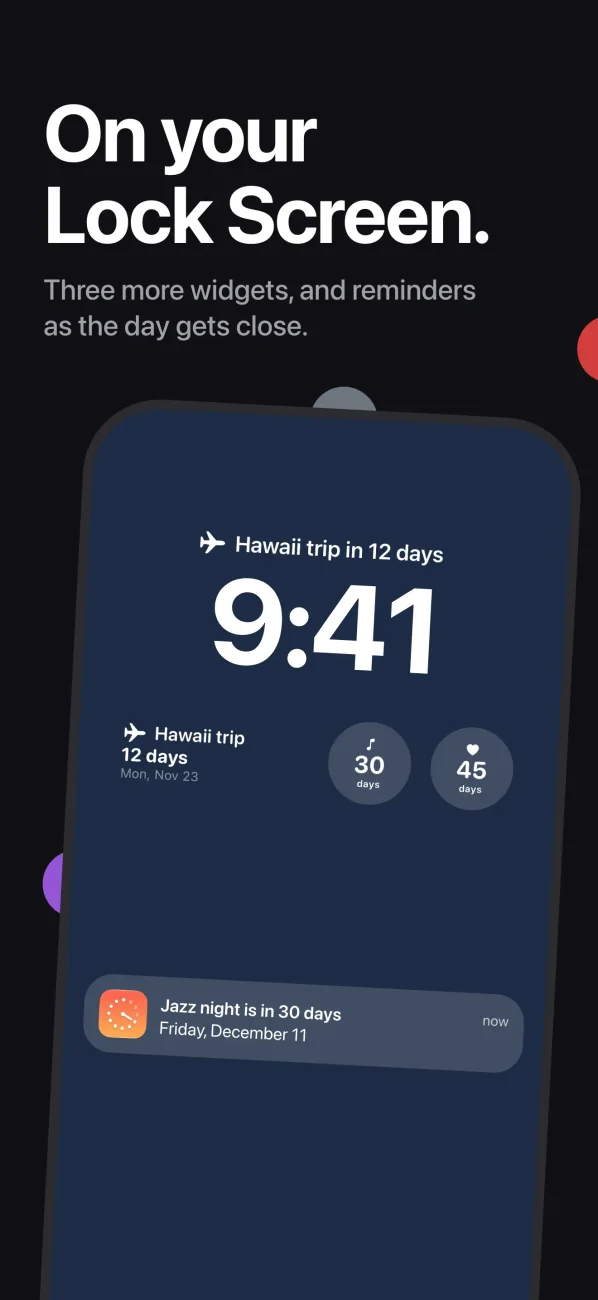
• Lock screen: circular, rectangular and inline, each for one event.
• Tap any event in a widget to open it.
REMINDERS
• Choose any of six for each event: on the day, 1 day, 3 days, 1 week, 2 weeks or 1 month before.
• They arrive at the time you set, 9:00 AM to begin with.
• Tap a reminder to open its event.
IPHONE AND IPAD
• Events sync through your own iCloud. There is nothing to sign in to.
• Add an event on one device and it appears on the other.
• Without iCloud, everything still works on the device.
PRIVATE BY DESIGN
Your events and photos are kept on your devices and in your own iCloud, where only you can read them.
What’s new
Version 1.4 · Nov 17, 2026
Photo backgrounds: give any event one of your own photos, on its card and on your Home Screen widgets. Drag and pinch to frame it. Plus twelve new colors, 24 in all. Free, like everything else.
App privacy
What Jack Isherwood declares on the App Store about how this app handles data.
-
Data not collected
The developer does not collect any data from this app.
Privacy practices may vary, for example with the features you use or your age.
Information
- Seller
- Jack Isherwood
- Category
- Productivity
- Version
- 1.4
- Updated
- Nov 17, 2026
- Released
- Oct 13, 2026
- Size
- 6.8 MB
- Requires
- iOS 26.0 or later
- Age rating
- 4+
- Price
- Free
- Languages
- English, French, Portuguese, Spanish
- Copyright
- © 2026 Jack Isherwood
You might also like
-
 Lanely Countdown: Days UntilEvent Widgets with Personality
-
 CountDown & Day Counter WidgetBirthday, Wedding & Trip Timer
-
 Days: Countdown & Count upDay counter with widgets
-
 Countdown!Countdown app & widget
-
 Countdown Widget: Days UntilBirthday Timer & Vacation Day
-
 Reminder & CountdownCount down to your event
-
 Countdown: Event CountdownCountdown Widget Calendar App
-
 Countdown & Count Up TimerEvent Reminders and Widgets
-
 Countdown Widget - Days SinceBirthday, Vacation, Retirement
-
 Onrise: Habit Tracker & FocusBuild habits, focus & journal