
- Age rating4+
- CategoryProductivity
- DeveloperClement Picard Zivy
- LanguagesEnglish+ 1 more
- Size1.4 MB
Links to the official App Store page
Download.org hosts no file of Days: Countdown & Count up. The button opens its official App Store page, published by Clement Picard Zivy. Listing last checked on Nov 23, 2026.
Screenshots

About
A very clean day counter.
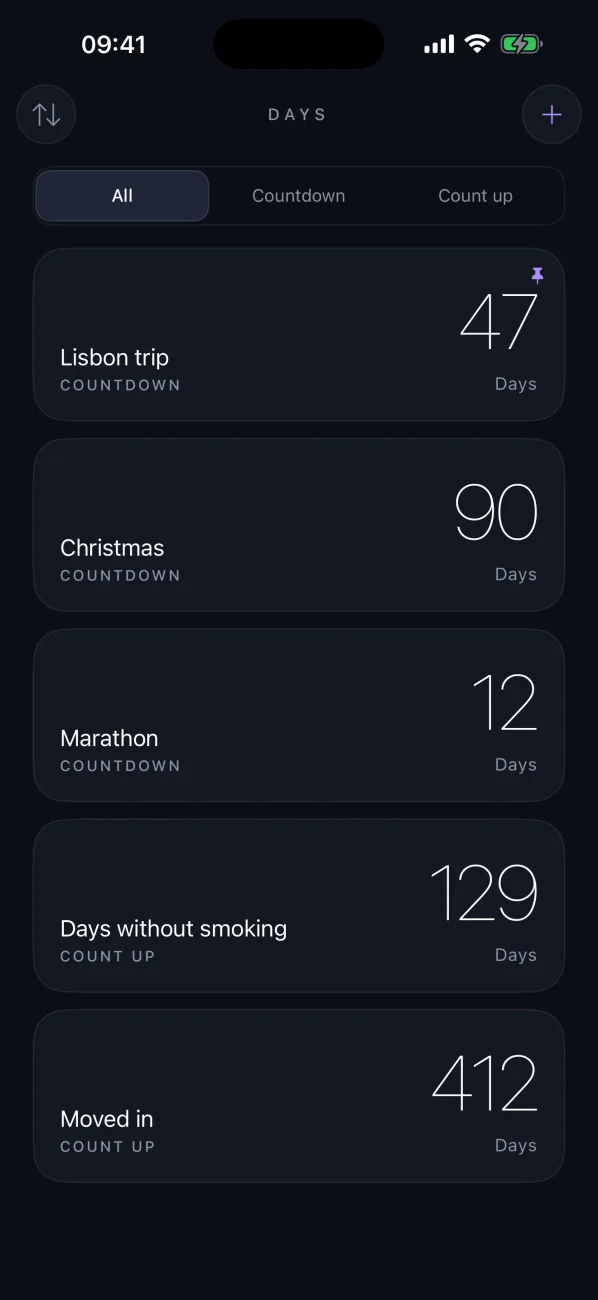
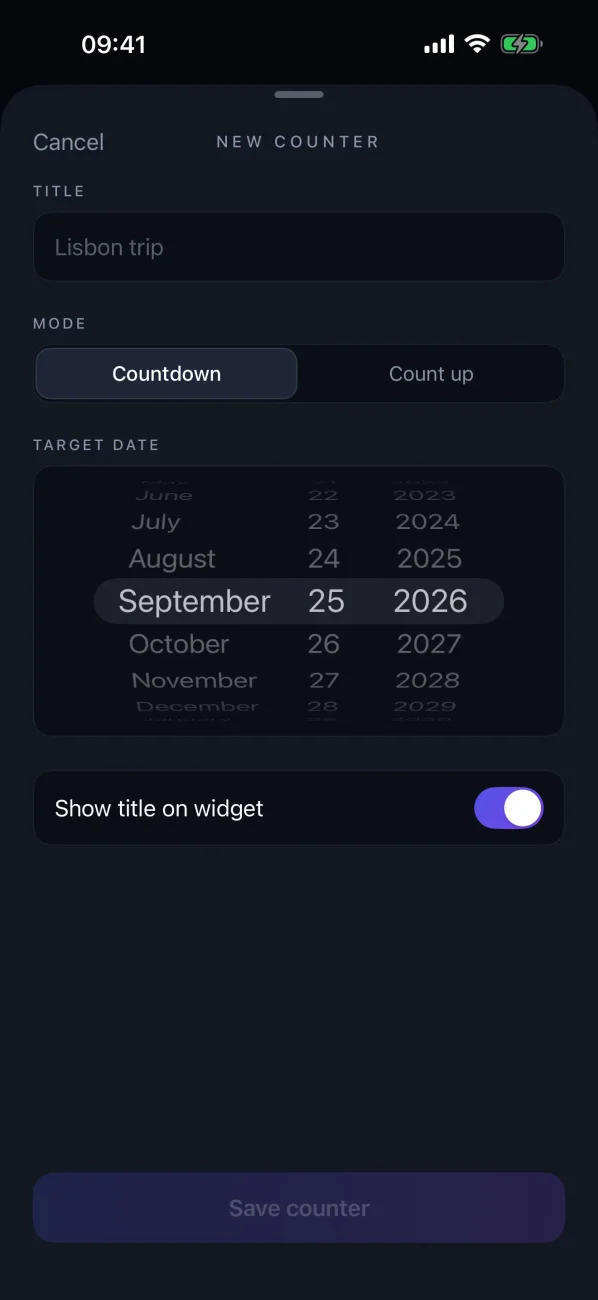
Count down to what matters, or count up the days since. Every counter is a title, a date and a mode, and the number updates by itself every day.
COUNTDOWN
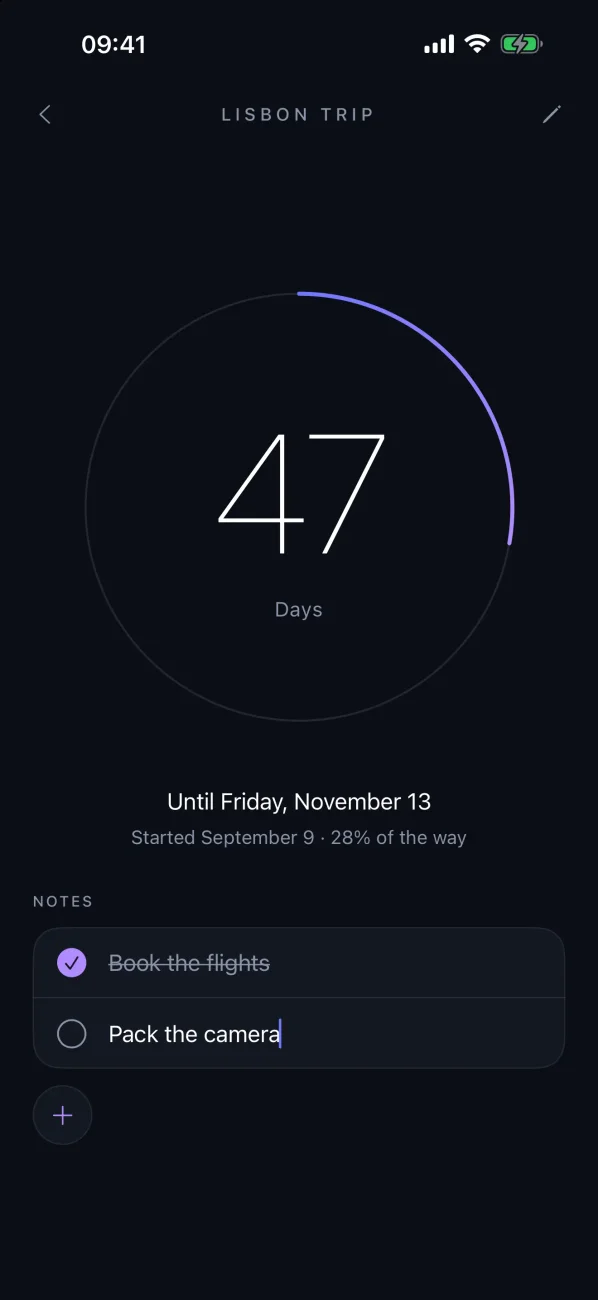
Pick a date and watch the days go. A ring fills from the day you create the counter to the day itself.
COUNT UP
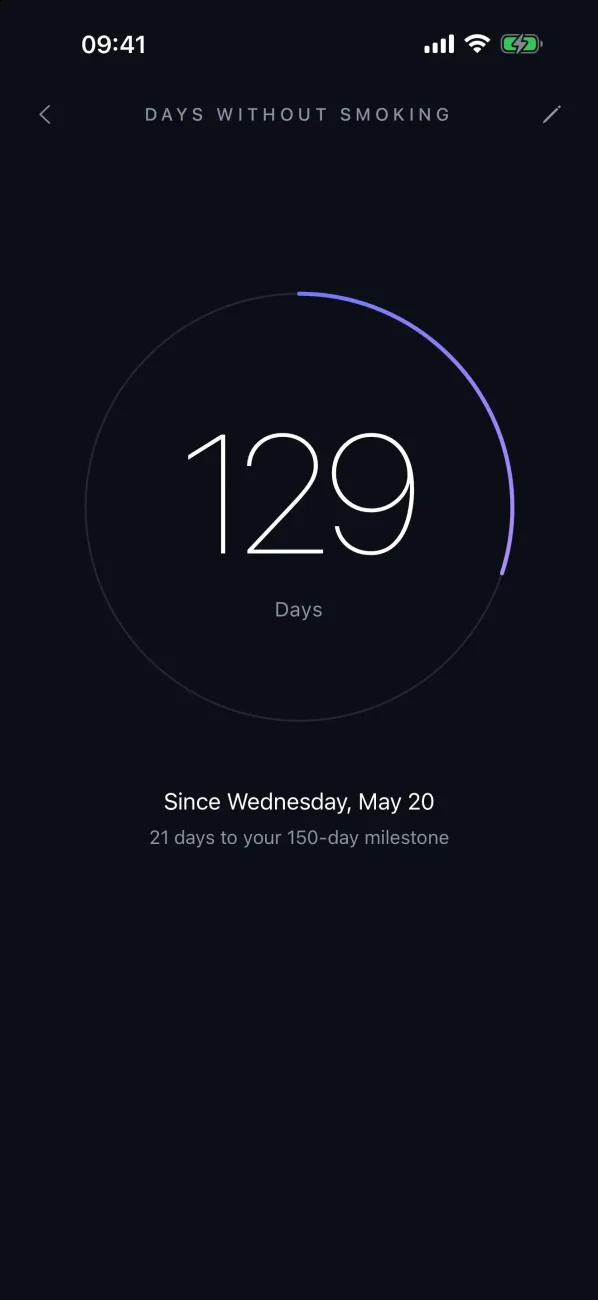
Days without smoking, days together, days since the move. Count today as day 1 or day 0, your call.
MILESTONES
Set a milestone every 7, 30, 100 or 365 days and get a quiet notification at 9am when you reach it.
CELEBRATE
When a countdown reaches zero or a milestone arrives, open the app and the moment gets its confetti.
NOTES
Each counter can keep its own checklist right under the ring. Packing list, gift ideas, what to do before the day.
ORGANIZE
Filter the list by countdown or count up, sort it by date or by name, swipe a counter to pin it to the top.
WIDGETS
One counter on your home screen, one on your lock screen. Pick which counter each widget shows.
SHARE
Invite up to five people to a counter through iCloud. They see it and tick off the checklist with you. Only you can change the counter.
SIMPLE ON PURPOSE
No account, no ads. Your counters stay on your phone unless you share one. Dark, calm, one number at a time.
What’s new
Version 1.5 · Nov 18, 2026
New in 1.5:
- On the big day, a countdown ends with an explosion of emojis.
- Custom order: sort your counters by hand. Press and hold a counter, then Move.
- Press and hold a checklist line to drag it to a new place.
App privacy
What Clement Picard Zivy declares on the App Store about how this app handles data.
-
Data not collected
The developer does not collect any data from this app.
Privacy practices may vary, for example with the features you use or your age.
Information
- Seller
- Clement Picard Zivy
- Category
- Productivity
- Version
- 1.5
- Updated
- Nov 18, 2026
- Released
- Oct 6, 2026
- Size
- 1.4 MB
- Requires
- iOS 17.0 or later
- Age rating
- 4+
- Price
- Free
- Languages
- English, French
- Copyright
- © 2026 Clément Picard-Zivy
You might also like
-
 Chore ClockCountdown, MOT & Reminders
-
 FocusPilot: Work NavigatorWork focus & productivity
-
 Countdown by NatorEvent timer with widgets
-
 EQUANIMITY EMCEmotional Mastery starts here
-
 Life Counter - Countdown & UpCoundown widgets
-
 Encore - Countdown WidgetsCountdowns, habits, counters
-
 CallyList: Calendar & TasksTo-Do & Agenda in One View
-
 Countdown: Goal TrackerTrack goals, count down days
-
 TapTrail: Counter WidgetTally, habits & clean history
-
 Hourglass: Countdown & WidgetsDays Until & Since Counter