
Countdown Widget - DayDrop
Days Until: Event Day Counter
Designed for iPhone, iPad
Free · In-app purchases
- Age rating4+
- CategoryUtilities
- DeveloperHirak Banerjee
- LanguagesEnglish+ 15 more
- Size9.2 MB
Links to the official App Store page
Download.org hosts no file of Countdown Widget - DayDrop. The button opens its official App Store page, published by Hirak Banerjee. Listing last checked on Nov 13, 2026.
Screenshots
About
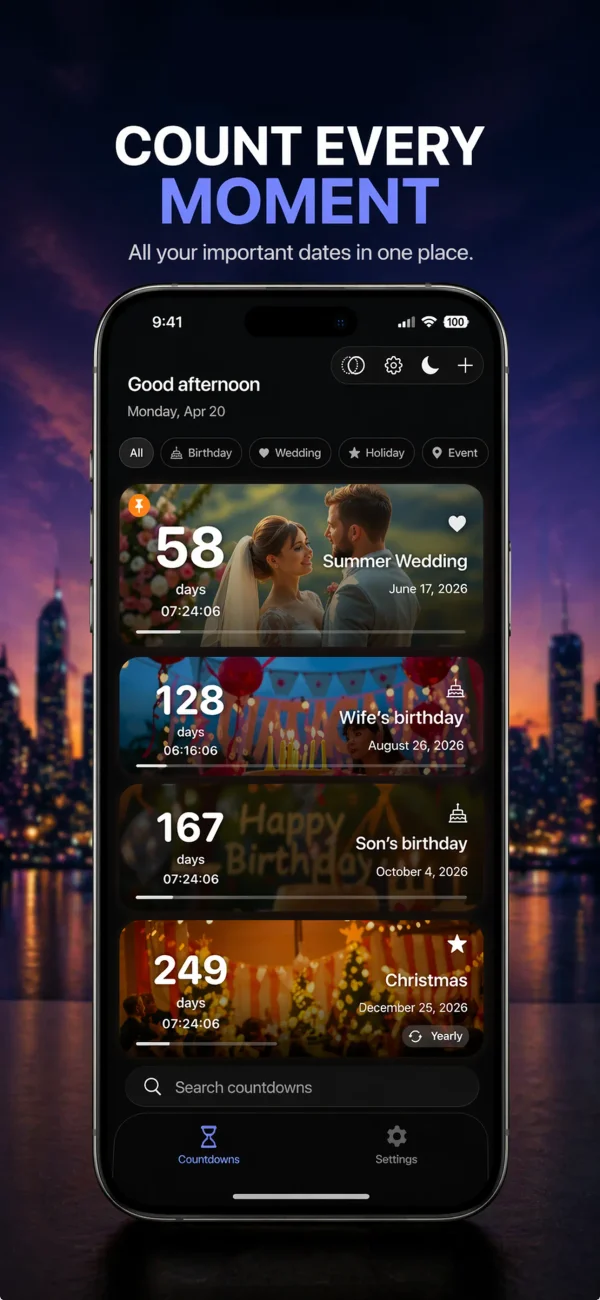
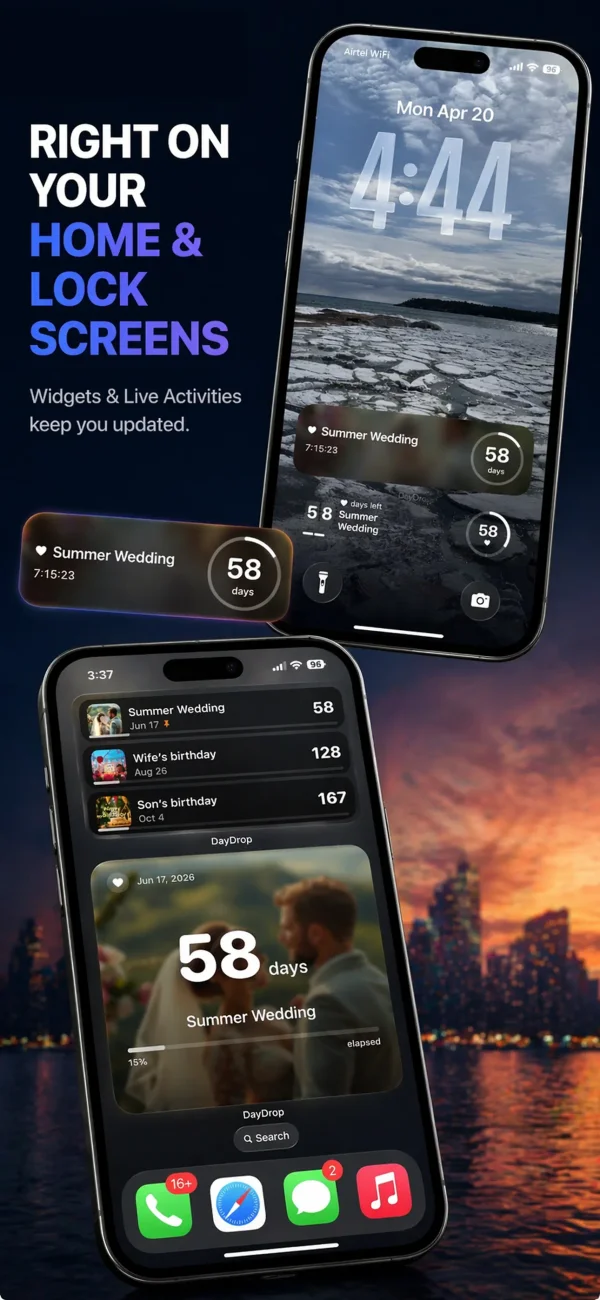
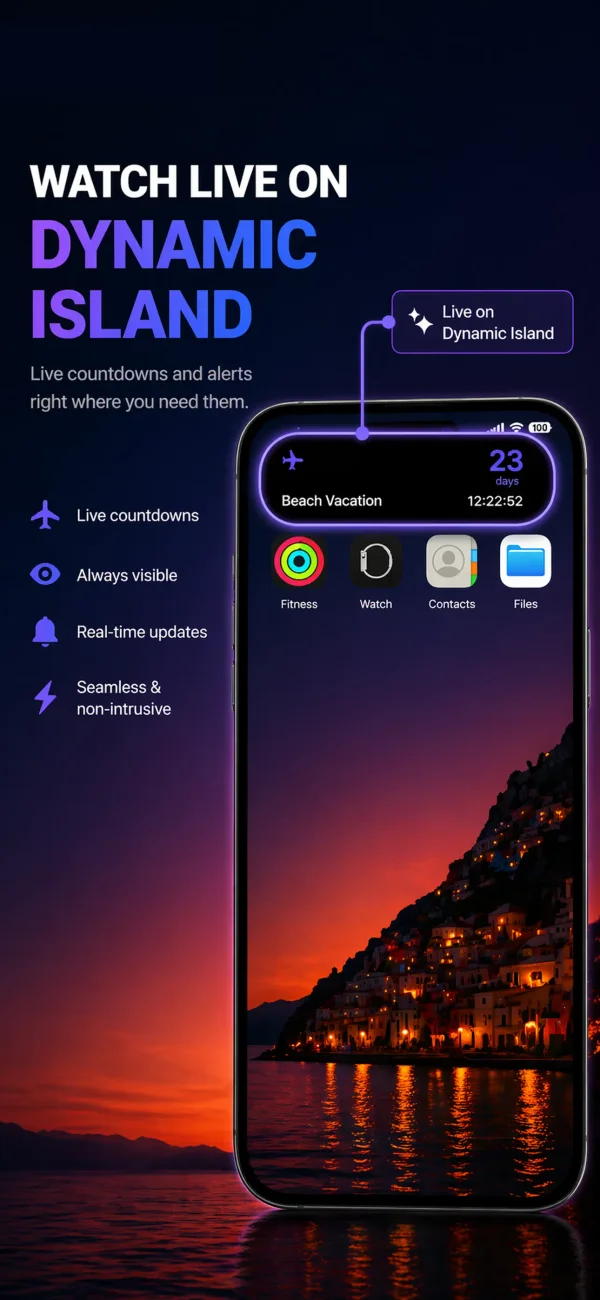
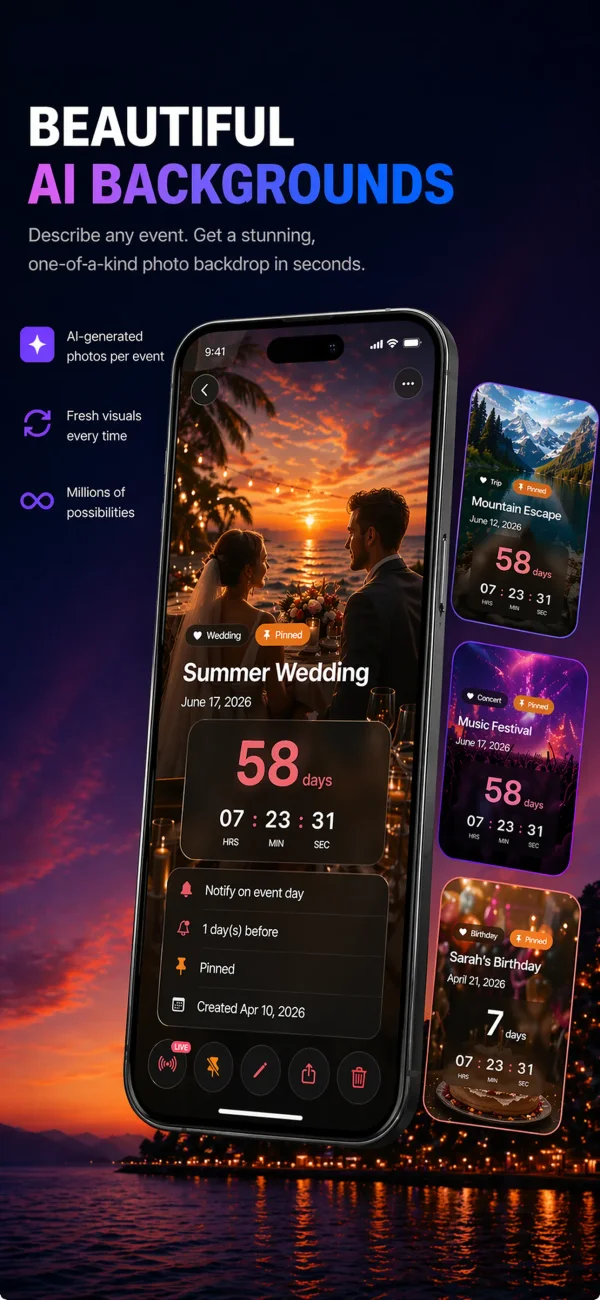
DayDrop is a countdown widget app for iPhone and iPad with AI-generated event backgrounds, a live countdown in the Dynamic Island and on the Lock Screen (a Live Activity with a progress ring), and 10 widget placements: Home Screen in four sizes, Lock Screen circular, rectangular and inline, StandBy and Control Center. Describe your event and DayDrop generates a one-of-a-kind photo backdrop that follows the countdown to every widget. Free with unlimited countdowns and Home Screen widgets; Premium unlocks the Lock Screen widgets, the Live Activity and AI backgrounds.
Count down to everything you're looking forward to — Christmas, your wedding, a birthday, vacation, or the day your baby arrives — right on your Home Screen and Lock Screen.
"Finally, a countdown app that actually looks good on my Home Screen."
WHY PEOPLE LOVE DAYDROP
• Beautiful AI-generated photo backgrounds — describe any event and get a stunning, one-of-a-kind photo backdrop in seconds.
• Countdown to the exact moment — set a specific time on any event and watch days, hours, minutes, and seconds tick down live.
• Your photo in the Dynamic Island — your event's background shows live in the Dynamic Island and Live Activity, with a progress ring.
• 10 widget placements — Home Screen (small, medium, large, extra-large), multi-event widget, Lock Screen, StandBy, and Control Center.
• Multi-event widget with progress bars — several countdowns at a glance.
• iPad optimized — adaptive layouts, ExtraLarge widget, and a roomier overview.
• iCloud sync — your countdowns move with you across iPhone and iPad. Always in sync, always private.
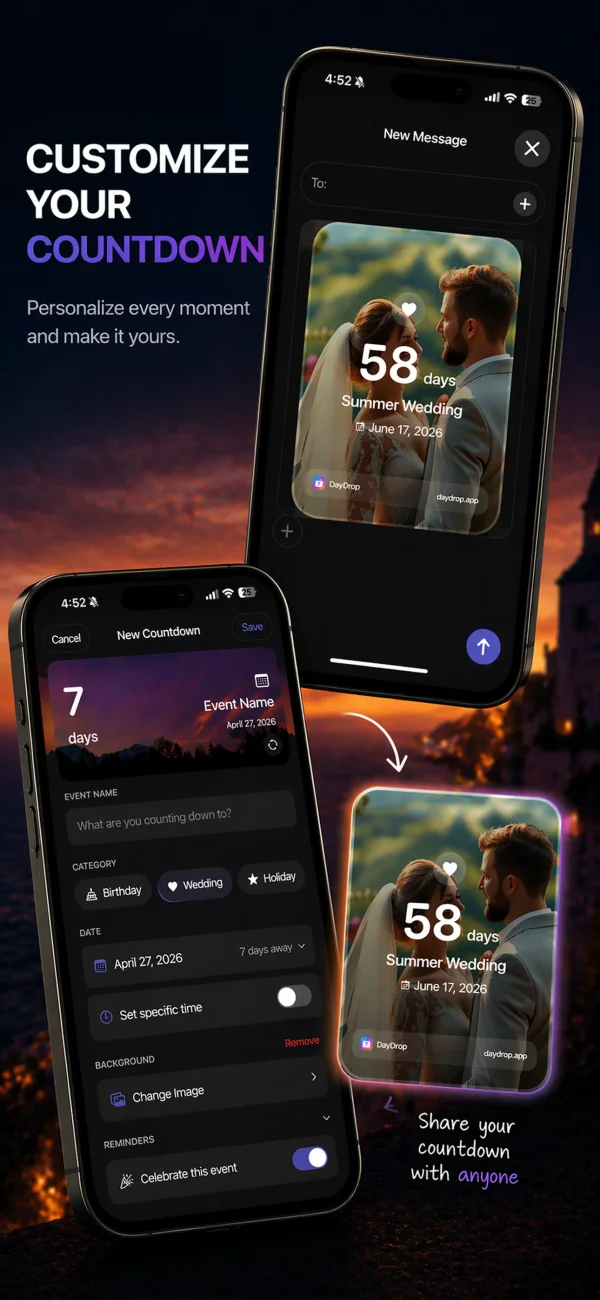
• Share cards — send your countdown to anyone.
• Badge countdown on app icon — glance at your Home Screen, see days left.
• Liquid Glass, iOS 26 native — designed for Apple's latest design language.
• Orbital year view — your whole year of countdowns in a single circular timeline.
POWERFUL & PERSONAL
• Count up and down from any date
• 8 categories — Birthdays, Weddings, Anniversaries, Holidays, Vacations, Work, Fitness, Custom
• Recurring events — annual, monthly, weekly, or biweekly
• Milestone notifications — 30, 14, 7, 3 days before
• Celebration confetti on the big day
• Pin your most important events
• Import birthdays from Contacts in one tap
• Gyroscope parallax and scroll animations
A CHRISTMAS COUNTDOWN, A NEW YEAR COUNTDOWN, AND EVERY DAY WORTH WAITING FOR
How many days until Christmas? Until New Year's Eve? Until Halloween, the concert, your exam, retirement, or the trip you've been planning all year? DayDrop keeps the answer one glance away — as a widget, on your Lock Screen, or with Siri: just ask "how many days until my event in DayDrop."
LOCK SCREEN, DONE RIGHT
Category icons on your Lock Screen widgets, with desaturated backgrounds so your countdown stays glanceable.
SPEAKS YOUR LANGUAGE
Fully translated into 16 languages: English, Spanish, Portuguese, French, German, Italian, Dutch, Swedish, Russian, Turkish, Arabic, Hindi, Japanese, Korean, Simplified Chinese, and Traditional Chinese.
PRIVATE BY DESIGN
Your countdowns stay on your devices and in your iCloud. We don't sell your data.
DAYDROP PREMIUM
Premium unlocks AI photo backgrounds, Live Activity and Dynamic Island, every widget placement, watermark-free share cards, unlimited pins, custom milestone notifications, iCloud sync, and the orbital year view. Subscriptions renew automatically unless cancelled at least 24 hours before the end of the period. Manage or cancel in Settings > Subscriptions.
Questions? Email daydrop@beatroot.dev or visit daydrop.beatroot.dev.
Terms of Use: https://www.apple.com/legal/internet-services/itunes/dev/stdeula/
What’s new
Version 1.7.3 · Nov 4, 2026
• Widgets now keep the right countdown when two events share a title
• Lunar date picker is a segmented control, with regression tests behind it
• Tinted Home Screen: widget colours match correctly
• Christmas-season polish
App privacy
What Hirak Banerjee declares on the App Store about how this app handles data.
-
Data not linked to you
May be collected but is not linked to your identity.
- Usage data
Privacy practices may vary, for example with the features you use or your age.
Information
- Seller
- Hirak Banerjee
- Category
- Utilities
- Version
- 1.7.3
- Updated
- Nov 4, 2026
- Released
- Mar 19, 2026
- Size
- 9.2 MB
- Requires
- iOS 18.0 or later
- Age rating
- 4+
- Price
- Free
- In-app purchases
- Yes
- Languages
- English, Arabic, Dutch, French, German, Hindi, Italian, Japanese, Korean, Portuguese, Russian, Simplified Chinese + 4 more
- Copyright
- © 2026 Hirak Banerjee
You might also like
-
 Soon-ishCountdown Widgets
-
 Countdown Widget: NanoCountDays since, until & counter
-
 CountFree: Countdown WidgetTrack Days & Home Screen Timer
-
 Days Until – Countdown WidgetChristmas & Birthday Countdown
-
 Countdown: Minimal Event TimerWidgets, Progress & Reminders
-
 Photo Countdown WidgetDays Until & Since, Birthdays
-
 DocKit: Scanner & PDF ToolkitDocument Scanner & PDF Toolkit
-
 True: Caller ID & Call ManagerIdentify Unknown Calls
-
 Deadlinr - Expiry TrackerSubs, Pantry, Docs & Warranty
-
 Compress Photos: CompressAllPhoto and image compressor.