
DocKit: Scanner & PDF Toolkit
Document Scanner & PDF Toolkit
Designed for iPhone, iPad, iPod touch
Free · In-app purchases
- Age rating4+
- CategoryUtilities
- DeveloperMohamed Al-Kainai
- LanguagesEnglish+ 7 more
- Size78.7 MB
Links to the official App Store page
Download.org hosts no file of DocKit: Scanner & PDF Toolkit. The button opens its official App Store page, published by Mohamed Al-Kainai. Listing last checked on Nov 27, 2026.
Screenshots
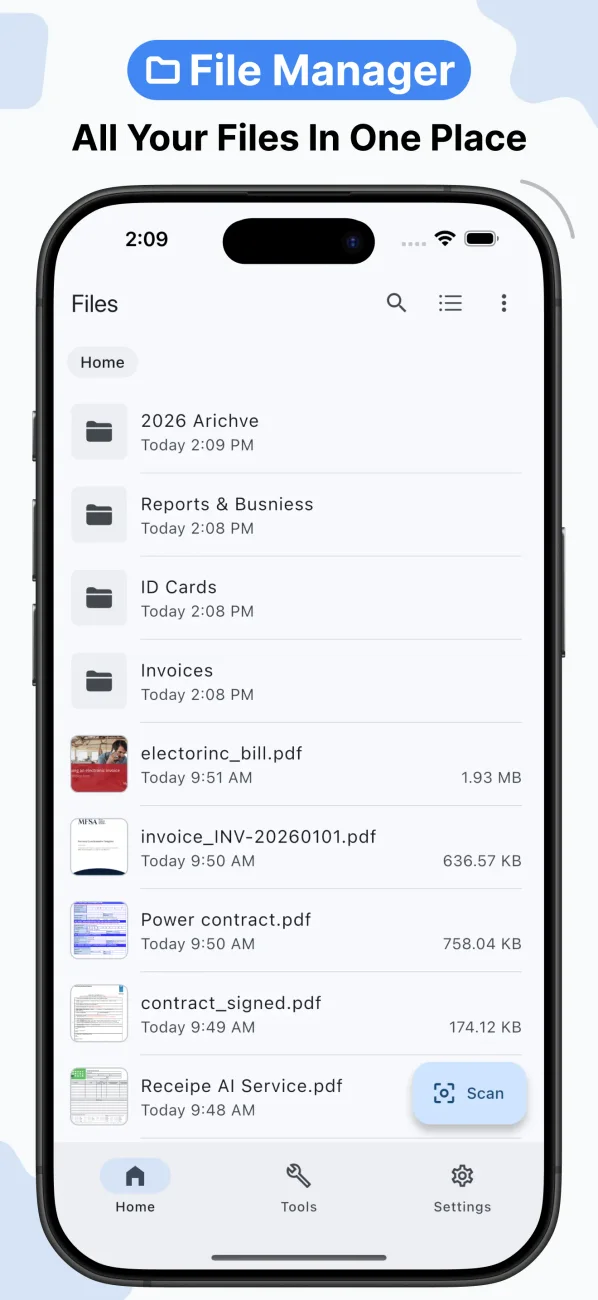
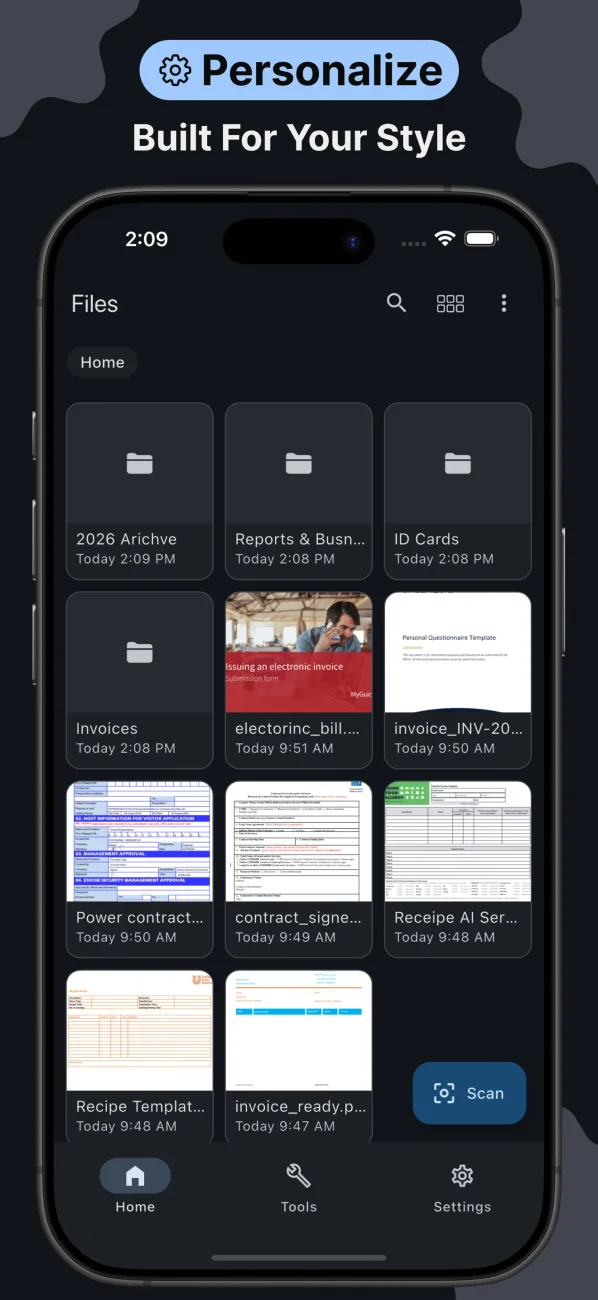
About
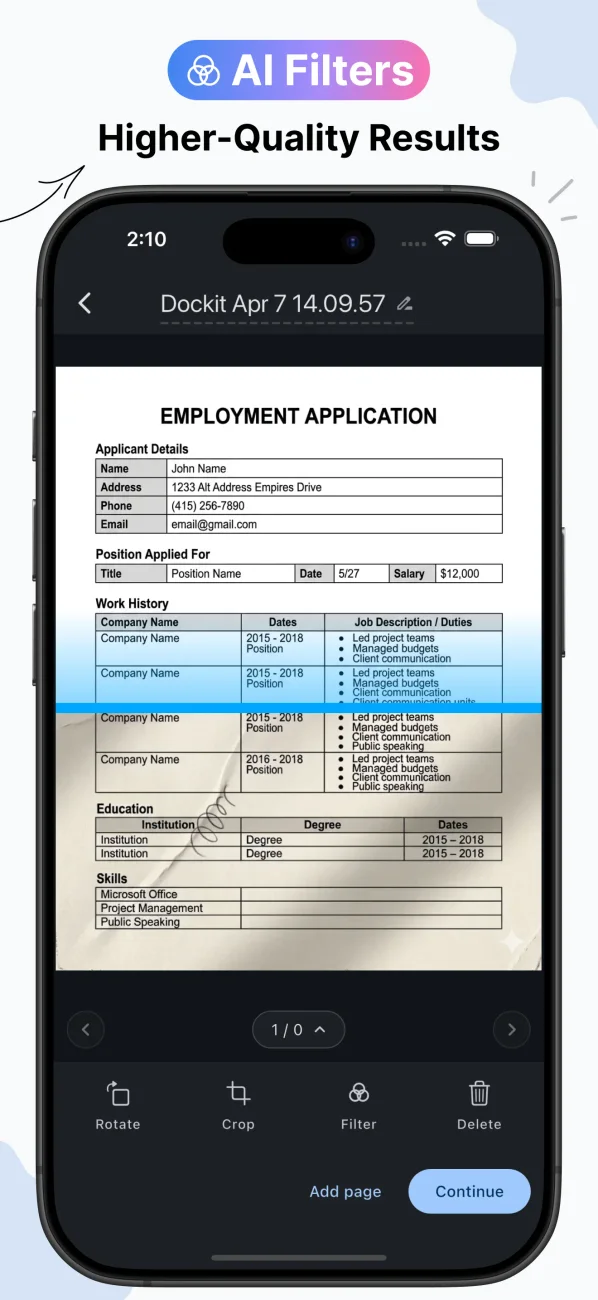
Dockit is a smart document scanner and full PDF toolkit — AI-powered filters, a complete set of PDF tools, and everything works fully offline.
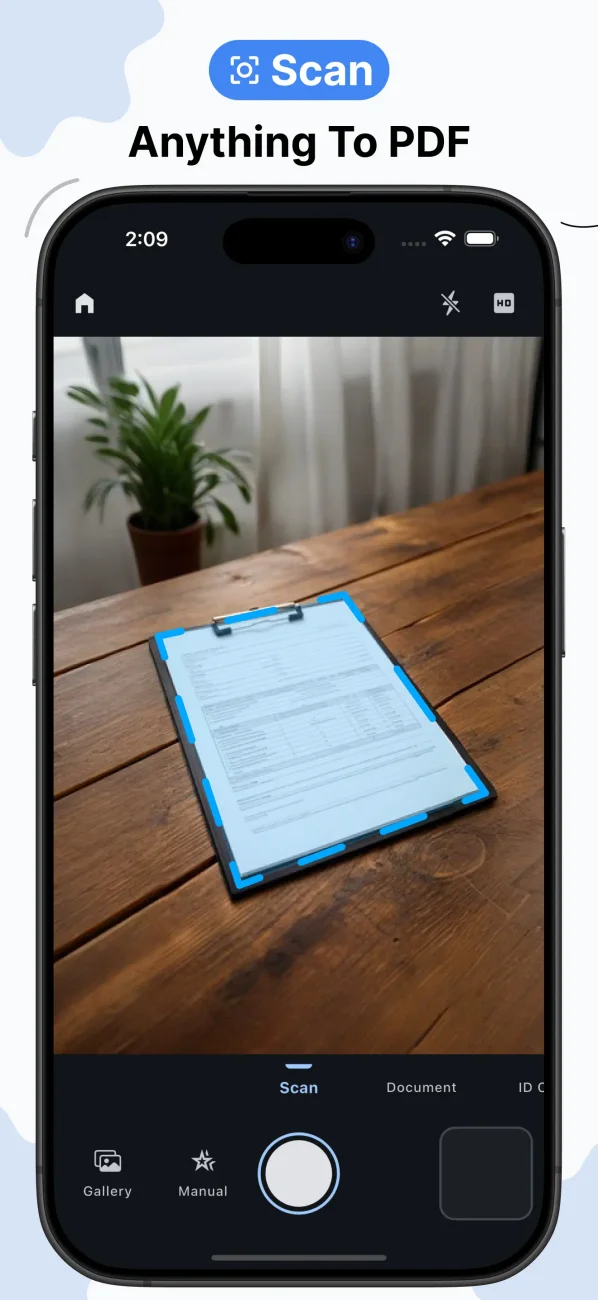
Scan documents with your camera and get clean, professional results instantly. Smart filters run entirely on-device to auto-detect edges, correct perspective, remove shadows, and produce crisp scans whether you're capturing a receipt, a contract, an ID card, or a passport.
DOCUMENT SCANNER
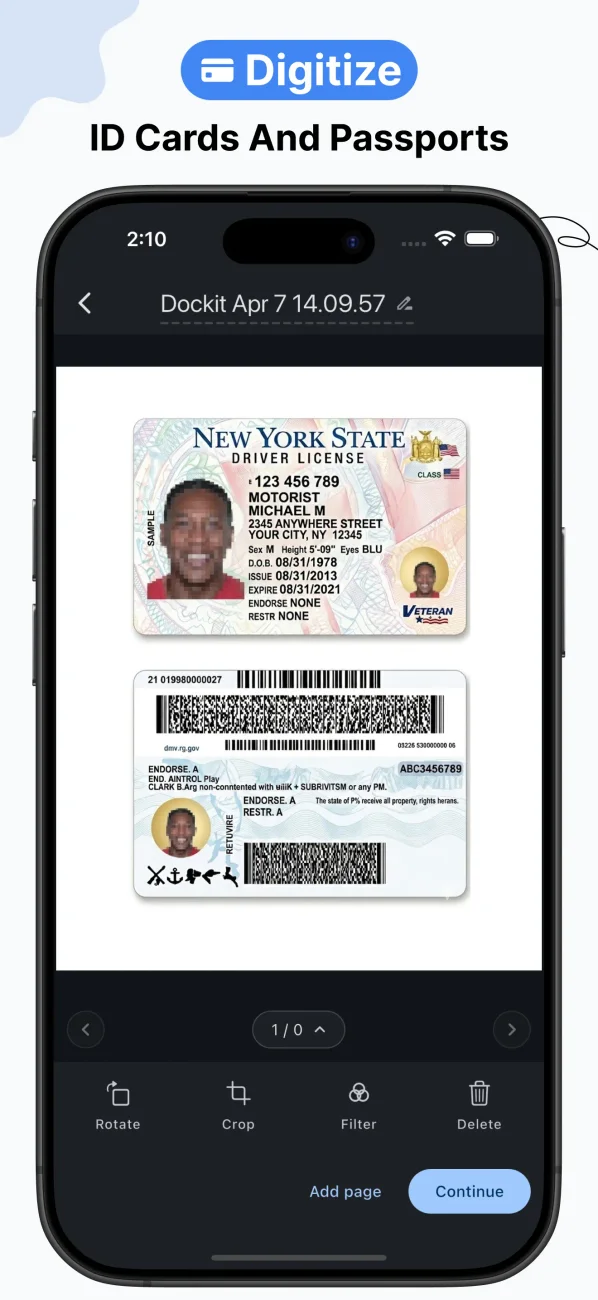
Scan in four modes built for different needs — General for any document, Document for standard paper sizes like A4 and Letter, ID Card for capturing both sides of an identity card, and Passport for travel documents. Every scan is processed locally with no data sent anywhere.
ORGANIZE YOUR PDFs
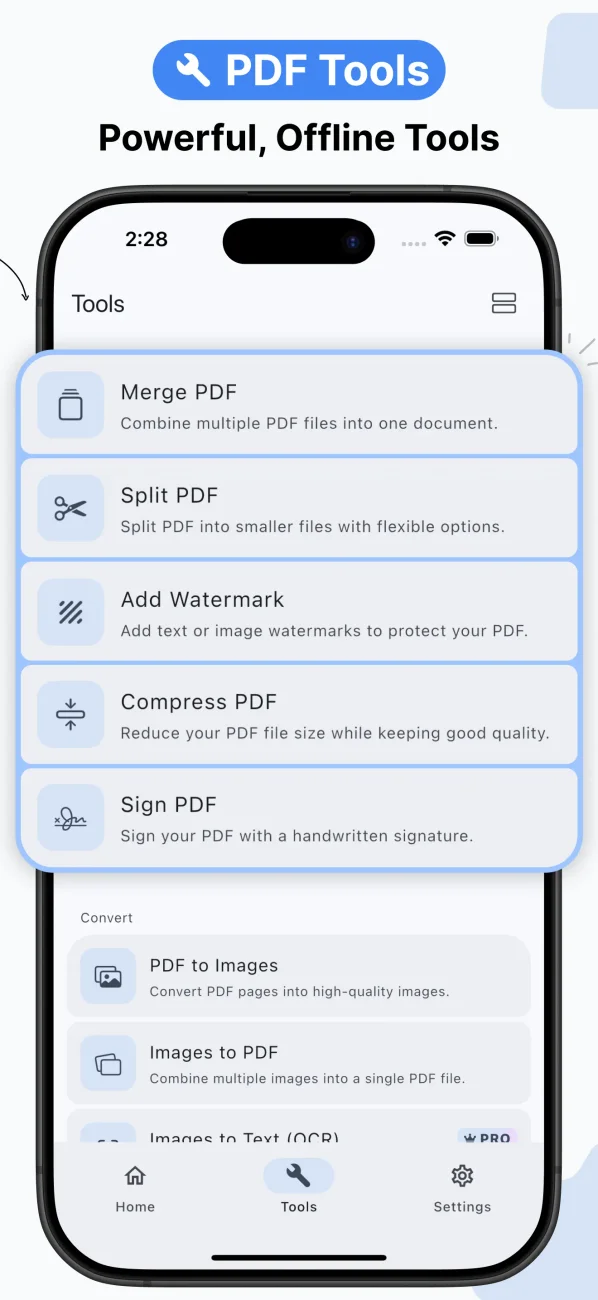
Merge multiple PDFs into one, or split a file your way — by page range, by file size, or at fixed intervals. Reorder, rotate, delete, or extract pages with a few taps.
CONVERT & EXTRACT
Turn PDFs into images or build a PDF from your photos in seconds. Extract text from any PDF or use OCR to pull text out of scanned images — all offline.
SECURITY & SIGNING
Sign documents digitally, add custom watermarks, protect files with a password, or remove protection from any PDF. Your documents, fully under your control.
COMPRESS & OPTIMIZE
Reduce PDF file sizes significantly without losing quality — useful for sharing, emailing, or simply freeing up storage.
PRIVACY BY DESIGN
Dockit works entirely offline. Nothing is uploaded and no data is collected. What's on your device stays on your device.
SUBSCRIPTION & PREMIUM FEATURES
Dockit offers a free version with core scanning features. Advanced tools require a subscription.
Premium features include:
• OCR (text recognition)
• PDF compression
• Digital signatures
• Password protection for PDFs
• ID card and passport scanning
• Extended scan limits
Subscription details are shown in-app before purchase.
Terms of Use: https://www.apple.com/legal/internet-services/itunes/dev/stdeula/
What’s new
Version 2.2.1 · Nov 26, 2026
- Bug fixes and general stability improvements.
- Minor performance optimisations for a smoother experience.
App privacy
What Mohamed Al-Kainai declares on the App Store about how this app handles data.
-
Data not linked to you
May be collected but is not linked to your identity.
- Purchases
Privacy practices may vary, for example with the features you use or your age.
Information
- Seller
- Mohamed Al-Kainai
- Category
- Utilities
- Version
- 2.2.1
- Updated
- Nov 26, 2026
- Released
- Apr 15, 2026
- Size
- 78.7 MB
- Requires
- iOS 15.5 or later
- Age rating
- 4+
- Price
- Free
- In-app purchases
- Yes
- Languages
- English, Arabic, French, German, Hindi, Russian, Simplified Chinese, Spanish
- Copyright
- © 2026 PSH Team
You might also like
-
 MaskduckUtilities
-
 Photo to ZIP - Image to ZipZip Photos Fast, Share Easily.
-
 Freestyle Calculator: Sci & FXFormula·Percent·Math·Sync·Tape
-
 PeopleNoteRemember one before you meet
-
 AppHunt - Global pricingGlobal pricing alerts wishlist
-
 Convert Video to MP3: VidoTuneMP3 Converter -Audio Extractor
-
 Photo Cleaner: TidyHeroAI Duplicate Photos Cleaner
-
 HTML Viewer & CSS EditorCookie Editor & HTML Inspector
-
 SunForm-Quotation&BookkeepingPurchase order & BKK & PO & PI
-
 AppWishlist - Price TrackerTrack app prices & developers