Countdown Widget with Emoji
For Events like Birthdays
Designed for iPhone, iPad
Free · In-app purchases
- Age rating4+
- CategoryProductivity
- DeveloperLasmit TLB Ltd
- LanguagesEnglish+ 6 more
- Size27.5 MB
Links to the official App Store page
Download.org hosts no file of Countdown Widget with Emoji. The button opens its official App Store page, published by Lasmit TLB Ltd. Listing last checked on Nov 20, 2026.
Screenshots


About
Count down to the moments that matter, with the emoji that captures them perfectly.
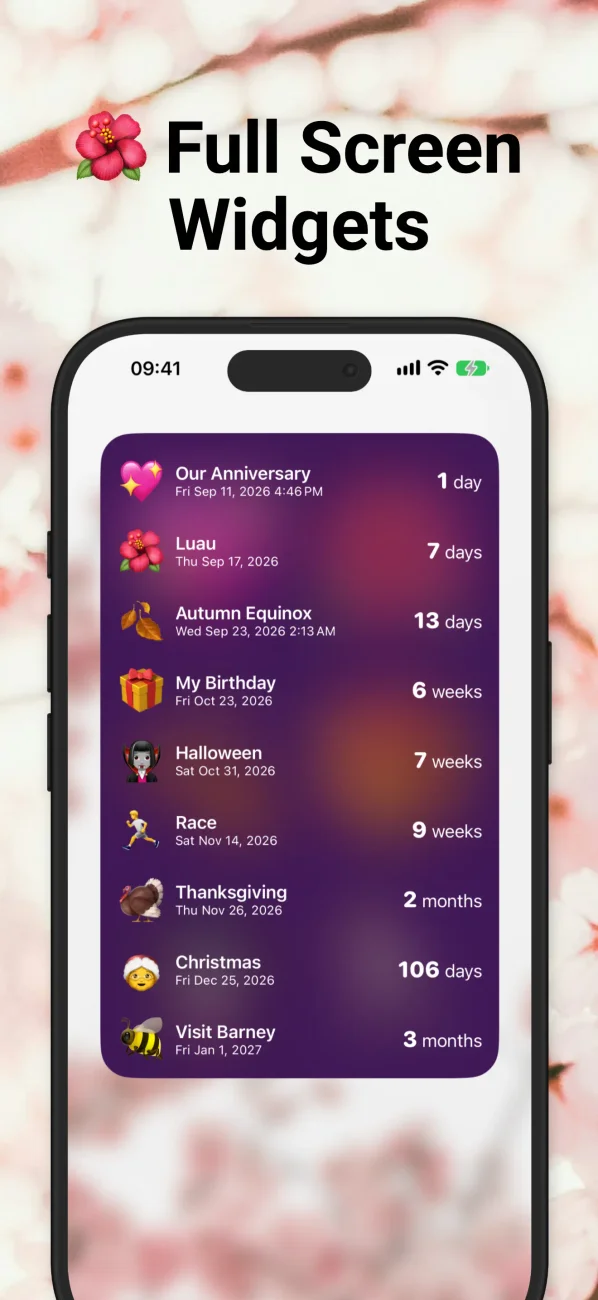
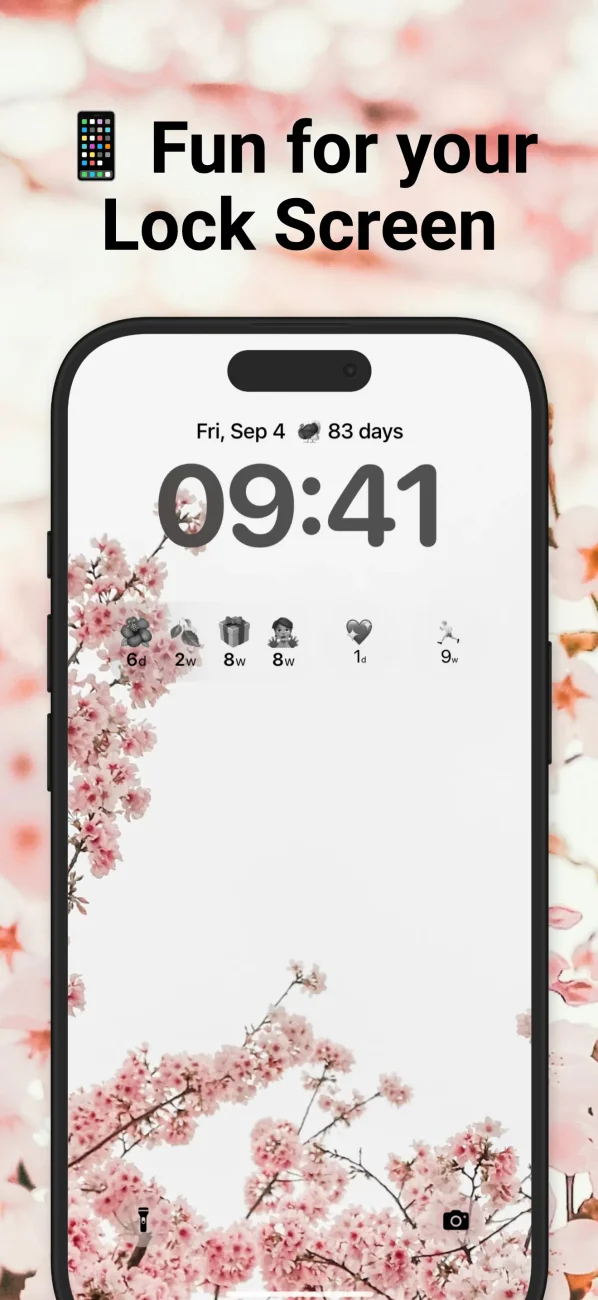
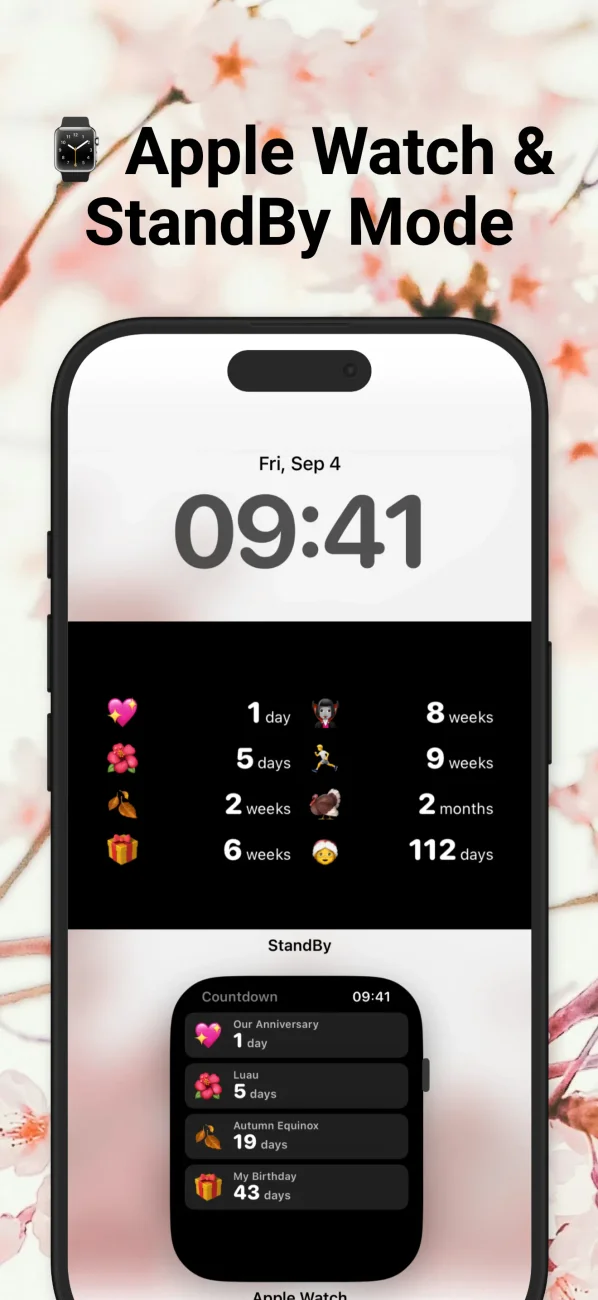
Pick a date. Set an emoji. Watch your countdown on your iPhone Duo, Home Screen, Lock Screen, StandBy display, and Apple Watch.
No other countdown app lets you express every event with emoji. From birthdays to vacations to weddings, every countdown looks like the moment it represents.
A COUNTDOWN FOR EVERY OCCASION
Events & Birthdays
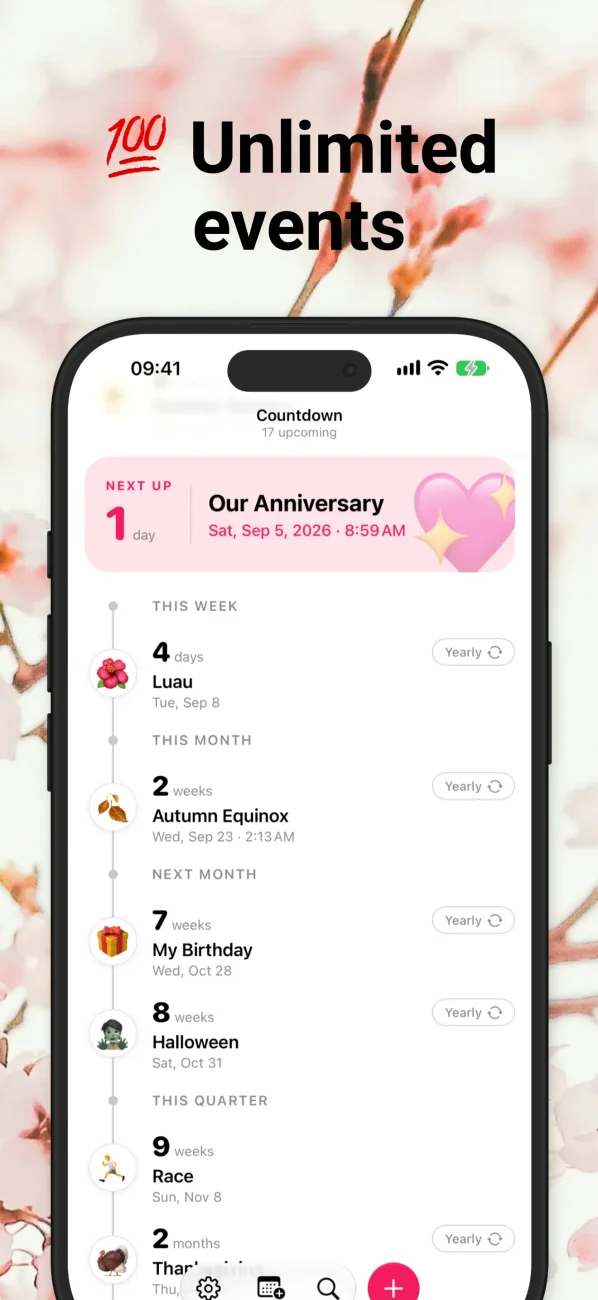
Track days until birthdays, anniversaries, graduations, baby showers, and the personal milestones that matter most. Set a birthday once and it reschedules automatically every year.
Holidays & Seasons
Count down to Christmas, Halloween, Thanksgiving, Easter, New Year’s, and every seasonal moment in between. Holiday countdowns roll over automatically year after year.
Weddings & Anniversaries
From save the date to the big day, watch your wedding countdown tick down day by day. Couples use Emoji Countdown to share progress, plan ahead, and savor the anticipation.
Vacations & Trips
Counting days until your next holiday, whether it’s a beach trip, a summer break, or a long weekend? Pair the trip with an emoji and feel the excitement build every time you glance at your phone.
Retirement & Life Milestones
Counting down to retirement, your last day of work, a house move, or a new chapter? Big life changes deserve their own widget. Pin them to your Home Screen and reclaim a little anticipation.
Daily Reminders
Use Emoji Countdown as a visual reminder for deadlines, fitness goals, exam dates, and weekly recurring events. Your countdown list works like a calendar, only easier to glance at and harder to forget.
FEATURES
• Free Home Screen, Lock Screen, and StandBy widgets so you can see every countdown at a glance, no subscription required
• Apple Watch app for checking countdowns from your wrist
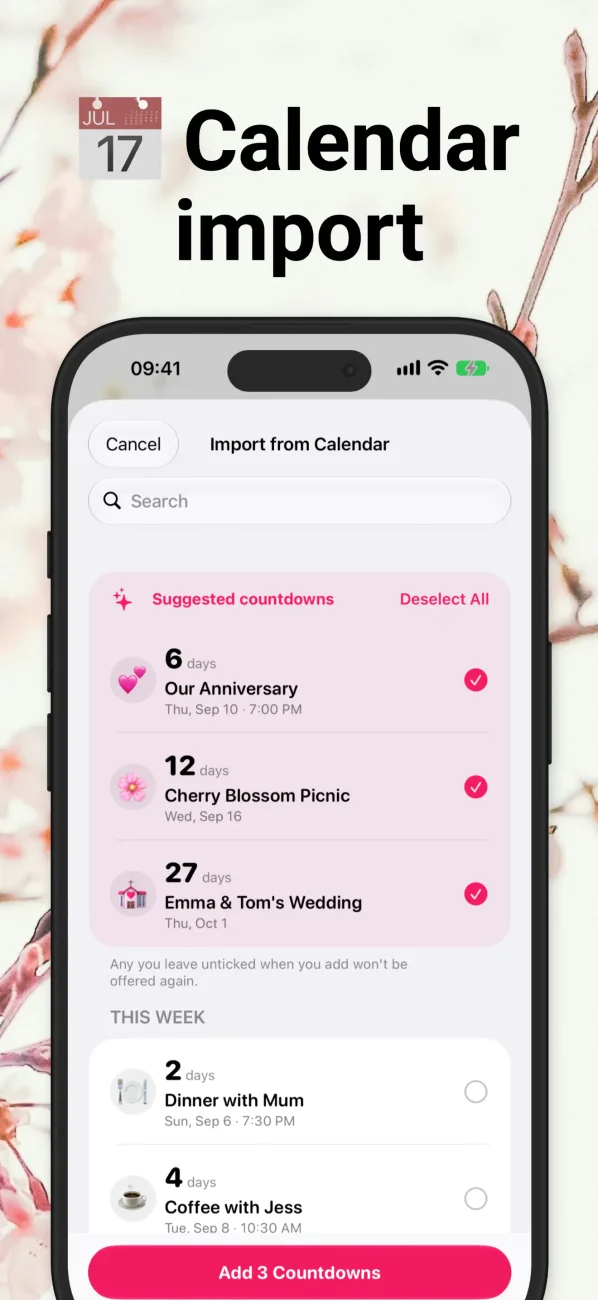
• Calendar import: one tap pulls birthdays, holidays, and deadlines straight from your iOS Calendar
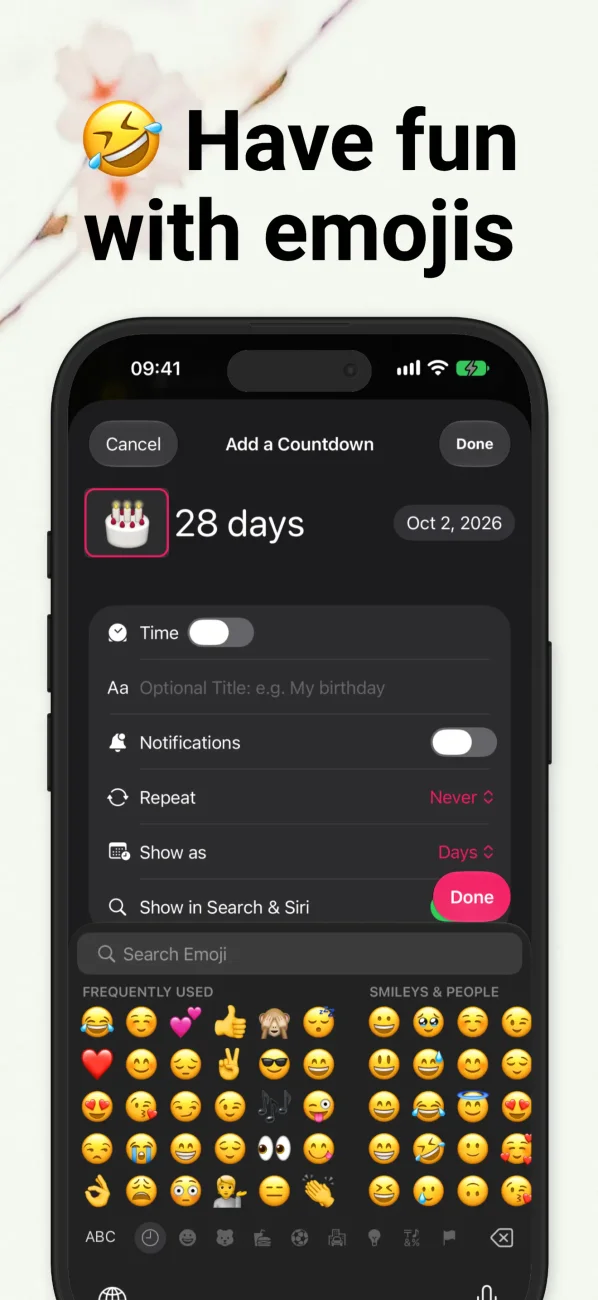
• Any emoji, any color, so every countdown matches the moment it represents
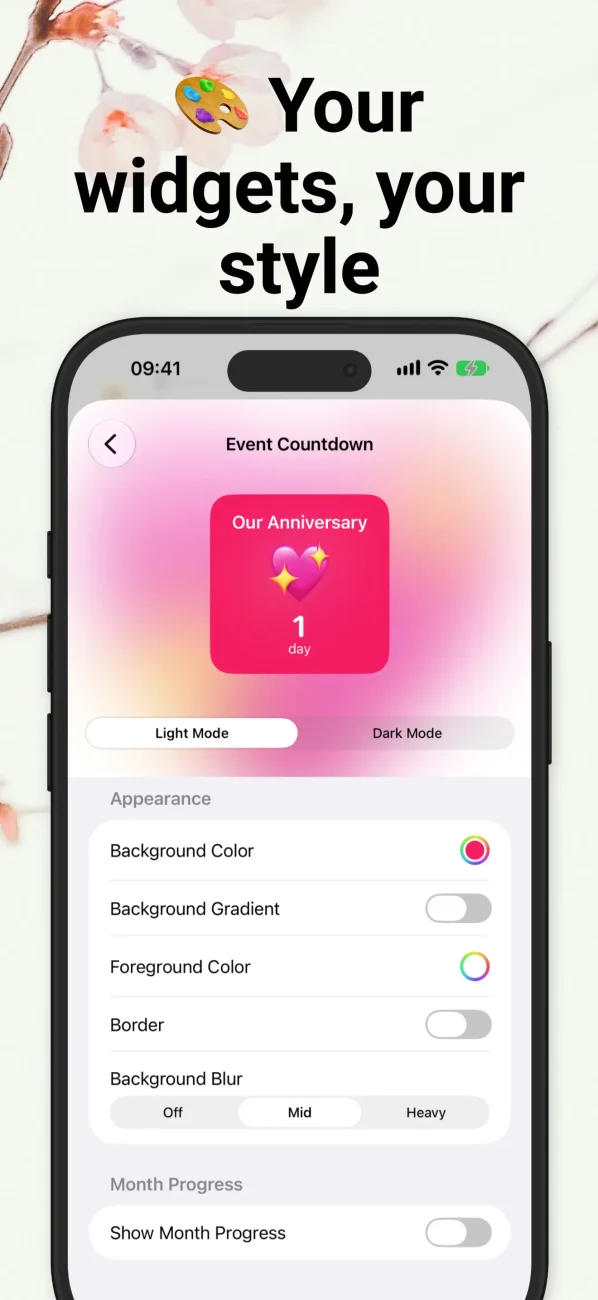
• Widget customization with colors, gradients, blur effects, borders, and themes so every widget looks exactly the way you want
• Repeating events: set a birthday or holiday once and it rolls over automatically each year
• Dark Mode support
• iCloud sync across iPhone, iPad, and Apple Watch
• No ads, no clutter, just your countdowns
FAQ
Is Emoji Countdown free?
Yes. Free to download, and the Home Screen, Lock Screen, and StandBy widgets are included.
Can I make a wedding, birthday, or holiday countdown?
Yes. Emoji Countdown works for weddings, birthdays, anniversaries, graduations, Christmas, Halloween, vacations, retirement, and anything else worth waiting for.
Does it work on Apple Watch?
Yes. The native Apple Watch app lets you check every countdown from your wrist.
Can I add countdowns to my Home Screen and Lock Screen?
Yes. Add a widget to your Home Screen, Lock Screen, or StandBy display and your countdown stays visible at a glance.
Can I import events from my calendar?
Yes. One tap pulls birthdays, holidays, and deadlines straight from your iOS Calendar.
Will my countdowns sync across my devices?
Yes. iCloud keeps everything in sync across iPhone, iPad, and Apple Watch.
Can I customize how the widget looks?
Yes. Pick any emoji and any color, then choose from gradients, blur effects, borders, and themes to make every widget look exactly the way you want.
Do birthdays and holidays repeat every year?
Yes. Set a recurring event once and Emoji Countdown rolls it over automatically each year.
Privacy policy: https://www.iubenda.com/privacy-policy/42970297
What’s new
Version 2026.10 · Nov 7, 2026
Genmoji and six new languages
Your countdowns can now have a Genmoji instead of an emoji. When you add or edit a countdown, tap its emoji and use the Genmoji button on the keyboard to make one of your own. It shows up everywhere the countdown does: in the app, in your Home Screen and Lock Screen widgets, and on your other devices. Making a Genmoji needs Apple Intelligence.
Emoji Countdown now speaks German, Spanish, French, Italian, Dutch and Brazilian Portuguese. If your iPhone is set to one of them, the app, its widgets, the Apple Watch app and Siri all follow along.
Also in this update:
- Countdowns are now grouped by the calendar, so This Month really means this month. Next month goes under its own name, followed by This Quarter, This Year and next year.
- Tap anywhere on a countdown's row to edit it, including the empty space in the middle.
- Emoji on Lock Screen widgets now keep all their detail, instead of showing as a flat shape or not at all.
- On iPad, and on iPhone Duo when it's open, onboarding now spreads across two pages in landscape, and it fits better at larger text sizes.
Thanks as always,
Lewis
App privacy
What Lasmit TLB Ltd declares on the App Store about how this app handles data.
-
Data not linked to you
May be collected but is not linked to your identity.
- Purchases
- Identifiers
- Usage data
Privacy practices may vary, for example with the features you use or your age.
Information
- Seller
- Lasmit TLB Ltd
- Category
- Productivity
- Version
- 2026.10
- Updated
- Nov 7, 2026
- Released
- Apr 29, 2020
- Size
- 27.5 MB
- Requires
- iOS 26.0 or later
- Age rating
- 4+
- Price
- Free
- In-app purchases
- Yes
- Languages
- English, Dutch, French, German, Italian, Portuguese, Spanish
- Copyright
- © Lasmit TLB 2026
You might also like
-
 Time Tracker : TimyLog Daily Work Hours & Routine
-
 OnSite Checklists - AuditingSite Inspections: Safety Audit
-
 Pomodoro Focus Timer - YouCanBe focused: Study timer
-
 Habit Tracker - HabyGoal Tracker & Daily Planner
-
 SleepScout® : Sleep RecoderSleep Music & Snoring Tracker
-
 Be Present: Daily RoutineFocus Timer, Music & Self Care
-
 Paste Keyboard | MagicBoard AIText Shortcuts, Mail Template
-
 Bridges: Link FormattingSave links, stay productive
-
 QR Scanner: Scan Store CreateScan, Store Scans, Generate QR