Countimus
Count down to what matters
Designed for iPhone, iPad
Free · In-app purchases
- Age rating4+
- CategoryProductivity
- DeveloperMichael Tiedtke
- LanguagesEnglish+ 1 more
- Size7.5 MB
Links to the official App Store page
Download.org hosts no file of Countimus. The button opens its official App Store page, published by Michael Tiedtke. Listing last checked on Nov 18, 2026.
Screenshots


About
How long now?
Countimus counts the days until what you are waiting for. And the days since, because an anniversary is both: since the day, and until the next one.
BOTH DIRECTIONS
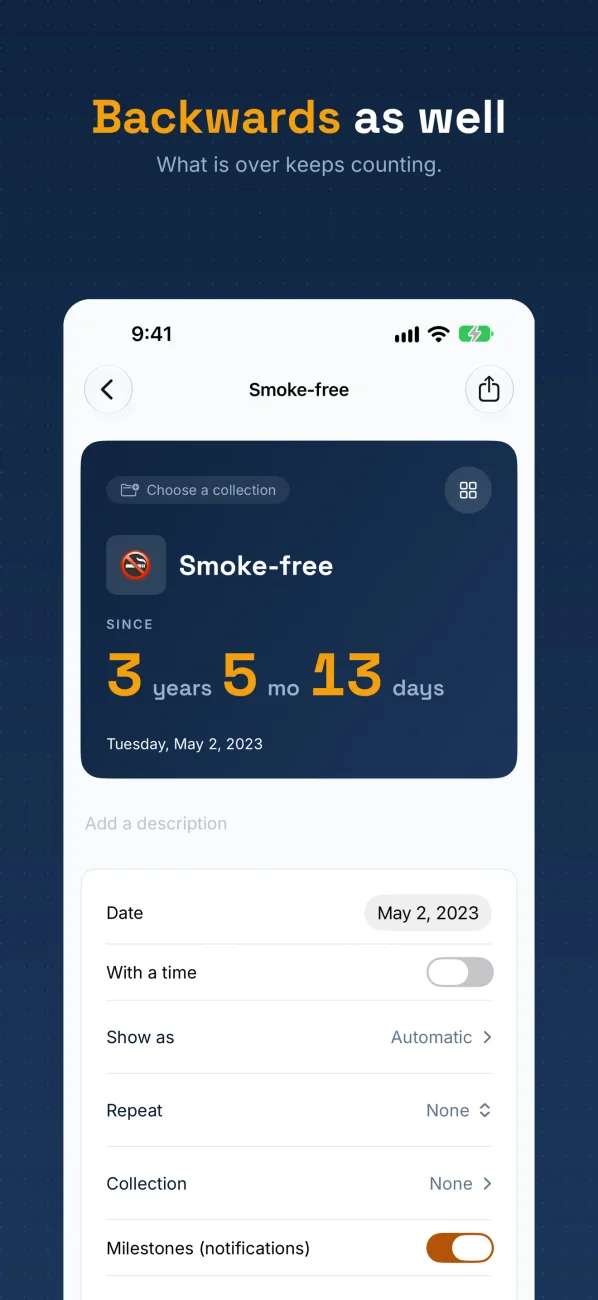
A countdown that has passed does not disappear. It keeps counting: 1,234 days since. The day you stopped smoking is as much a countdown as the vacation in July.
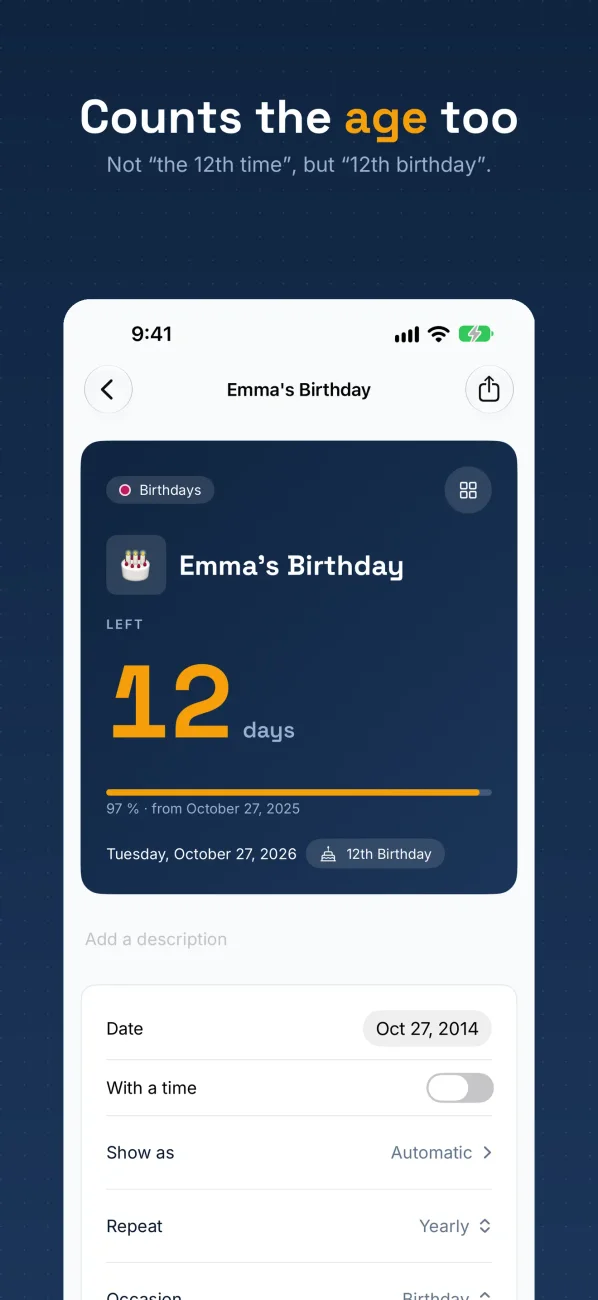
What comes around again moves on to the next time the day after, and counts along: Emma's 12th birthday. For a memorial, "the 12th time" would be wrong, so you choose the occasion.
REPEATS
Yearly, monthly, weekly (every other week, too), daily, or on the second Tuesday of the month. Whatever the date already says, Countimus does not ask again.
IN YOUR UNIT
Seven units, freely combined: years, months, weeks, days, hours, minutes, seconds. Or leave it to the app: Automatic gets coarser the further away a countdown is. Without a time, Countimus counts whole days and says "Today" all day long. With a time, it ticks down to the second.
ON THE HOME SCREEN
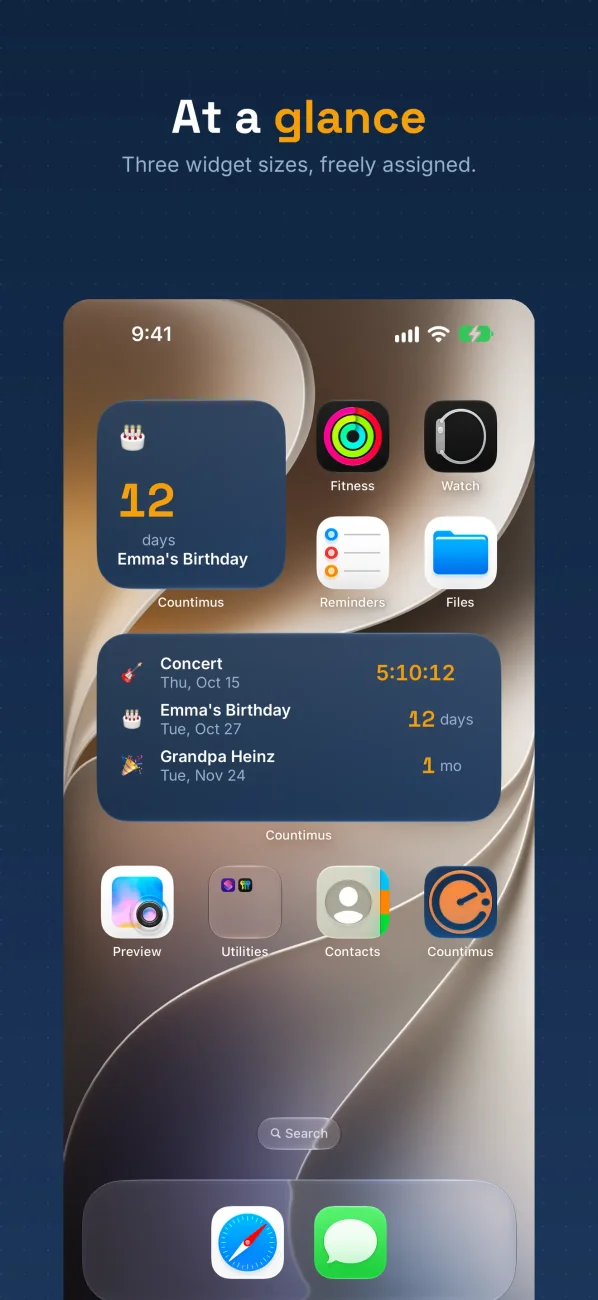
Three widget sizes and three shapes for the lock screen. You choose which countdown each one shows, or leave it on the next one.
THE FINAL HOURS
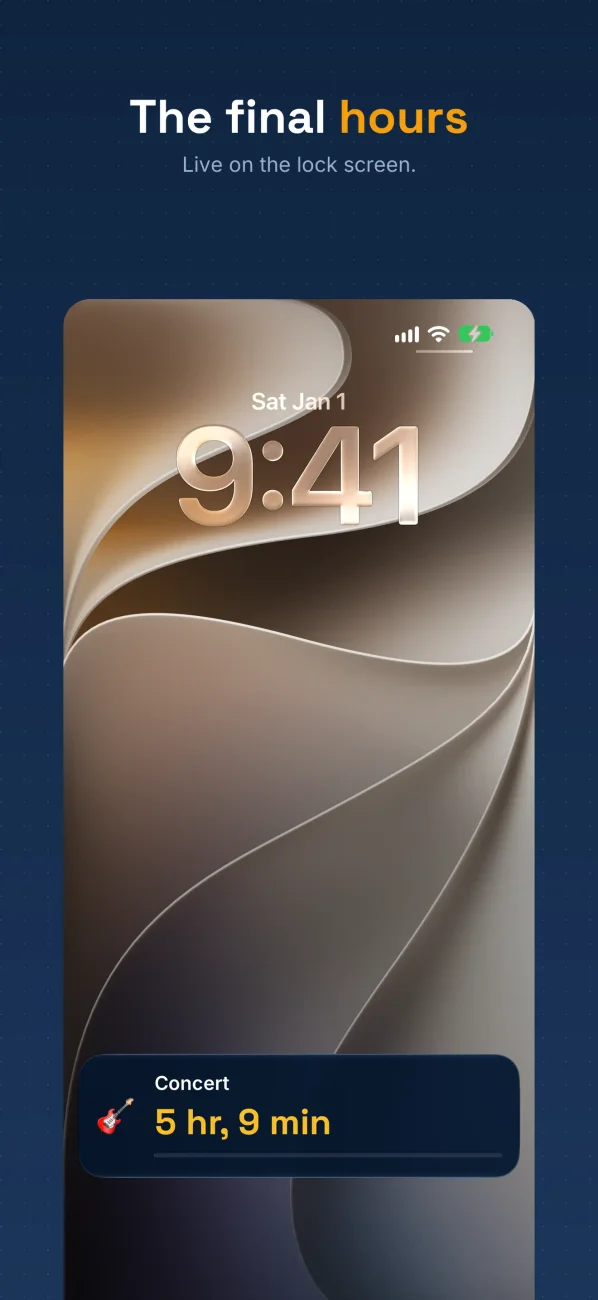
With a time set, a countdown can run on the lock screen and in the Dynamic Island for its last eight hours.
ORDER
Collections are a name and a color. Seven are ready: Birthdays, Holidays, Vacation, School Breaks, Memorials, Leisure, Anniversaries. In the list, each becomes a group you can fold away.
An emoji or a photo marks each countdown, and a photo becomes the background of its card.
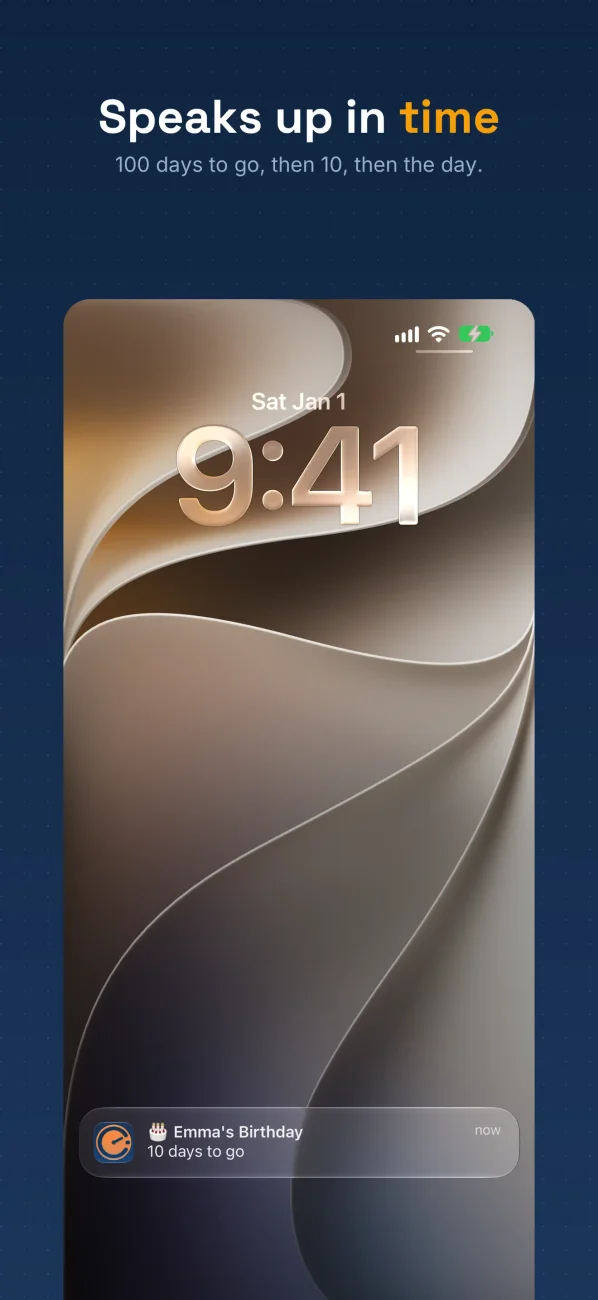
Milestones notify you on round numbers: 100 days to go, 10 days to go, and on the day itself. You choose which ones per countdown, and you can add reminders with your own text.
Birthdays come from your contacts: name, date and photo in one go. The list only shows contacts that have a birthday.
SHARING
A countdown goes out as a link. Anyone with Countimus sees it as a card and adds it with one tap. Anyone without it gets a page that shows it.
BY VOICE
"Add something to Countimus" is enough. Birthdays have their own command that sets the yearly repeat. Both are in Shortcuts, Spotlight and Siri, with nothing to set up.
WHAT COUNTIMUS DOES NOT DO
No server, no statistics, no crash reporting. There is no place in Countimus that sends anything anywhere. Your countdowns sync between your own devices through your private iCloud. There is no account with us.
Countimus reads contacts only while the birthday list is open, and saves only the one contact you pick. For the calendar it uses the system sheet, which needs no permission.
WHAT IT COSTS
Four countdowns are free, with everything: widgets, lock screen, collections, reminders, Siri, iCloud. None of it is a premium feature.
Beyond four, a single purchase unlocks the app. One price, no renewal, nothing to cancel. Family Sharing is on: one person buys, up to six people use it, and everyone keeps their own countdowns. Whatever you have created stays visible either way.
App privacy
What Michael Tiedtke declares on the App Store about how this app handles data.
-
Data not collected
The developer does not collect any data from this app.
Privacy practices may vary, for example with the features you use or your age.
Information
- Seller
- Michael Tiedtke
- Category
- Productivity
- Version
- 1.0
- Updated
- Oct 16, 2026
- Released
- Oct 16, 2026
- Size
- 7.5 MB
- Requires
- iOS 17.0 or later
- Age rating
- 4+
- Price
- Free
- In-app purchases
- Yes
- Languages
- English, German
- Copyright
- © 2026 Michael Tiedtke
You might also like
-
 Family Time – Family PlannerCalendar, Tasks & Chores
-
 FloatyDoTiny todo widget
-
 Reminder & Countdown ProCount down to your event
-
 Countdown Widget: Any EventDay Counter—Days Until & Since
-
 VDI EventsProductivity
-
 AbsaarEMSProductivity
-
 Deckloud: Nextcloud DeckSelf-hosted Kanban & tasks
-
 Kilo Code: Code with AI AgentsCode, monitor and steer agents
-
 HabitNow: Daily Habit TrackerBuild Better Habits & Routines
-
 PULSE Team App 3.0 Gen.Roster, Time Tracking & Chat