Deckloud: Nextcloud Deck
Self-hosted Kanban & tasks
Designed for iPhone, iPad
Free · In-app purchases
- Age rating4+
- CategoryProductivity
- DeveloperHoang Pham
- LanguagesEnglish+ 70 more
- Size79.4 MB
Links to the official App Store page
Download.org hosts no file of Deckloud: Nextcloud Deck. The button opens its official App Store page, published by Hoang Pham. Listing last checked on Nov 23, 2026.
Screenshots

About
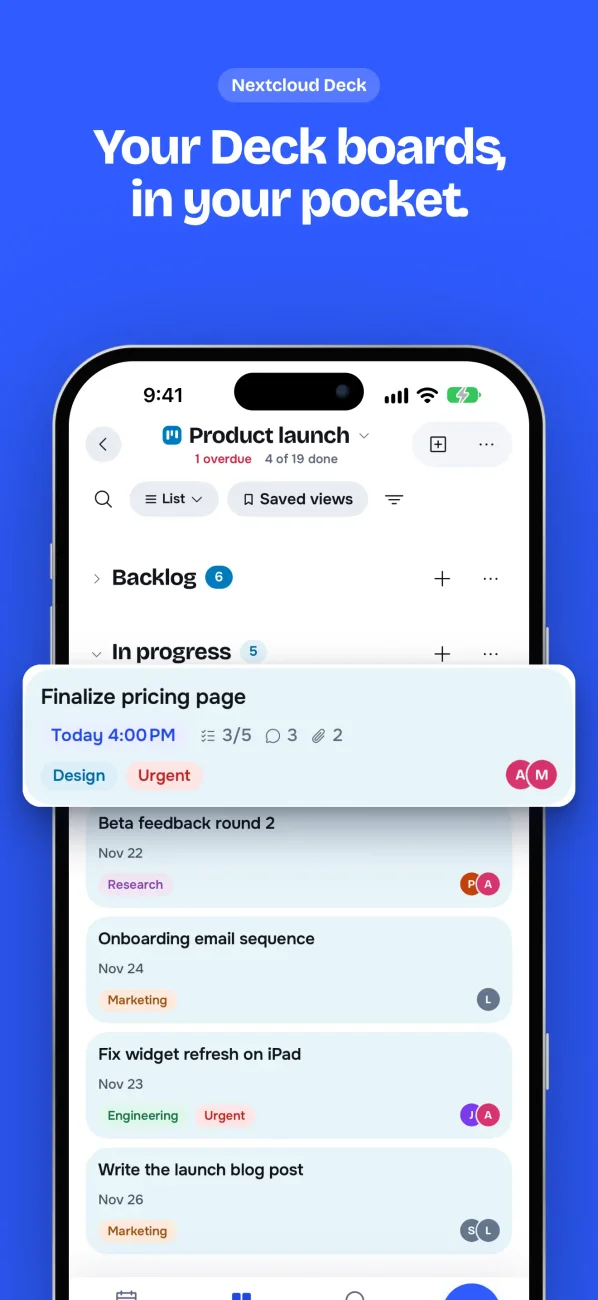
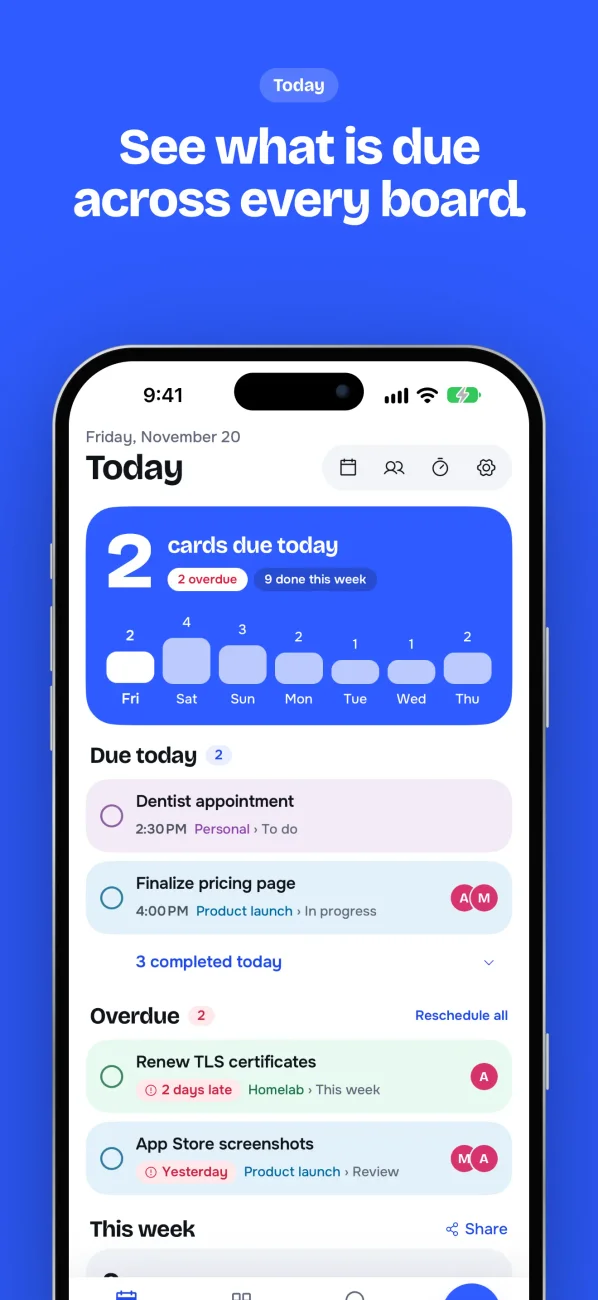
Your Nextcloud Deck boards as a native iPhone and iPad app. See what is due today, drag cards between sections, and keep working offline. Changes sync as soon as you are back online.
The core app is free. No Nextcloud server yet? Start a free Deckloud Cloud workspace in seconds.
Two ways to start
• Your own server: sign in with Nextcloud Login Flow v2 and open the boards you already have. The app connects directly to your server, with no relay backend in between.
• Deckloud Cloud: tap Create a free workspace. No email, no password, and no registration form. Deckloud runs the Nextcloud server for you, and you can link up to three devices.
Plan your day
• Today: due, overdue, and assigned cards, plus mentions, in one list with a month calendar
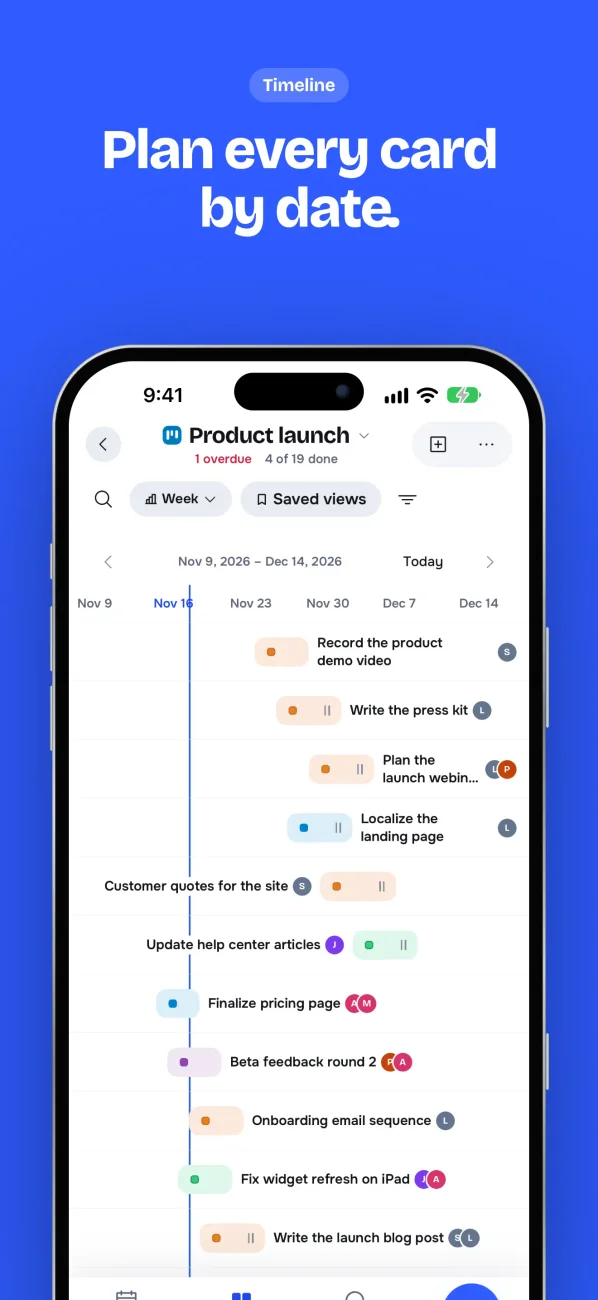
• A Gantt timeline where you move or resize dated cards
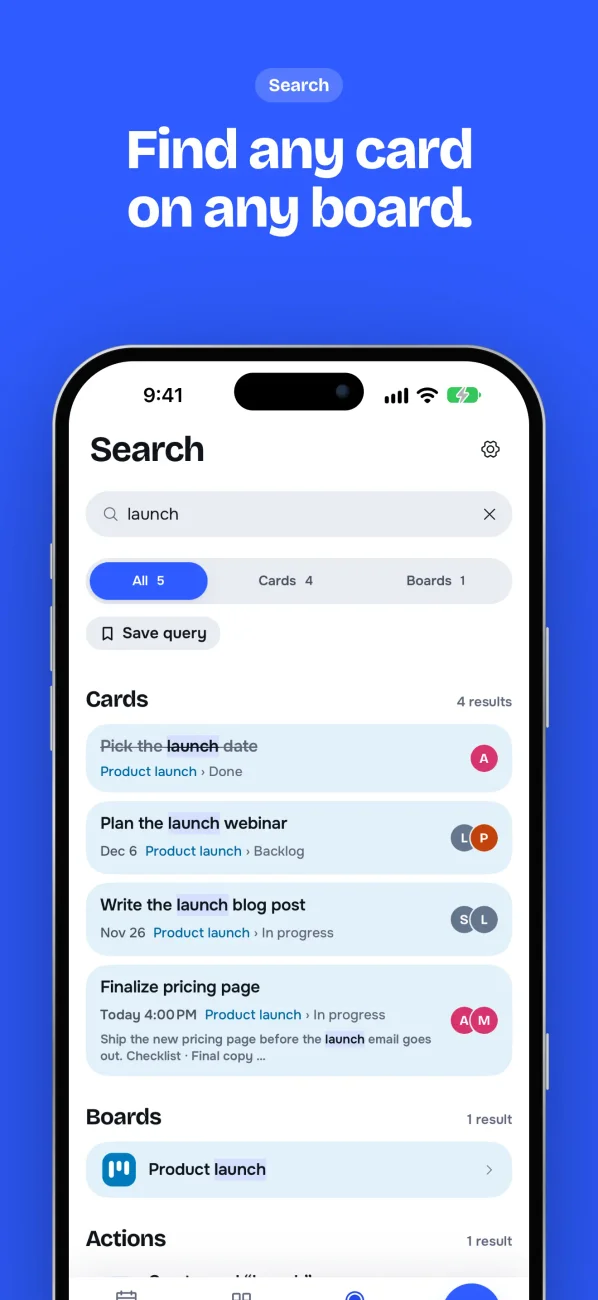
• Search across boards with filters for labels, assignees, and due dates
Work on your boards
• Create and organize boards, sections, and cards
• Start a board from a template, or build your own
• Set due dates, labels, assignees, and a reminder
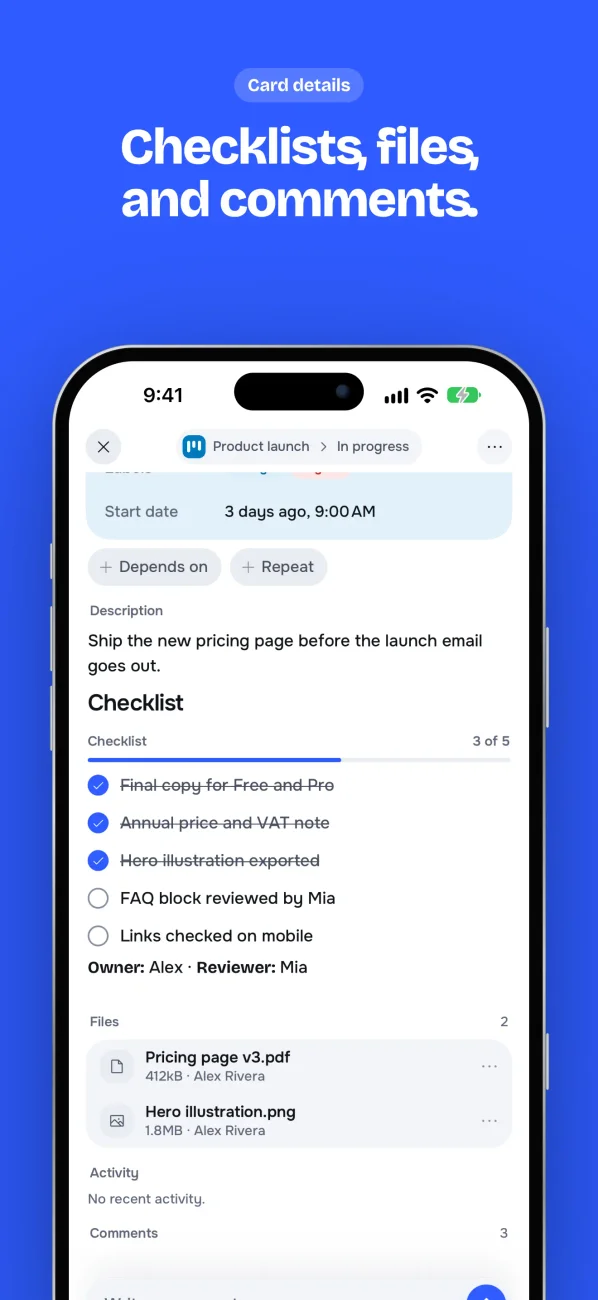
• Write Markdown descriptions with a formatting bar for checklists, headings, and bold
• Add comments and attachments, or link files from Nextcloud Files
• Share boards with people, groups, and Teams, and choose who can edit
• Import and export Deck JSON, or export a board as CSV
Made for iPhone and iPad
iPad layouts support portrait, landscape, and resizable multitasking. Send links and text from other apps with the share extension. Offline changes wait in a queue you can check in Settings. The app is available in more than 70 languages.
Private by design
Credentials stay in the iOS Keychain. No ad SDKs. Usage analytics create no person profiles and can be turned off in Settings. On your own server, board and card content stays on your Nextcloud. Deckloud Cloud content is stored on Nextcloud servers managed by Deckloud, with TLS and encrypted backups, but it is not end-to-end encrypted. You can delete a Cloud account and its content from Settings.
Free and Pro
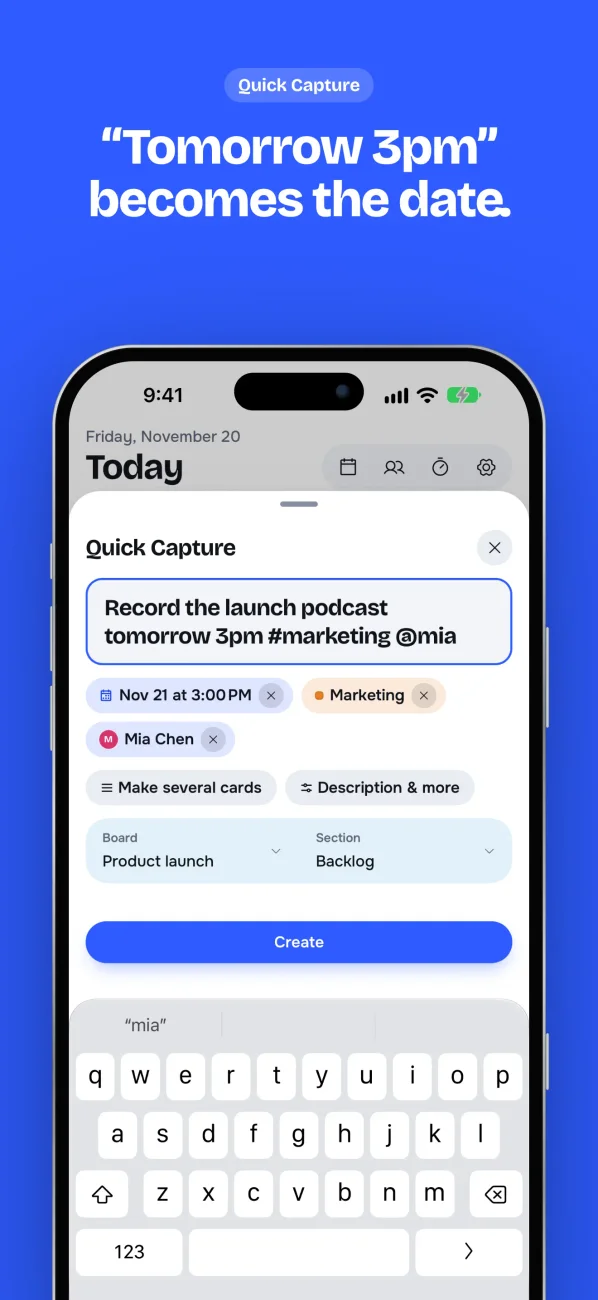
Free: boards, cards, Today, Search, the Gantt timeline, templates, import and export, and one account. Each month, every device also gets 3 Quick Captures, where one Smart Capture of up to 5 cards counts as one, and one Focus session.
Deckloud Pro comes as a one-time purchase, or as a yearly or monthly subscription:
• Unlimited Quick Capture, also from the share extension and Shortcuts, with saved templates and context
• Reminders on up to 64 cards per account, including Apple Reminders and Apple Alarms (iOS 26+)
• Repeating cards, synced through your Nextcloud
• Unlimited Smart Capture, up to 20 cards at a time
• The full Team view and the team's weekly report
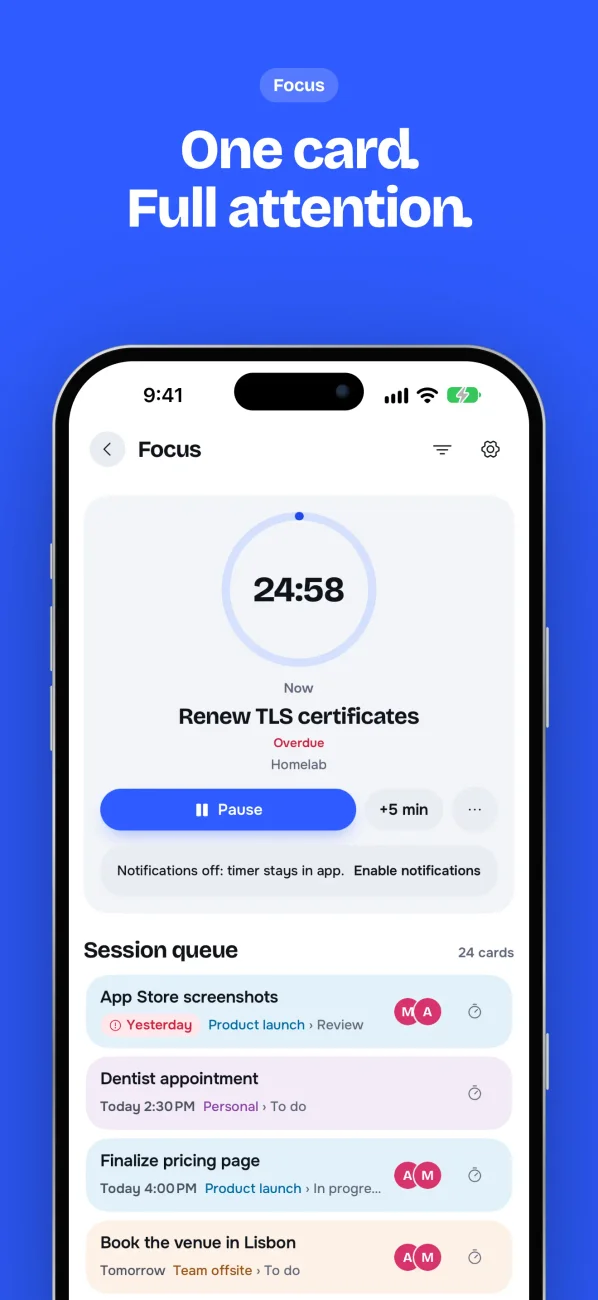
• Unlimited Focus sessions of 10, 25, or 45 minutes, with a Live Activity
• Every widget: small, medium, large, Extra Large and Lock Screen, with a board picker
• More than one account, and Pro in the Deckloud desktop app with a code
The one-time purchase also includes the Deckloud apps we add later. Deckloud Cloud is a separate free plan and does not include Pro. If your organization has a Deckloud license for its Nextcloud, Pro turns on for the members it covers.
Requirements
• For your own server: Nextcloud with the Deck app. Deck 1.6 or later is required for full write support.
• Deckloud actively verifies maintained Nextcloud releases with their matching Deck release, currently Nextcloud 33 to 35.
• Nextcloud 23–32 is legacy best effort; a new Nextcloud major remains preview until verified.
• Widgets need iOS 17 or later.
Also available for Mac (Apple Silicon), Windows, and Linux at deckloud.com. Deckloud is an independent client and is not affiliated with Nextcloud GmbH.
Terms of Use: https://www.apple.com/legal/internet-services/itunes/dev/stdeula/
What’s new
Version 1.4.1 · Nov 19, 2026
Deckloud 1.4.1 brings the new look to your widgets, adds a widget for new cards and rebuilds the Gantt timeline.
New
• New card widget: tap it on the Home Screen or Lock Screen and Quick Capture opens.
• Statistics on Today: how many cards you finished today and how many are still to do. On iPhone, turn it on in Customize Today, where you also choose what Today shows and in which order.
• On iPad, Add a card is the last tab at the top of the screen.
Improved
• A new look with every screen and button where it was: bolder headings, a blue start to your day and color that shows where things belong. The widgets now share it.
• The Gantt timeline is rebuilt: each bar is the card, with its title, its people and a mark when it is late, and the whole width shows time.
Fixed
• Widgets no longer stop on iPhones with many cards that have a due date.
• The free small widget shows the board you choose in its settings.
• Card edits reach Deck on servers whose proxy drops the ETag header.
• Signing in over https stays on https when your server also reports a local http address.
• A tap on Save in a sheet is no longer lost while the screen behind it updates.
• In an iPad window smaller than the screen, the app and its sheets stay clear of the window controls.
App privacy
What Hoang Pham declares on the App Store about how this app handles data.
-
Data linked to you
May be collected and linked to your identity.
- Purchases
- User content
- Identifiers
- Usage data
- Diagnostics
Privacy practices may vary, for example with the features you use or your age.
Information
- Seller
- Hoang Pham
- Category
- Productivity
- Version
- 1.4.1
- Updated
- Nov 19, 2026
- Released
- Feb 26, 2026
- Size
- 79.4 MB
- Requires
- iOS 16.4 or later
- Age rating
- 4+
- Price
- Free
- In-app purchases
- Yes
- Languages
- English, Afrikaans, Albanian, Arabic, Armenian, Asturian, Azerbaijani, Basque, Belarusian, Bengali, Bosnian, Breton + 59 more
- Copyright
- © 2026 Hoang Pham
You might also like
-
 Pantry for NextcloudHome lists, photos & notes
-
 Nextcloud CalendarCalendar for Nextcloud
-
 Nextscan - Scans for NextcloudDocument Scanner for Nextcloud
-
 Nextcloud AttendanceRSVP & CheckIns for Groups
-
 Notes - BrewMemoMarkdown & Nextcloud Sync
-
 Passwords for NextcloudProductivity
-
 Next DeckVerwalte Boards von Nextcloud
-
 Nextcloud NotesProductivity
-
 Nextcloud - DeckDeck for Nextcloud
-
 NowThis: Tasks for NextcloudPrivate, Smart Productivity