CPD Progress Tracker
Record-Manage-Share CPD
Designed for iPhone, iPad, iPod touch
- Age rating4+
- CategoryProductivity
- DeveloperBENJAMIN MATTHEW BAKER
- LanguagesEnglish
- Size29.0 MB
Links to the official App Store page
Download.org hosts no file of CPD Progress Tracker. The button opens its official App Store page, published by BENJAMIN MATTHEW BAKER. Listing last checked on Nov 12, 2026.
Screenshots


About
CPD Progress Tracker makes it simple to record, organise and share your Continuing Professional Development.
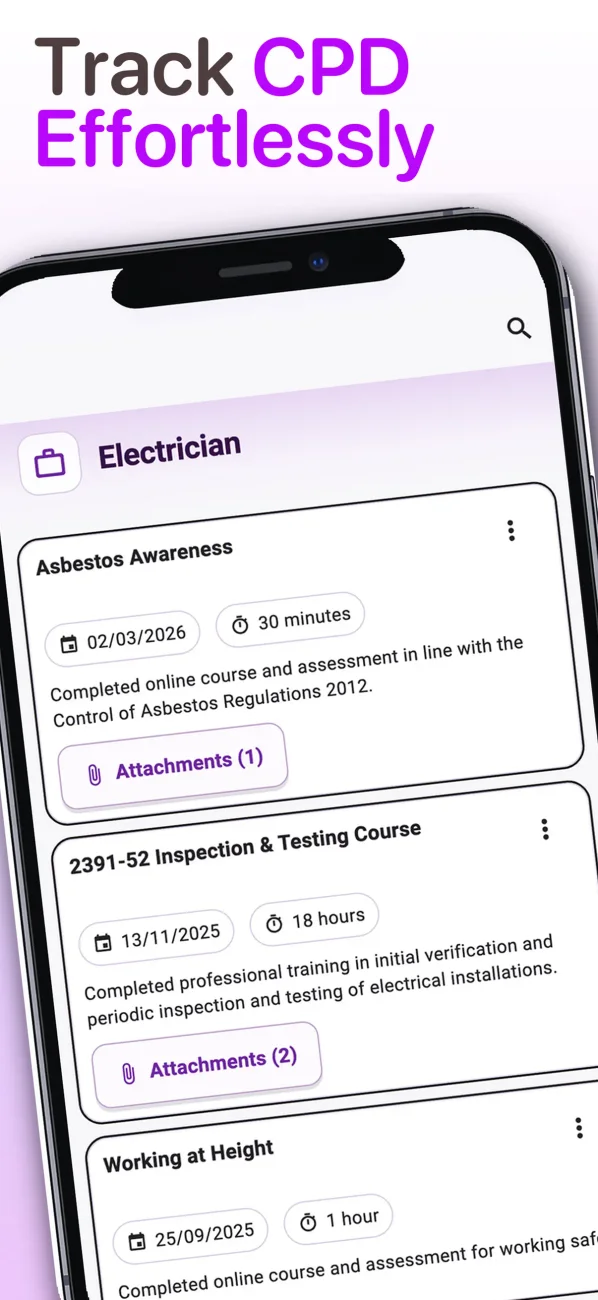
Log training, courses, toolbox talks, site activities, professional learning and supporting evidence — wherever you are.
Designed for busy professionals who don’t want to spend their time managing spreadsheets or paperwork, CPD Progress Tracker keeps your records, evidence, targets and professional development together in one straightforward app.
A clean, modern interface makes everyday CPD recording quick and easy, with a choice of app colours to personalise your experience.
KEY FEATURES
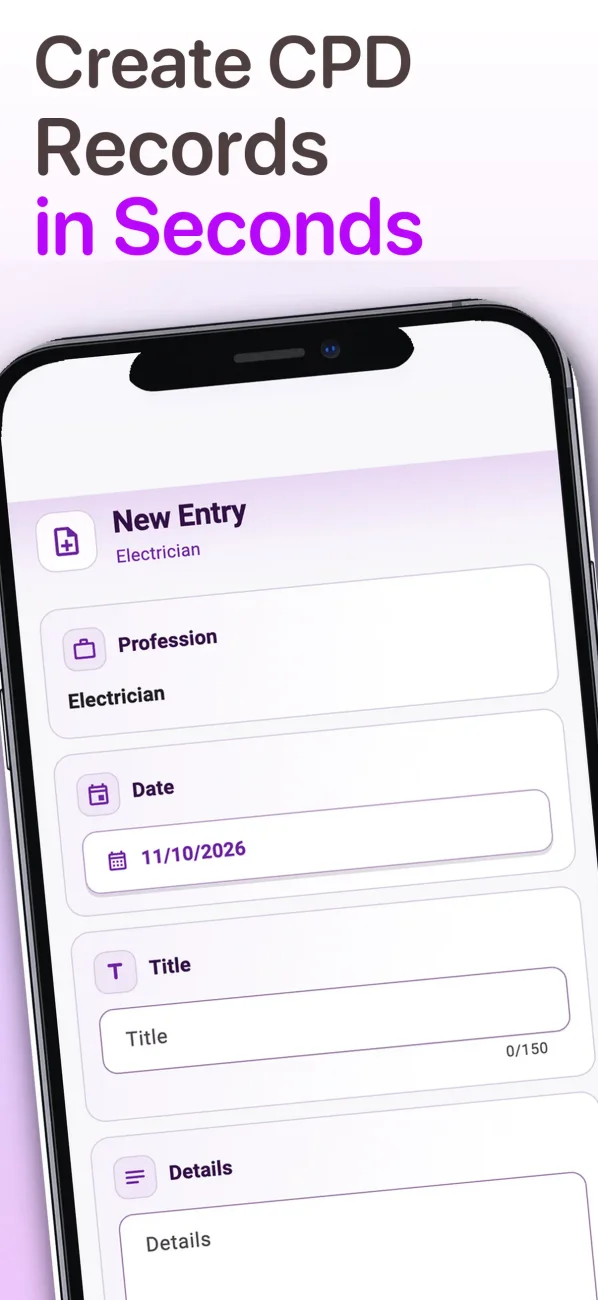
1. Create CPD Records in Seconds
Quickly record professional development as it happens.
Add:
• Date and activity title
• Details and notes
• Hours and minutes
• Photos and supporting evidence
• Files and documents
• Links
2. Attach Evidence to Your Records
Keep evidence alongside the activity it relates to.
Attach:
• Certificate photos
• Screenshots
• PDFs
• Supporting documents
• Other files
• Links
This makes it easy to return to a record later and find the supporting information you need.
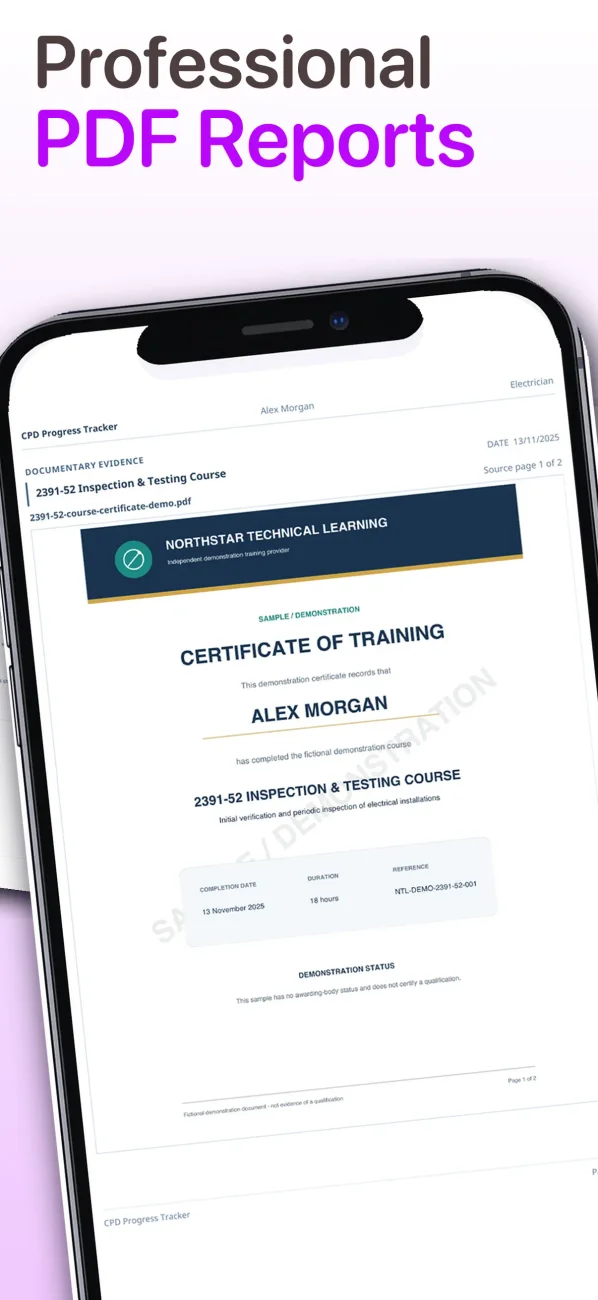
3. Professional PDF Reports
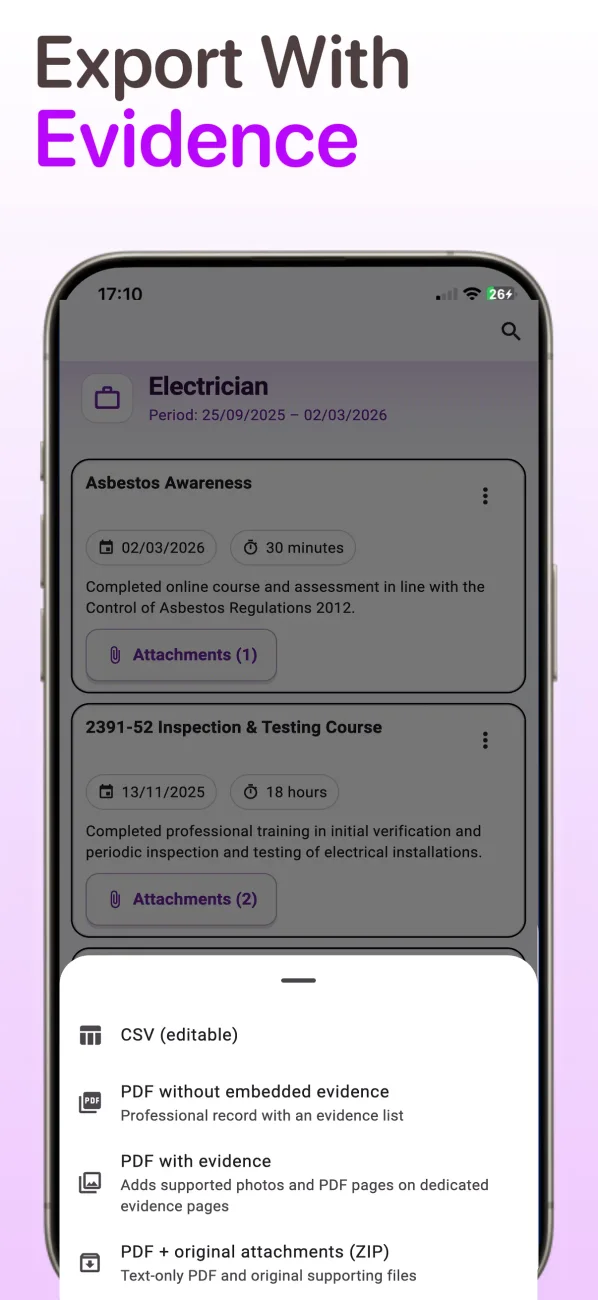
Turn your CPD records into clear, professional reports ready to share.
Choose from flexible export options including:
• PDF without embedded evidence
• PDF with evidence
• PDF plus original attachments in an accompanying ZIP
• CSV for use in spreadsheets and other systems
PDF with evidence can incorporate supported photographs and documentary evidence directly into the report, helping you create a useful record for audits, employer checks, portfolio reviews and professional registration.
When original files need to accompany a report, they can be supplied separately in a ZIP so the original evidence is retained.
4. Scan QR Codes
Use QR codes to quickly capture training or learning information and create CPD records with less manual entry.
Review the information before saving so you remain in control of your record.
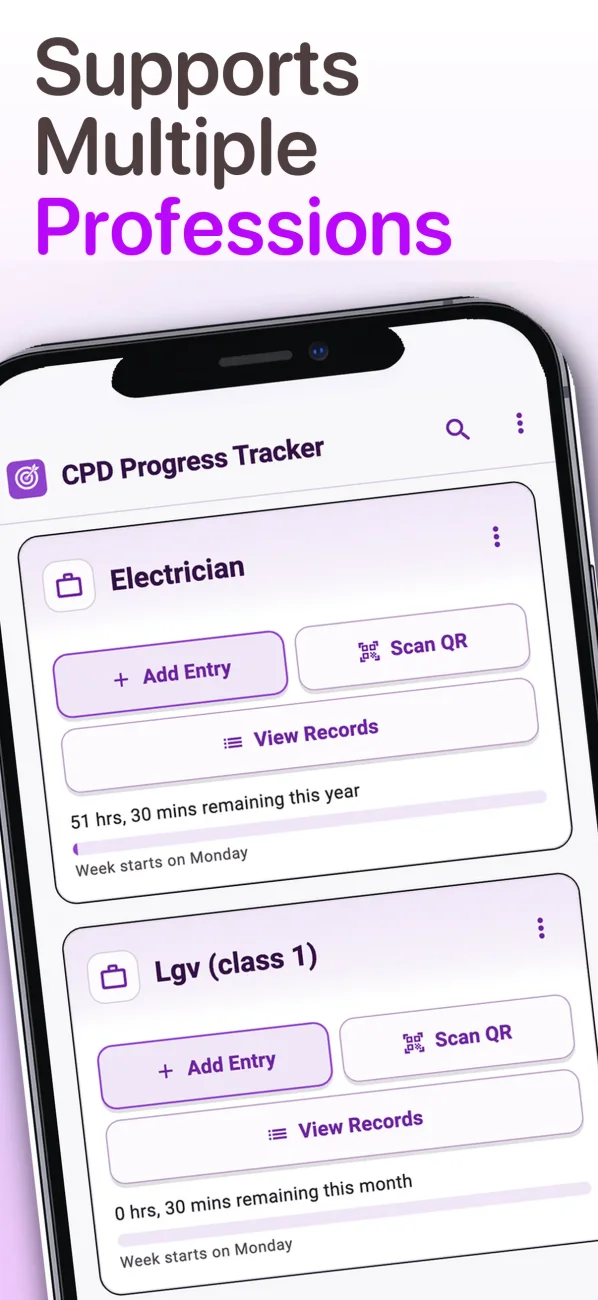
5. Multiple Professions
Maintain CPD for more than one profession, role or area of development within the same app.
Each profession can have its own:
• CPD records
• Progress
• Targets
• Filters
Useful for people who hold multiple roles, qualifications or professional responsibilities.
6. Set Targets and Track Progress
Set weekly, monthly or annual CPD targets and see your progress at a glance.
Progress indicators show how much development you have recorded against your target, helping you keep on top of ongoing requirements throughout the year.
Custom week-start settings are also supported for different working patterns, regions or organisations.
7. Find and Manage Your Records
Keep your CPD history organised and easy to revisit.
Browse previous activities, search your records and keep evidence with the relevant professional development instead of spread across folders, emails and paperwork.
BUILT FOR REAL-WORLD CPD
CPD Progress Tracker can be used across many professions, including:
• Electricians and skilled trades
• Engineers and technicians
• Healthcare professionals
• Teachers and trainers
• Managers and supervisors
• Apprentices and students
• Professionals maintaining evidence for career development or regulatory requirements
Whether you’ve completed a training course, attended a toolbox talk, developed a new skill or need to document learning from everyday work, you can record it while the details are still fresh.
KEEP YOUR CPD READY TO SHARE
Build a useful professional record over time instead of trying to reconstruct your CPD when an audit, appraisal or renewal is approaching.
Record the activity. Attach the evidence. Track your progress. Create a professional report when you need it.
CPD Progress Tracker puts your professional development in your hands.
What’s new
Version 1.4.1 · Nov 7, 2026
This update improves stability and record management.
• Fixed an issue that could cause the app to close unexpectedly on newer iOS versions.
• Improved profession renaming to keep associated CPD records and targets correctly linked.
• Added a Deleted Records section, allowing accidentally deleted records to be restored.
• Improved profession restoration and safeguards to help protect existing records.
Thank you for using CPD Progress Tracker!
App privacy
What BENJAMIN MATTHEW BAKER declares on the App Store about how this app handles data.
-
Data linked to you
May be collected and linked to your identity.
- Contact info
- User content
- Identifiers
Privacy practices may vary, for example with the features you use or your age.
Information
- Seller
- BENJAMIN MATTHEW BAKER
- Category
- Productivity
- Version
- 1.4.1
- Updated
- Nov 7, 2026
- Released
- Dec 12, 2025
- Size
- 29.0 MB
- Requires
- iOS 15.6 or later
- Age rating
- 4+
- Languages
- English
- Copyright
- © 2025 CPD Progress Tracker _ Benjamin Matthew Baker
You might also like
-
 CertlyEasy electrical certificates
-
 Electrical Tools and ReferenceThe Electricians App
-
 Pro CertsElectrical Certification App
-
 Adiabatic Equation CalculatorAdiabatic Equation Formula
-
 Simple AuditAudits, Snags & QA Simplified
-
 iCertifi Cloud Pro: SyncElectrical certs, every device
-
 MobileEOMModecsoft
-
 Diversity CalculatorMaximum demand and diversity
-
 Tradecert: AI Electrical CertsBS7671 Electrical Certificates