- Age rating12+
- CategoryUtilities
- DeveloperSiarhei Hladkou
- LanguagesEnglish
- Size3.6 MB
Links to the official App Store page
Download.org hosts no file of CreamAudio Recorder. The button opens its official App Store page, published by Siarhei Hladkou. Listing last checked on Nov 18, 2026.
Screenshots



About
CreamAudio Recorder captures audio the way engineers and musicians need it: straight from the hardware, with nothing added and nothing taken away.
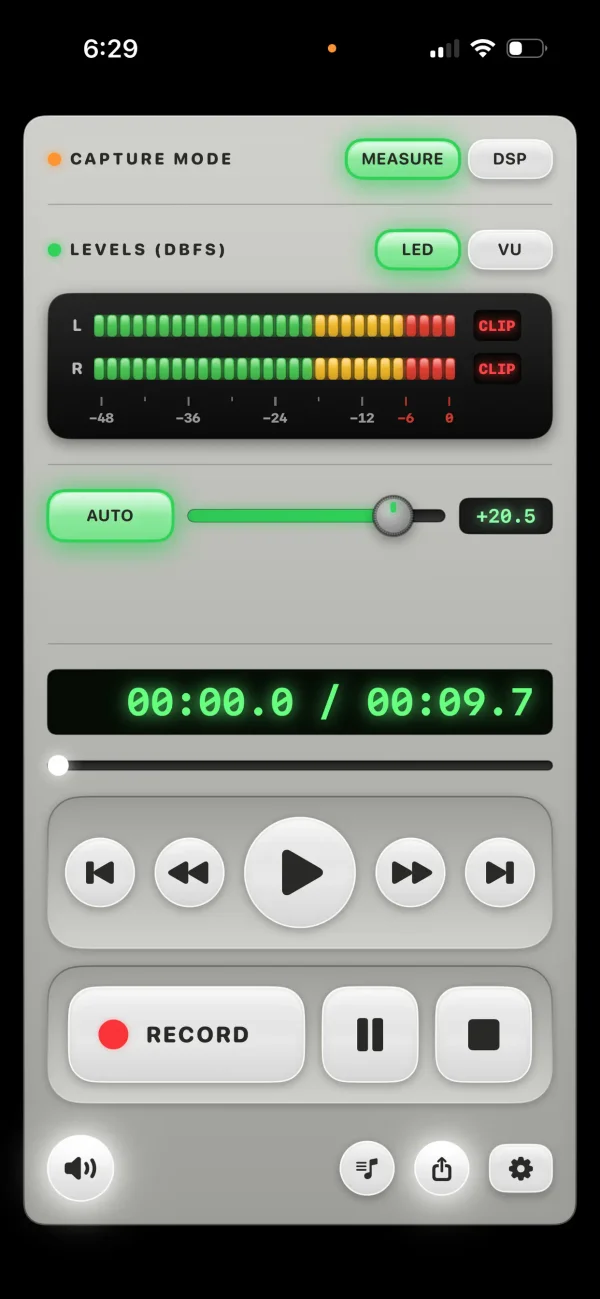
MEASURE mode — unprocessed, by default Every recording starts in MEASURE mode, which turns off automatic gain control, noise suppression, and EQ so what hits the file is the raw, linear signal from the input — the built-in mic, or an attached USB/Thunderbolt/class-compliant audio interface. No smoothing, no "enhancement," no surprises — just a clean, faithful, repeatable recording. Built for acoustic measurement, instrument capture, room tone, and any use where accuracy matters more than a processed sound.
DSP mode — Apple's stereo mic, when you want it (iPhone/iPad) Flip the switch to DSP mode on iPhone or iPad to hand the signal to Apple's mic-array processing and unlock true stereo capture from the built-in microphones, with the OS's natural-sound tuning (AGC/EQ/noise suppression) applied — good for interviews, ambience, and everyday recording where a fuller, processed sound is what you want. DSP mode only ever applies to the built-in mic; plug in an external interface and the signal is always the raw, unprocessed one.
Recording
Set your format before you hit record: WAV (24-bit PCM) or AAC (.m4a) at your choice of 96/128/192/256 kbps, recorded directly with no intermediate conversion
Share a take straight from the app via the standard system share sheet — AirDrop, Messages, Mail, Save to Files, or any other app — in the format you recorded (WAV by default)
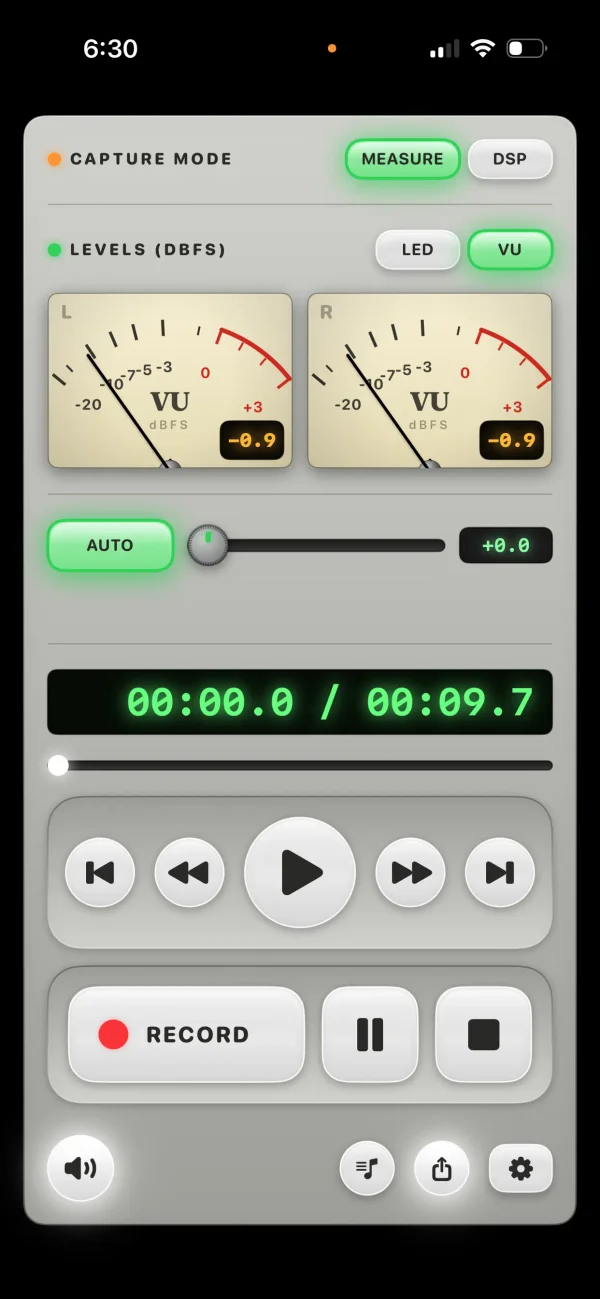
Record-level gain boost up to +24 dB, with optional auto level
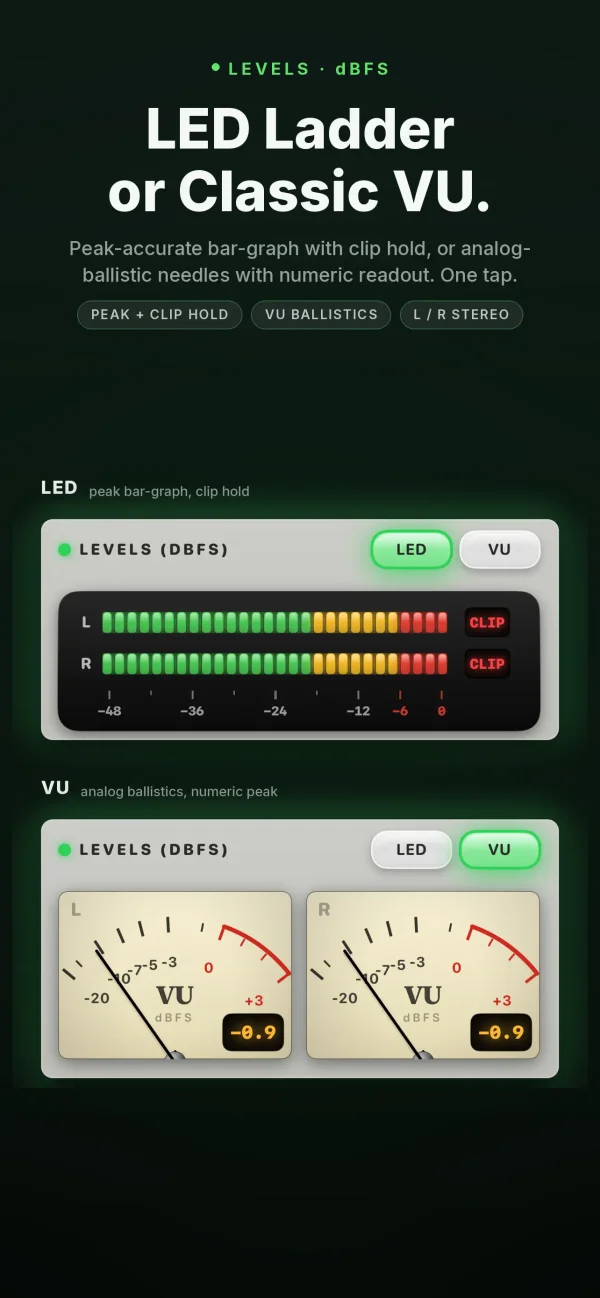
Live stereo metering: switchable analog VU needle or segmented LED ladder
Background recording continues when the app is backgrounded or the screen locks
Universal: macOS, iPhone, and iPad
CreamAudio Recorder is a paid app — a single purchase unlocks every feature described here. There are no subscriptions and no in-app purchases; all features are included.
What’s new
Version 1.0.1 · Oct 5, 2026
Your recordings now appear in the Files app, under On My iPhone → CreamAudio Recorder → Recordings, so you can copy or share them directly.
This update also fixes microphone and capture-mode issues and improves audio device reliability.
App privacy
What Siarhei Hladkou declares on the App Store about how this app handles data.
-
Data not collected
The developer does not collect any data from this app.
Privacy practices may vary, for example with the features you use or your age.
Information
- Seller
- Siarhei Hladkou
- Category
- Utilities
- Version
- 1.0.1
- Updated
- Oct 5, 2026
- Released
- Aug 19, 2026
- Size
- 3.6 MB
- Requires
- iOS 18.0 or later
- Age rating
- 12+
- Price
- $5.99
- Languages
- English
- Copyright
- © Siarhei Hladkou
You might also like
-
 GlobezonesConvert timezones
-
 SwissWalletEuro barcode + QR wallet
-
 Morse Decoder AINeural network technology
-
 AI Limits & Reset TrackerAlerts, widgets, reset timers
-
 Remocle - Timezone ConverterWorldClock & TimezoneConverter
-
 NiceClock AnalogThe beautiful analog clock app
-
 Decibel Meter - Noise AnalyzerAudio Spectrum - Sound Measure
-
 SDR-Control for IcomIC-705,7610,9700,7300,R8600
-
 iPerf - Speed Test ToolTest the limit of your network
-
 Resistor AI CalculatorUtilities