
Crew Sheet: Wedding Timeline
Day-of run of show & cue list
Designed for iPhone, iPad
Free · In-app purchases
- Age rating4+
- CategoryProductivity
- DeveloperIoan-Cristian Vezure
- LanguagesEnglish+ 11 more
- Size38.6 MB
Links to the official App Store page
Download.org hosts no file of Crew Sheet: Wedding Timeline. The button opens its official App Store page, published by Ioan-Cristian Vezure. Listing last checked on Nov 18, 2026.
Screenshots

About
Run every wedding from your wrist.
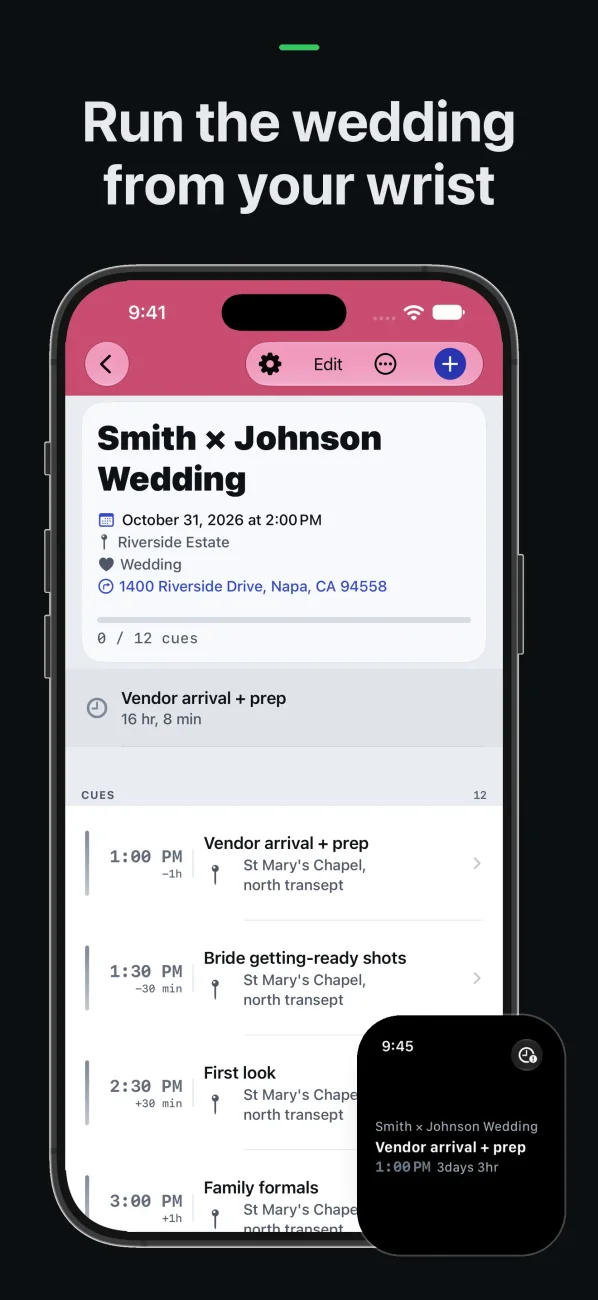
Crew Sheet is the Apple Watch–first timeline app for wedding photographers, DJs, planners, and videographers. Build your run-of-show cue list on iPhone, then check off each moment from your Watch — hands-free, the moment it matters.
———————— KEY FEATURES ————————
INSTANT WATCH ACCESS
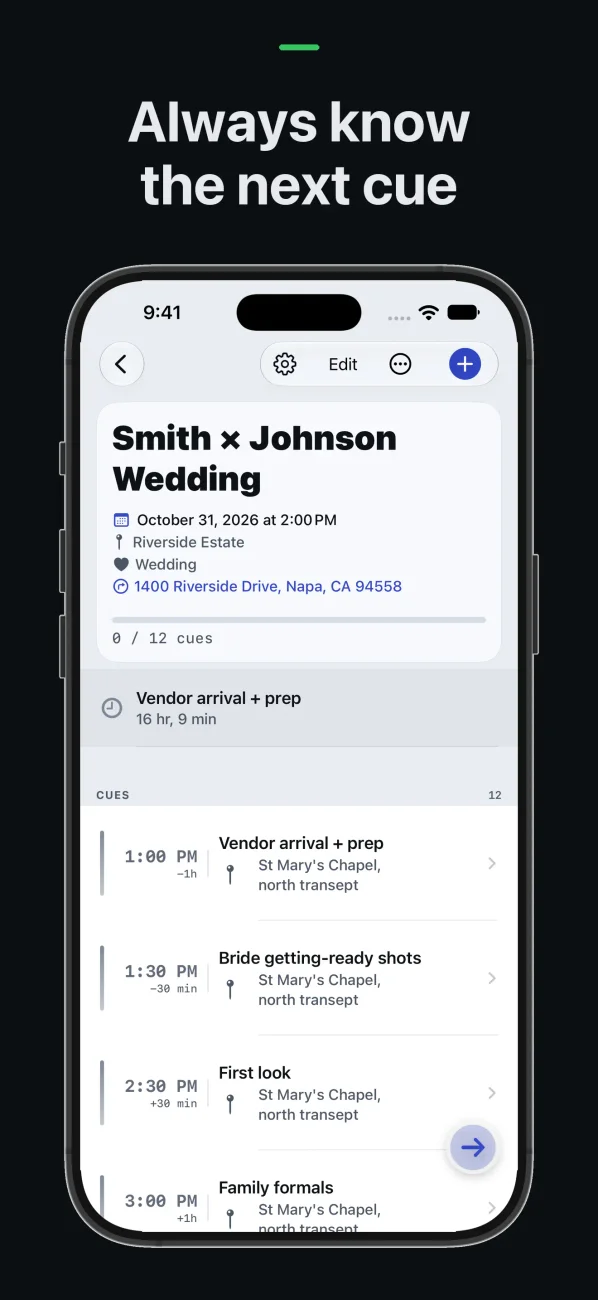
The next cue is always one glance away. Put it on your watch face with the Crew Sheet complication, which shows what's coming and when — no more unlocking your phone mid-ceremony. On Apple Watch Series 9, Ultra 2 and later, Double Tap marks the cue you're viewing as done.
WEDDING MODE
Activate at the start of the day. Check cues off from your Watch and they sync back to iPhone; edits you make on iPhone flow out to the Watch. Tap a cue reminder to open that cue, or use "Mark done" on the reminder to complete it without opening the app.
RUNNING LATE?
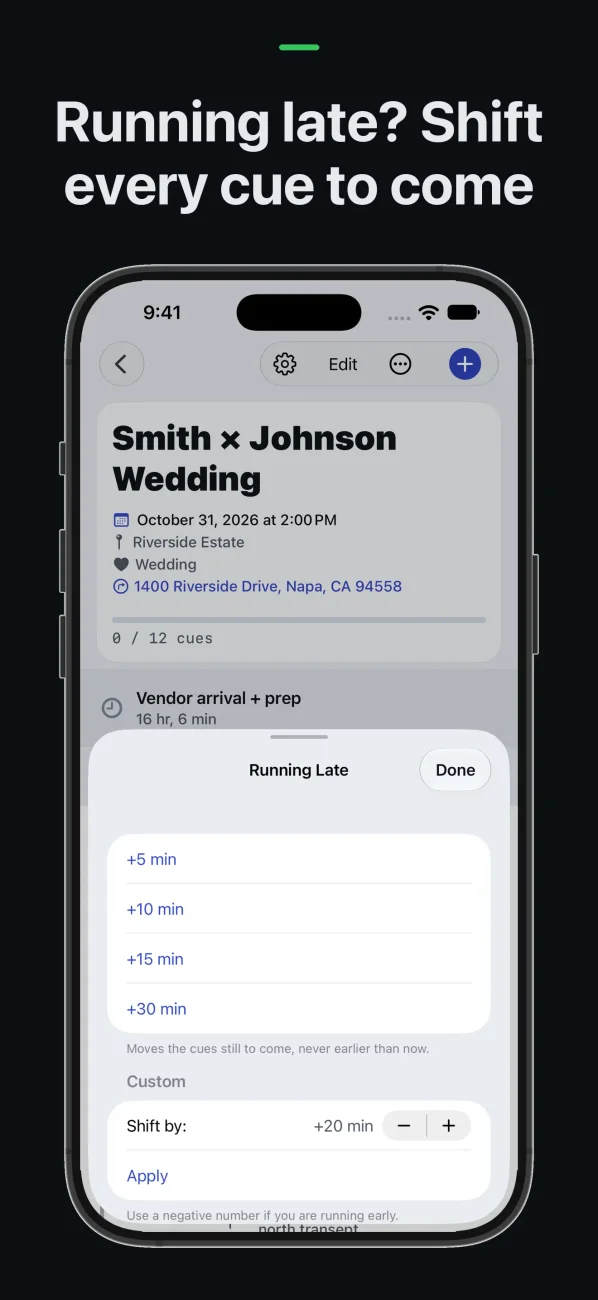
Open an event's ⋯ menu, choose "Running late…" and push every cue still to come by 5, 10, 15 or 30 minutes, or a custom amount. Cues you've already checked off stay put, and reminders, the Live Activity, widgets and your Watch pick up the new times. "Undo last shift" puts everything back. On your Watch, the clock button on the home screen shifts cues by 5, 10, 15 or 30 minutes and your iPhone applies it.
LIVE ACTIVITY + DYNAMIC ISLAND
A persistent countdown in the Dynamic Island tracks your next cue across every app. Five phases (Upcoming → Approaching → Imminent → Active → Overdue) signal exactly where you are in the timeline at a glance. During Wedding Mode, the Live Activity also appears in the Apple Watch Smart Stack with its own compact layout: phase, next cue and countdown.
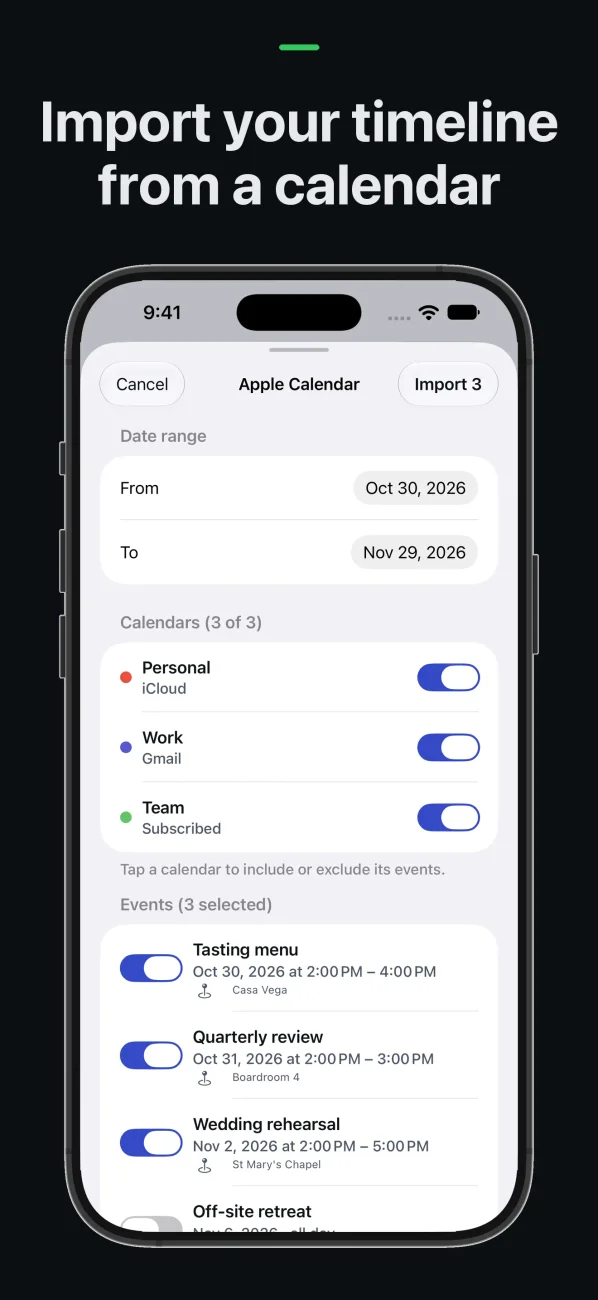
IMPORT YOUR GOOGLE CALENDAR TIMELINE
Already built your run-of-show in Google Calendar or Outlook? Import it in one tap via .ics. Every event becomes a cue — review and confirm before anything is saved.
EXPORT A PDF CREW SHEET
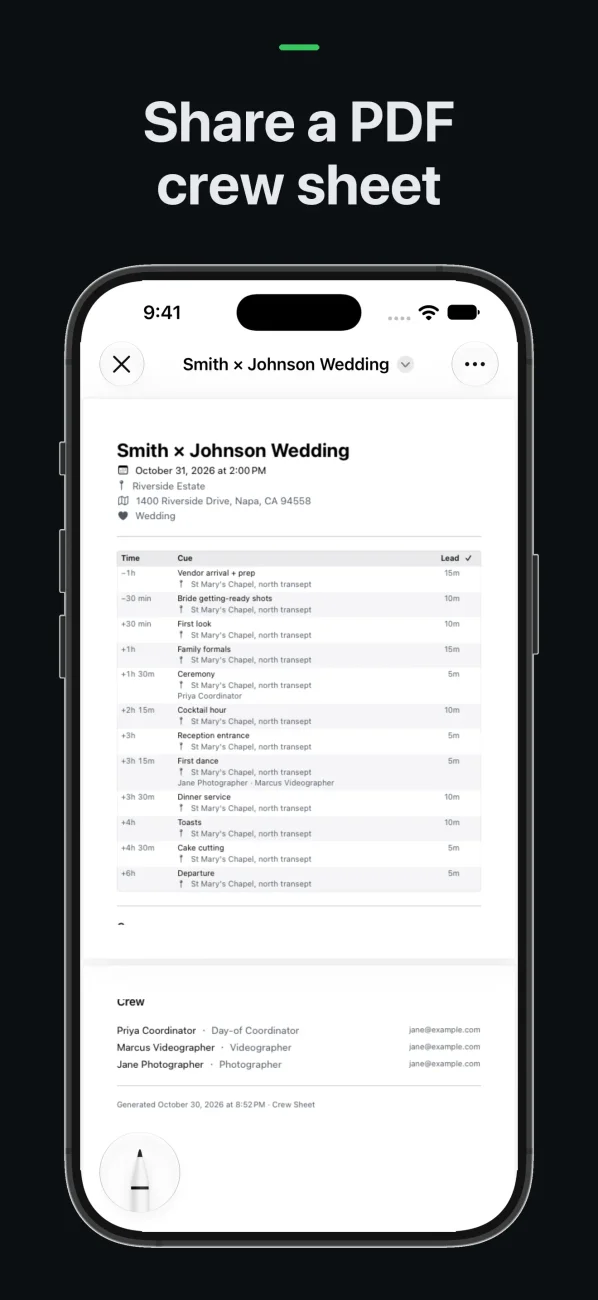
Share a beautifully formatted crew sheet with your team via AirDrop, iMessage, or email. One tap — no third-party app needed.
BUILD YOUR TIMELINE IN MINUTES
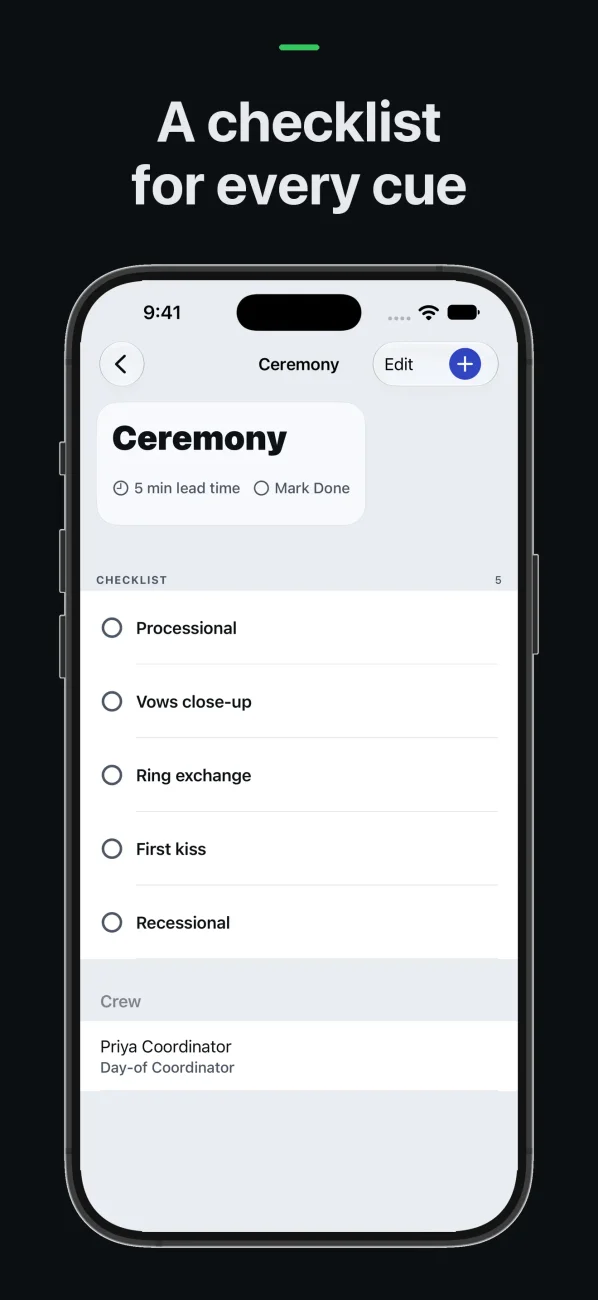
Add cues with a time offset from the event start (e.g. "+45 min · Cake cutting"). Set a lead-time reminder (5, 10, 15, 30 min). Check off each cue as you go.
COLLABORATORS
Log your entire crew — DJ, videographer, second shooter, florist — with role and contact info. Printed on the PDF crew sheet automatically.
———————— PRICING ————————
Free to try: 3 events · 10 cues · 5 checklist items per cue.
Crew Sheet Pro (one-time purchase): unlimited events + cues + checklist items.
Pay once. No ads. Your data stays in your iCloud — always private.
———————— REQUIREMENTS ————————
iPhone with iOS 18 or later.
Apple Watch with watchOS 11 or later (optional, but where the magic happens).
What’s new
Version 1.1.6 · Nov 17, 2026
More dependable on the day of the event:
• Reminders: scheduling one event no longer removes another event's reminders, a cue marked done stops reminding you, and reminders refresh when you return to the app.
• Reminders now appear as a banner while the app is open.
• Wedding Mode can be turned on at any time on the event day, and the event screen says whether reminders are on.
• Every cue row has a done control, and Running late is now a button on the next-cue strip.
• A cue's own screen shows its time and location.
• The crew sheet PDF shows clock times and uses your region's paper size.
• If a save fails, the editor tells you and keeps what you typed.
App privacy
What Ioan-Cristian Vezure declares on the App Store about how this app handles data.
-
Data not linked to you
May be collected but is not linked to your identity.
- Diagnostics
Privacy practices may vary, for example with the features you use or your age.
Information
- Seller
- Ioan-Cristian Vezure
- Category
- Productivity
- Version
- 1.1.6
- Updated
- Nov 17, 2026
- Released
- Aug 16, 2026
- Size
- 38.6 MB
- Requires
- iOS 18.0 or later
- Age rating
- 4+
- Price
- Free
- In-app purchases
- Yes
- Languages
- English, Dutch, French, German, Italian, Japanese, Korean, Polish, Portuguese, Simplified Chinese, Spanish, Swedish
- Copyright
- © 2026 Ioan-Cristian Vezure
You might also like
-
 StageFlowShow planning & live timing
-
 Beauty: Markdown EditorPrivate notes. Beautifully.
-
 Vidlead StudioProductivity
-
 CC360°CC360°
-
 LucidLinkYour filespace, in your pocket
-
 Karo: Tasks, Todo List PlannerDaily Personal, Shared Manager
-
 Agent Keyboard - Chat AnalysisYour Toxic-Relationship Coach
-
 TouchMix-30 ControlProductivity
-
 IGNITE by Member Minder ProProductivity
-
 Scan to ExcelFast scanning to Excel