- Age rating4+
- CategoryProductivity
- DeveloperMoritz Wallawitsch
- LanguagesEnglish
- Size31.6 MB
Links to the official App Store page
Download.org hosts no file of Cronus - AI Time Tracker. The button opens its official App Store page, published by Moritz Wallawitsch. Listing last checked on Nov 18, 2026.
Screenshots
About
Cronus is the iPhone companion to the Cronus time tracker for Mac.
The Mac app watches what you actually work on and builds your day for you, with no timers to start and nothing to remember. This app puts that day in your pocket, and adds the two things a laptop cannot see: the time you spend away from it, and the time you spend on your phone.
SEE WHERE YOUR TIME ACTUALLY GOES
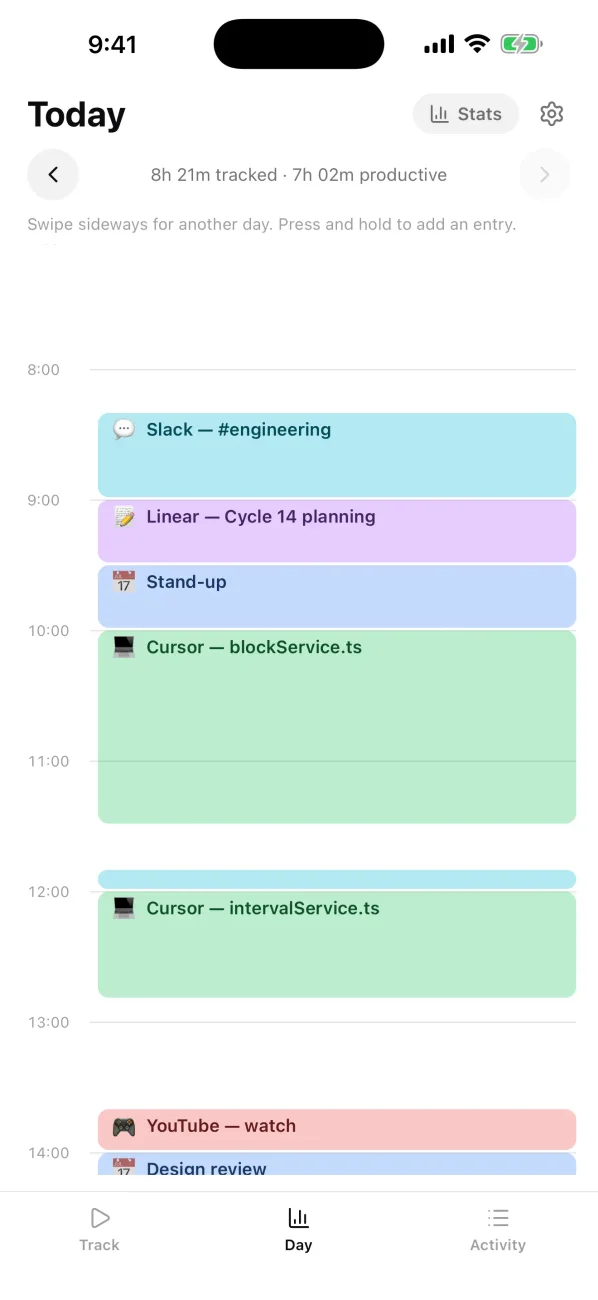
Open the app and today is already drawn: every block of work, every distraction, to scale. Pinch to zoom into a busy afternoon, swipe sideways to compare it to yesterday. No stopwatch, no tags to maintain, no timesheet to fill in on Friday.
FIX A CATEGORY IN ONE TAP
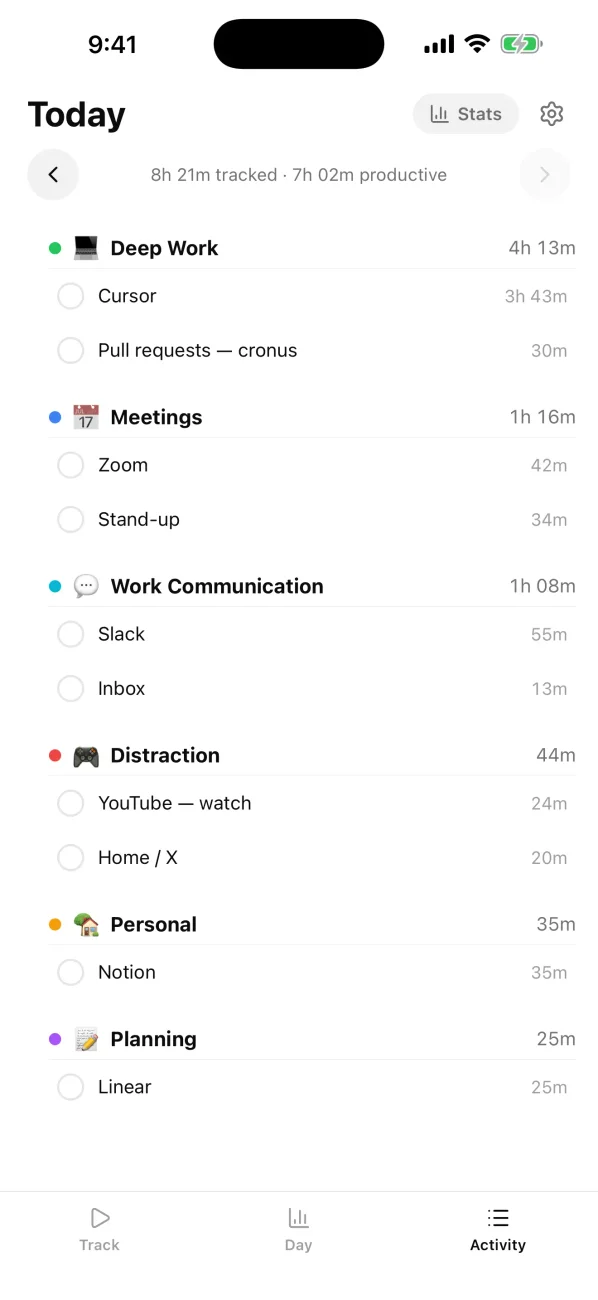
Cronus is context-aware rather than rule-based, because a rule cannot know that half an hour on LinkedIn was recruiting and the other half was doom scrolling. When it gets one wrong, tap the block and pick the right category. The correction stands from that day onward, and your Mac follows it.
LOG THE TIME YOU WERE NOT AT A COMPUTER
A conference, a coffee, a walk that turned into the best thinking of the week. Start an entry from the Track tab and stop it when you are done, or press and hold anywhere on the timeline to fill in a stretch you already spent.
ADD YOUR PHONE'S DISTRACTIONS, IF YOU WANT THEM
Instagram at 11pm is part of your day whether or not it happened on a laptop. Name an app, pick it once in the Screen Time picker iOS shows you, and the time you spend there lands on the same calendar as everything else. This is entirely opt-in and entirely specific: Cronus only ever sees the apps you point it at, it never gets a list of what is on your phone, and the names it stores are the names you typed.
THE WEEK AT A GLANCE
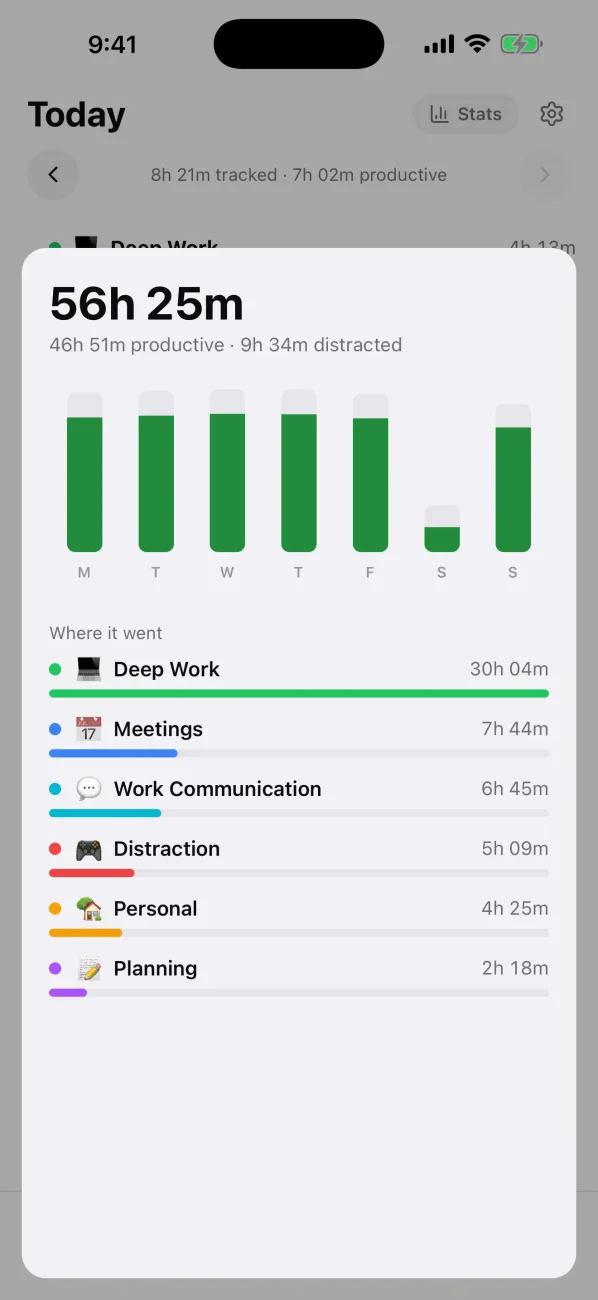
Seven days of bars, your categories ranked biggest first, and the apps and sites inside each one. Select a run of them and move them all to another category at once.
WHAT YOU NEED
Cronus for iPhone requires a Cronus account and the Cronus app for Mac, which is where the automatic tracking happens. The Mac app is free for 21 days of actual use, days you do not open it do not count, and $6 a month after that. There is no purchase inside this app.
ON PRIVACY
Cronus never captures, saves or transmits an image of your screen, on any platform. On the phone, the only thing measured is how long you spent in the specific apps you added yourself, and Apple's Screen Time API is built so that we cannot learn anything else: iOS hands the app an opaque token, never an app name, so what reaches our server is the label you chose and a duration. Screen Time access is optional and can be revoked in Settings at any time.
Read the full policy at https://cronushq.com/privacy
What’s new
Version 1.0.3 · Oct 4, 2026
• Stats now matches the Mac app: focused time against your usual, a focus line across the day or the week, and a ring showing where the time went.
• A lighter green, the same one the Mac app uses.
• Tap a group or "more" in the list to see what is inside it.
App privacy
What Moritz Wallawitsch declares on the App Store about how this app handles data.
-
Data linked to you
May be collected and linked to your identity.
- Contact info
- User content
- Identifiers
- Usage data
- Diagnostics
Privacy practices may vary, for example with the features you use or your age.
Information
- Seller
- Moritz Wallawitsch
- Category
- Productivity
- Version
- 1.0.3
- Updated
- Oct 4, 2026
- Released
- Sep 30, 2026
- Size
- 31.6 MB
- Requires
- iOS 16.4 or later
- Age rating
- 4+
- Price
- Free
- Languages
- English
- Copyright
- © 2026 Cronus
You might also like
-
 drifty: Time Tracker & BlockerDaily app limits & focus
-
 LeechlineProductivity
-
 KineoAppMore Details, Less Writing.
-
 CreosA second brain for creators
-
 QWERTY mini Std ENGEasy and comfortable typing
-
 Hejour - Daily Notes & TodosJournal, diary & day planner
-
 Task Master 2026 - SuccessBoost productivity levels
-
 FluidVox: Speech To TextRecord Lectures, Voice Memos
-
 MAITRIXUltimate AI: Chat, Art & Code
-
 PrompTessor - AI PromptGenerate & Optimize AI Prompts