Crop audio: Audio Editor
Cut MP3, change volume & edit
Designed for iPhone, iPad, iPod touch
Free
- Age rating4+
- CategoryUtilities
- DeveloperJAEMIN LEE
- LanguagesEnglish
- Size44.6 MB
Links to the official App Store page
Download.org hosts no file of Crop audio: Audio Editor. The button opens its official App Store page, published by JAEMIN LEE. Listing last checked on Nov 16, 2026.
Screenshots
About
Crop audio is a simple audio editing tool that lets you precisely cut exactly the part you want from audio files and even adjust the volume.
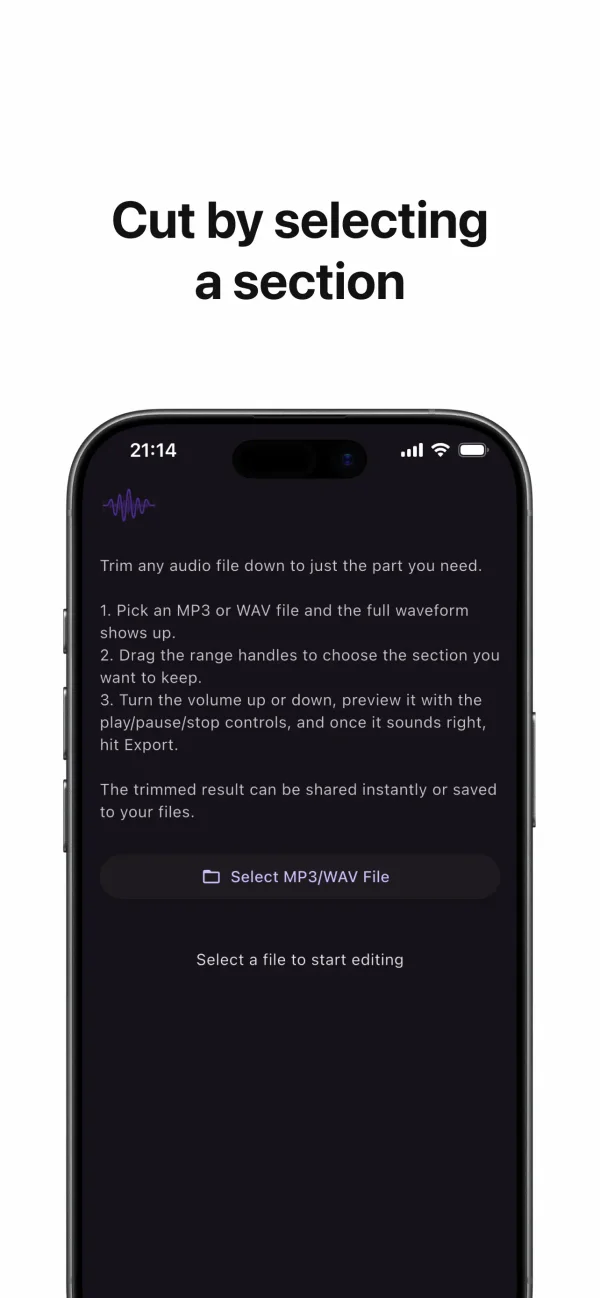
Without any complex editing software, just a few taps allow you to crop MP3 and WAV files to your desired range and immediately save or share them.
Use it for various purposes, such as ringtones, alarm sounds, social media clips, or extracting parts of lecture and meeting recordings.
■ Key Features
· Waveform Visualizer
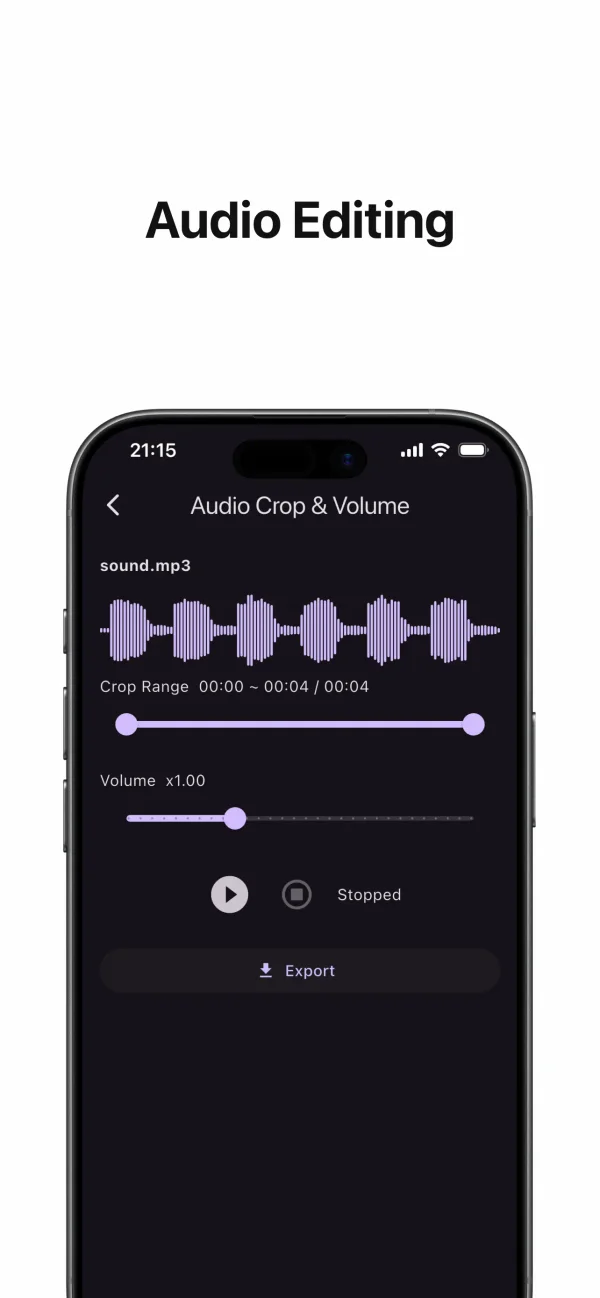
When you load an audio file, the full waveform unfolds on the screen, letting you visually check loud and quiet parts to decide where to cut.
· Precise Range Selection (Crop)
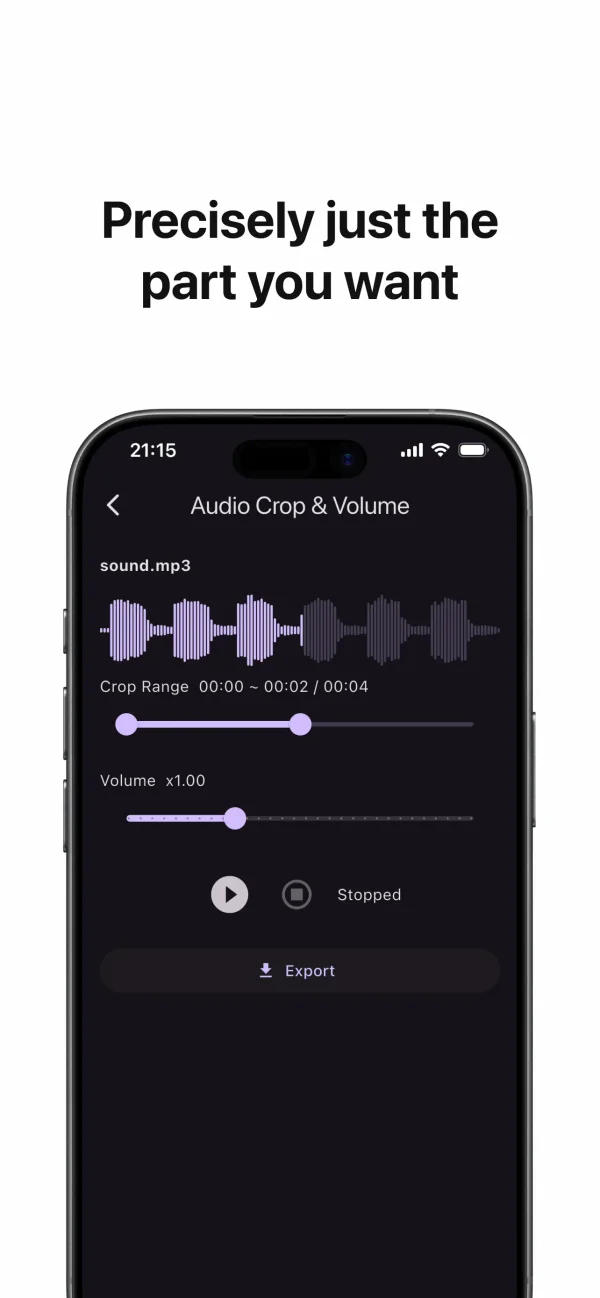
Drag the sliders to freely adjust the start and end points. The selected range is highlighted in color right on the waveform.
· Volume Adjustment
Boost or lower the volume as much as you need, from 0.1x to 3.0x. Easily adjust tracks that were recorded too quietly or too loudly.
· Preview with Play / Pause / Stop
Before exporting, you can preview the selected range with the adjusted volume applied. Freely play, pause, and stop to make sure it's exactly what you want.
· Fast Export & Share
Once editing is done, you can instantly save it as a file or share it with other apps.
■ Recommended For
- Anyone who wants to extract a short clip from a long track to use as a ringtone or alarm.
- Anyone looking to extract specific parts from lectures, meetings, or interview recordings.
- Anyone who needs to trim audio clips short for social media uploads.
- Anyone who needs to adjust a track because the volume is too quiet or too loud.
■ Supported Formats
Supports MP3 and WAV files.
Get your audio editing done quickly and effortlessly with Crop audio—simple, yet packed with all the essential features you need!
What’s new
Version 1.0.1 · Sep 6, 2026
Updated Privacy Policy link.
App privacy
What JAEMIN LEE declares on the App Store about how this app handles data.
-
Data used to track you
May be used to track you across apps and websites owned by other companies.
- Location
- Identifiers
- Usage data
- Diagnostics
-
Data not linked to you
May be collected but is not linked to your identity.
- Location
- Identifiers
- Usage data
- Diagnostics
Privacy practices may vary, for example with the features you use or your age.
Information
- Seller
- JAEMIN LEE
- Category
- Utilities
- Version
- 1.0.1
- Updated
- Sep 6, 2026
- Released
- Jul 2, 2026
- Size
- 44.6 MB
- Requires
- iOS 15.0 or later
- Age rating
- 4+
- Price
- Free
- Languages
- English
- Copyright
- © 2025 drendrendren. All Right Reserved.
You might also like
-
 Audio Trim & Slice : TrimAudioTrim, Slice & Merge Audio
-
 AudioTrim: Trim & Cut AudioVoice Memo & MP3 Trimmer
-
 AudioCutUtilities
-
 Audio Editor - RingTone MakerAudio Extractor,MP3 Converter
-
 Pluck: Audio EditorSimple Trim, Cut, and Fade
-
 Wave Audio EditorAudio Editor Utility
-
 Audio Editor - MP3 Cutter AppConvert, Merge & Trim Audio
-
 Audacity - Record AudioUtilities
-
 Volume Booster GOODEVAudio EQ & Bass Booster
-
 Audio Editor | AudioLab, MixerAudacity | AUP3, MP3 Creator