
CrossSend
Cross-Platform File Share
Designed for iPhone, iPad, Mac, iPod touch
Free
- Age rating4+
- CategoryUtilities
- Developer融 林
- LanguagesEnglish+ 7 more
- Size35.6 MB
Links to the official App Store page
Download.org hosts no file of CrossSend. The button opens its official App Store page, published by 融 林. Listing last checked on Nov 17, 2026.
Screenshots


About
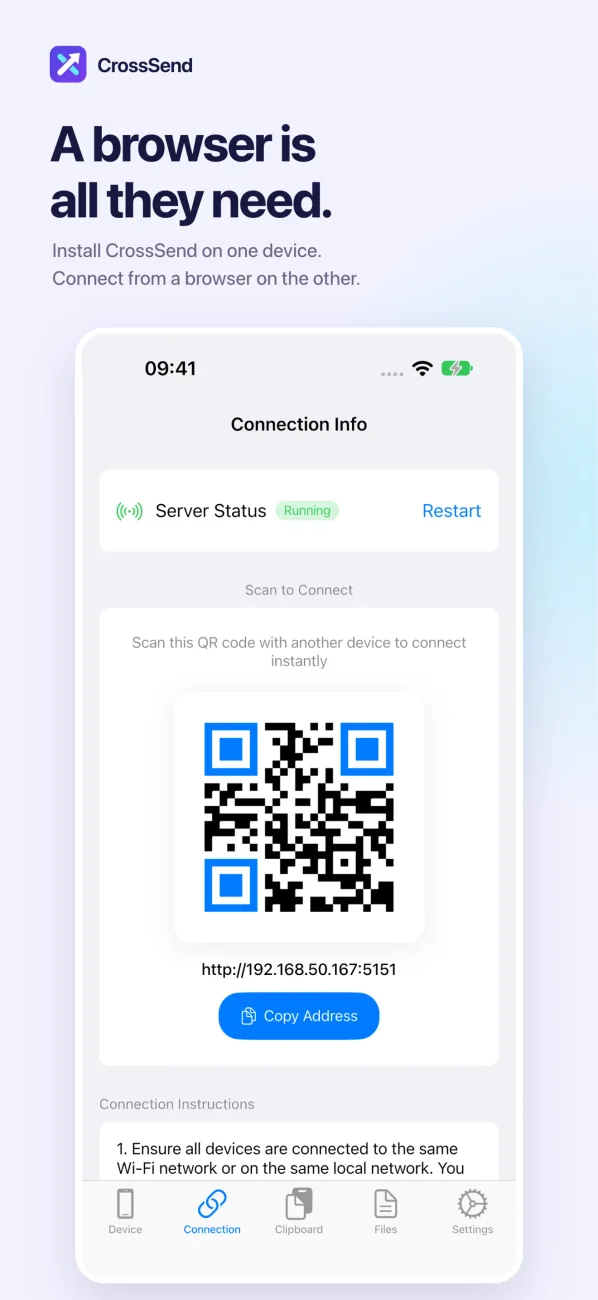
Move photos from your phone to your computer, or bring documents back the other way. Install CrossSend on one device and use a browser on the other to send files and text in both directions over the same local network.
One install. Two-way transfers.
• The other device only needs a browser—no additional app installation.
• Scan the QR code on the connection screen or enter the address in a browser.
• Basic local-network transfers do not require an account. When connection verification is enabled, enter the verification code to connect.
Photos, videos, documents and text
• Send files between phones, tablets and computers on the same network.
• Share links and notes alongside files in a device conversation.
• Preview received images in CrossSend and keep the conversation going.
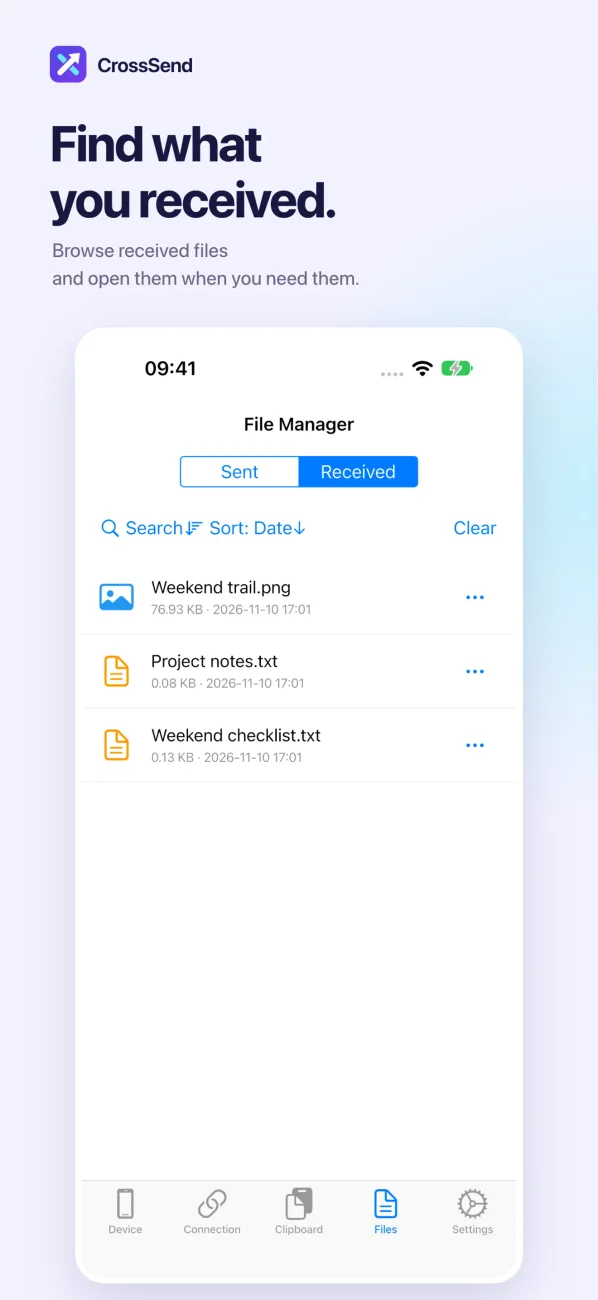
Easy to find after you receive
• Browse sent and received files in one place.
• Open or share a received file when you need it.
• On iPad and the unfolded iPhone Duo, see your device list and conversation side by side.
Get started in three steps
1. Connect your devices to the same Wi-Fi or local network that allows communication between devices.
2. Open the connection screen in CrossSend. On the other device, scan the QR code or enter the displayed address in a browser.
3. Follow the connection prompts, then send and receive files in either direction.
Keep CrossSend running and your devices connected during transfers. Guest Wi-Fi and some workplace networks may block connections between devices.
What’s new
Version 1.3.7 · Nov 10, 2026
Added support for iPhone Duo.
App privacy
What 融 林 declares on the App Store about how this app handles data.
-
Data linked to you
May be collected and linked to your identity.
- Contact info
- Identifiers
-
Data not linked to you
May be collected but is not linked to your identity.
- Identifiers
- Usage data
- Diagnostics
Privacy practices may vary, for example with the features you use or your age.
Information
- Seller
- 融 林
- Category
- Utilities
- Version
- 1.3.7
- Updated
- Nov 10, 2026
- Released
- May 13, 2025
- Size
- 35.6 MB
- Requires
- iOS 15.0 or later
- Age rating
- 4+
- Price
- Free
- Languages
- English, French, German, Japanese, Korean, Portuguese, Simplified Chinese, Spanish
- Copyright
- © 2025 Lin Rong
You might also like
-
 ViaShare – Fast File TransferFast LAN & WiFi File Sharing
-
 TunnellessTailscale with no VPN profile
-
 Timo: AI Agents in Your PocketRun tasks on your Mac remotely
-
 WakeDockUtilities
-
 简传互信无线文件传输助手Utilities
-
 龙虾派Utilities
-
 LanLinkUtilities
-
 Detriment WiFi SecurityWiFi Network Scanner
-
 NovaFlow NAS1 kWh/year private NAS server
-
 SSH EasySSH and SFTP workspace