
CrossShift - Shift Schedule
Shift Calendar & Alarm Tracker
Designed for iPhone, iPad
Free · In-app purchases
- Age rating4+
- CategoryProductivity
- Developer培培 李
- LanguagesEnglish+ 17 more
- Size128.7 MB
Links to the official App Store page
Download.org hosts no file of CrossShift - Shift Schedule. The button opens its official App Store page, published by 培培 李. Listing last checked on Nov 22, 2026.
Screenshots



About
Room for life, even when shifts change.
Rosters, alarms and work records for rotating shifts and irregular routines.
SCHEDULES & ALARMS
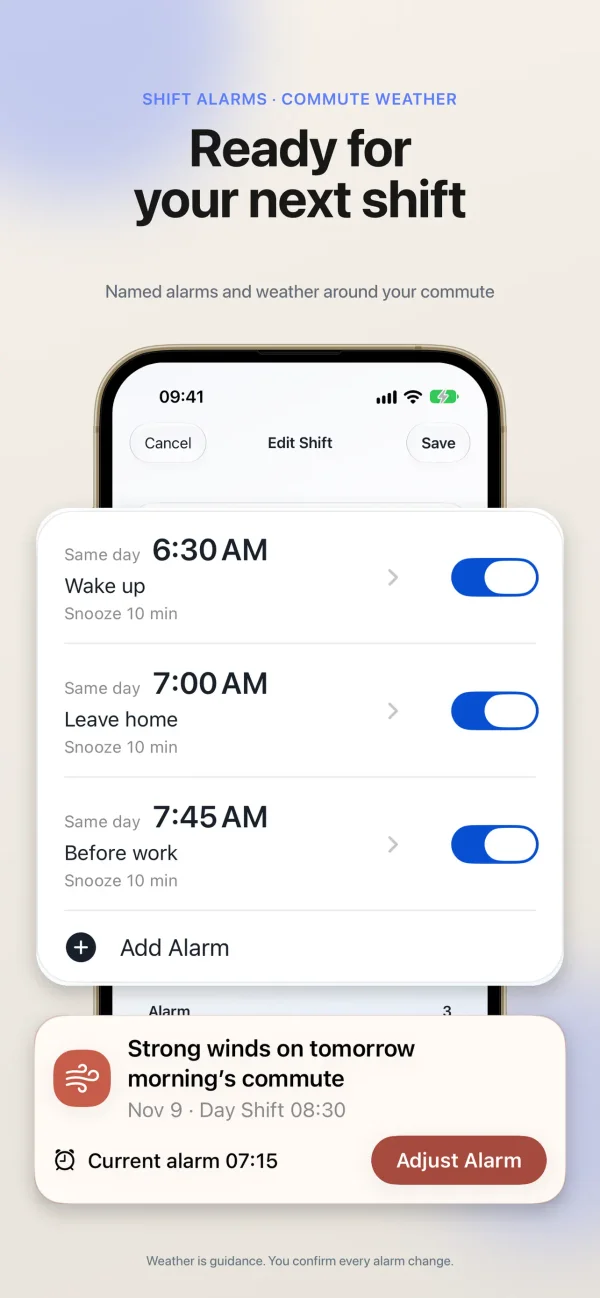
Set shift hours and alarms. Cycles, dated changes, multiple daily shifts, batch edits and regional holiday/make-up days. Customize rest-day names/icons/colors; default: no alarm, work hours or leave deduction. Name alarms; choose personal or one team calendar for alarms, independently of the calendar viewed.
WEATHER REMINDERS
Home shows weather, shift and alarm. Tap to edit; confirm each change. With consent, ongoing cloud reminders use the last synced area, roster and alarms, including cycles/holidays. Sync changes; forecasts/alerts depend on network, system and permissions.
VOICE & TIMING
Optional on-device speech reads shifts/available forecasts: Chinese voices, three speeds, preview; off by default. Move automatic alarms 1–180 minutes by weekday/date. Dates take priority; one-time manual edits stay. Guided setup: skip, resume, saved drafts.
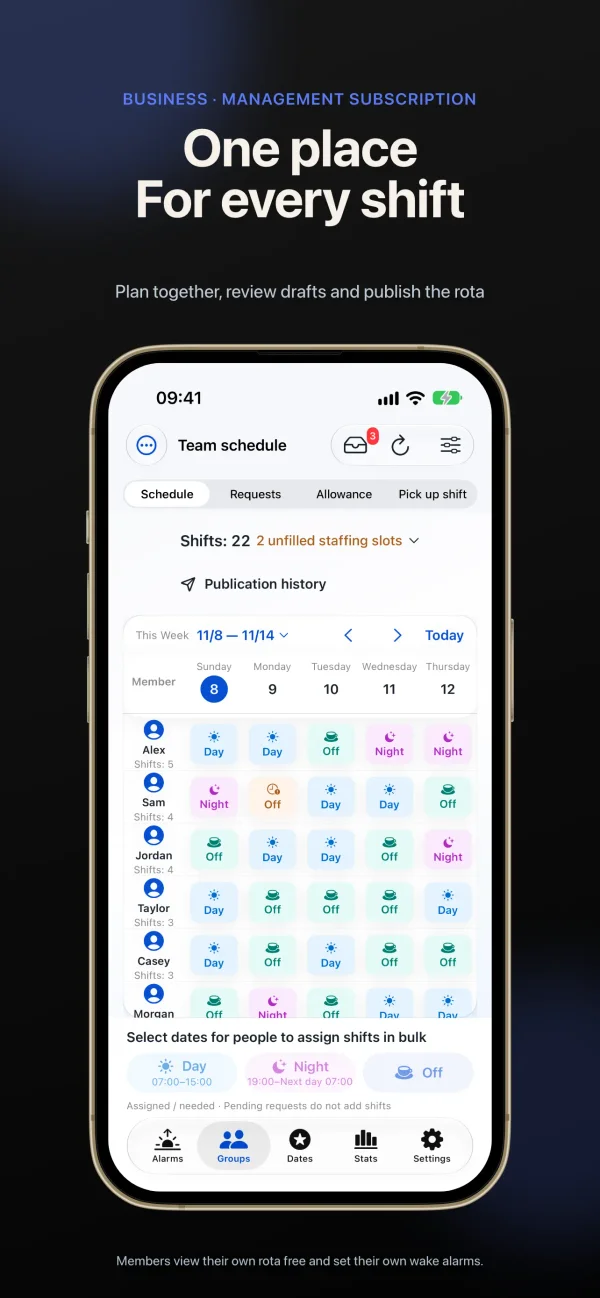
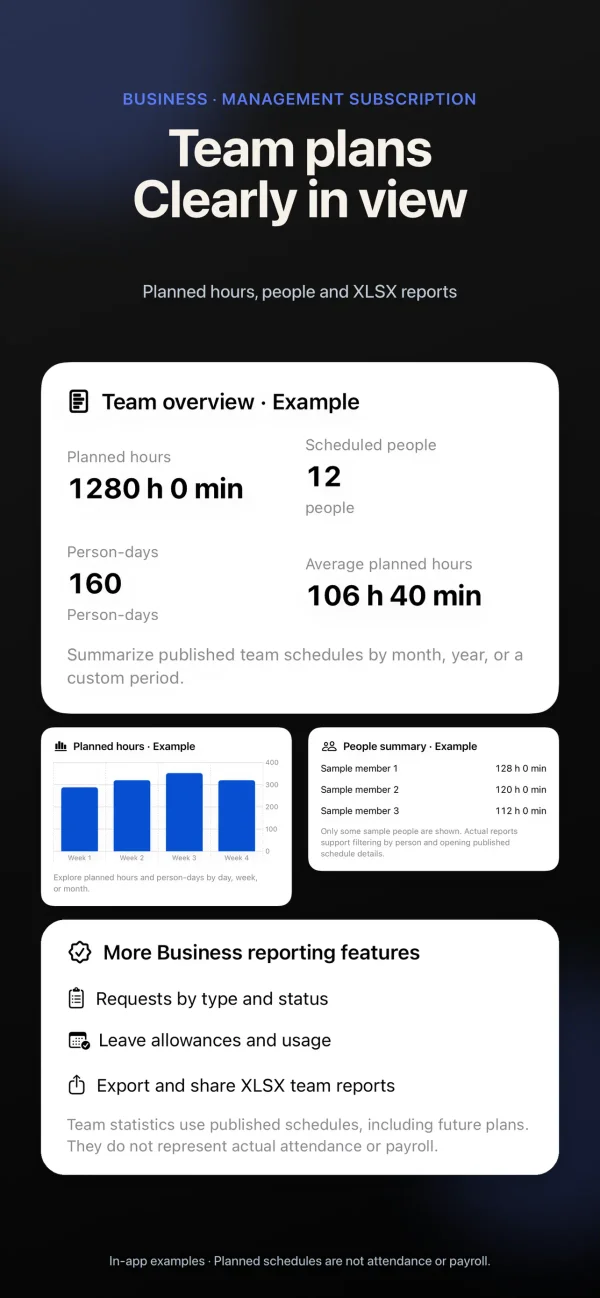
BUSINESS TEAMS
Owners manage people/shifts, review/publish rosters and handle swap, overtime, leave and handover requests. Members view their roster and request free; they set their own alarms, never activated by publication. Plans, hours, leave balances and exports follow permissions, not actual attendance/payroll. Business includes personal Pro for its holder, not all members. Delegation/ownership transfer require rights and Business eligibility.
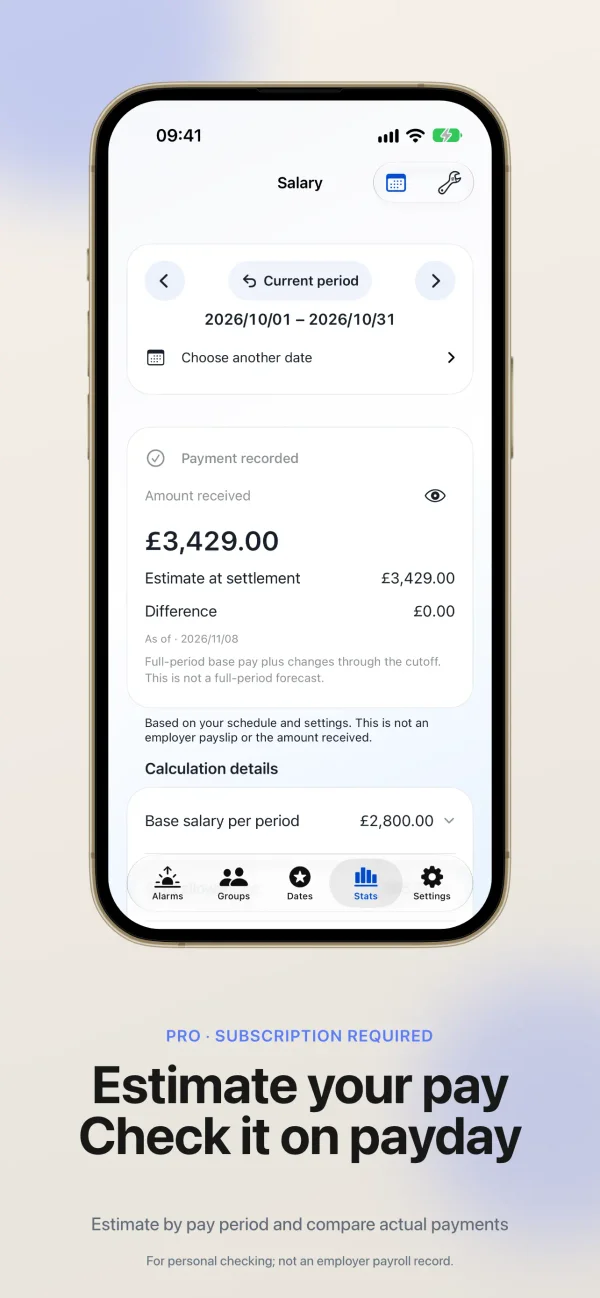
HOURS, LEAVE & PAY
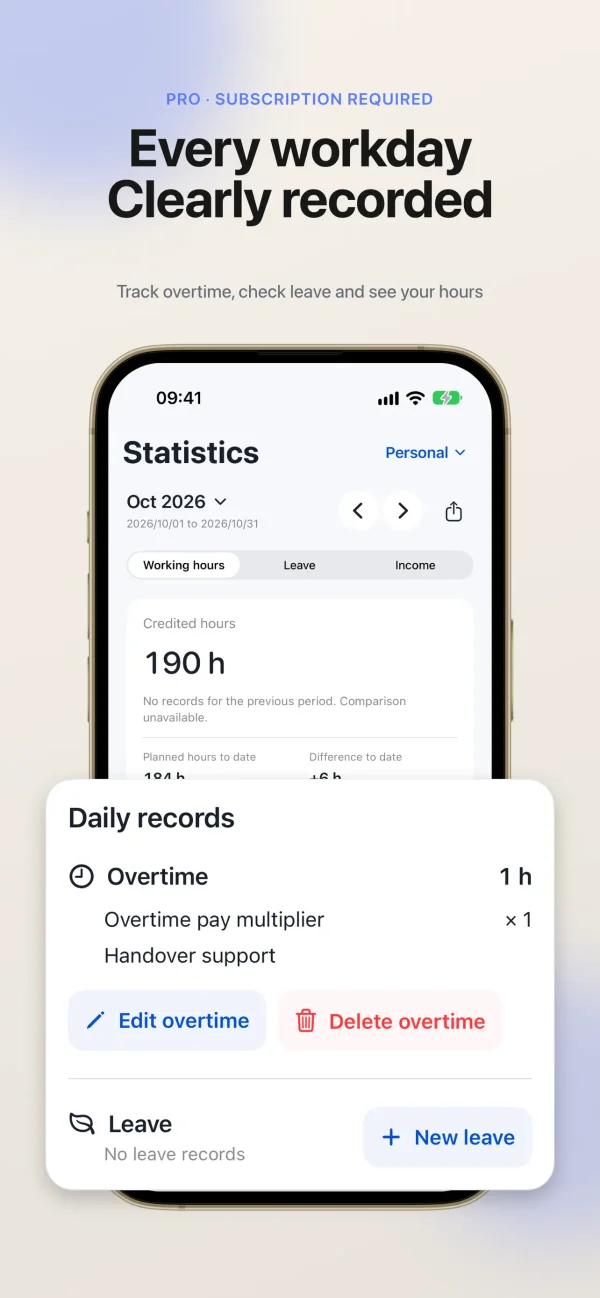
Free completed-shift counts by month/year/custom period; custom closing dates or fixed-day cycles. Pro: planned/counted hours, differences, overtime, notes, rates, leave quotas and time off in lieu. Enter overtime or calculate from planned/actual end times and breaks. Date details/editors show saved records: edit/delete/revoke, full-screen overtime, daily/total leave deductions. Pro estimates pay by pay period, records received pay and differences, not employer payroll.
LIVE ACTIVITIES
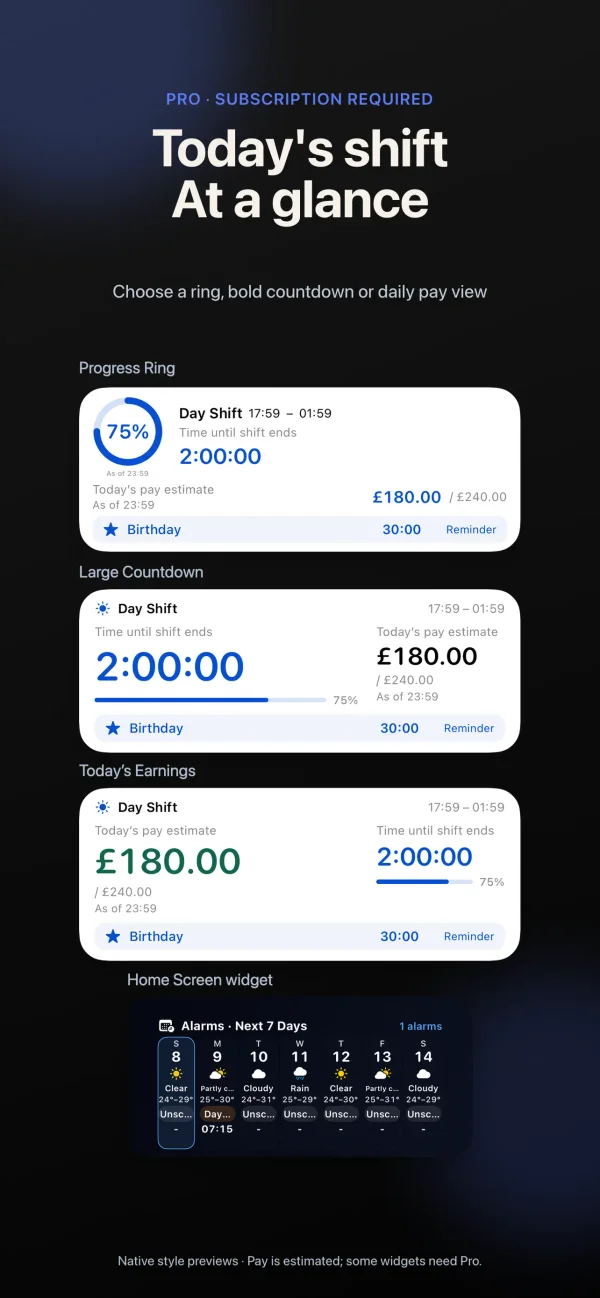
Pro: ring, large countdown or today's earnings; progress, estimated pay, anniversaries. Choose content/hide amounts. Push refresh depends on network/system. Pay is timestamped, refreshed on opening, not continuous actual income.
IMPORT & EXPORT
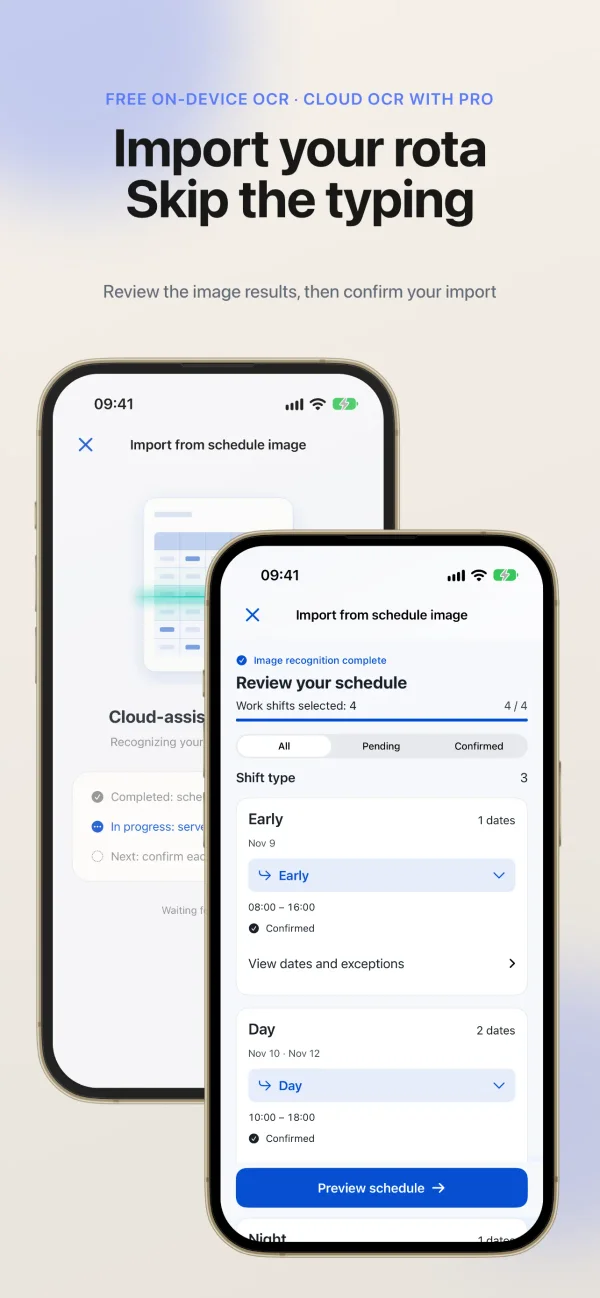
Free Calendar/ICS/image imports; unlimited on-device recognition. Review/match/create shifts and edit dates/times first. Optional Pro cloud recognition requires consent each use: images, including names, employee IDs and rosters, go to CrossShift/recognition providers. Check results. Pro exports PDF, CSV and long-image reports.
THEMES & LIFE
Pro photo themes: position, colors, card opacity, saved variants; edit built-in light/dark themes. Local wallpaper on all five tabs or Home only. Original shift colors, saturation, clearer selected dates. Share rosters, each person managing their own; member notes stay local. Birthday/anniversary/exam reminders. Widgets: alarms, calendars, shared rosters, hours, anniversaries; some need Pro.
YOUR SETUP
iPhone/iPad; avatars, sounds, time formats, dark mode, Dynamic Type, VoiceOver, 18 languages. No account for personal rosters/alarms; sharing needs one. Apple sign-in; regional mini-program login. Optional sync: supported shifts, rosters, leave quotas, overtime; excludes alarms, pay, anniversaries, wallpaper, member notes. Location optional for basic rosters/alarms. Update checks, guides, FAQ, feedback. Free iCloud Drive automatic/versioned backups; manual JSON restore.
UP TO 3 MONTHS OF PRO
First work roster: 1 month; qualifying referrals: 1 each, up to 2. Friends complete a roster and confirm your code in Settings. Sign in to claim; see in-app rules. Apple offer codes start auto-renewing monthly Pro; local App Store prices apply after the free period. Cancel in Apple subscriptions. Annual members can save referral rewards until expiry; annual renewal unchanged. Pro/Business prices and benefits in-app.
EULA: https://www.apple.com/legal/internet-services/itunes/dev/stdeula/
Privacy: https://crossshiftalarm.com/privacy/
What’s new
Version 3.0.0 · Nov 17, 2026
What's New:
• Record leave by the hour, set allowances in days or hours, and convert between units. Improved leave syncing, balance display, and statistics.
• Added support for lifetime personal Pro, with improvements to membership status, offer rules, price display, and purchase restoration.
• Fixed an issue where manually refreshing shared schedules could still show outdated entries.
• Improved Home shortcuts and added a date-details hint to the timeline for easier access to everyday actions.
• Refined calendar spacing and layouts across languages, small screens, and larger text sizes.
• Fixed crashes that could occur when switching between certain screens.
• Fixed an issue that could incorrectly cancel the ringtone after a voice announcement.
App privacy
What 培培 李 declares on the App Store about how this app handles data.
-
Data linked to you
May be collected and linked to your identity.
- Purchases
- Location
- Contact info
- User content
- Identifiers
Privacy practices may vary, for example with the features you use or your age.
Information
- Seller
- 培培 李
- Category
- Productivity
- Version
- 3.0.0
- Updated
- Nov 17, 2026
- Released
- Sep 23, 2026
- Size
- 128.7 MB
- Requires
- iOS 26.0 or later
- Age rating
- 4+
- Price
- Free
- In-app purchases
- Yes
- Languages
- English, Bengali, Filipino, French, German, Indonesian, Italian, Japanese, Korean, Malay, Portuguese, Russian + 6 more
- Copyright
- © 2026 Peipei Li
You might also like
-
 Rota - Shift PlannerPrivate, offline shift planner
-
 Tembri: Shift PlannerShift calendar. Scan to import
-
 Dayzy: Photo to CalendarScan schedules. Share plans.
-
 Readar - From Saved to HeardAI Podcasts, Read Later, Notes
-
 Ryokai: AI Calendar AssistantAI powered unified calendar
-
 VardiyaCepShift and overtime tracker
-
 上班进账Productivity
-
 Vardiya CepteProductivity
-
 Just One - Smoke TrackerTrack, Analyze, and Control
-
 Focus Train · Pomodoro TimerStudy, Tasks & Time Management