
Tembri: Shift Planner
Shift calendar. Scan to import
Designed for iPhone
Free · In-app purchases
- Age rating4+
- CategoryProductivity
- DeveloperMianyang Junshian Medical Technology Co., Ltd.
- LanguagesEnglish+ 1 more
- Size14.9 MB
Links to the official App Store page
Download.org hosts no file of Tembri: Shift Planner. The button opens its official App Store page, published by Mianyang Junshian Medical Technology Co., Ltd. Listing last checked on Nov 10, 2026.
Screenshots
About
Tembri is a shift calendar for people who work rotating shifts.
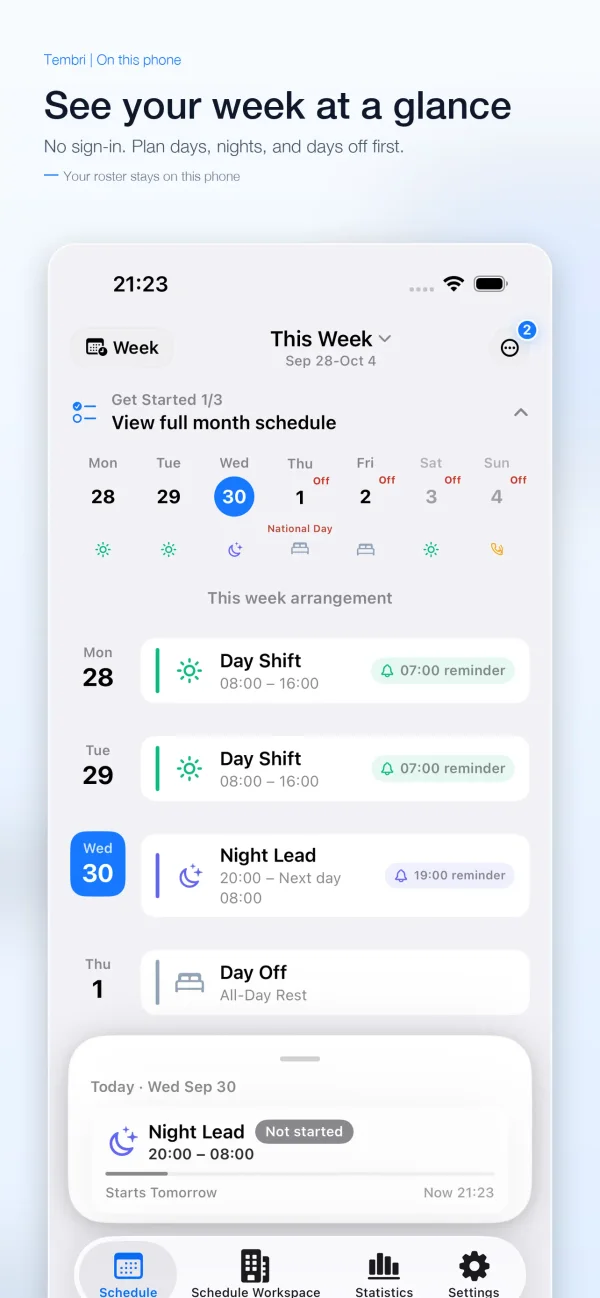
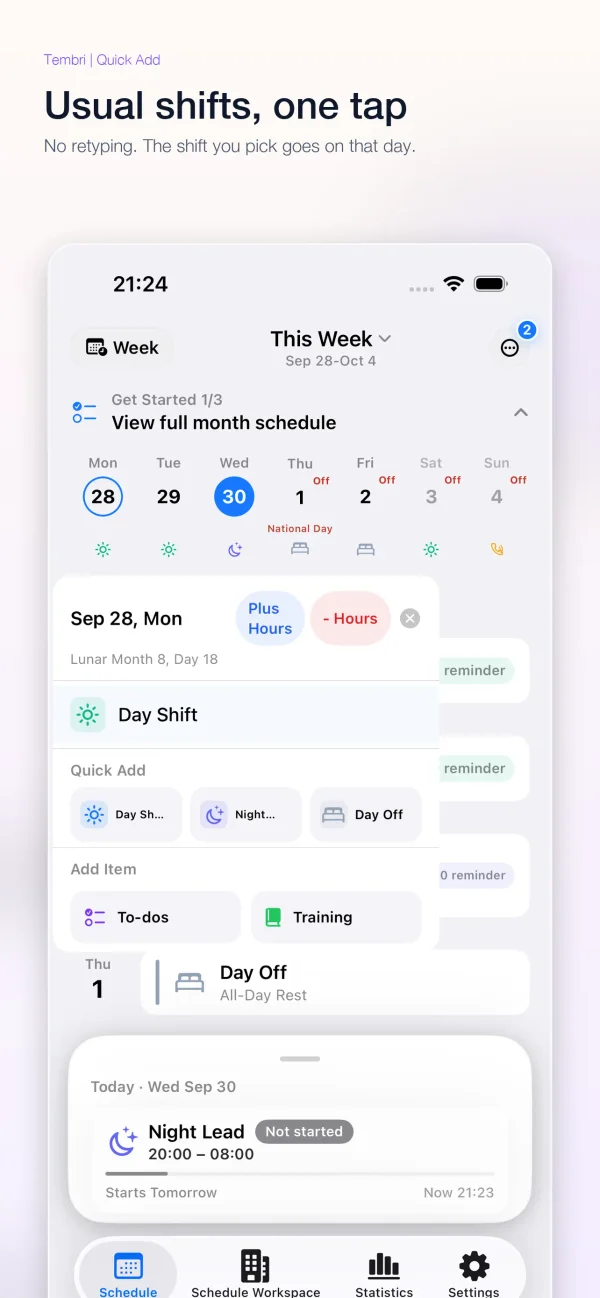
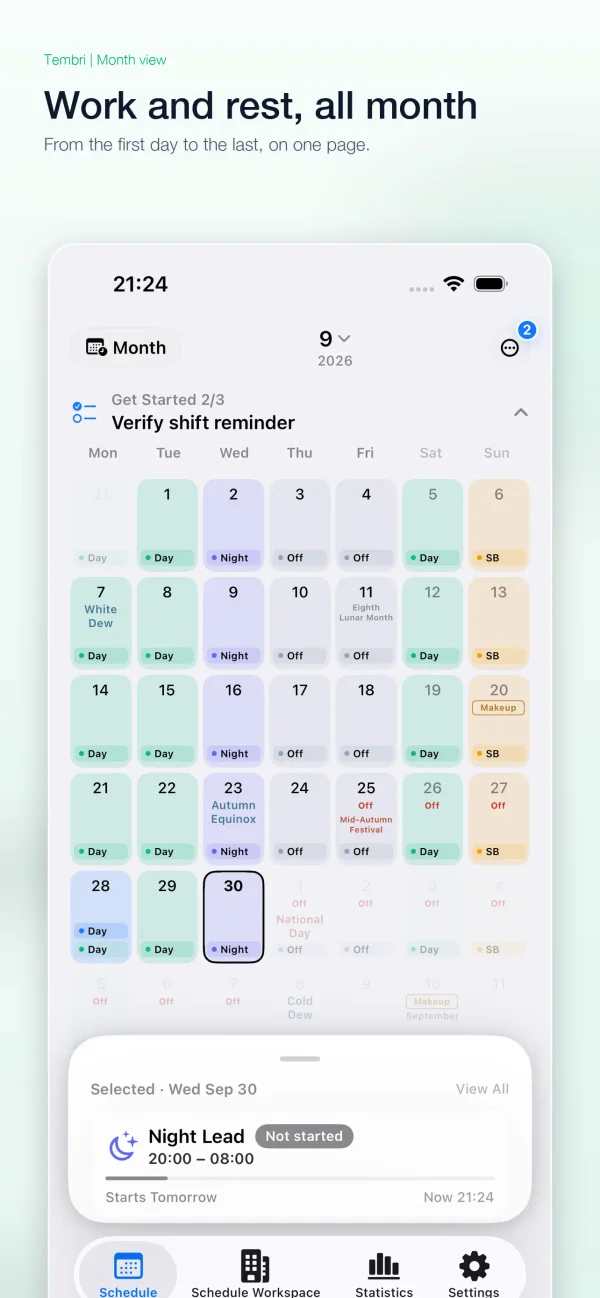
You do not need to sign in first. Day shifts, night shifts, days off, and one-off items stay on this phone. The week view is for the next few days. The month view is for the rhythm of the whole month. Open a day, pick a usual shift, and it goes straight onto the calendar.
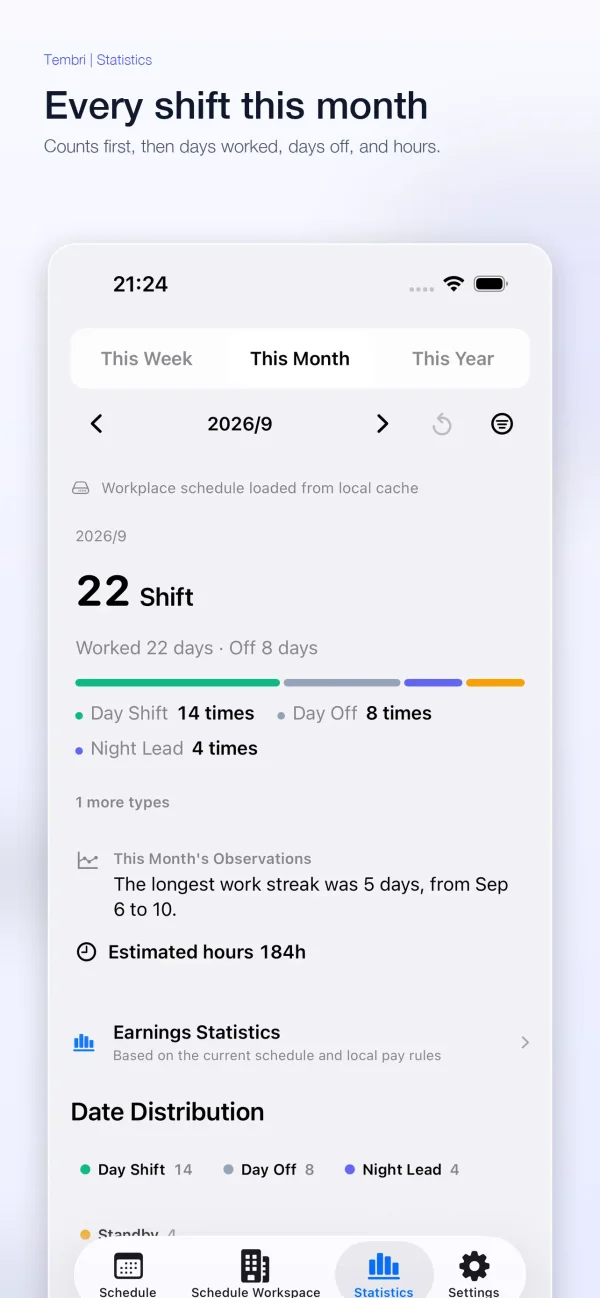
Statistics tells you how many times you worked each shift this month, then adds days worked, days off, and estimated hours. The figures come from the roster on this phone, so you can look back and check them without a wall of numbers.
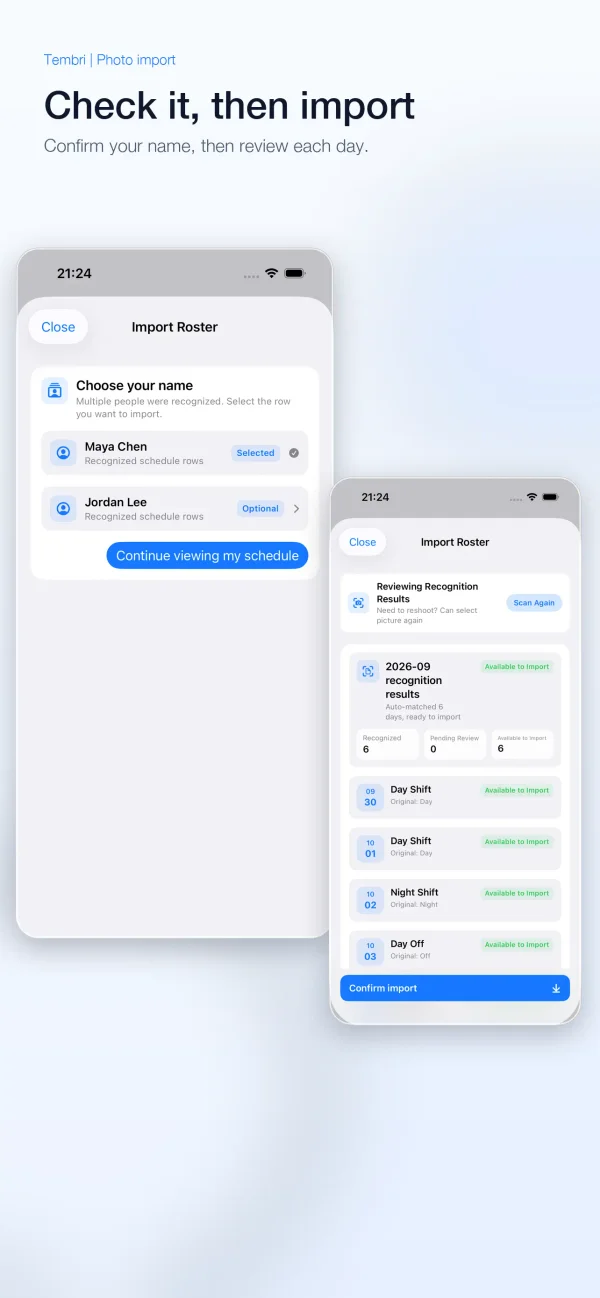
When you have a paper or photo roster, you can photograph it and import it. Tembri asks you to confirm your name, then shows the recognized result day by day. Confirm the name, check each day, and only then decide whether to import, so someone else's shifts do not land on your calendar.
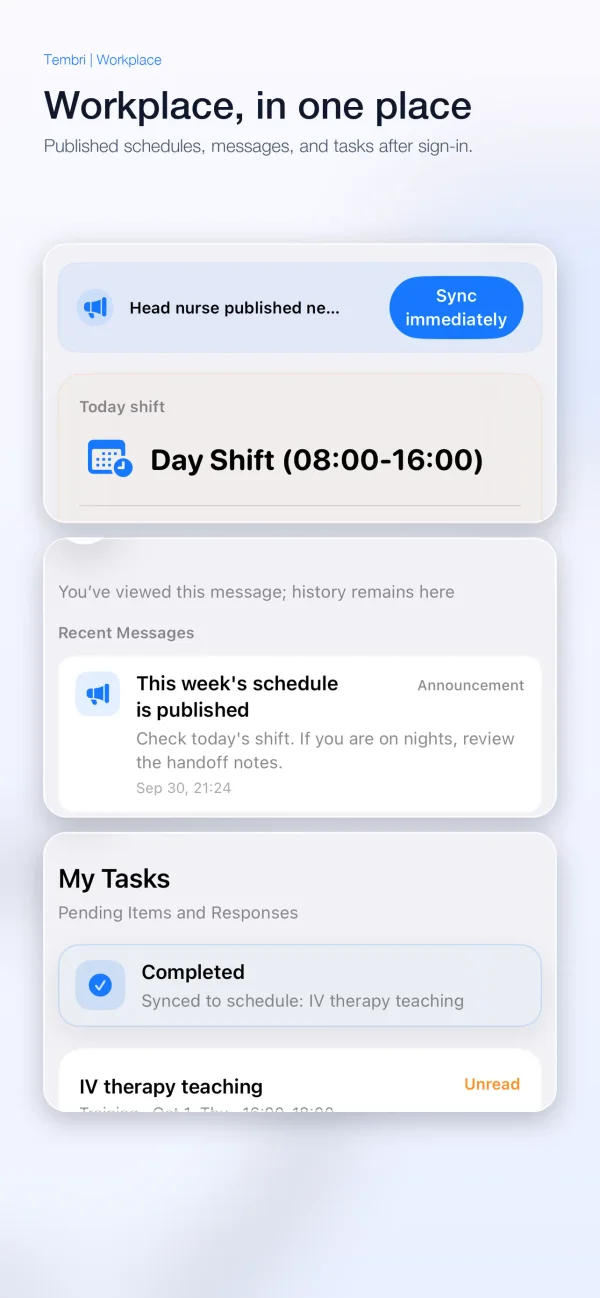
You can set local reminders for the shifts you planned. If your unit has already configured and published a schedule outside the app, sign in to view that unit schedule, in-app messages, and tasks, and sync a task into your personal schedule.
Main features:
- Week and month scheduling on this phone
- Quick Add for usual shifts
- Shift counts, days worked, days off, and estimated hours
- Scan a roster, confirm your name, and review each day before import
- Local reminders and Excel workload export
- After sign-in, view unit-published schedules, in-app messages, and tasks
What’s new
Version 1.9.0 · Nov 7, 2026
Clearer statistics, assistant connection and feedback, plus a Live Activity stability fix:
- Statistics, regrouped: the overview, date distribution and comparison with the previous period each sit on their own card. In the year view, months that have not been fetched yet show a dash instead of being mixed up with a real zero, and shift legends wrap so they stay readable at larger text sizes and in English.
- Connect an assistant: three steps (copy the address, generate a pairing code, ask a question), easier to follow; the artwork is redrawn and looks right in dark mode.
- Feedback: more compact problem types and an earlier text box; a simpler message after you submit.
- Live Activity and Dynamic Island: fixes a countdown that could fail to appear.
Questions or ideas? Write to us at info@junshiantech.cn
App privacy
What Mianyang Junshian Medical Technology Co., Ltd. declares on the App Store about how this app handles data.
-
Data linked to you
May be collected and linked to your identity.
- Contact info
- User content
- Identifiers
- Diagnostics
Privacy practices may vary, for example with the features you use or your age.
Information
- Seller
- Mianyang Junshian Medical Technology Co., Ltd.
- Category
- Productivity
- Version
- 1.9.0
- Updated
- Nov 7, 2026
- Released
- Jul 7, 2026
- Size
- 14.9 MB
- Requires
- iOS 17.0 or later
- Age rating
- 4+
- Price
- Free
- In-app purchases
- Yes
- Languages
- English, Simplified Chinese
- Copyright
- © 2026 Mianyang Junshian Medical Technology Co., Ltd.
You might also like
-
 排班时光-倒班轮班助手排班日历Productivity
-
 CrossShift - Shift ScheduleShift Calendar & Alarm Tracker
-
 ShiftAlarm: Work ScheduleShift Calendar, Alarms & Pay
-
 Hours Tracker: Shift ScheduleWork Calendar & Overtime Log
-
 ShifRoll: Shift Rota PlannerRoster calendar, alarms & pay
-
 排班提醒Productivity
-
 Maease-数据资源加工入库确权预处理训练开发基础平台Productivity
-
 一个好闹钟 - 极简闹钟、排班、自定义闹钟Productivity
-
 拍照查字数Productivity
-
 Rota - Shift PlannerPrivate, offline shift planner