- Age rating4+
- CategoryBusiness
- DeveloperCrowcon
- LanguagesEnglish
- Size46.7 MB
Links to the official App Store page
Download.org hosts no file of Crowcon Companion. The button opens its official App Store page, published by Crowcon. Listing last checked on Nov 12, 2026.
Screenshots

About
Crowcon Companion - your field companion for Crowcon's IQ range of portable gas detectors and the IQHub docking station.
The Companion app turns your phone into a control centre for the UnoIQ, DuoIQ, DetectiveIQ and IQHub. Calibrate, bump test, assign operators, produce calibration reports, and sync instrument data - all without a laptop, cable, or trip back to the office.
Connect your way:
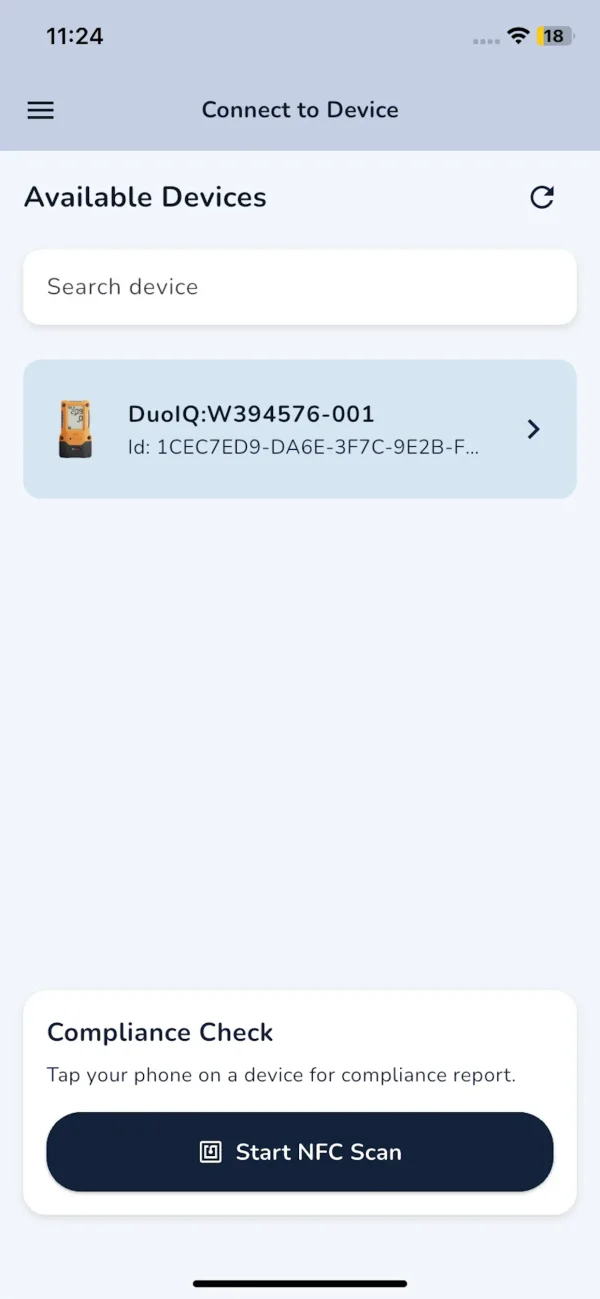
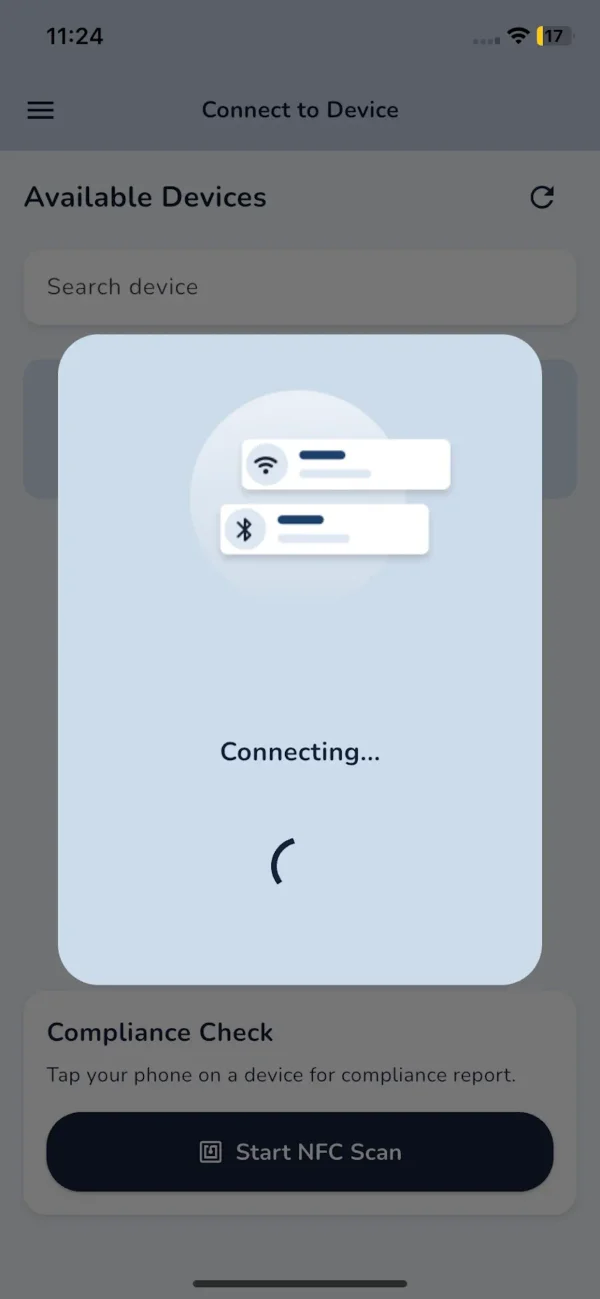
Bluetooth - Pair with nearby detectors and IQHub docking stations to view live data, run calibrations, and manage configuration.
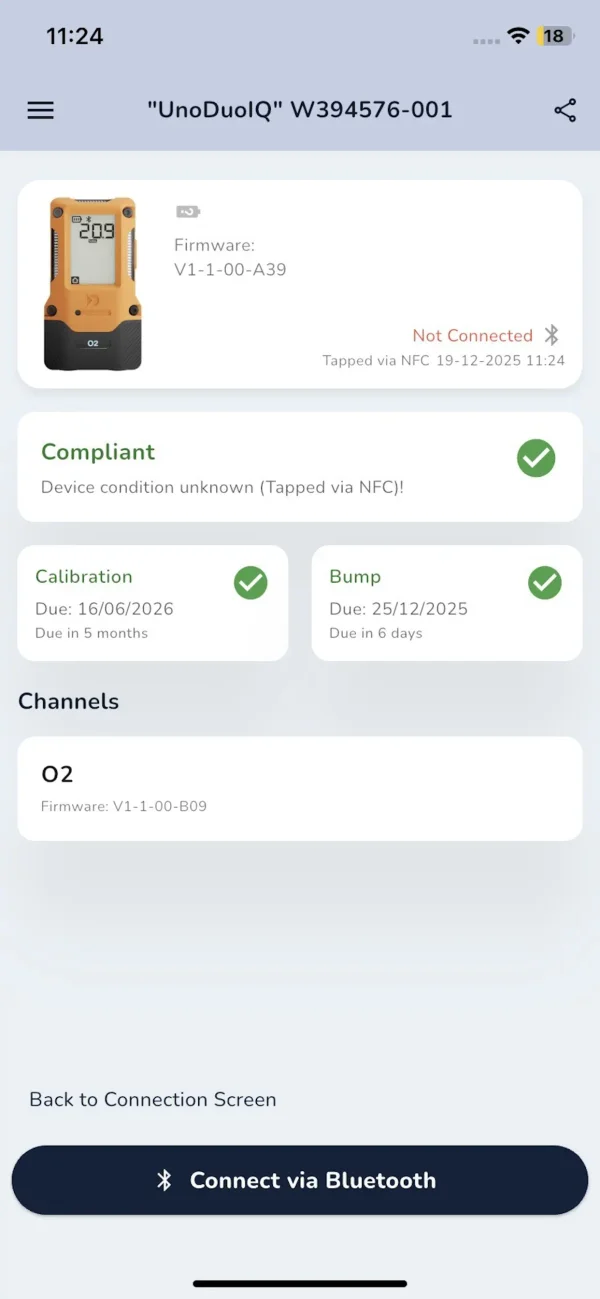
NFC tap - Hold your phone to the back of a detector for an instant compliance check. No pairing, no menus. A tap can connect you over Bluetooth automatically, too.
Calibrate and bump test in the field:
Run a full calibration or bump test on a UnoIQ or DuoIQ straight from your phone over Bluetooth, guided step by step. Or dock the detector in an IQHub and let the Hub do the work, with live progress and per-channel pass/fail results on screen. Either way you get a calibration report, and results upload to Crowcon Connect automatically if you are signed in. Calibration levels are yours to set, and flammable channels accept %VOL as well as %LEL.
Know your fleet at a glance:
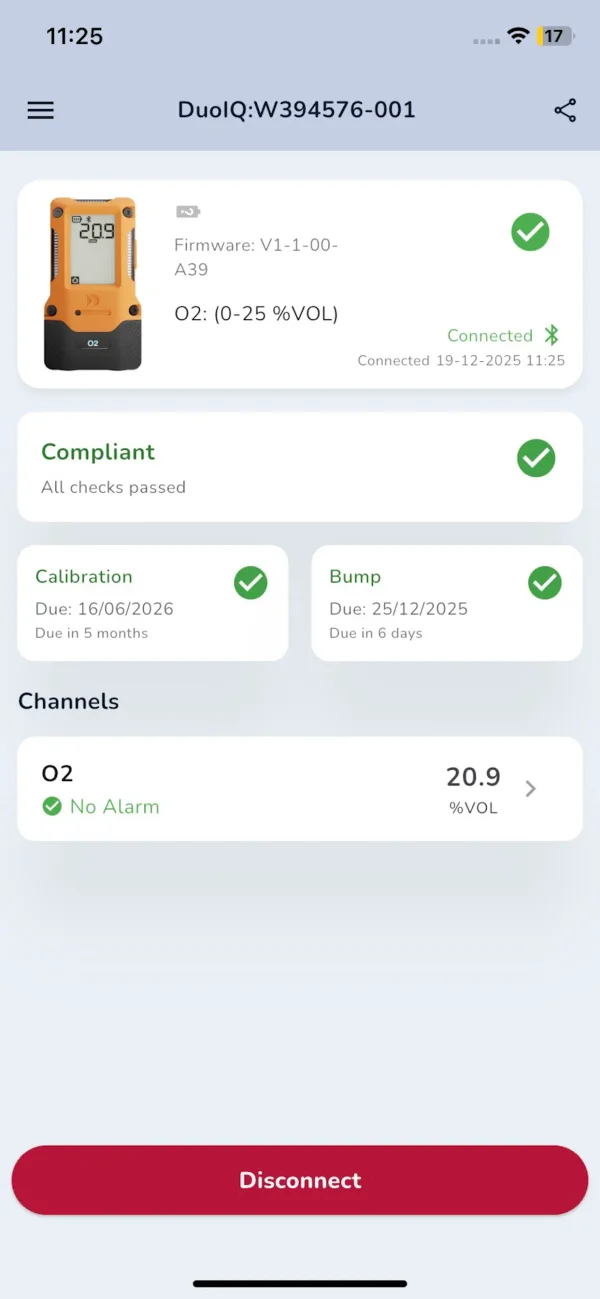
Every connected device shows a full status dashboard: battery level, charge state, on-time, firmware version, compliance state, and connection type. Calibration and bump test due dates are displayed with a clear countdown in days or months, so nothing lapses unnoticed. A detailed condition report confirms the device is fault-free and ready for the field.
Assign detectors in seconds:
Field engineers can assign a detector to an operator directly from the app - over Bluetooth or with a quick NFC tap. No more logging into a portal or waiting for a web workflow. Returns are just as fast, so devices move between people and shifts without friction.
Keep logs, reports and clocks in sync:
Read detector and IQHub logs over Bluetooth and let them sync to Crowcon Connect automatically as they are read. A redesigned Logs page brings everything into one continuous stream, with calibration and bump records listed alongside and a report a tap away. Uploads work without a sign-in, and a one-tap time sync keeps device clocks accurate - handy for quick field maintenance between jobs.
See what your detector sees:
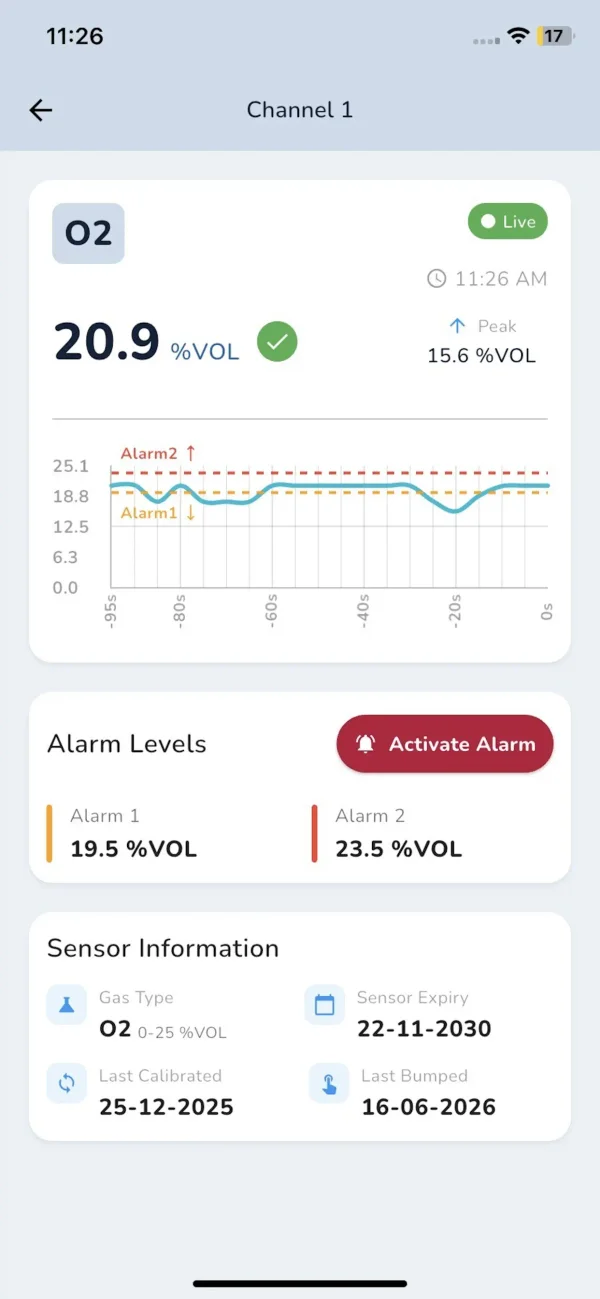
Per-channel screens give you deep visibility into the air around your team:
Live gas concentrations with rolling trend graphs
Peak readings, including minimum values on oxygen channels
Exposure metrics including STEL and LTEL for toxic gases such as H₂S
Configured Alarm 1 and Alarm 2 thresholds, so you always know when the hardware will trigger
Full sensor metadata - gas type and range, expiry dates, last calibration, last bump test
Configure without a laptop:
Set alarm levels, due intervals, display and backlight options, tip-over warning levels, and menu locks for calibration and clock settings - written straight to the detector or via the IQHub. IQHub setup covers gas bottles and inlets, network settings, default bump mode, and the daily self-test time.
Access on your terms:
Live readings, NFC compliance checks, log reads and time sync need no account at all. Servicing work - calibration, bump testing and configuration — is unlocked either by self-service engineer mode or by signing in to Crowcon Connect, which also attributes results to you.
Built for safety managers and field engineers:
Whether you're a safety manager verifying a detector before a shift, or an engineer maintaining a fleet across multiple sites, Crowcon Companion gives you the confidence that every device in the field is healthy, compliant, and keeping your people safe.
What’s new
Version 0.1.7 · Oct 30, 2026
What’s new
- DetectiveIQ sensor change: add, remove or replace sensors from one Sensors page, with production calibration.
- Service Licence: calibration, configuration, sensor changes and IQHub servicing.
- IQHub annual service, including pump and proximity calibration.
- UnoIQ and DuoIQ detectors docked in an IQHub can be configured and have their logs read.
- Crowcon Connect kept up to date with the device's configuration and fitted sensors.
Fixed / Improved
- Calibration reports: the app shows where each report was saved, and you can open, print or share it.
- Clearer messages and layout, including locked pages that say how to unlock them.
- Several calibration and bump test fixes, and IQHub results now show the hub's fault.
- Several log reading fixes, incomplete logs longer accepted as complete.
- Connection and sign-in fixes.
Supported firmware
Earlier versions are supported; later versions are not guaranteed until tested
- UnoIQ / DuoIQ: V1-1.04 main and XModule
- DetectiveIQ: V1-1.05 main and XModule
- IQHub: V1-1.0-B05 main and V1-1.0-B01 on Bluetooth module
App privacy
What Crowcon declares on the App Store about how this app handles data.
-
Data linked to you
May be collected and linked to your identity.
- Contact info
- User content
- Identifiers
- Diagnostics
Privacy practices may vary, for example with the features you use or your age.
Information
- Seller
- Crowcon Detection Instruments Ltd
- Category
- Business
- Version
- 0.1.7
- Updated
- Oct 30, 2026
- Released
- Dec 21, 2025
- Size
- 46.7 MB
- Requires
- iOS 15.6 or later
- Age rating
- 4+
- Languages
- English
- Copyright
- © 2026 Crowcon Detection Instruments Ltd