
- Age rating4+
- CategoryBooks
- DeveloperArtur Janowicz
- LanguagesEnglish
- Size2.2 MB
Links to the official App Store page
Download.org hosts no file of Crown Book. The button opens its official App Store page, published by Artur Janowicz. Listing last checked on Nov 16, 2026.
Screenshots

About
A full-screen reader for large text files on your watch.
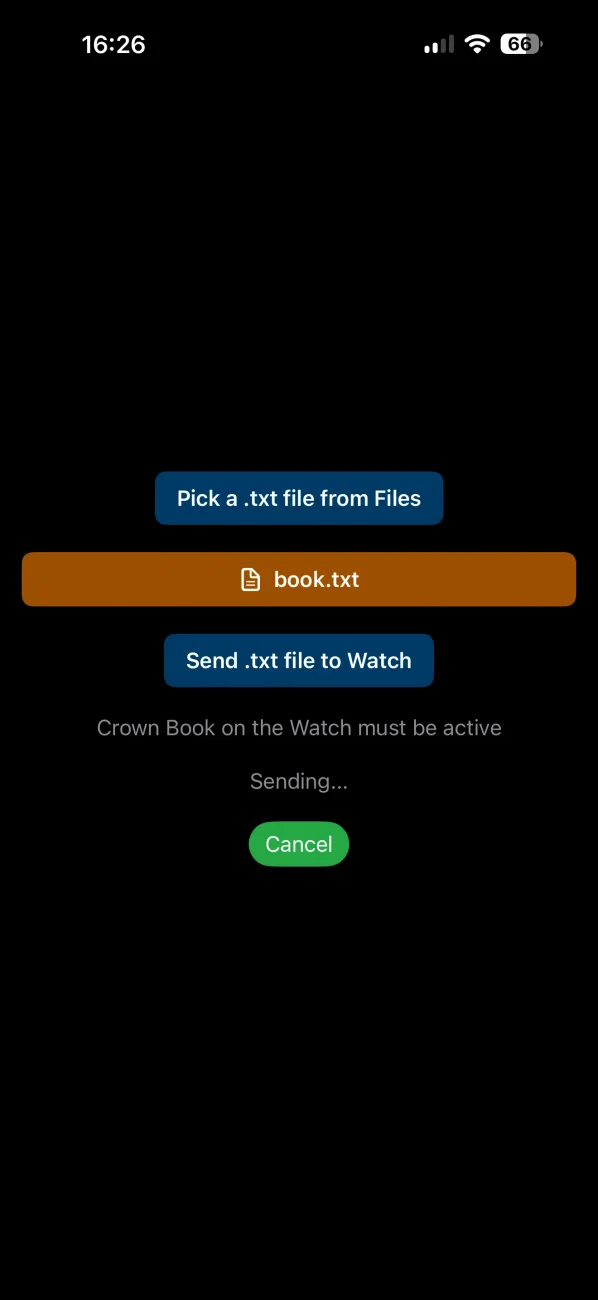
One book at a time: a .txt file sent from Crown Book for iOS.
Sending another book to your watch replaces the previous one.
Font size matches system settings – you can change it while reading in the watchOS control center.
Large files (>10 KB) are divided into pages and remember the last page you were reading.
You can scroll through text with your finger, the crown, or the "double tap" gesture.
Tapping the system clock takes you to the top of the page.
At the beginning of each page there is a button with the page number, which, when pressed, takes you to any page (selection with a preview of the first line of text).
At the end of each page (except the last) there is a button that takes you to the next page.
At the end of the book, there's a "CLOSE" button to close the book.
A closed book can be deleted ("Delete" button) or started over ("BOOK" button).
You can set a widget on the watch face displaying the page number of the currently read page and several lines of text (modular).
! The program comes with instruction (in the form of a mini-book: "Help" button) for two of my apps (Crown Book and Equatch) in two languages (English and Polish).
Sending a file from iPhone to Apple Watch:
UTF-8 encoded .txt format (you can use TextEdit in macOS to change the encoding).
.txt compatibility with Apple Pages: File - Export to - Plain Text... - Save.
Compatibility with free gutenberg.org ebooks (PlainText UTF-8).
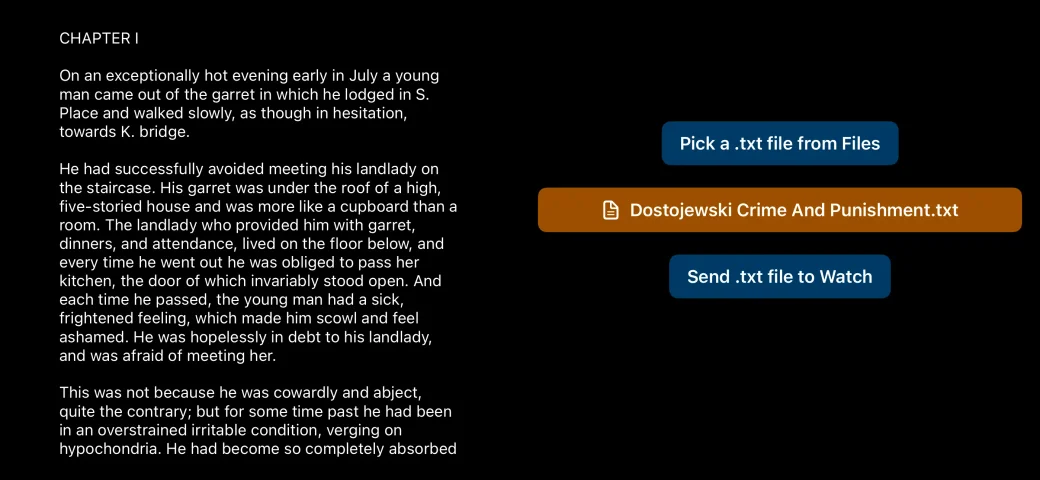
The loaded .txt file can be viewed in the iOS app (button with the file name, automatic preview in landscape).
The .txt file remains in the iOS app until it is replaced by another file.
! When sending a file from iPhone, the Apple Watch must be unlocked with the app running.
! If the text doesn't appear on your watch after uploading, try again until it succeeds.
Minimum system requirements: watchOS 10 and iOS 17 ("double tap" scrolling requires Apple Watch 9 or later).
What’s new
Version 1.7.1 · Nov 6, 2026
- iOS: added horizontal view expansion (on an unfolded iPhone Duo, the layout fills the screen from edge to edge, with no empty strip on the right)
- watchOS: updated the "Help" mini-book with instructions for the latest versions of the Crown Book and Equatch apps
App privacy
What Artur Janowicz declares on the App Store about how this app handles data.
-
Data not collected
The developer does not collect any data from this app.
Privacy practices may vary, for example with the features you use or your age.
Information
- Seller
- Artur Janowicz
- Category
- Books
- Version
- 1.7.1
- Updated
- Nov 6, 2026
- Released
- Aug 20, 2025
- Size
- 2.2 MB
- Requires
- iOS 17.6 or later
- Age rating
- 4+
- Price
- Free
- Languages
- English
- Copyright
- © 2025 Artur Janowicz
You might also like
-
 Wrist Ebook ReaderEPUB/TXT reader on Apple Watch
-
 BeeReaderRead EPUB, PDF, TXT on watch
-
 Wrist ReadsBook Reader for Apple Watch
-
 Wibby BooksAudiobooks on your wrist
-
 GeneralReader: Local ReaderOffline TXT EPUB PDF books
-
 MagicReader: Hands-Free ReaderEPUB, PDF, comics & read-aloud
-
 ThusRead: EPUB Reader WatchImport, read offline on wrist
-
 Wrist Novel ReaderWatch & iOS offline EPUB/TXT
-
 WristReader:Ebook & PDF ViewerBooks, Video & Audio Player
-
 Darock BooksBooks