
- Age rating4+
- CategoryLifestyle
- DeveloperZhang Linghua
- LanguagesEnglish+ 1 more
- Size1.6 MB
Links to the official App Store page
Download.org hosts no file of CrownSide. The button opens its official App Store page, published by Zhang Linghua. Listing last checked on Nov 20, 2026.
Screenshots

About
CrownSide is the watch journal built for enthusiasts who care about the details. Whether you own one cherished piece or a growing collection, CrownSide helps you track every wear, every service, and every tick — all in one place.
Your Collection, Organized
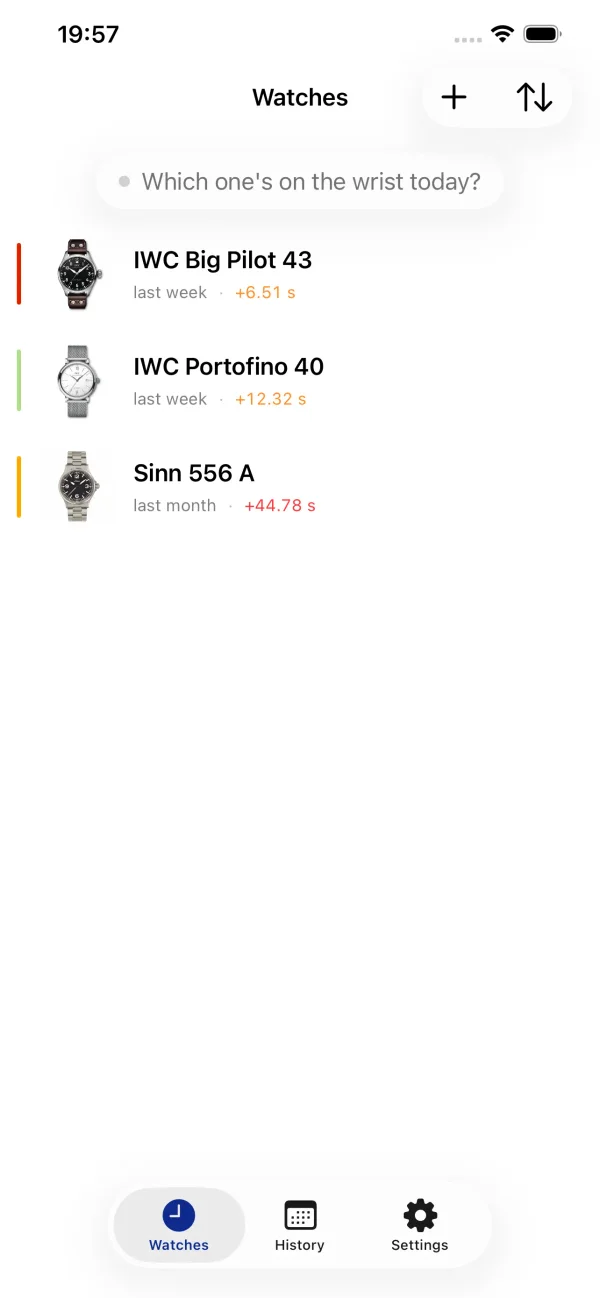
- Add each watch with a photo, brand, model, serial number, purchase date, and personal notes. Your watch list shows the key stats for every piece at a glance: when you last wore it, its current offset, and how accurately it's running. Sort by last worn, most worn, or name.
Daily Wear Log
- Record which watch you wore each day — full-swipe right on a watch to log it in one motion. Browse your wear history on an interactive calendar, see yearly summaries with per-watch streaks, and review your lifetime stats in the All Time summary — a personal diary of time on the wrist.
Home Screen Widget
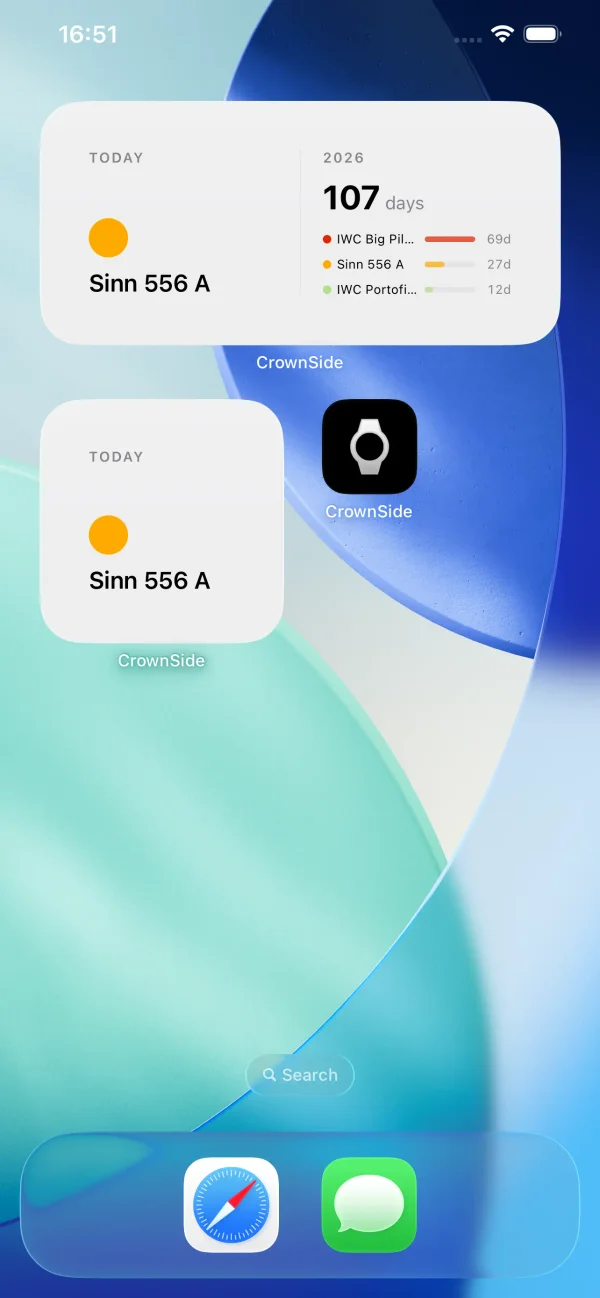
- Add the Today's Wear widget to your home screen. The small size shows which watch you're wearing and your current streak; the medium size adds a yearly summary with total days worn and a per-watch breakdown — all without opening the app.
Accuracy Tracking
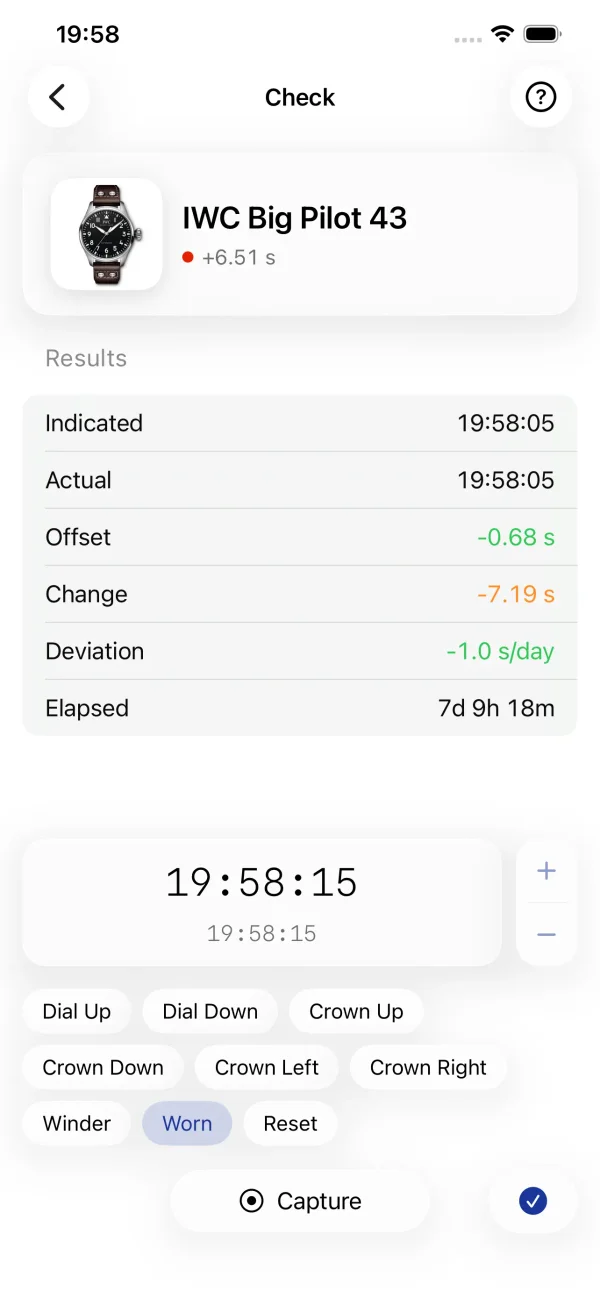
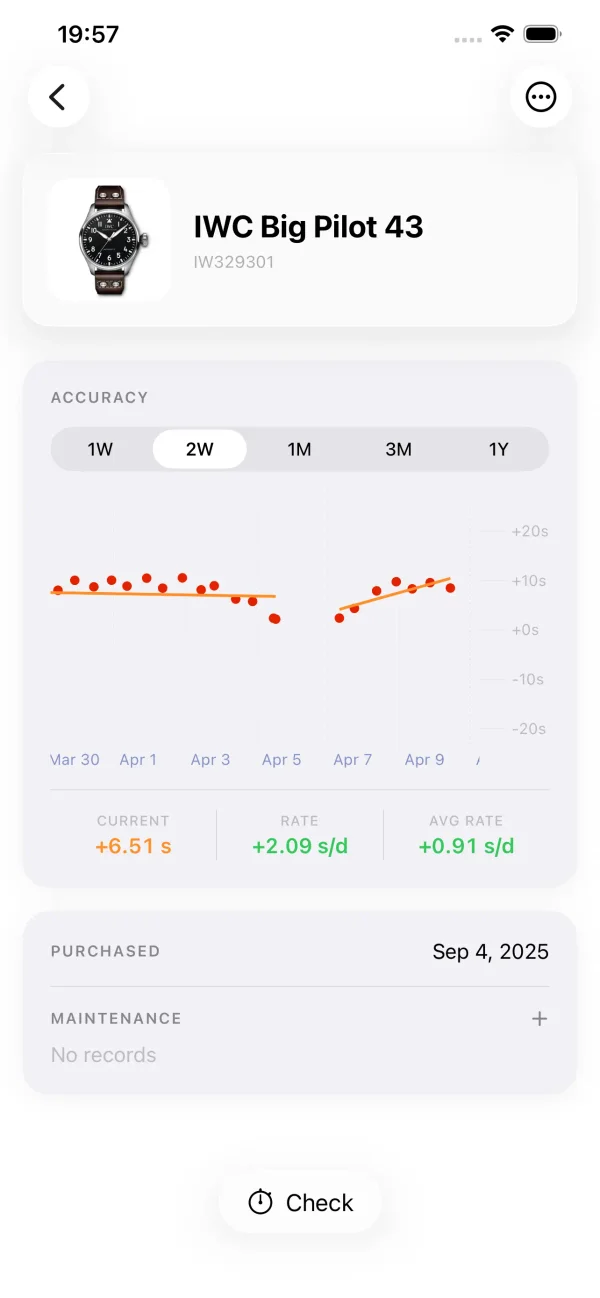
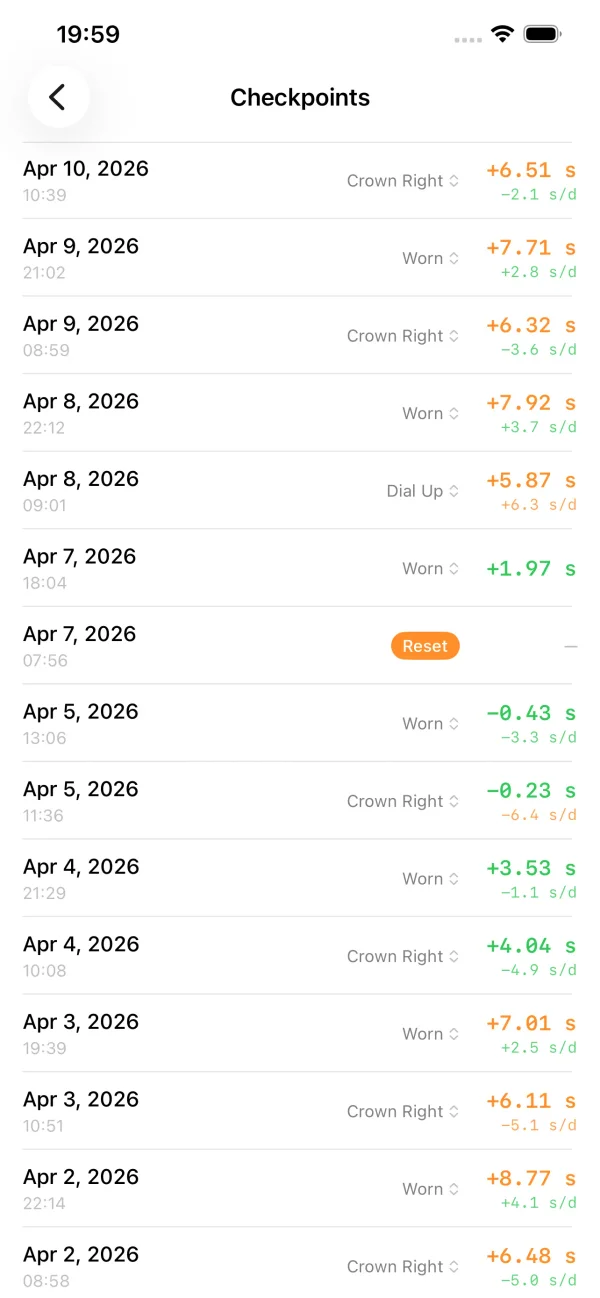
- Measure your watch's timekeeping performance over time. Log offset readings, filter by winding position, visualize drift on a scrollable chart, and see seconds-per-day rate and raw delta for each entry. Compare accuracy since the last reset with the all-time average, color-coded so you know exactly how your movement is performing.
Maintenance History
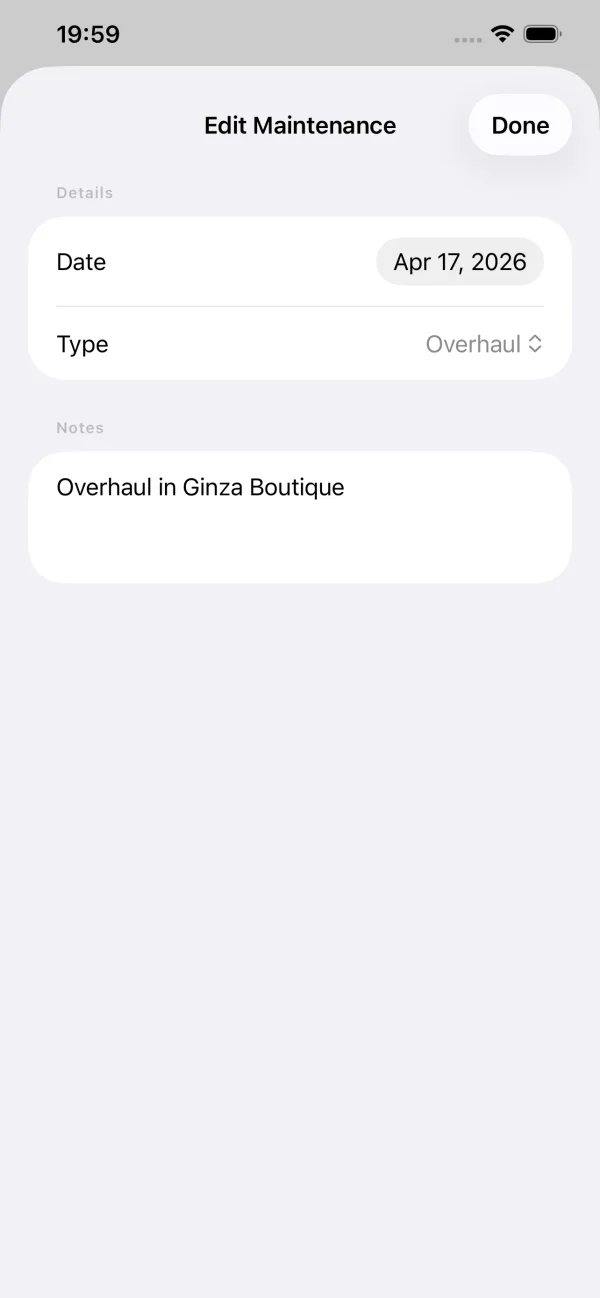
- Keep a complete service record for every watch. Log overhauls and repairs with dates and notes, so you always know when a watch last saw a watchmaker.
Private by Default
- No account. No subscription. Your data lives on your device.
Export & Import
- Back up your watches or move them between devices with a single JSON export. Your data is always yours.
What’s new
Version 1.3 · Nov 14, 2026
- Home screen widget — add the Today's Wear widget to your home screen. The small size shows which watch you're wearing today and your current streak; the medium size adds a yearly summary with total days worn and a per-watch bar chart
- All Time summary — tap the chart icon in Wear History for a lifetime view: total days worn, years tracked, your most-worn watch, and a donut chart across your entire collection
- More at a glance — each watch in your list now shows when you last wore it ("Today", "Yesterday", "3 days ago"), its current offset, and its accuracy since the last reset alongside its all-time average, color-coded so you can spot a drifting movement fast
- Faster wear logging — full-swipe right on a watch to log or undo today's wear in one motion, with new icons on the swipe actions
- Accuracy checkpoints — each measurement entry now shows the raw time delta, and the deviation shown while recording is now calculated since the last reset, matching the accuracy in your list
- Smoother scrolling and swiping in the watch list
- Fixed the "worn today" status sometimes carrying over to the next day
- Bug fixes and polish
App privacy
What Zhang Linghua declares on the App Store about how this app handles data.
-
Data not collected
The developer does not collect any data from this app.
Privacy practices may vary, for example with the features you use or your age.
Information
- Seller
- Zhang Linghua
- Category
- Lifestyle
- Version
- 1.3
- Updated
- Nov 14, 2026
- Released
- Apr 13, 2026
- Size
- 1.6 MB
- Requires
- iOS 26.2 or later
- Age rating
- 4+
- Price
- Free
- In-app purchases
- Yes
- Languages
- English, Japanese
- Copyright
- © 2026 Reika
You might also like
-
 Tap Tap TrackKeep track of anything!
-
 LumedWatch collecting and tracking
-
 Vellore - Watch CollectionRotation, service & wear log
-
 Voice Over ClockAnnouncement of Current Time
-
 Clever DogLifestyle
-
 Xclusives Offers & DiscountsEnjoy up to 50% extra savings
-
 grugsimple truth. daily wisdom.
-
 PolestarLifestyle
-
 Annie Baby Monitor: Nanny CamBaby Video Camera - WiFi Cloud
-
 WYBOTWinny Go