- 対象年齢4+
- カテゴリライフスタイル
- 開発元Zhang Linghua
- 言語英語ほか1言語
- サイズ1.6 MB
App Storeの公式ページにリンクしています
Download.orgはCrownSideのファイルを一切ホストしていません。ボタンを押すと、Zhang Linghuaが公開しているApp Storeのアプリページが開きます。ページの最終確認:2026/11/20。
スクリーンショット

概要
開発元はこのテキストをお使いの言語で提供していません。
CrownSide is the watch journal built for enthusiasts who care about the details. Whether you own one cherished piece or a growing collection, CrownSide helps you track every wear, every service, and every tick — all in one place.
Your Collection, Organized
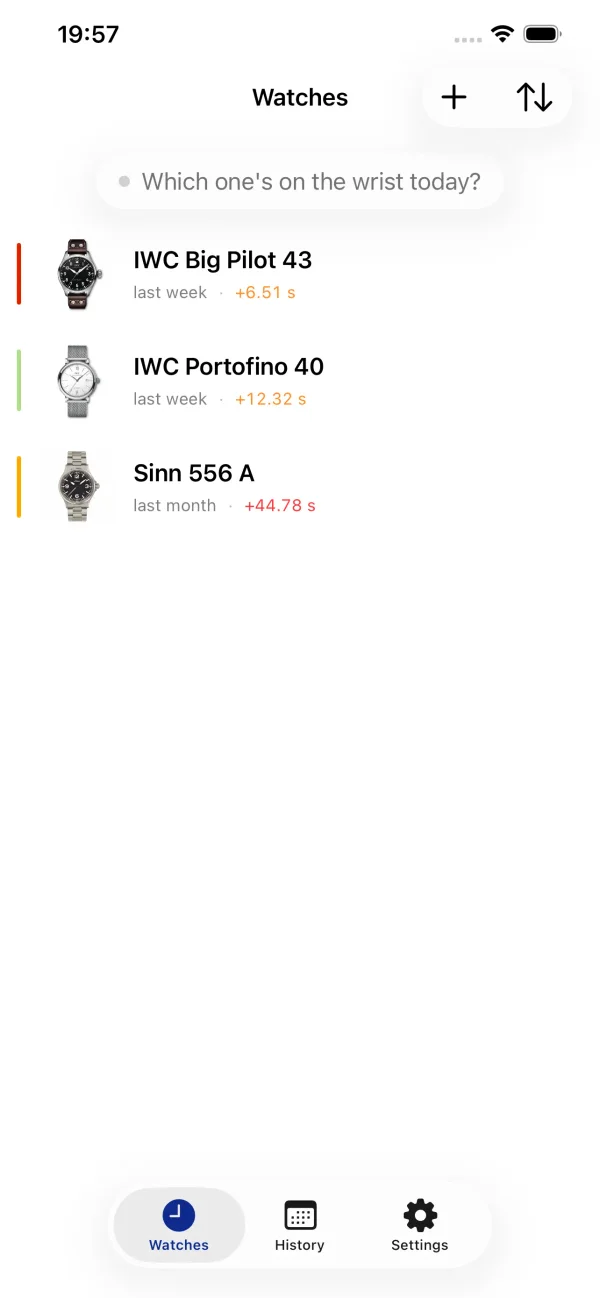
- Add each watch with a photo, brand, model, serial number, purchase date, and personal notes. Your watch list shows the key stats for every piece at a glance: when you last wore it, its current offset, and how accurately it's running. Sort by last worn, most worn, or name.
Daily Wear Log
- Record which watch you wore each day — full-swipe right on a watch to log it in one motion. Browse your wear history on an interactive calendar, see yearly summaries with per-watch streaks, and review your lifetime stats in the All Time summary — a personal diary of time on the wrist.
Home Screen Widget
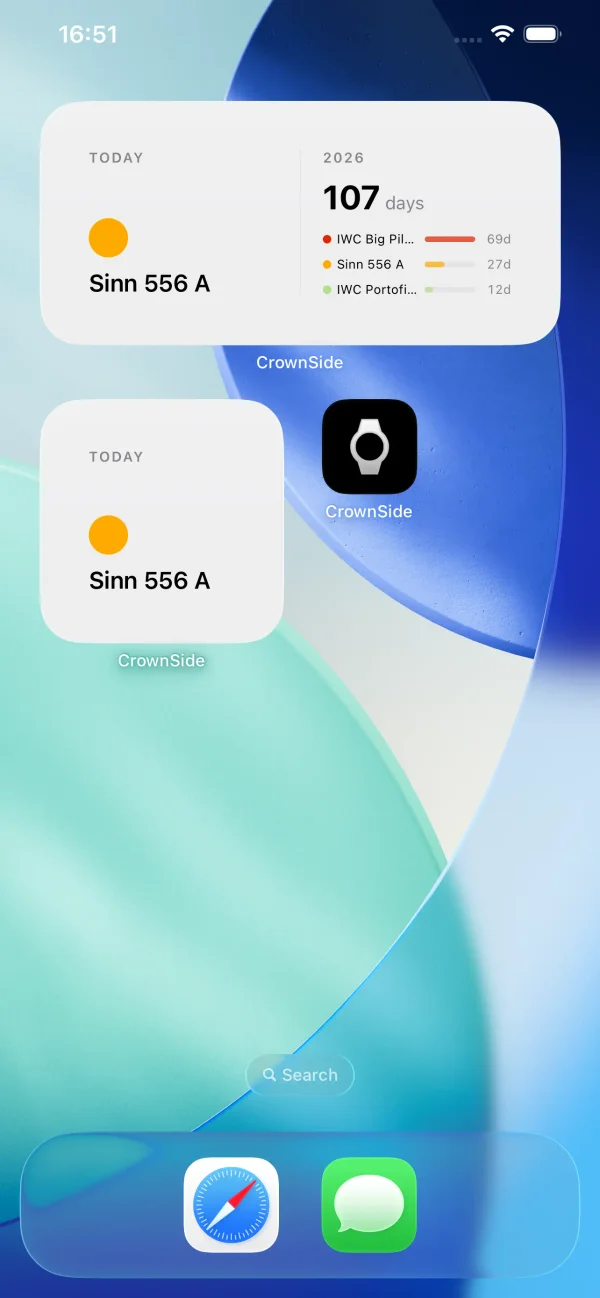
- Add the Today's Wear widget to your home screen. The small size shows which watch you're wearing and your current streak; the medium size adds a yearly summary with total days worn and a per-watch breakdown — all without opening the app.
Accuracy Tracking
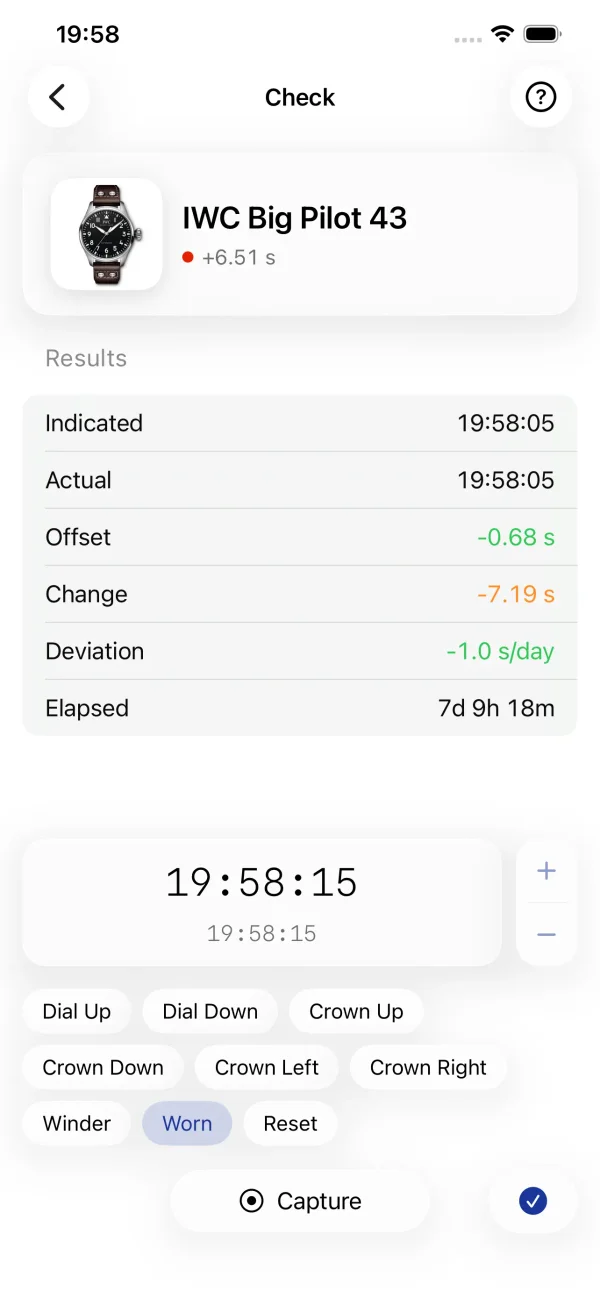
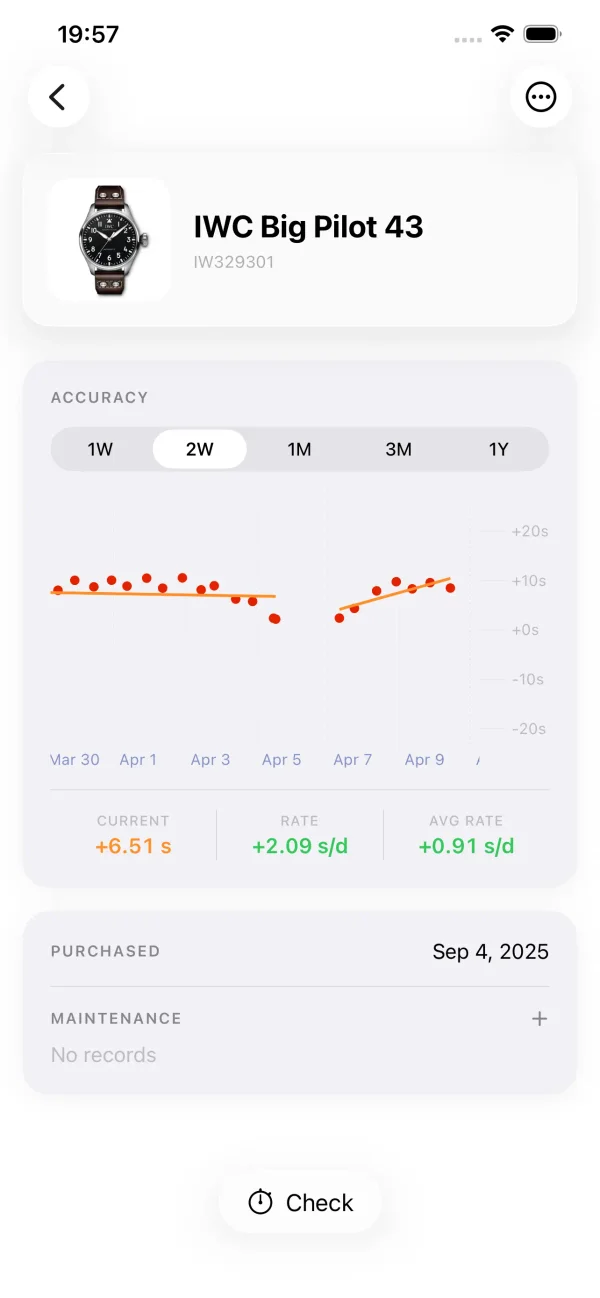
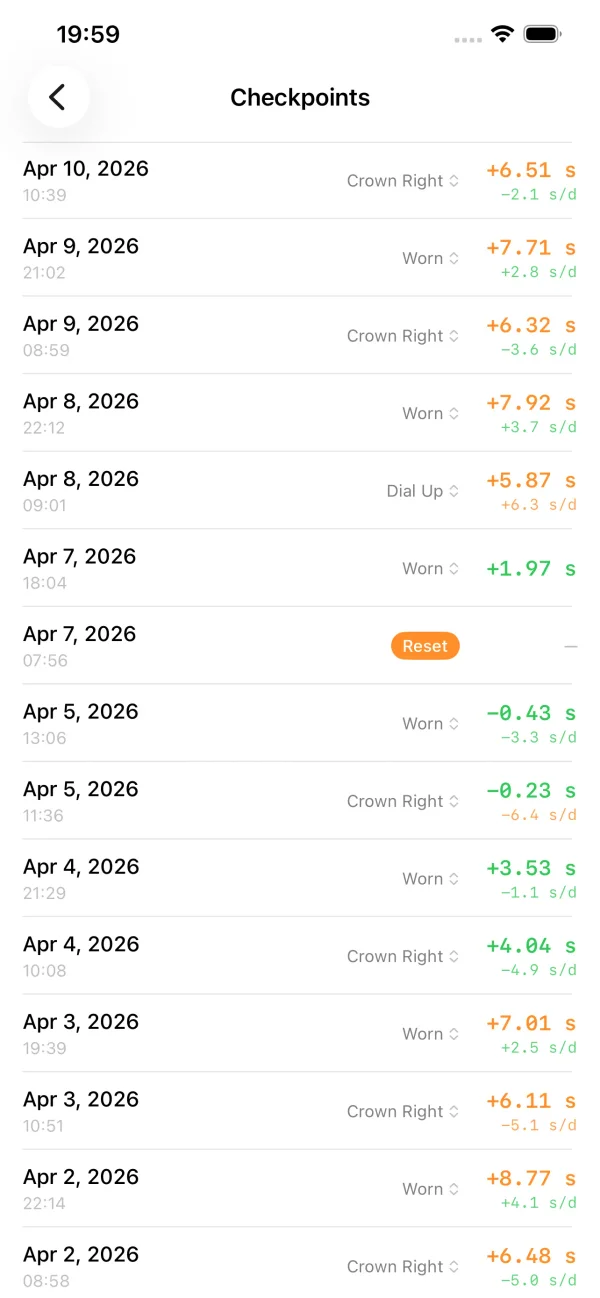
- Measure your watch's timekeeping performance over time. Log offset readings, filter by winding position, visualize drift on a scrollable chart, and see seconds-per-day rate and raw delta for each entry. Compare accuracy since the last reset with the all-time average, color-coded so you know exactly how your movement is performing.
Maintenance History
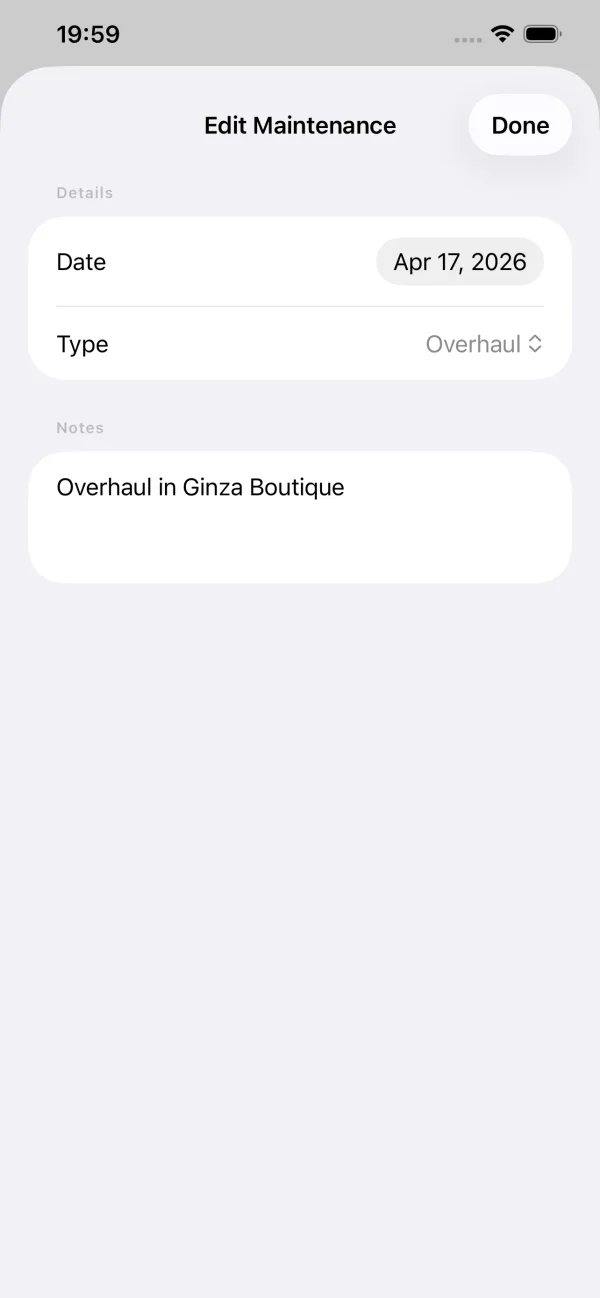
- Keep a complete service record for every watch. Log overhauls and repairs with dates and notes, so you always know when a watch last saw a watchmaker.
Private by Default
- No account. No subscription. Your data lives on your device.
Export & Import
- Back up your watches or move them between devices with a single JSON export. Your data is always yours.
新機能
バージョン 1.3 · 2026/11/14
- Home screen widget — add the Today's Wear widget to your home screen. The small size shows which watch you're wearing today and your current streak; the medium size adds a yearly summary with total days worn and a per-watch bar chart
- All Time summary — tap the chart icon in Wear History for a lifetime view: total days worn, years tracked, your most-worn watch, and a donut chart across your entire collection
- More at a glance — each watch in your list now shows when you last wore it ("Today", "Yesterday", "3 days ago"), its current offset, and its accuracy since the last reset alongside its all-time average, color-coded so you can spot a drifting movement fast
- Faster wear logging — full-swipe right on a watch to log or undo today's wear in one motion, with new icons on the swipe actions
- Accuracy checkpoints — each measurement entry now shows the raw time delta, and the deviation shown while recording is now calculated since the last reset, matching the accuracy in your list
- Smoother scrolling and swiping in the watch list
- Fixed the "worn today" status sometimes carrying over to the next day
- Bug fixes and polish
アプリのプライバシー
このアプリのデータの取り扱いについて、Zhang LinghuaがApp Storeで申告している内容です。
-
データの収集なし
開発元はこのアプリからデータを収集しません。
プライバシーの取り扱いは、ご利用の機能やお客様の年齢などに応じて異なる場合があります。
情報
- 販売元
- Zhang Linghua
- カテゴリ
- ライフスタイル
- バージョン
- 1.3
- 更新日
- 2026/11/14
- リリース
- 2026/4/13
- サイズ
- 1.6 MB
- 必要条件
- iOS 26.2以降
- 対象年齢
- 4+
- 価格
- 無料
- アプリ内課金
- あり
- 言語
- 英語, 日本語
- 著作権
- © 2026 Reika