
- Age rating4+
- CategoryProductivity
- DeveloperNa Zhao
- LanguagesEnglish
- Size2.5 MB
Links to the official App Store page
Download.org hosts no file of Cue: Smart Reminders. The button opens its official App Store page, published by Na Zhao. Listing last checked on Nov 12, 2026.
Screenshots

About
Most reminder apps remind you once. If you miss the buzz, your task dies silently in a list you'll check tomorrow. Cue is built on a different idea: a reminder's job isn't to fire — it's to make sure the thing gets done.
FREE, ACTUALLY
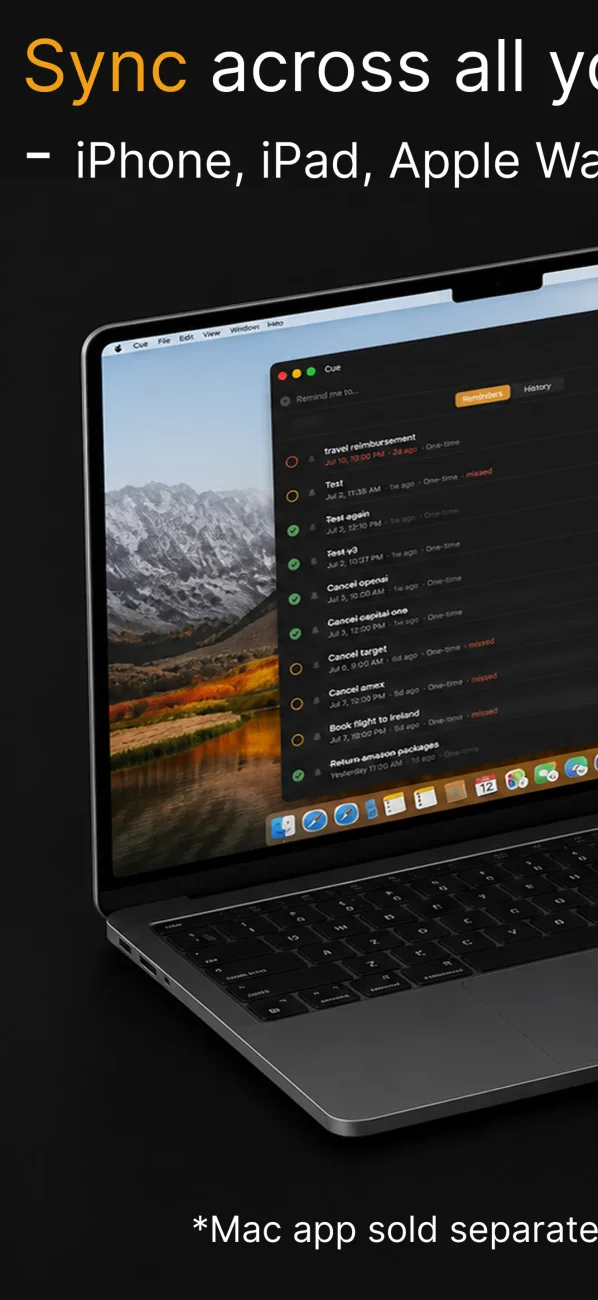
Everything above — the iPhone app, the iPad app, the Apple Watch app — is free. No in-app purchases, no subscription, no locked features. If you also want Cue on your Mac (capture reminders from any app with a global shortcut), Cue for Mac is a separate one-time purchase on the Mac App Store.
JUST TYPE IT
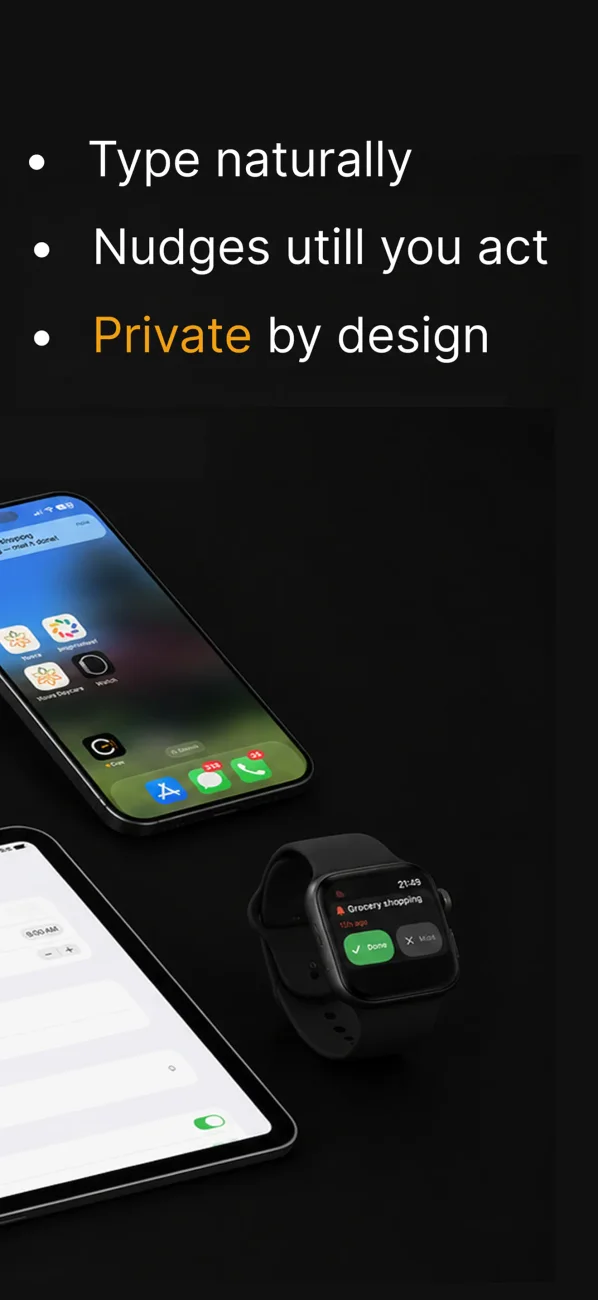
Type "take meds at 8am daily" or "pay rent tomorrow 5pm". Cue reads dates, times, and repeats from plain English — and shows you exactly how it understood you before saving. No forms, no date pickers, no recurrence menus.
IT WON'T LET YOU FORGET
Cue alerts you before something is due, then keeps re-alerting every few minutes until you mark it done, missed, or snoozed. No more one-and-done notifications swiped away and lost. Quiet hours make sure persistence never means 2 a.m. buzzing.
REPEATS THAT MATCH REAL LIFE
If you take a pill at 2pm, the next dose belongs six hours after that — not at whatever time the original schedule said. Cue's flexible repeats count from when you actually completed the task, while appointments and deadlines stay on a fixed schedule. Mention a medication and Cue picks the right behavior automatically.
KNOW WHAT ACTUALLY HAPPENED
Cue logs every completion and every miss — including overdue reminders it marks missed for you. The History tab is an honest record of what got done and when: invaluable for medications, routines, and anything a doctor (or your own memory) might ask about later.
ON YOUR WRIST
The included Apple Watch app shows today's reminders and lets you mark them done or missed without touching your phone.
PRIVATE BY DESIGN
No account, no sign-up, no tracking. Reminders sync through your own iCloud across iPhone, iPad, and Apple Watch — they belong to you, and nobody else can read them.
CHANGE YOUR MIND, ANY TIME
Marked something done by accident? Undo it. Every reminder is editable in place. Nothing in Cue is a one-way door.
Also available: Cue for Mac — capture reminders from any app with a global shortcut, synced through the same iCloud. Sold separately on the Mac App Store.
Cue is for the things that genuinely can't slip: medication, the form due Friday, the call you promised to make. Type it once, and let Cue carry the weight of remembering.
Support & Privacy:
Terms: https://www.apple.com/legal/internet-services/itunes/dev/stdeula/
What’s new
Version 1.1 · Jul 27, 2026
Improve the nudging algorithm
App privacy
What Na Zhao declares on the App Store about how this app handles data.
-
Data not collected
The developer does not collect any data from this app.
Privacy practices may vary, for example with the features you use or your age.
Information
- Seller
- Na Zhao
- Category
- Productivity
- Version
- 1.1
- Updated
- Jul 27, 2026
- Released
- Jul 21, 2026
- Size
- 2.5 MB
- Requires
- iOS 26 or later
- Age rating
- 4+
- Languages
- English
- Copyright
- © 2026 Na Zhao
You might also like
-
 Cloudless RemindersReminders In 22 Languages
-
 Been A MinuteIt's been a minute, hasn't it?
-
 Nudge Me! Lock Screen ReminderCountdowns on your lock screen
-
 CueTask: Reminders & todo listReminders, todo & tasks
-
 EasyDue: RemindersProductivity
-
 Cadence: Routine ChecklistsStep-by-step SOPs & rituals
-
 Just Did: Reverse To-Do ListSmall Wins & One-Line Journal
-
 Clair AppYour Tasks, Cards & Notes
-
 TaskFace: Reminders on WatchYour to-dos on the watch face
-
 QLoopCues that loop on any schedule