Curio - 桌面小组件
拟物组件、复古时钟、照片墙、拼豆工坊、电子徽章、diy组件
Designed for iPhone, iPad
Free · In-app purchases
- Age rating4+
- CategoryUtilities
- Developer慧宇 张
- LanguagesEnglish
- Size276.5 MB
Links to the official App Store page
Download.org hosts no file of Curio - 桌面小组件. The button opens its official App Store page, published by 慧宇 张. Listing last checked on Nov 24, 2026.
Screenshots

About
Little objects. Made for your Home Screen.
Curio is a widget collection crafted with care for materials, light, and detail. From retro clocks to creative canvases, discover small moments of delight every time you pick up your phone.
CLOCKS & INSTRUMENTS
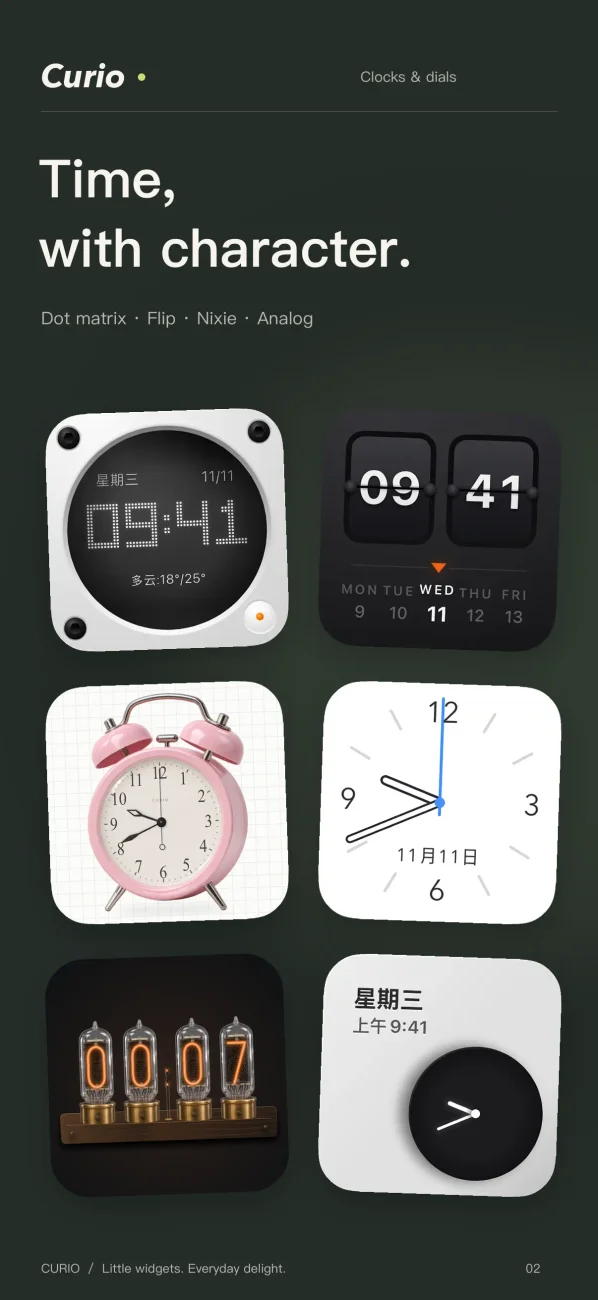
Explore dot-matrix displays, flip clocks, Nixie tubes, twin-bell alarms, and more. Give time a different look with styles inspired by familiar objects.
RETRO OBJECTS
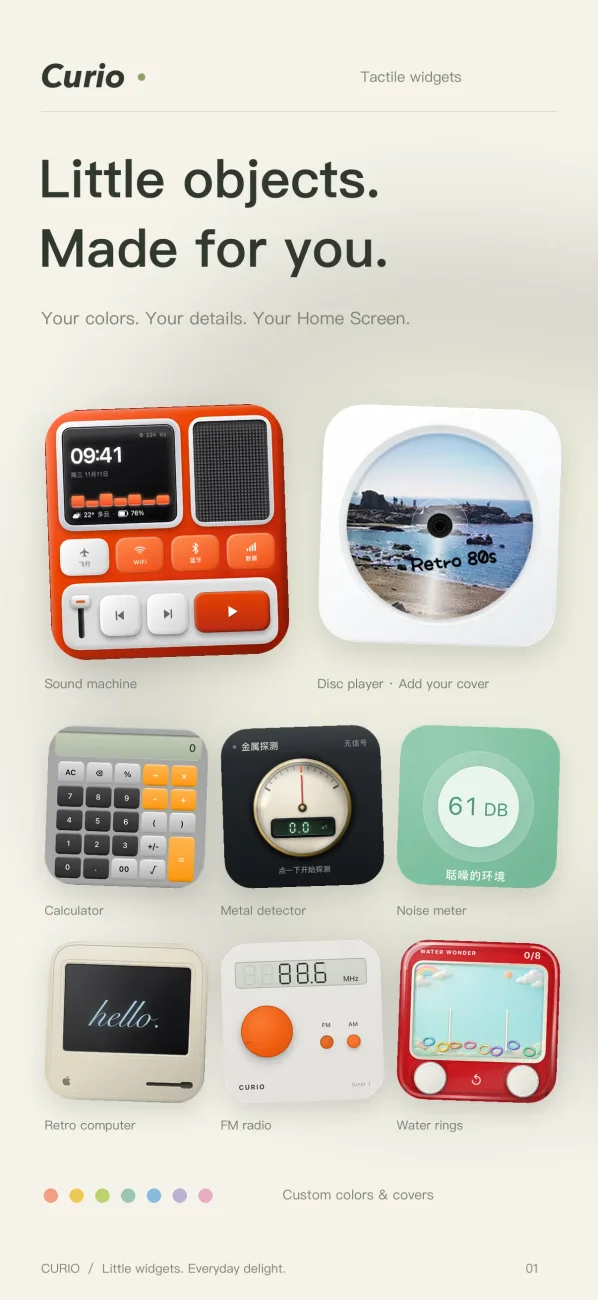
Bring radios, sound machines, disc players, vintage computers, and handheld consoles to your Home Screen. Enjoy tactile details, soft reflections, and a little nostalgia.
MAKE SOMETHING YOURS
Create digital badges, try stitching designs, personalize a disc cover, or turn photos into pixel bead art. Adjust colors and details to make each creation your own.
A LITTLE TIME TO PLAY
Unwind with bubble wrap and other playful widgets. Supported widgets offer Home Screen interactions or shortcuts to creative activities inside Curio. Prefer a quiet display? Turn off tap-to-open on supported widgets.
PHOTOS & MEMORIES
Display your favorite moments in Polaroid-style frames, postage stamps, photo walls, and photo panels. Built-in coastal images give you a starting point before you add your own photos.
EVERYDAY INFORMATION
Choose a city for weather, or grant permission to display your calendar events and reminders. Explore battery displays, countdowns, calendars, and calculators that fit your desktop style.
COLORS, DETAILS & TRANSPARENCY
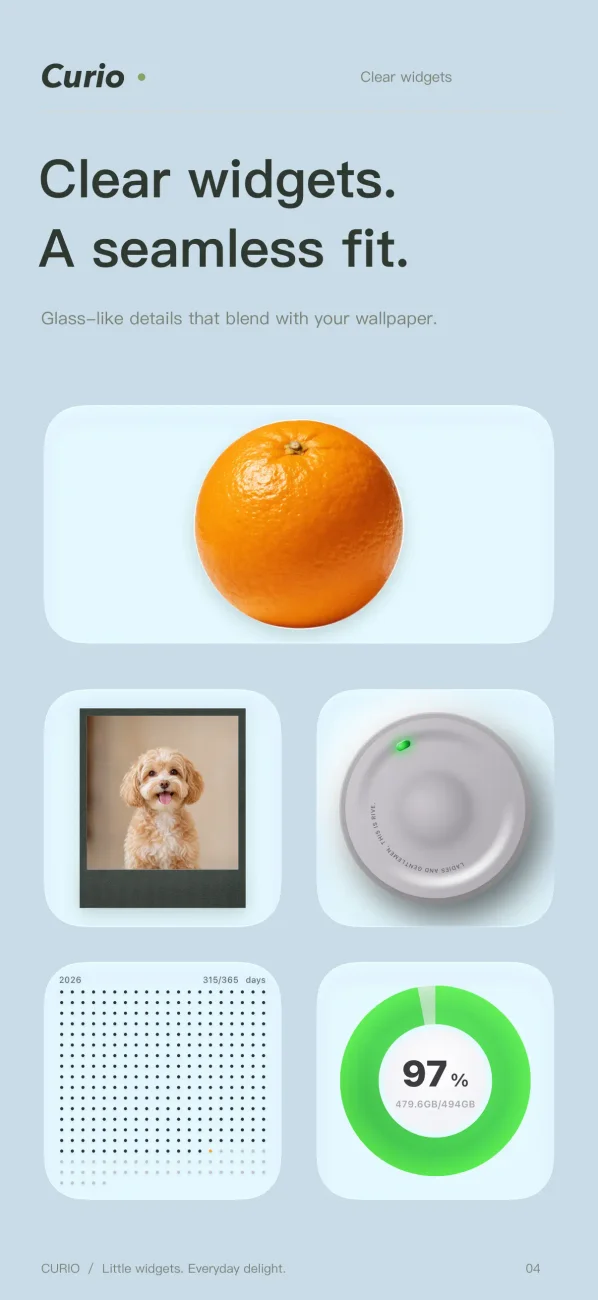
Choose from multiple widget sizes and customize supported widgets with colors, photos, and finishing touches. Selected widgets support transparent backgrounds to blend with your wallpaper.
Find a favorite, save it to your collection, and add it to your Home Screen.
CURIO PRO
The free version lets you add up to 2 widget instances. Upgrade to Curio Pro to add unlimited widget instances.
Choose a monthly, six-month, or annual auto-renewable subscription, or a one-time lifetime purchase. The lifetime purchase does not renew. Prices and availability are shown on the in-app purchase screen and may vary by region.
SUBSCRIPTION INFORMATION
• Payment will be charged to your Apple Account upon confirmation of purchase.
• Subscriptions renew automatically unless canceled at least 24 hours before the end of the current subscription period.
• Your account will be charged for renewal within 24 hours before the end of the current period.
• Manage or cancel your subscription in Settings → Apple Account → Subscriptions.
Privacy Policy:
https://qinghe886.github.io/curio-privacy/
Terms of Use (EULA):
https://www.apple.com/legal/internet-services/itunes/dev/stdeula/
What’s new
Version 2.5.0 · Nov 23, 2026
NEW WIDGETS
• Health Rings — three concentric rings for today's steps, walking distance and calories, in four styles. Data stays on your device.
• Holiday Countdown — the 24 solar terms plus public holidays for your region, sorted automatically. 3 on small, 6 on medium, 12 on large. Supports Liquid Glass and one-tap color presets.
• World Clock — see several cities and their time differences at a glance, with customizable dial colors and ticks.
• Prism Clock — big gradient digits in five palettes, or build a gradient from any color you pick.
• Digital Clock & Subject Clock — classic seven-segment digits, and a photo cut-out paired with a large clock.
GALLERY
• New sections: Digital Clocks, Desk and Days.
• Life Wall, Anniversary, Holiday Countdown and Occasion List now live together in Days.
IMPROVEMENTS
• Desktop Book: page turns respond instantly again. A redesigned editor keeps the preview pinned on top, with font weight, chapter, progress and left-handed options. The Liquid Glass preview now matches the Home Screen.
• Four Quadrants: refreshed header and completed state, banner colors, task times and sorting.
• App Launcher: a new "Soft" icon shape, for four in total (Frame / Classic / Soft / Circle).
• Light Seconds & Heavy Seconds: custom text and accent colors.
• More units for Occasion List; Anniversary and countdowns support extra-large sizes.
• Polished Speed Test and color pickers, plus stability fixes.
App privacy
What 慧宇 张 declares on the App Store about how this app handles data.
-
Data not collected
The developer does not collect any data from this app.
Privacy practices may vary, for example with the features you use or your age.
Information
- Seller
- 慧宇 张
- Category
- Utilities
- Version
- 2.5.0
- Updated
- Nov 23, 2026
- Released
- Nov 9, 2026
- Size
- 276.5 MB
- Requires
- iOS 18.0 or later
- Age rating
- 4+
- Price
- Free
- In-app purchases
- Yes
- Languages
- English
- Copyright
- Copyright © 2026 Zhang HuiYu. All rights reserved.
You might also like
-
 录播精灵Utilities
-
 Video compress-compress videosResize video&video resizer
-
 Image Compressor-Top AI EngineSave 90% Space Fast
-
 视频转实况 - 高清实况照片制作工具Utilities
-
 ZeroClock零时钟27 Beautiful Fullscreen Clocks
-
 字造天地-幼儿识字早教Utilities
-
 Decibel Meter dB Noise · TacetSound Level Log & Report
-
 Miri TrackpadWireless trackpad for your Mac
-
 Notchet: Clipboard ManagerClipboard history & snippets
-
 Playbar for SafariWeb Video Playback Assistant