- Age rating4+
- CategoryUtilities
- DeveloperMorten Gregersen
- LanguagesEnglish+ 32 more
- Size94.6 MB
Links to the official App Store page
Download.org hosts no file of Custom timers - ClickClock. The button opens its official App Store page, published by Morten Gregersen. Listing last checked on Nov 13, 2026.
Screenshots
About
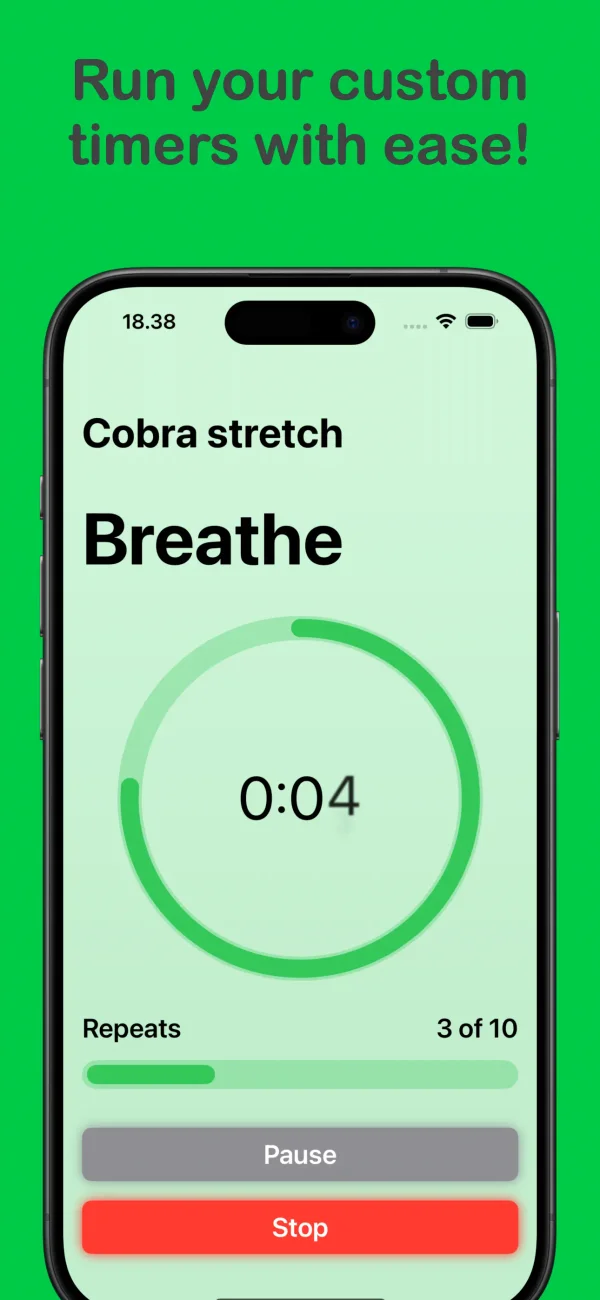
ClickClock is a tool for creating personalized timers to manage your workouts, tasks, and routines with ease. Whether you need to time your exercises, focus on work, or time something else, ClickClock helps you stay on track by breaking down tasks into manageable steps.
Key Features:
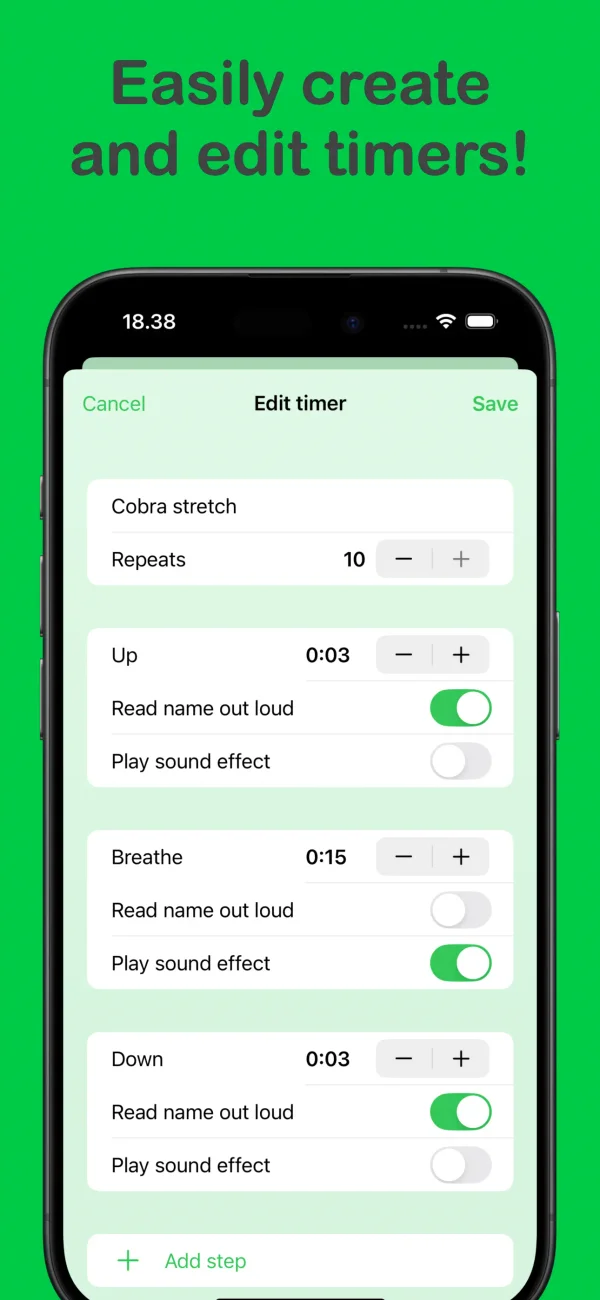
• Create Custom Timers: Design timers for any activity with multiple steps and durations.
• Tailor Each Step: Define each step’s purpose and time – whether it’s for a workout, rest, or task.
• User-Friendly Interface: Simple and intuitive design lets you quickly set up and manage your timers.
• Multiple Use Cases: Ideal for workouts, physiotherapy exercises, study sessions, and more.
App privacy
What Morten Gregersen declares on the App Store about how this app handles data.
-
Data not linked to you
May be collected but is not linked to your identity.
- Purchases
- Usage data
Privacy practices may vary, for example with the features you use or your age.
Information
- Seller
- Morten Gregersen
- Category
- Utilities
- Version
- 2024.1
- Updated
- Sep 16, 2024
- Released
- Sep 16, 2024
- Size
- 94.6 MB
- Requires
- iOS 17.5 or later
- Age rating
- 4+
- Price
- Free
- In-app purchases
- Yes
- Languages
- English, Arabic, Catalan, Croatian, Czech, Danish, Dutch, Finnish, French, German, Greek, Hebrew + 21 more
- Copyright
- © 2024
You might also like
-
 Timer of TimeSimple timer for simple times.
-
 relaytimerCustom Queue Timers for All
-
 Chain TimersTimers work in sequence
-
 kpad timersRun multiple timers with ease
-
 StopWatch QuickTrack time with precision
-
 Image Timer multiple timersMultiple timers and stopwatch
-
 Node PocketSSH, SFTP, and web in one app
-
 Fresh Coat® v2Step-by-step Installation
-
 PrettyTimer - Focus & FitnessAesthetic Interval Timer, HIIT
-
 Custom Visual TimerFun timers with custom themes