
CutFlow Pro - Cut Optimizer
Cut list & Nesting for Wood
Designed for iPhone, iPod touch
Free · In-app purchases
- Age rating4+
- CategoryProductivity
- DeveloperZhaoqing Hengtuzhiqi Technology Co. , Ltd.
- LanguagesEnglish+ 2 more
- Size28.5 MB
Links to the official App Store page
Download.org hosts no file of CutFlow Pro - Cut Optimizer. The button opens its official App Store page, published by Zhaoqing Hengtuzhiqi Technology Co. , Ltd. Listing last checked on Nov 17, 2026.
Screenshots

About
CutFlow Pro is the comprehensive cutting optimization tool designed for carpenters, DIY enthusiasts, and woodworking professionals. Version 1.0.1 brings a powerful new engine and interactive workflows to help you work smarter, not harder.
Key Features:
**1. Intelligent Optimization Engine**
- **Max Yield Strategy**: Advanced nesting algorithms to squeeze the most out of every sheet, saving you money on material.
- **Min Cuts Strategy**: Option to prioritize layout simplicity for faster cutting (Guillotine/Shear cuts).
- **Custom Constraints**: Configure blade kerf, trim sizes, and cut direction (longitudinal/transverse/mixed) to match your equipment.
**2. Interactive Step-by-Step Guide (NEW!)**
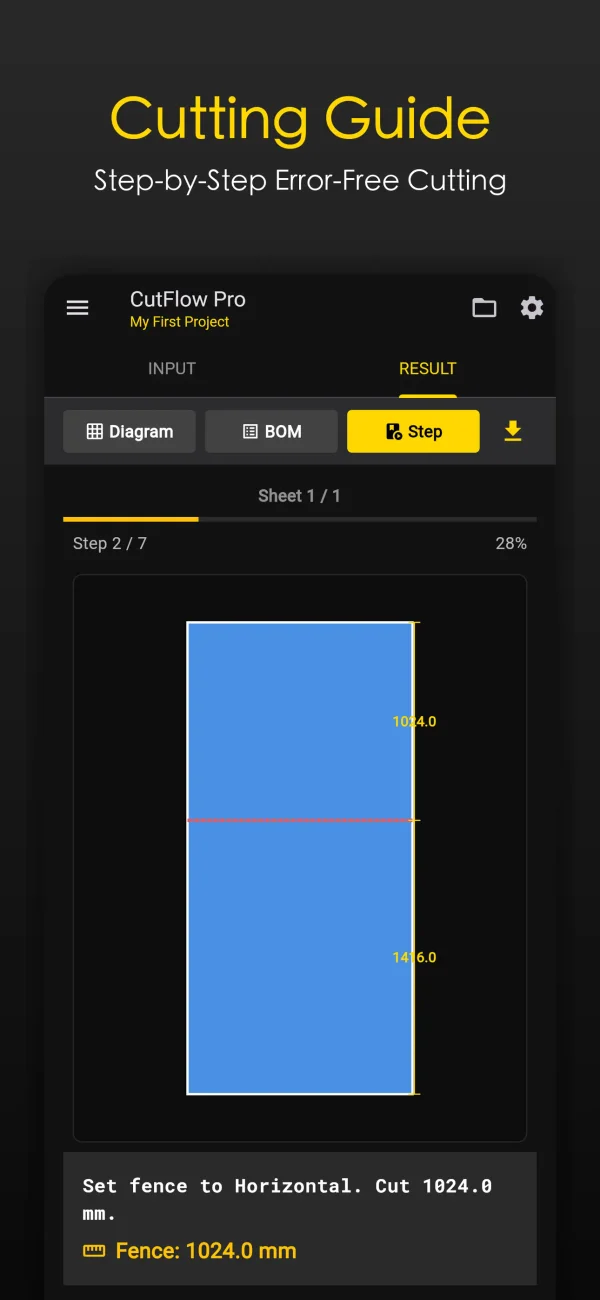
- Ditch the static diagrams. Follow a guided, interactive workflow for every sheet.
- Visual cues for fence settings and cut directions.
- Zoomed-in view of every cut operation to ensure zero mistakes.
- Visual indicators for edge banding on parts.
**3. Stock & Remnant Management (NEW!)**
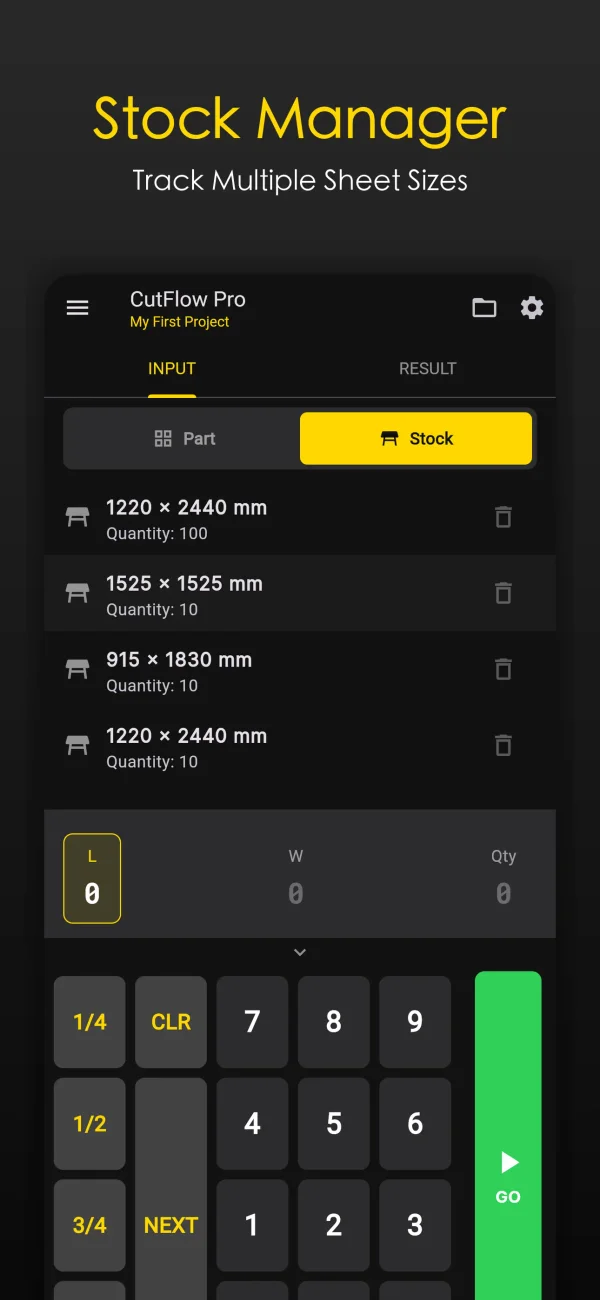
- **Standard Stock Library**: Keep your frequently used sheet sizes ready for quick access.
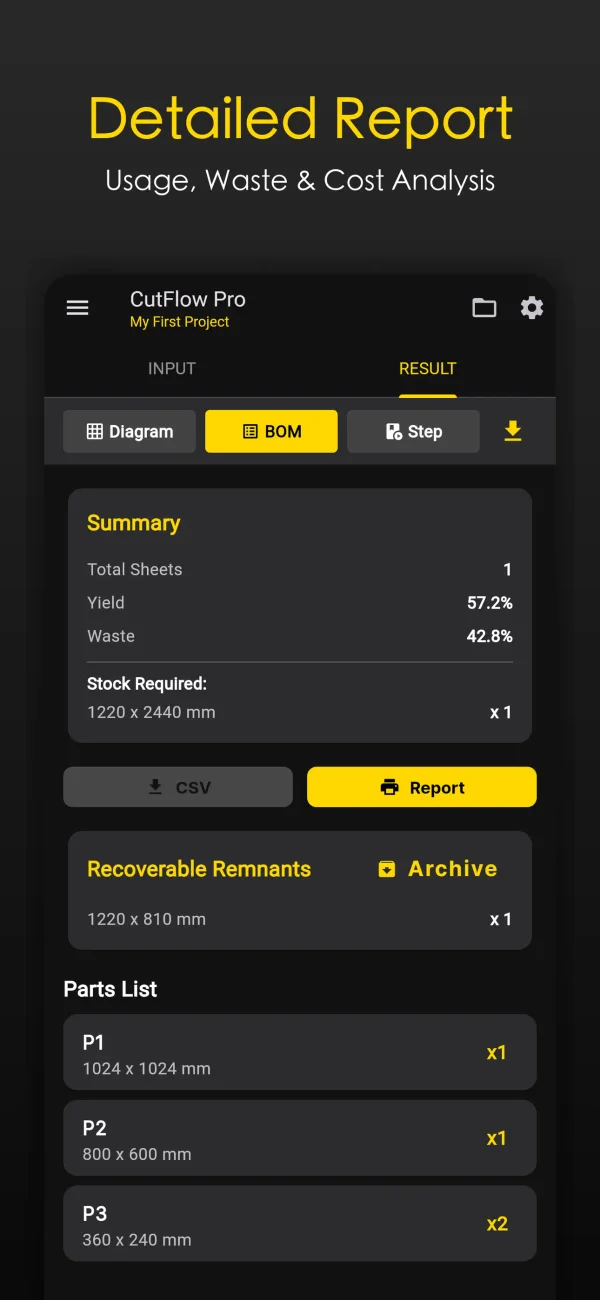
- **Remnant Tracking**: Automatically identify reusable offcuts and save them to your inventory for future projects. Reduce waste and save cost!
**4. Project & Data Management**
- **Multi-Project Support**: Create, save, and manage multiple projects locally.
- **Flexible Units**: Seamlessly switch between Metric (mm, cm, m) and Imperial (Decimal/Fractional) units.
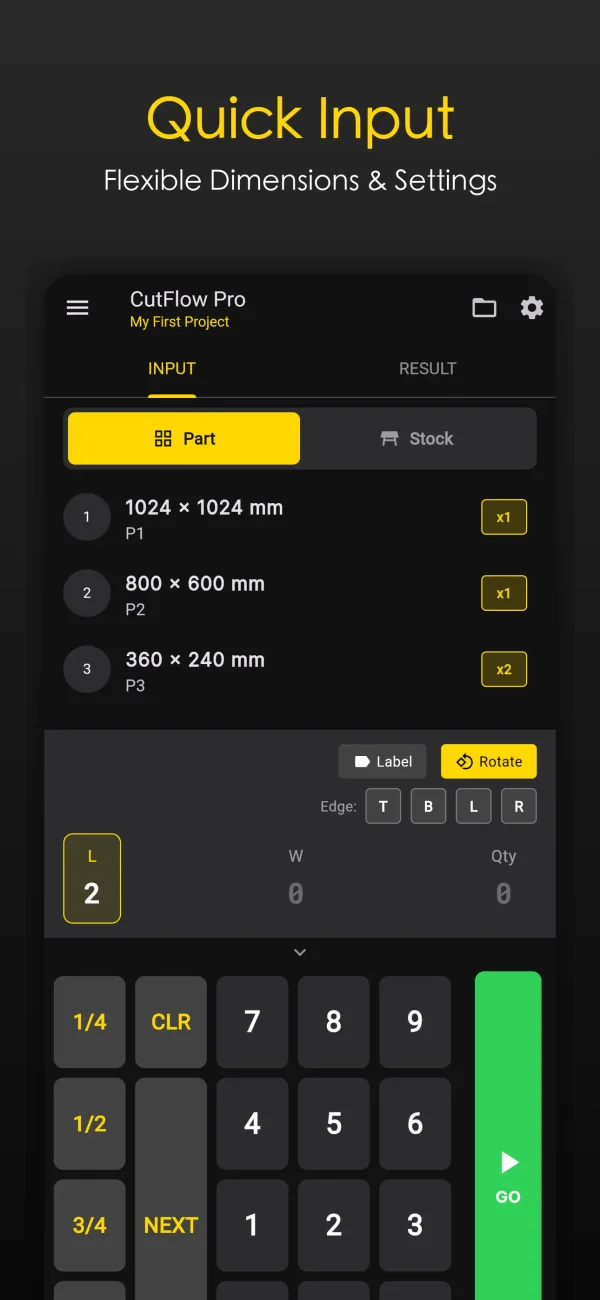
- **Grain Direction Control**: Respect material grain by enabling or disabling rotation for specific parts.
- **Edge Banding**: Input edge banding requirements (Top/Bottom/Left/Right) for each part.
**5. Detailed Project Statistics**
- View comprehensive summaries including total sheets required, yield percentage, and waste ratio.
- Detailed BOM (Bill of Materials) list with cut status tracking.
**6. Offline & Private**
- No internet required. All calculations happen locally on your device.
- Your project data stays with you. No cloud account needed.
Whether you're building custom cabinets, furniture, or handling a large renovation, CutFlow Pro is your digital assistant for efficient material planning.
What's New in Version 1.0.2:
- **Interactive Step-by-Step Mode**: A game-changer for workshop efficiency.
- **Dual Optimization Strategies**: Choose between saving material or saving time.
- **Remnant Management System**: Don't throw away money—track and use your offcuts.
- **Enhanced UI**: Improved input methods with custom fractional keypad.
Support URL:
https://cutflow-pro.vercel.app/
Privacy Policy URL:
https://cutflow-pro.vercel.app/private/privacy_policy.html
Terms Of Service URL:
https://app-theta-flame.vercel.app/cutflowPro/private/terms_of_service.html
SUBSCRIPTION INFO:
CutFlow Pro Premium offers exclusive features to boost your productivity:
• Unlimited Projects: Create and save as many projects as you need.
• Unlimited Stock Items: Manage unlimited stock sizes and inventory.
• Full Access: Unlock complete BOM reports and step-by-step cutting guides.
• Advanced Algorithms: Access premium nesting strategies like 'Max Yield' for best material savings.
Subscription Terms:
• Title: Weekly Subscription
• Price: $3.99 / Week
• Trial: 3 Days Free Trial
• Payment will be charged to your Apple ID account at the confirmation of purchase.
• Subscription automatically renews unless it is canceled at least 24 hours before the end of the current period.
• Your account will be charged for renewal within 24 hours prior to the end of the current period.
• You can manage and cancel your subscriptions by going to your account settings on the App Store after purchase.
What’s new
Version 1.0.3 · Apr 16, 2026
bug fix
App privacy
What Zhaoqing Hengtuzhiqi Technology Co. , Ltd. declares on the App Store about how this app handles data.
-
Data used to track you
May be used to track you across apps and websites owned by other companies.
- Identifiers
-
Data not linked to you
May be collected but is not linked to your identity.
- Identifiers
- Diagnostics
Privacy practices may vary, for example with the features you use or your age.
Information
- Seller
- Zhaoqing Hengtuzhiqi Technology Co. , Ltd.
- Category
- Productivity
- Version
- 1.0.3
- Updated
- Apr 16, 2026
- Released
- Dec 17, 2025
- Size
- 28.5 MB
- Requires
- iOS 15.0 or later
- Age rating
- 4+
- Price
- Free
- In-app purchases
- Yes
- Languages
- English, Simplified Chinese, Traditional Chinese
- Copyright
- © 2025 CutFlow Pro
You might also like
-
 Castoro: Cutting & NestingSheet cutting for saws and CNC
-
 CutList: Panel Cutting PlannerSheet & MDF cutting optimizer
-
 Cutter optimizerSmart Material Cutting Tool
-
 Cut List Optimizer - BoardcutPlywood & Sheet Calculator
-
 DyCut- Dynamic Cutting LayoutsSheet Layout Cutlist Optimizer
-
 MaxCut: Plano de CorteAproveite cada chapa e barra
-
 Map Canvas: Draw on MapsCreate, collaborate and share
-
 Ai - open source AI AssistantPrivate, open source AI Models
-
 CAD FastView: DWG ViewerDWG,DXF,DWT Viewer -CAD viewer
-
 Kitchen Design PRORoom Sketcher & Home Creator