
Cut List Optimizer - Boardcut
Plywood & Sheet Calculator
Designed for iPhone, iPad
Free · In-app purchases
- Age rating4+
- CategoryProductivity
- DeveloperRyosuke Igarashi
- LanguagesEnglish+ 12 more
- Size7.8 MB
Links to the official App Store page
Download.org hosts no file of Cut List Optimizer - Boardcut. The button opens its official App Store page, published by Ryosuke Igarashi. Listing last checked on Nov 26, 2026.
Screenshots

About
Turn a parts list into an optimized cutting diagram — right at the lumber aisle. Unlock Boardcut Pro with a one-time purchase. The price is shown in the app before purchase.
Boardcut takes the parts you need and the sheets and boards you have, and lays out where every cut goes — so you buy less material and waste less of what you buy.
WHAT YOU CAN DO
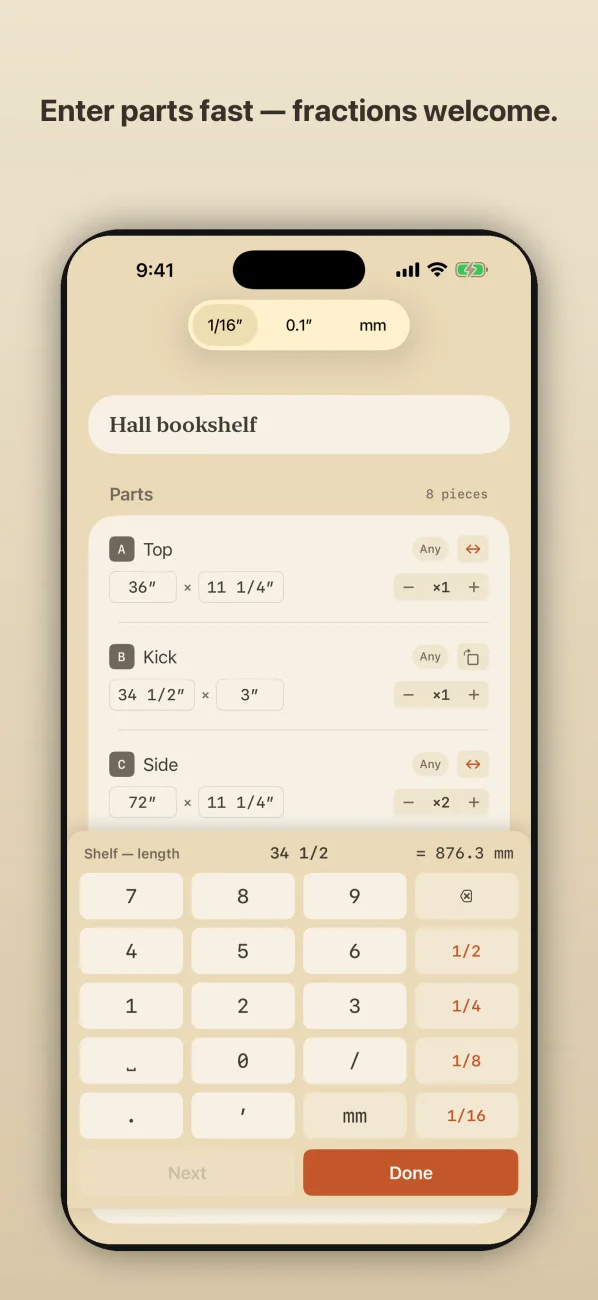
• Enter parts fast — a fraction keypad built for inches (24 3/8″ takes four taps), plus decimal and mm modes
• Add stock from standard presets — 4×8 plywood, dimensional lumber — or enter your own sizes
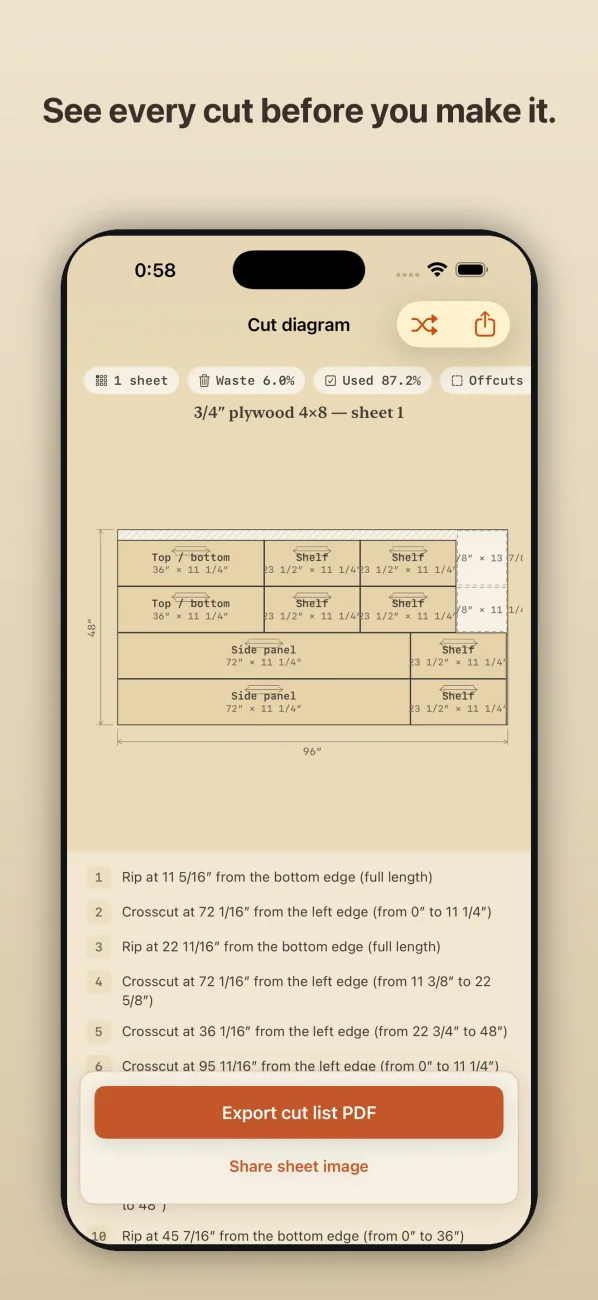
• Get an optimized cut diagram with engineering-style dimensions and grain arrows
• Blade kerf is drawn at its real width on every cut — with edge trim and a minimum offcut size you control
• Follow a numbered cut list: every rip and crosscut in order, linked to the diagram
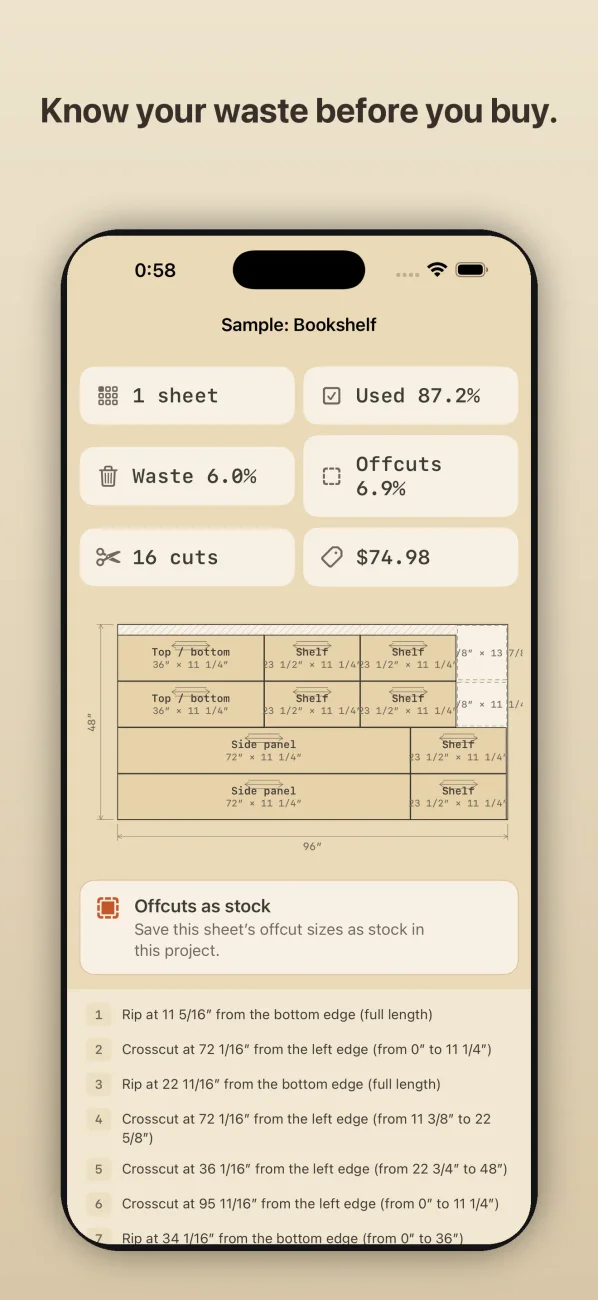
• See waste, yield, sheet count, cut count, and material cost at a glance
• Reshuffle for an alternate layout when you want a second opinion
• Lock grain direction on the parts that show
• Switch units anytime — inch fractions, decimal inches, or millimeters — never paywalled
• Two drawing-table themes: Workshop (birch and pencil) and Blueprint (cyanotype)
FREE — THE FULL TOOL, ANY PROJECT SIZE
Plan the whole build free: unlimited pieces, the optimizer, the full cut diagram, ordered cut steps, and sheet-image sharing. No account, no trial clock.
Boardcut Pro Lifetime
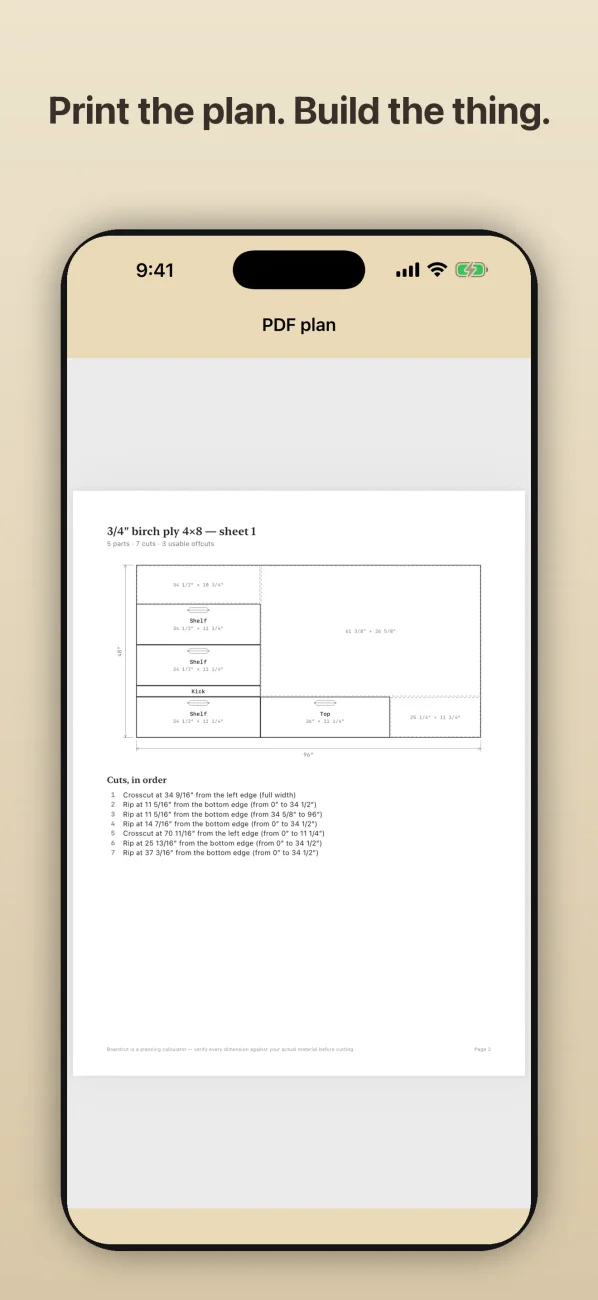
• Vector PDF plans — diagrams, cut steps, and a shopping list, sharp in print
• Save this sheet’s offcut sizes as stock in this project.
• CSV export of parts and placements
Unlock Boardcut Pro with a one-time purchase. The price is shown in the app before purchase.
PRIVATE BY DESIGN
Your projects stay on your device. Boardcut has no account, no ads, and no third-party tracking. It sends limited anonymous product-interaction events for analytics; project names, notes, dimensions, and layouts are not sent.
Boardcut is a planning calculator. Always verify every dimension against your actual material before cutting — sheet sizes, blade kerf, and lumber dimensions vary. Boardcut does not provide instruction on tool use or workshop safety; follow your tool manufacturer's instructions and use proper safety equipment.
Terms of Use (EULA): https://softgrove.github.io/boardcut-legal/terms.html
Privacy Policy: https://softgrove.github.io/boardcut-legal/privacy.html
Terms of Use (EULA): https://www.apple.com/legal/internet-services/itunes/dev/stdeula/
What’s new
Version 1.5.23 · Nov 25, 2026
Unit prices are easier to add from your cut diagram. Plus reliability fixes.
App privacy
What Ryosuke Igarashi declares on the App Store about how this app handles data.
-
Data linked to you
May be collected and linked to your identity.
- Purchases
-
Data not linked to you
May be collected but is not linked to your identity.
- Identifiers
- Usage data
Privacy practices may vary, for example with the features you use or your age.
Information
- Seller
- Ryosuke Igarashi
- Category
- Productivity
- Version
- 1.5.23
- Updated
- Nov 25, 2026
- Released
- Jul 11, 2026
- Size
- 7.8 MB
- Requires
- iOS 17.0 or later
- Age rating
- 4+
- Price
- Free
- In-app purchases
- Yes
- Languages
- English, Dutch, French, German, Italian, Japanese, Korean, Polish, Portuguese, Simplified Chinese, Spanish, Swedish + 1 more
- Copyright
- © 2026 Ryosuke Igarashi
You might also like
-
 Cut List Optimizer: SawKitPlywood Sheet Cutting Planner
-
 CutList Optimizer - CarpenterPlan Smarter. Waste Less.
-
 Cutlist: Cabinet PlannerSheets, Boards & Cut Diagrams
-
 MaxCut: Plano de CorteAproveite cada chapa e barra
-
 CutList: Panel Cutting PlannerSheet & MDF cutting optimizer
-
 CutFlow Pro - Cut OptimizerCut list & Nesting for Wood
-
 FINOpti — Cut List OptimizerOptimize melamine & MDF cuts
-
 Cutbench: Cutting List MakerPlywood & Timber Cut Plans
-
 Woodworking Cut-List OptimizerPlan cuts. Waste less.
-
 CortecloudPlataforma de terceirização