D-day Counter - Countdowns
Widgets, calendar & statistics
Designed for iPhone, iPad, iPod touch
- Age rating4+
- CategoryProductivity
- DeveloperSiU Ahn
- LanguagesKorean+ 1 more
- Size28.5 MB
Links to the official App Store page
Download.org hosts no file of D-day Counter - Countdowns. The button opens its official App Store page, published by SiU Ahn. Listing last checked on Nov 12, 2026.
Screenshots

About
Never miss a day that matters. D-day Counter keeps every countdown in your life — exams, anniversaries, birthdays, deadlines — organized in one clean app.
■ Made for you if…
• You're a student counting down to a final exam, certification test, or interview
• You want to celebrate your 100th or 1000th day together as a couple
• You never want to forget a family member's or friend's birthday — even one kept on the lunar calendar
• You're tracking a project deadline, trip departure, or any big day ahead
■ Key features
1. Unlimited D-days
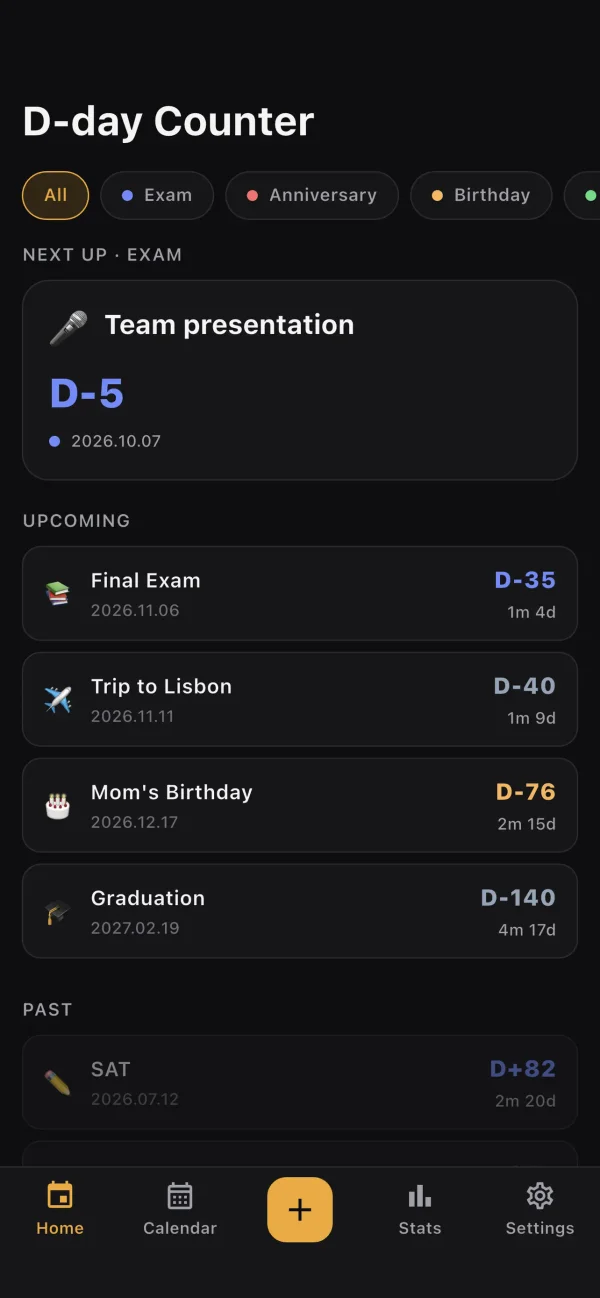
Create as many countdowns as you want — no limits. Pick an emoji and add a memo to make each one yours. Count down to upcoming days (D-35) or count up from past events (D+82).
2. Reminders
Get notified on the day, or 1, 2, 3, 7 or 30 days before — at the time you choose.
3. Home screen widgets
Check your D-days right from your home screen. Pick which D-day each widget shows; with a start date it shows a progress bar too.
4. Yearly repeating events
Birthdays and anniversaries roll over automatically every year. Set it once and it always shows the next occurrence.
5. Lunar calendar dates
Enter a date on the Korean lunar calendar and it repeats on that lunar date every year, with the solar date worked out for you. Leap months included.
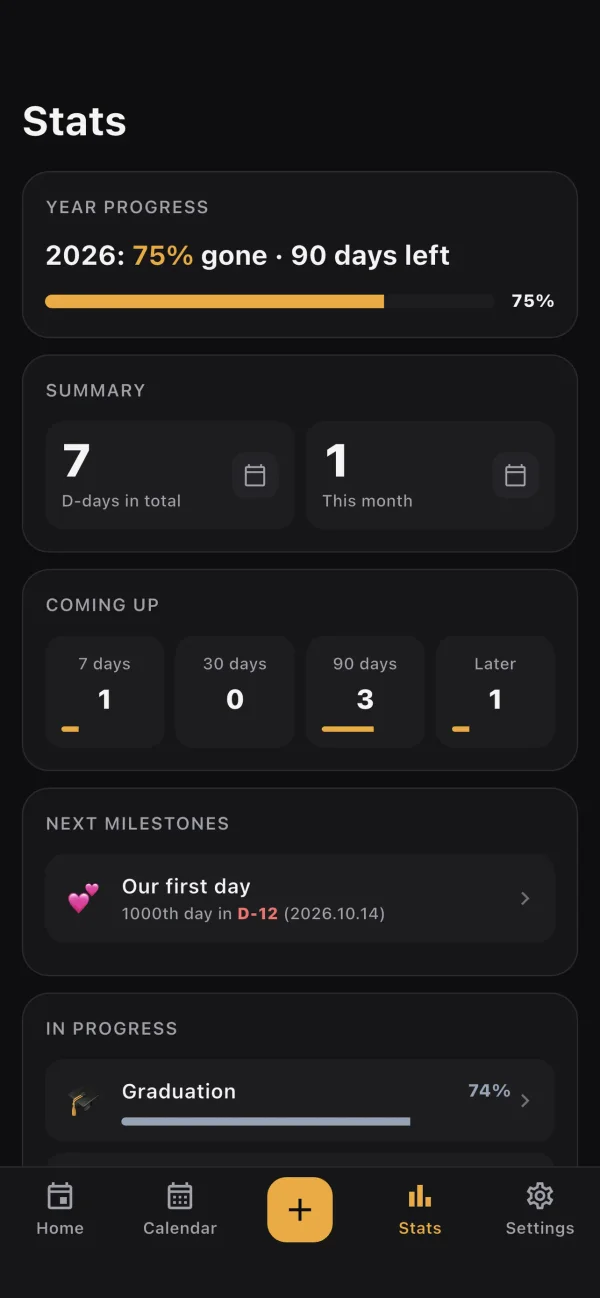
6. Statistics
Year progress, what's coming up, your next 100th or 1000th day, goals in progress and a by-month chart — all on one screen.
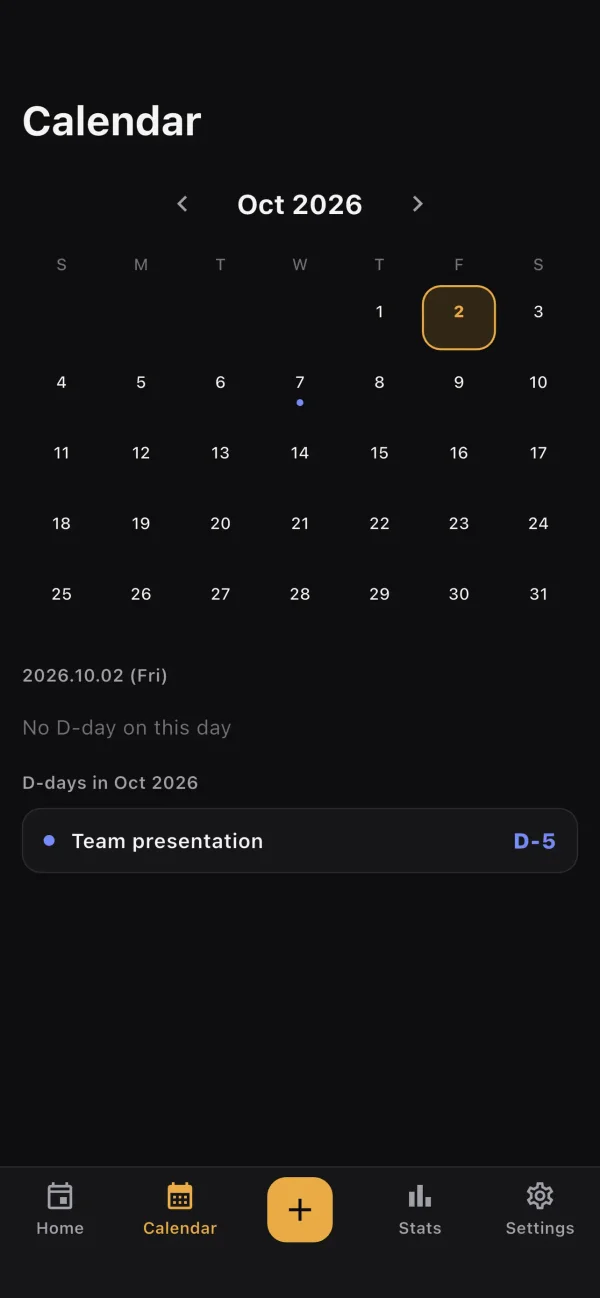
7. Calendar view
See all your D-days laid out on a monthly calendar. Instantly know what's coming up this month.
8. Categories
Exam, Anniversary, Birthday, Military and Other — rename them, change their icon and color, or create your own.
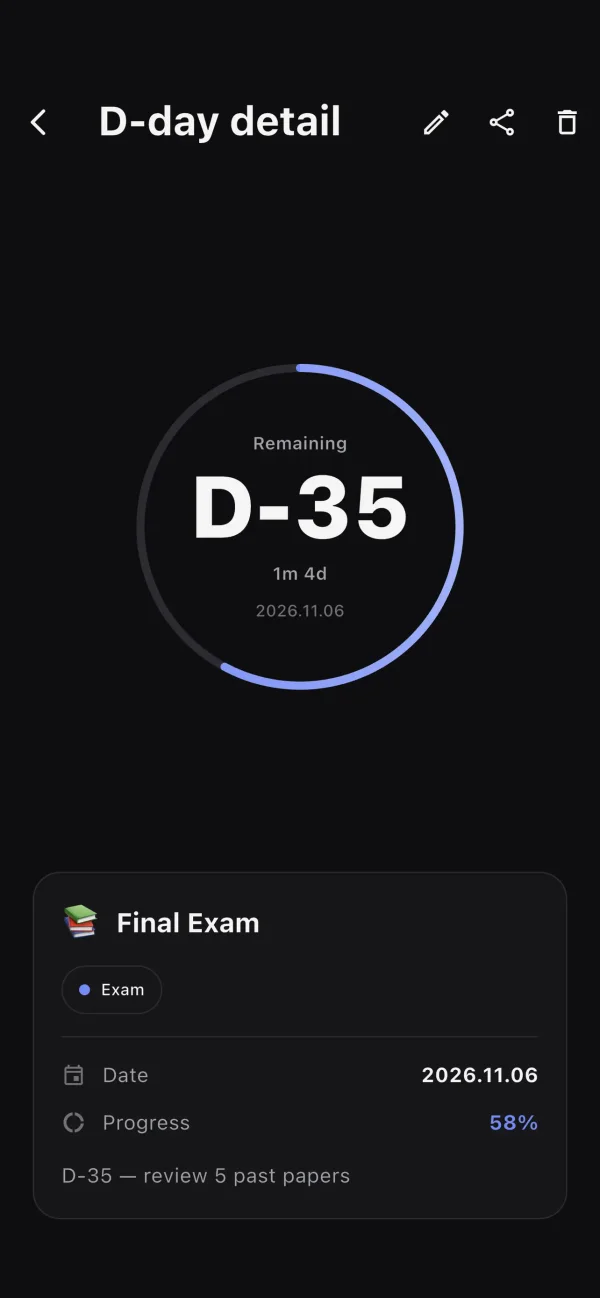
9. Progress ring
Set a start date and watch the progress ring fill up as you approach your goal.
10. Backup & restore
Export your D-days to a file and bring them back on a new phone.
■ Light and private
• No sign-up — start using it the moment you install
• All data stays on your device (nothing is sent to a server)
• Works fully offline
• Dark and light themes, English & Korean supported
From exam countdowns to couple anniversaries and birthday reminders — start counting the days that matter with D-day Counter.
What’s new
Version 1.2.0 · Oct 14, 2026
• Lock screen widgets: see the days left right on your lock screen (circular, rectangular and inline).
• New design: refreshed home, detail, add and welcome screens, with clean icons instead of emoji.
• Home screen widgets follow the app's theme, and the medium size also lists your next three D-days.
App privacy
What SiU Ahn declares on the App Store about how this app handles data.
-
Data used to track you
May be used to track you across apps and websites owned by other companies.
- Identifiers
- Usage data
- Diagnostics
-
Data not linked to you
May be collected but is not linked to your identity.
- Identifiers
- Usage data
- Diagnostics
Privacy practices may vary, for example with the features you use or your age.
Information
- Seller
- SiU Ahn
- Category
- Productivity
- Version
- 1.2.0
- Updated
- Oct 14, 2026
- Released
- Jul 9, 2026
- Size
- 28.5 MB
- Requires
- iOS 15.0 or later
- Age rating
- 4+
- Languages
- Korean, English
- Copyright
- © 2026 SiU Ahn
You might also like
-
 Hue Plan: Time BlockingDaily planner in color
-
 DearPin - Your D-day momentsCountdowns & Photo Memories
-
 Weekvu - Weekly PlannerWeekly Planner & Notes
-
 HASH - #memo, alarm, calendarMake notes easily and effect
-
 Daylog - All-in-One CalendarHabits·ToDo·Countdowns·Widgets
-
 SayDay: All-in-One PlannerAll-in-One Schedule Manager
-
 Yooti 유티 - 캘린더 할일 루틴 기념일Productivity
-
 Pack Check: Voice ChecklistNever leave without it again
-
 Tikkle: Tiny Focus, Big GrowthPomodoro Focus Timer Rewards
-
 LOG TODO - To Do List, PlannerDaily checklist & routines