
Daily Checklist: Loopcheck
Habits, Routines & Streaks
Designed for iPhone
Free · In-app purchases
- Age rating4+
- CategoryProductivity
- DeveloperElena Anghel
- LanguagesEnglish+ 3 more
- Size11.5 MB
Links to the official App Store page
Download.org hosts no file of Daily Checklist: Loopcheck. The button opens its official App Store page, published by Elena Anghel. Listing last checked on Nov 15, 2026.
Screenshots

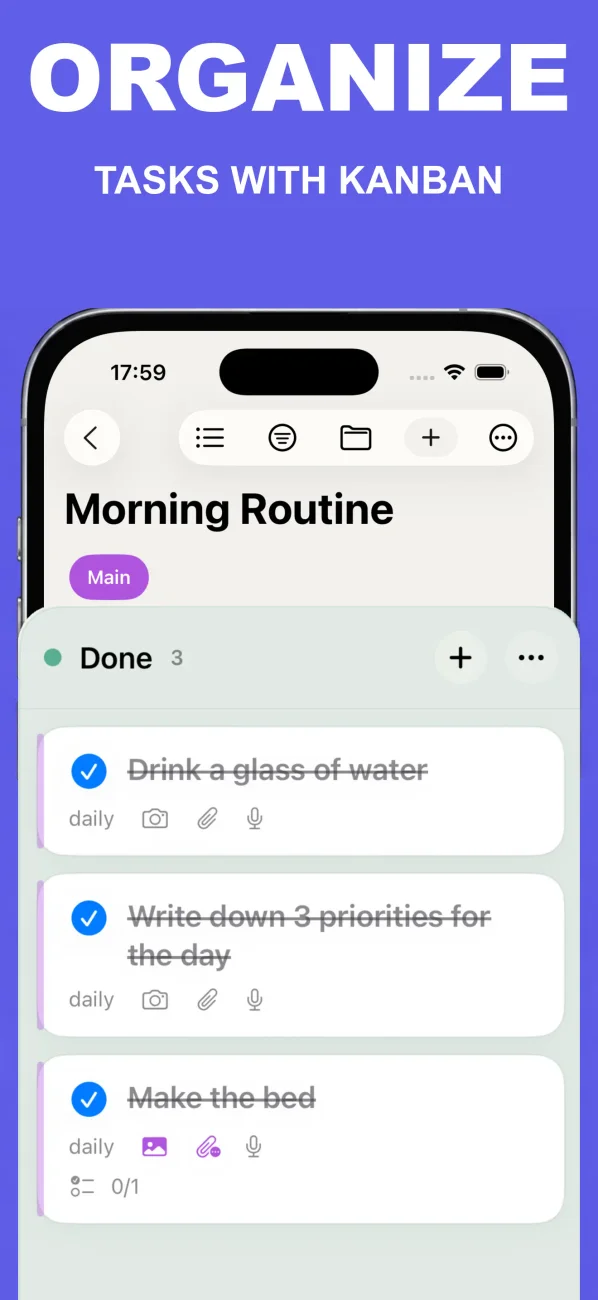
About
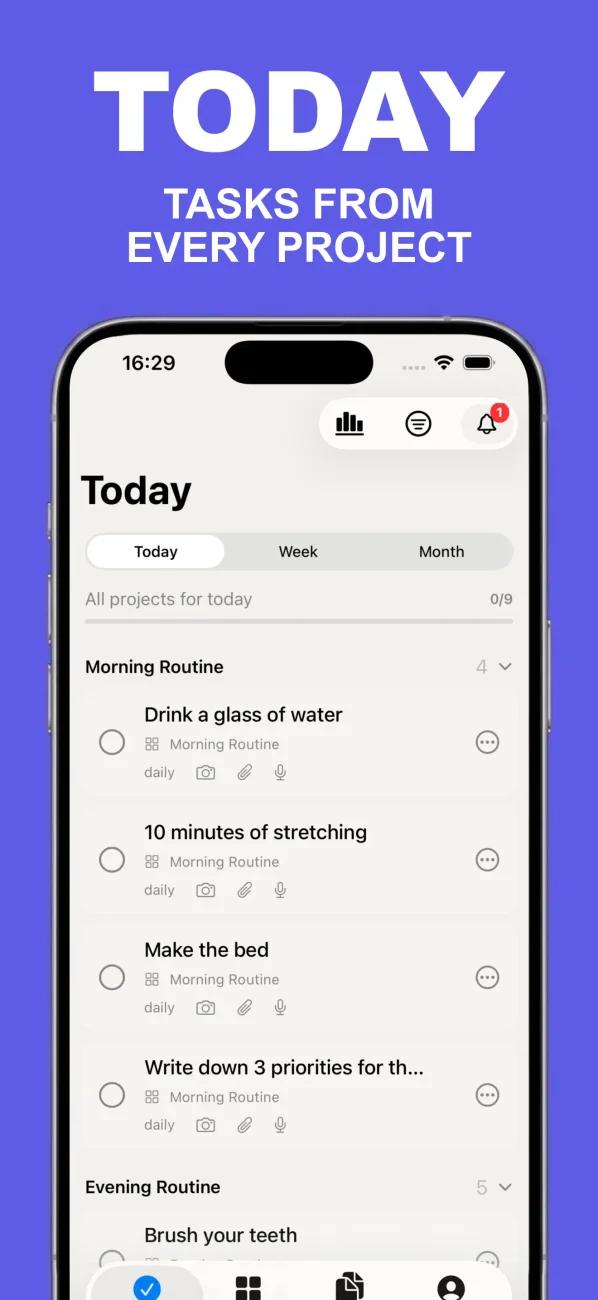
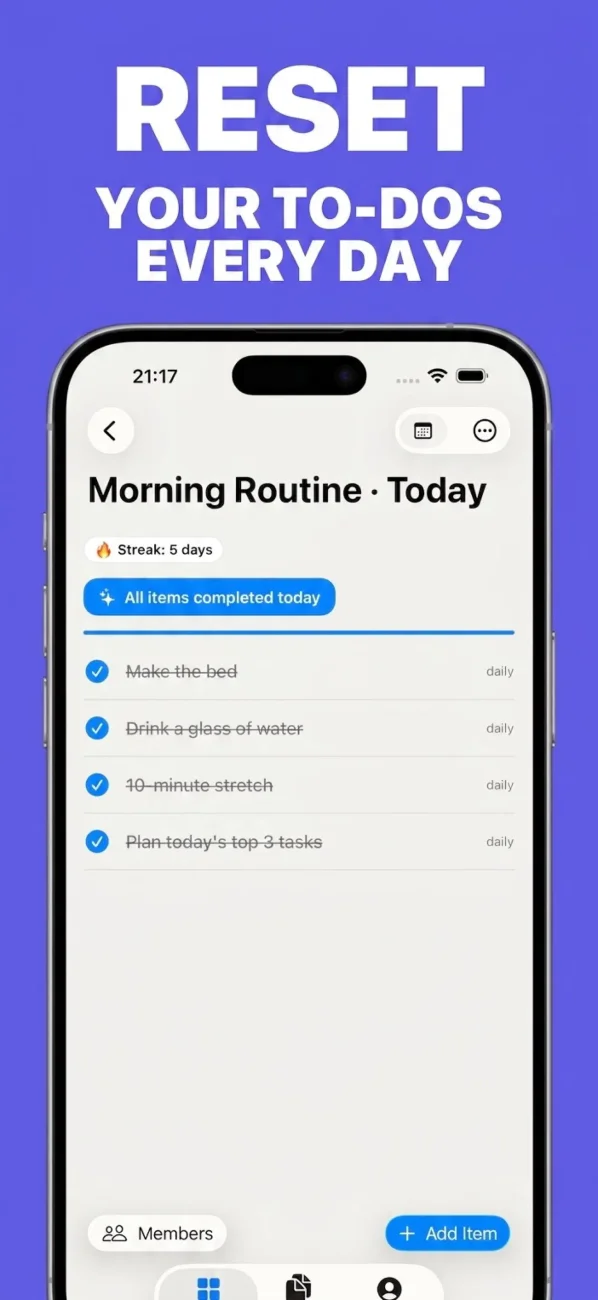
Loopcheck turns checklists into something that resets itself instead of piling up forever. Every item comes back on its own schedule — daily, weekdays, or custom days — so you start each morning with a clean list.
RECURRING TASKS, NOT ONE-OFF TO-DOS
Set a schedule once — daily, weekdays, weekends, or specific days — and the item reappears automatically. No re-adding the same chores every single day.
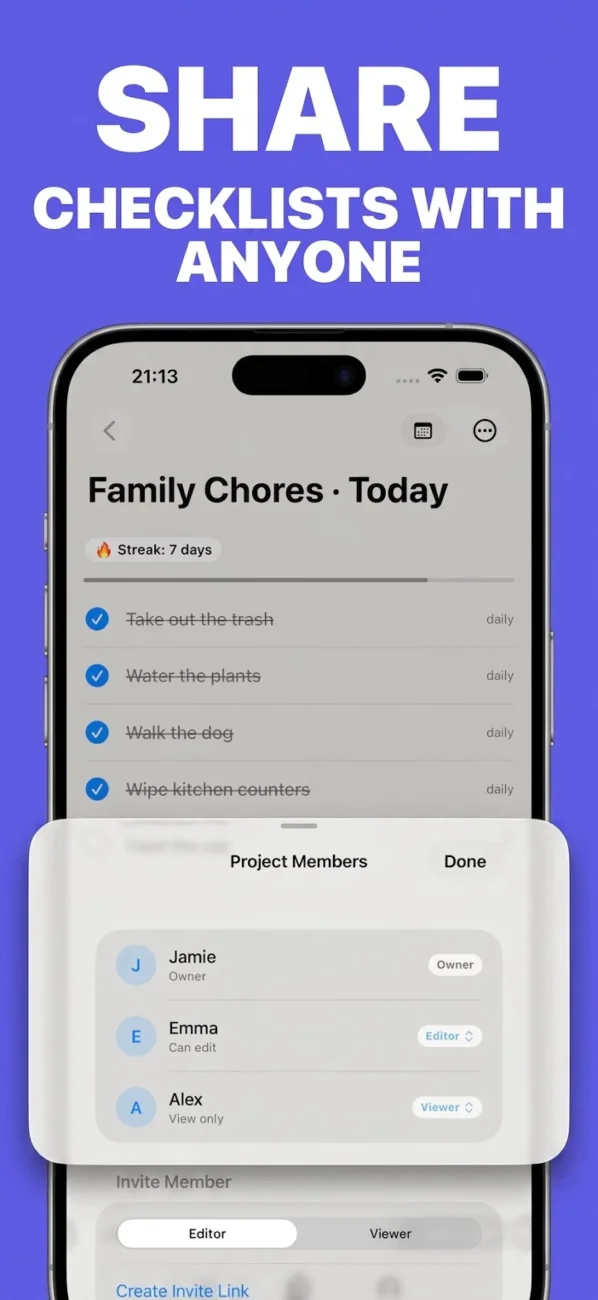
SHARED PROJECTS FOR FAMILY AND TEAMS
Create shared projects — Home, Work, Groceries — and invite the people you share them with. Owner, editor, and viewer roles control who can change the list and who just tracks progress. Everything syncs in real time.
STREAKS THAT KEEP YOU GOING
Finish every item in a project, day after day, and watch your streak grow. The project calendar shows your history at a glance — fully done days, partial days, and what's still ahead.
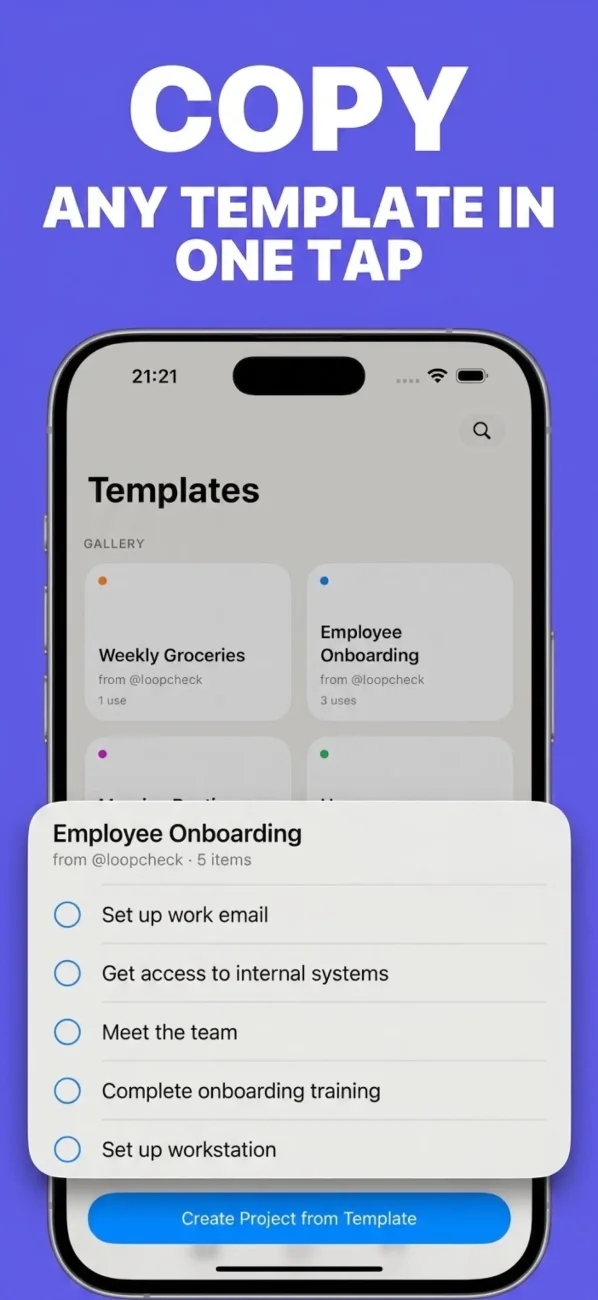
READY-MADE TEMPLATES
Don't want to start from a blank list? The template gallery offers ready-made sets for home, work, and study — in English and Russian. Save your own projects as templates to reuse them later.
DESIGNED FOR iOS
Loopcheck is built with the new Liquid Glass design language — translucent surfaces, fluid animation, full dark mode support — so it feels like a natural part of the system.
PRO SUBSCRIPTION
The free version covers basic projects and checklists. Loopcheck Pro removes the limits on projects and collaborators and unlocks full completion history, with weekly, monthly, or lifetime plans.
Loopcheck is for anyone who wants the important stuff to come back on its own — not get buried in last month's list.
Privacy Policy: https://sites.google.com/view/loopcheckprivacy/
Terms of Use (EULA): https://www.apple.com/legal/internet-services/itunes/dev/stdeula/
What’s new
Version 2.4.4 · Nov 10, 2026
• Optimized for iPhone Duo with adaptive navigation, project grids, and Kanban columns that show more stages side by side on the expanded screen.
• Improved layouts on wider displays and fixed overlapping project cards.
• Improved task ordering after completing or rearranging tasks in project lists.
• Completed one-time tasks without active subtasks now leave active lists after syncing and remain in your history.
• Delete tasks directly from their details in project lists, Kanban, and Today.
• Restored consistent blue controls across screens and sheets, including the profile camera button, and fixed the update screen in Dark Mode.
• Improved the reliability of morning and evening summaries when many recurring reminders are scheduled. Reminder schedules refresh when you return to the app.
• Improved compatibility with newer iOS and watchOS versions.
App privacy
What Elena Anghel declares on the App Store about how this app handles data.
-
Data not linked to you
May be collected but is not linked to your identity.
- Location
- Identifiers
Privacy practices may vary, for example with the features you use or your age.
Information
- Seller
- Elena Anghel
- Category
- Productivity
- Version
- 2.4.4
- Updated
- Nov 10, 2026
- Released
- Aug 15, 2026
- Size
- 11.5 MB
- Requires
- iOS 26.0 or later
- Age rating
- 4+
- Price
- Free
- In-app purchases
- Yes
- Languages
- English, Portuguese, Russian, Simplified Chinese
- Copyright
- © 2026 AnghelDev
You might also like
-
 To Do List: Productivity GameGoal Tracker &Habit Tracker
-
 HomeLog: Home InventoryFind items. Track expiry.
-
 Podknow - Podcast & Offline AIPlayer, Transcripts & Learning
-
 Habit Tracker Daily Routine+Daily Routine & Goals Planner
-
 Sequence: Time Block PlannerVisual Day & Schedule Builder
-
 TooTask·Checklist&Task ManagerTask Manager & To Do List
-
 Turnos Shift Rotation CalendarRotating Shift & Work Calendar
-
 Screen Time: FocusBlockBlock Apps & Screen Time
-
 Focus Sheep - Pomodoro TimerBlock Apps, Build Daily Habits
-
 iSlip: Auto delete notesSave, Recall, Auto Delete