
Daily Planner - Tidify
Time Blocking & To Do List
Designed for iPhone, iPad, Mac
Free · In-app purchases
- Age rating4+
- CategoryProductivity
- DeveloperMarco Ildefonso Davalos Mantilla
- LanguagesEnglish
- Size62.3 MB
Links to the official App Store page
Download.org hosts no file of Daily Planner - Tidify. The button opens its official App Store page, published by Marco Ildefonso Davalos Mantilla. Listing last checked on Nov 20, 2026.
Screenshots



About
Tidify is a daily planner that shows your tasks and your daily schedule in one place. Drag a task onto your day to block time for it, or add it to that day without a start and end time. Tidify reminds you when a timed block starts.
It is simple:
1. Add your tasks
2. Put a task on your day
3. Give it a start and end time, or leave it with no set time
4. Mark the task done
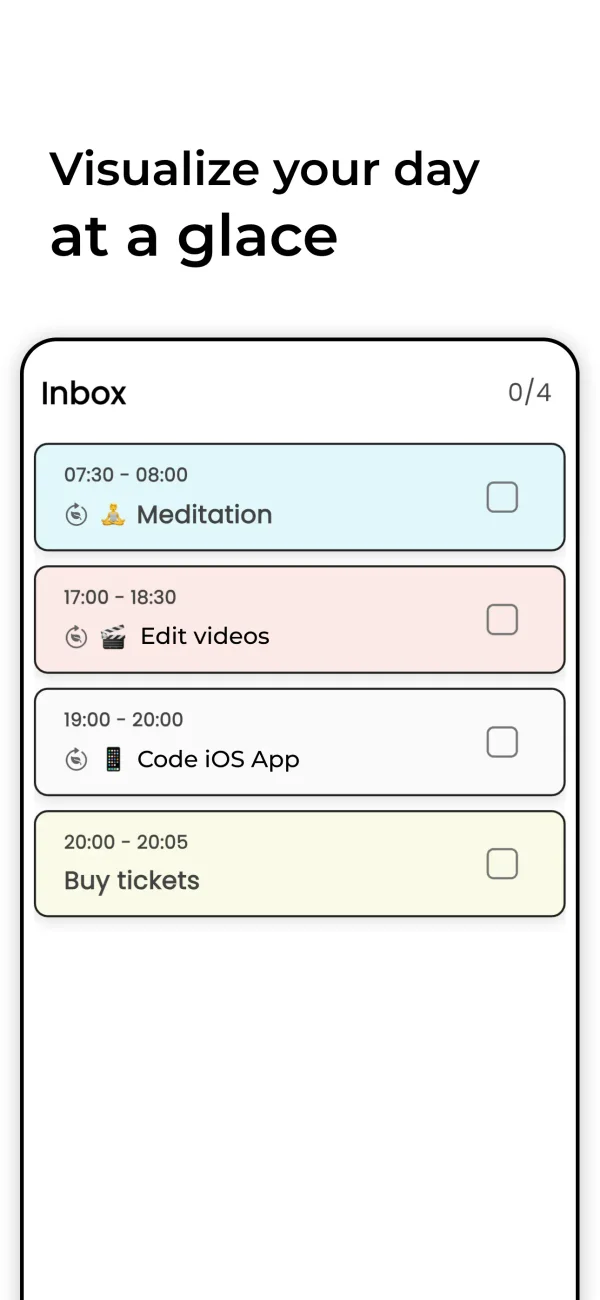
You can see what you need to do and how your day looks. A task with a time appears as a block on your calendar. A task with no start and end stays on that day until you decide when to do it.
This is called time blocking. Instead of a long list you hope to finish, each task has a place in your day.
What you can do:
- See your to-do list and your daily schedule together
- Plan only the hours you are awake, from wake-up to bedtime
- Add a task to a day without choosing a start and end time
- Drag a time block to move it if your day changes
- Keep separate to-do lists, with subtasks, due dates, and notes
- Put your most important tasks first
- View your day as a timeline or as a simple list
- Use a Home Screen widget to see today's time blocks
- Get a reminder before bed to plan tomorrow
Schedules
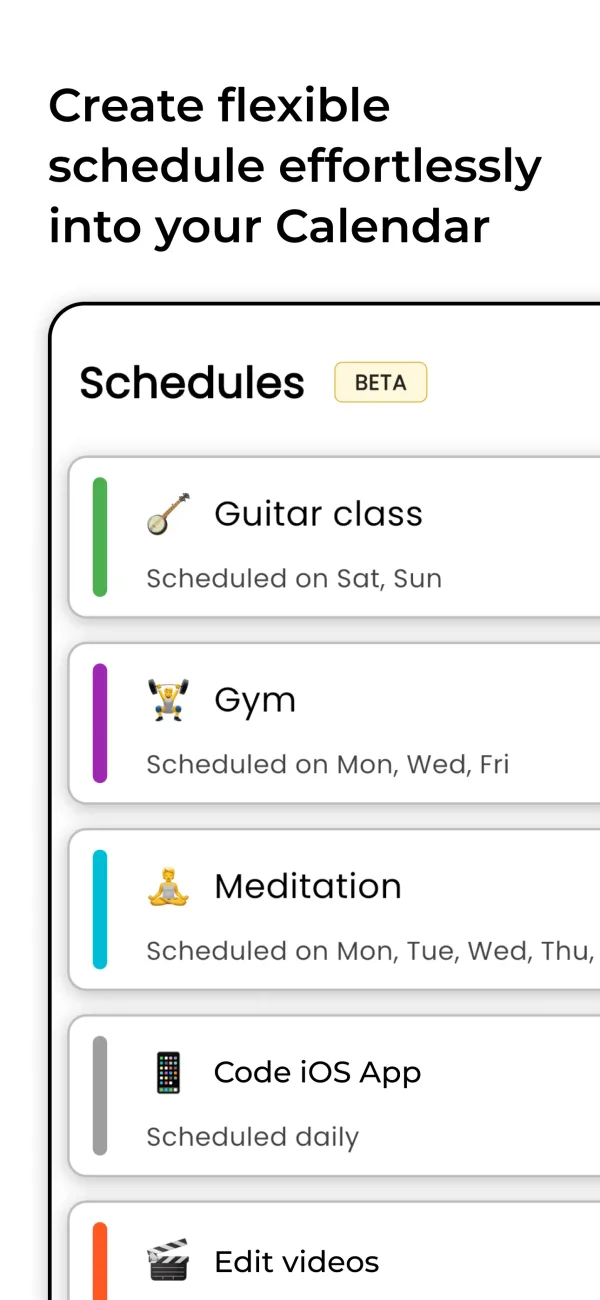
A Schedule is a routine you repeat, like a workout, a class, or focused work. Choose the days and times, and Tidify adds it to your calendar for you. You can set a different time each day, add more than one block on the same day, or skip a single day.
Feedback and feature requests: marco@tidify.io
Some features require a Premium subscription.
Terms of Use (EULA): https://www.apple.com/legal/internet-services/itunes/dev/stdeula/
Privacy Policy: https://tidify.io/privacy-policy
What’s new
Version 4.6.1 · Nov 12, 2026
Bug fixes and improvements.
App privacy
What Marco Ildefonso Davalos Mantilla declares on the App Store about how this app handles data.
-
Data linked to you
May be collected and linked to your identity.
- Contact info
- Contacts
-
Data not linked to you
May be collected but is not linked to your identity.
- Diagnostics
Privacy practices may vary, for example with the features you use or your age.
Information
- Seller
- Marco Ildefonso Davalos Mantilla
- Category
- Productivity
- Version
- 4.6.1
- Updated
- Nov 12, 2026
- Released
- Dec 22, 2023
- Size
- 62.3 MB
- Requires
- iOS 16.1 or later
- Age rating
- 4+
- Price
- Free
- In-app purchases
- Yes
- Languages
- English
- Copyright
- © 2026 Tidify
You might also like
-
 Weekly Planner - Todo, RoutineTrack your growth, todo, habit
-
 Day Planner - Time BlokkerSimple time blocking
-
 Taskoria: ADHD Planner RPGRoutine, Chores & Habit Game
-
 TimeNoder2 - Timeboxing MasterMaster your potential
-
 Taska AIIntelligent Todo Management
-
 Agendus – day-to-day plannerCalendar & Reminders widget
-
 Keepin Habit - habit trackerBetter days with habits!
-
 Plandy: Calendar & TasksReminders by title, not dots
-
 Execute: Daily PlannerSchedule, prioritize, focus
-
 Thrivo - Daily PlannerTasks, Calendar & Routines