
- Age rating4+
- CategoryBusiness
- DeveloperABACUS Research
- LanguagesEnglish+ 2 more
- Size75.0 MB
Links to the official App Store page
Download.org hosts no file of Daily Report. The button opens its official App Store page, published by ABACUS Research. Listing last checked on Nov 16, 2026.
Screenshots


About
"Daily Report" provides the construction site foreman with a simple instrument for the mobile recording of employee hours, material consumption, machine hours and external services.
Material deliveries to the construction site are documented in the delivery journal and can be used to check the billed amounts appearing on the subsequent invoice.
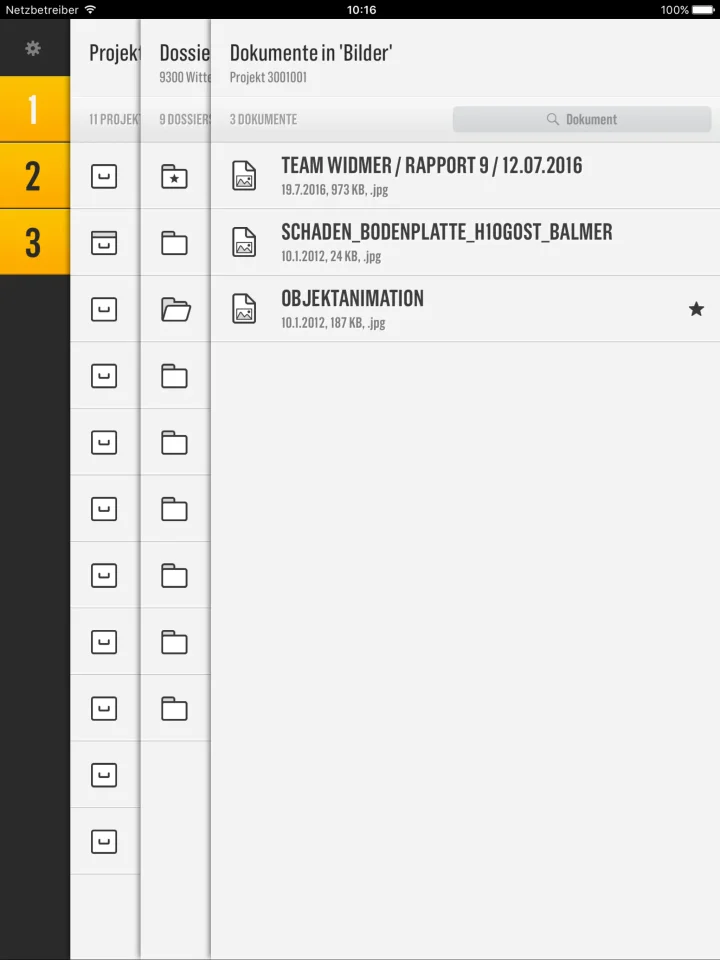
Text and multimedia data such as photos, video and voice recordings of events occurring on the construction site can be taken directly with the iPad and saved as documentation. The Daily Report can be referred to as evidence should any discrepancies occur.
The mobile Daily Report is fully integrated in the server-based ERP software and supplements the AbaBuild technical programs.
• Daily Report Templates
Since multiple teams can work on a single construction site, the system allows an individual Daily Report Template to be created for each team. The Daily Report Template for a team is transferred together with the necessary base data to the iPad creating the basis for the entry of new daily reports.
• Data Acquisition
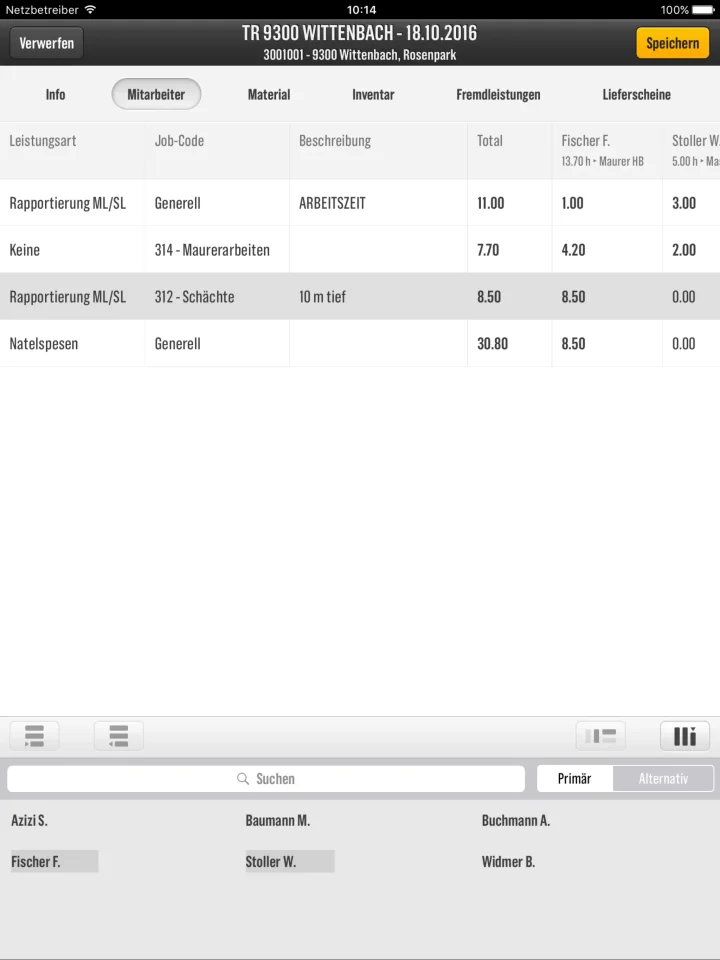
The data acquisition is divided into the area "Info", "Employee", "Salary", "Material", "Inventory", "External Services", and "Delivery Note".
In the "Info" section, general data such as weather, temperature, report designation, external and internal text, etc. can be entered. Each daily report can be supplemented with multimedia data such as photos, video and voice recordings, etc.
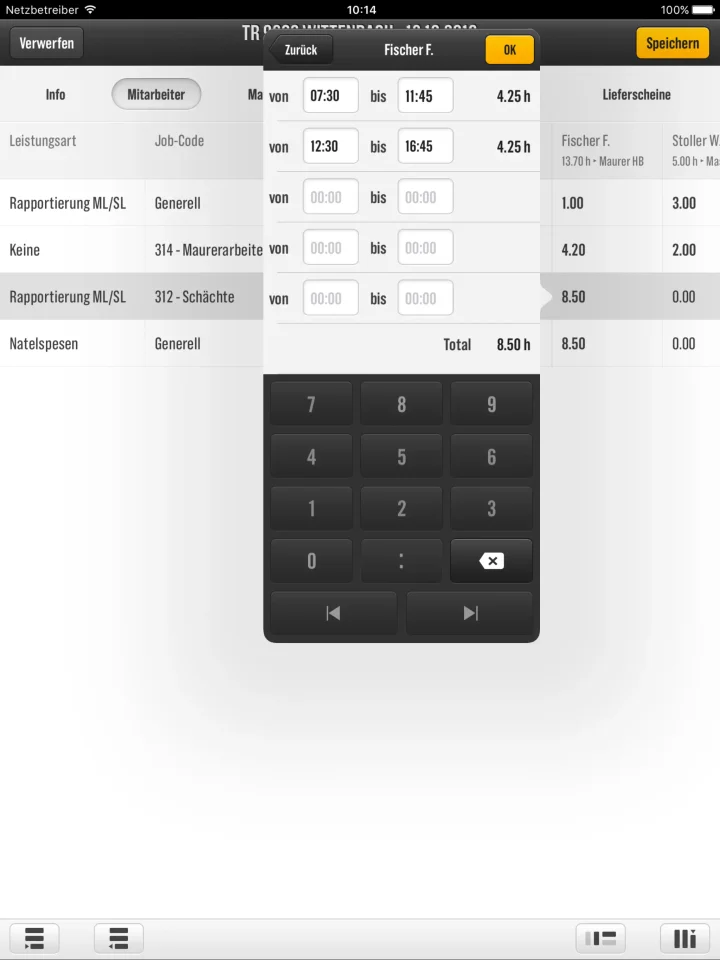
The "Employee" sections shows all employees assigned to the active team. The working time in hours can be job-oriented if desired with hours entered on a from/to basis. Employee column can be shown or hidden.
"Inventory" lists the machines and tools assigned to a team for the recording of operating times. Again, columns can be shown or hidden.
The sections "Material" and "External Services" supplement the daily report entry for the documentation of material consumption or external services used.
Material deliveries to the construction site are entered in the delivery journal under "Delivery Note" and includes data such as supplier, time, material and amount.
• Synchronisation
The data synchronisation transfers the entered daily reports and multimedia data to the ERP system. An internet connection is required. If no internet connection is available the data is saved on the iPad and can be synchronised later when a connection becomes available. Daily reports can be edited at any time and repeatedly synchronised with the ERP system. The "Close" function transfers the data definitively to the ERP system. The closed daily reports are available in Daily Reports as documentation or can be deleted if no longer needed.
• Requirement
The Abacus "AbaSmart" app must be installed on the iPad in order to access "Daily Report".
What’s new
Version 2026.2 · Oct 21, 2026
▸ IMMO-21872
▸ Various improvements and bug fixes
App privacy
What ABACUS Research declares on the App Store about how this app handles data.
-
Data not linked to you
May be collected but is not linked to your identity.
- Location
- User content
- Identifiers
- Diagnostics
Privacy practices may vary, for example with the features you use or your age.
Information
- Seller
- Abacus Research AG
- Category
- Business
- Version
- 2026.2
- Updated
- Oct 21, 2026
- Released
- Sep 21, 2013
- Size
- 75.0 MB
- Requires
- iOS 15.5 or later
- Age rating
- 4+
- Price
- Free
- Languages
- English, French, German
- Copyright
- © 2013-2026 Abacus Research AG
You might also like
-
 Construction Daily Reports AppCrew, Contractor & Field Log
-
 Site Diary - ConstructionConstruction Daily Report
-
 CDR Construction Daily ReportsProductivity
-
 Daily Report AppEngineering and Construction
-
 Raken Construction ManagementDaily Reports, Time & Safety
-
 Fieldwire - Construction AppField Management & Punch List
-
 BluebeamField app for PDF workflows
-
 Autodesk FormaConstruction Management
-
 ProcoreConstruction Management